Hytale version
Back to mods 
CurseForge · Hytale mod
The Lost Worlds
A mod that adds a new worlds with a lot of interesting loot and enemies!
Choose a version Pick your version below, then grab the matching file.
Quick answer
Which The Lost Worlds release should I use?
Latest stable file TheLostWorldsV0.4.1.zip
Game version 0.5
Mod system Built-in Hytale mod system
The Lost Worlds TheLostWorldsV0.4.1.zip targets 0.5. Do not install it as a separate client mod. Enable it on the world host—the local server in singleplayer or the dedicated server in multiplayer. No required dependencies listed for this file.
Where it goes
Where should The Lost Worlds be installed in Hytale?
Do not install it as a separate client mod. Enable it on the world host—the local server in singleplayer or the dedicated server in multiplayer.
Separate client mod Not supported
World host / dedicated server Required
Mod system for this release Built-in Hytale mod system
Required install it here Optional supported, not mandatory Not supported do not install here Source doesn’t say do not assume
Put Hytale mods on the world host or dedicated server. Singleplayer runs a local server too; Hytale does not use separate client mods.
What else does The Lost Worlds TheLostWorldsV0.4.1.zip need?
TheLostWorldsV0.4.1.zip. Change the file and its required mods may change too.
This file does not list any required mods. Do not add a library just because a different file uses it.
This file does not list any required or optional project dependencies. Check the creator notes before changing an existing world.
Before you install it
Add The Lost Worlds without breaking your instance.
Built for The Lost Worlds TheLostWorldsV0.4.1.zip. Pick another file and the loader, install side or required mods may change.
- 01
Stick to this file
Use TheLostWorldsV0.4.1.zip. It targets 0.5; another release may target a different game build or dependency set.
- 02
Bring the mods it needs
This file does not list any required mods. Do not add a library just because a different file uses it.
- 03
Enable it on the world host
Do not install it as a separate client mod. Enable it on the world host—the local server in singleplayer or the dedicated server in multiplayer.
- 04
Pick the file you checked
Use the “Get this file” button beside TheLostWorldsV0.4.1.zip. It opens that exact file at the source.
About this project
What does The Lost Worlds add?
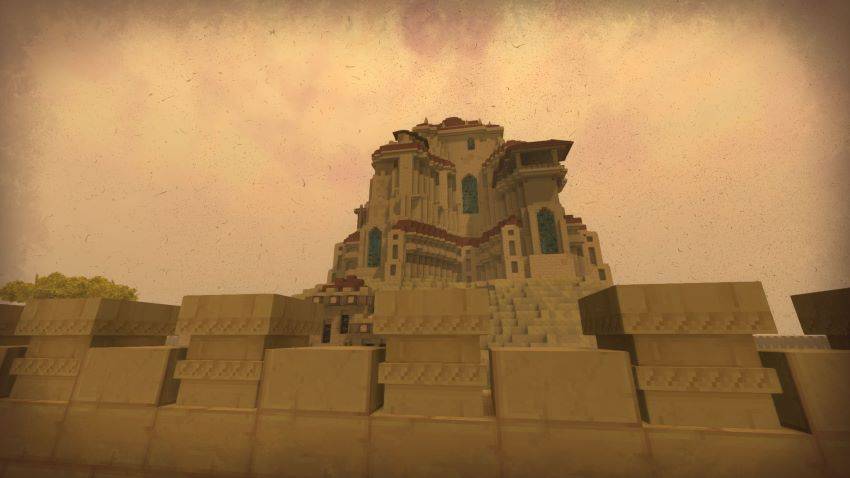
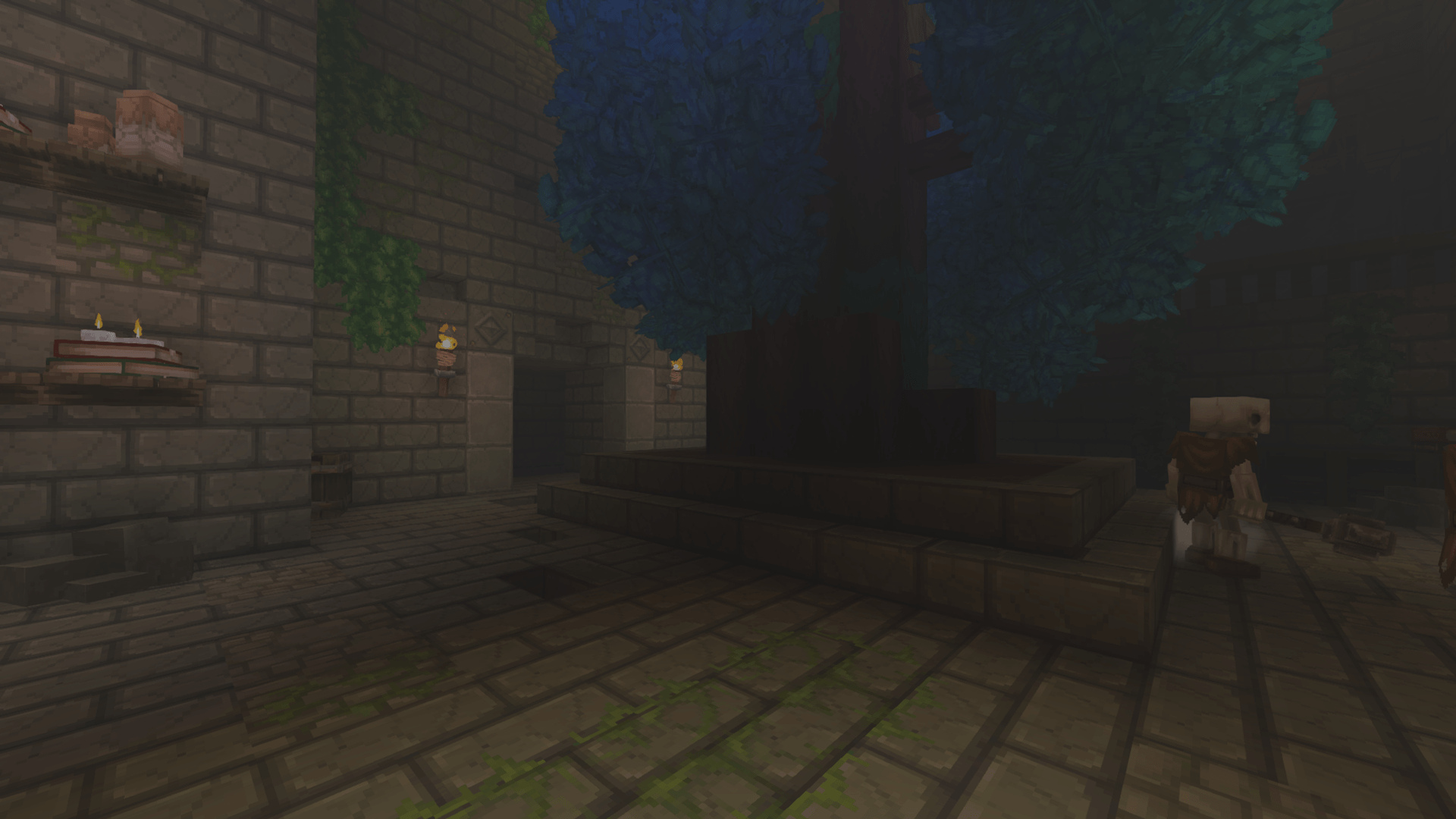
The Lost Worlds adds new worlds where you can find a lot of treasures, enemies, and much more.
To get to the first world, you need to craft an Ancient Gate and create a Forgotten Dungeon fragment on the arcanist's table.
Currently, mod only contains a few worlds, as its early stages of development.
I will wait for more feedback to improve balance and add even more features.
Questions that you maybe wanna ask:
Q: Why mod is not working correctly?
A: Use latest release of Hytale and try to disable other mods, or just wait until new fixed version come out
I will add more answers here over time.
Project description from CurseForge.
Pick your setup
The Lost Worlds releases for each Hytale build.
Choose the version and loader you play, then open the matching release.
Check the dependencies, then try the file in a copied instance before changing a world you care about.
Recent files
The Lost Worlds releases and Hytale builds
TheLostWorldsV0.4.1.zip
29 Jul 2026
Client Not supported Server Required Dependencies No extras listed Listed on Project page
Check the 0.5 setup 0.5 release
TheLostWorldsV0.4.0.zip
26 Jul 2026
Client Not supported Server Required Dependencies No extras listed Listed on Project page
Check the 0.5 setup 0.5 release
TheLostWorldsV0.3.1.zip
20 Jul 2026
Client Not supported Server Required Dependencies No extras listed Listed on Project page
Check the setup TheLostWorldsV0.3.0.zip
18 Apr 2026
Client Not supported Server Required Dependencies No extras listed Listed on Project page
Check the setup TheLostWorldsV0.2.2.zip
15 Apr 2026
Client Not supported Server Required Dependencies No extras listed Listed on Project page
Check the setup TheLostWorldsV0.2.1.zip
28 Mar 2026
Client Not supported Server Required Dependencies No extras listed Listed on Project page
Check the setup TheLostWorldsV0.2.0.zip
20 Mar 2026
Client Not supported Server Required Dependencies No extras listed Listed on Project page
Check the setup TheLostWorldsV0.1.1.zip
21 Feb 2026
Client Not supported Server Required Dependencies No extras listed Listed on Project page
Check the setup TheLostWorldsV0.1.0.zip
14 Feb 2026
Client Not supported Server Required Dependencies No extras listed Listed on Project page
Check the setup Looking for an older file? The official CurseForge project page is in Resources.
 mod
mod CurseForge · Hytale
Vox Magica
Adds Voice Control to Hexcode!
 mod
mod CurseForge · Hytale
Berserk Mode
Dynamic AI battle engine enabling Free-For-All and friendly-fire combat for NPCs
 mod
mod CurseForge · Hytale
Dynamic Seasons
Adds 4 Seasons to the world, Greenhouse blocks, Seasonal Farming, Seasonal Fishing, Customizable Weather. It also adds dynamic Snow, (WIP) temperature system, Configurable Settings, and an optional Seasons Spellbook.