HotbarScrollBridge-1.0.0.jar
15 Aug 2026
Client Not supported Server Required Dependencies No extras listed Listed on Project page
Check the setup 
CurseForge · Hytale mod
Fixes hotbar scroll with emulated mouse-wheel input
Quick answer
HotbarScrollFix HotbarScrollBridge-1.0.0.jar targets Hytale. Do not install it as a separate client mod. Enable it on the world host—the local server in singleplayer or the dedicated server in multiplayer. No required dependencies listed for this file.
Where it goes
Do not install it as a separate client mod. Enable it on the world host—the local server in singleplayer or the dedicated server in multiplayer.
Put Hytale mods on the world host or dedicated server. Singleplayer runs a local server too; Hytale does not use separate client mods.
HotbarScrollBridge-1.0.0.jar. Change the file and its required mods may change too.
This file does not list any required mods. Do not add a library just because a different file uses it.
This file does not list any required or optional project dependencies. Check the creator notes before changing an existing world.
Before you install it
Built for HotbarScrollFix HotbarScrollBridge-1.0.0.jar. Pick another file and the loader, install side or required mods may change.
Use HotbarScrollBridge-1.0.0.jar. It targets Hytale; another release may target a different game build or dependency set.
This file does not list any required mods. Do not add a library just because a different file uses it.
Do not install it as a separate client mod. Enable it on the world host—the local server in singleplayer or the dedicated server in multiplayer.
Use the “Get this file” button beside HotbarScrollBridge-1.0.0.jar. It opens that exact file at the source.
About this project
Only-singleplayer mod for Hytale.
It makes the hotbar respond to emulated mouse-wheel input
Only for WIndows
Limitations
Tested in pre-release version of the game
Project description from CurseForge.
Recent files
15 Aug 2026
Looking for an older file? The official CurseForge project page is in Resources.
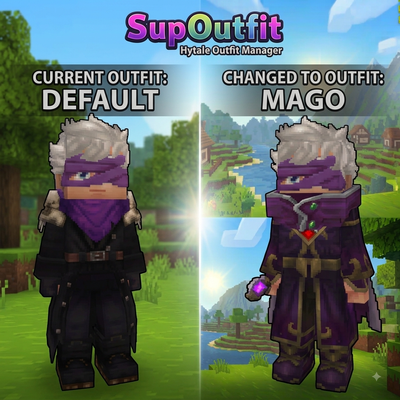 mod
mod**Character customization and outfit management system for Hytale. Create and customize your character with an in-game Avatar Editor, then save, equip, rename, and delete outfit presets through a custom UI or commands.**
 mod
modweaponised femboy body pillows (dakimakura), cozy cushion blocks, plushie characters, silly fumo, futon bed, lain onesie mage robes (kigurumi), pillow hexstaff + hexbook + glyph guide for hexcode magic via patchly! anime ref: astolfo, ferris, rimuru, lain!
 mod
modGAMQ Signs adds craftable, editable signs with persistent in-world text to Hytale servers.