Hytale version
Back to mods 
CurseForge · Hytale mod
Control Core
An in-game control panel for server owners: edit config.json, mod settings, player preferences, permissions and key binds for commands.
Choose a version Pick your version below, then grab the matching file.
Quick answer
Which Control Core release matches 0.7?
beta file ControlCore-0.13.0.jar
Game version 0.7
Mod system Built-in Hytale mod system
Control Core ControlCore-0.13.0.jar targets 0.7. Do not install it as a separate client mod. Enable it on the world host—the local server in singleplayer or the dedicated server in multiplayer. No required dependencies listed for this file.
Where it goes
Where should Control Core be installed in Hytale?
Do not install it as a separate client mod. Enable it on the world host—the local server in singleplayer or the dedicated server in multiplayer.
Separate client mod Not supported
World host / dedicated server Required
Mod system for this release Built-in Hytale mod system
Required install it here Optional supported, not mandatory Not supported do not install here Source doesn’t say do not assume
Put Hytale mods on the world host or dedicated server. Singleplayer runs a local server too; Hytale does not use separate client mods.
What else does Control Core ControlCore-0.13.0.jar need?
ControlCore-0.13.0.jar on 0.7. Every mod below is checked against that same setup.
This file does not list any required mods. Do not add a library just because a different file uses it.
This file does not list any required or optional project dependencies. Check the creator notes before changing an existing world.
Before you install it
Add Control Core without breaking your instance.
Built for Control Core ControlCore-0.13.0.jar on 0.7. Pick another file and the loader, install side or required mods may change.
- 01
Stick to this file
Use ControlCore-0.13.0.jar. It targets 0.7; another release may target a different game build or dependency set.
- 02
Bring the mods it needs
This file does not list any required mods. Do not add a library just because a different file uses it.
- 03
Enable it on the world host
Do not install it as a separate client mod. Enable it on the world host—the local server in singleplayer or the dedicated server in multiplayer.
- 04
Pick the file you checked
Use the “Get this file” button beside ControlCore-0.13.0.jar. It opens that exact file at the source.
About this project
What does Control Core add?
ControlCore is an in-game control panel for Hytale servers. Edit config.json, mod settings, player preferences, permissions and key binds without leaving the game, and give other mods one shared place for their settings.
Beta. Requires a Hytale server 0.7.2 or newer 0.7.x (tested on 0.7.4). Back up
mods/OFATech_ControlCore/before updating.
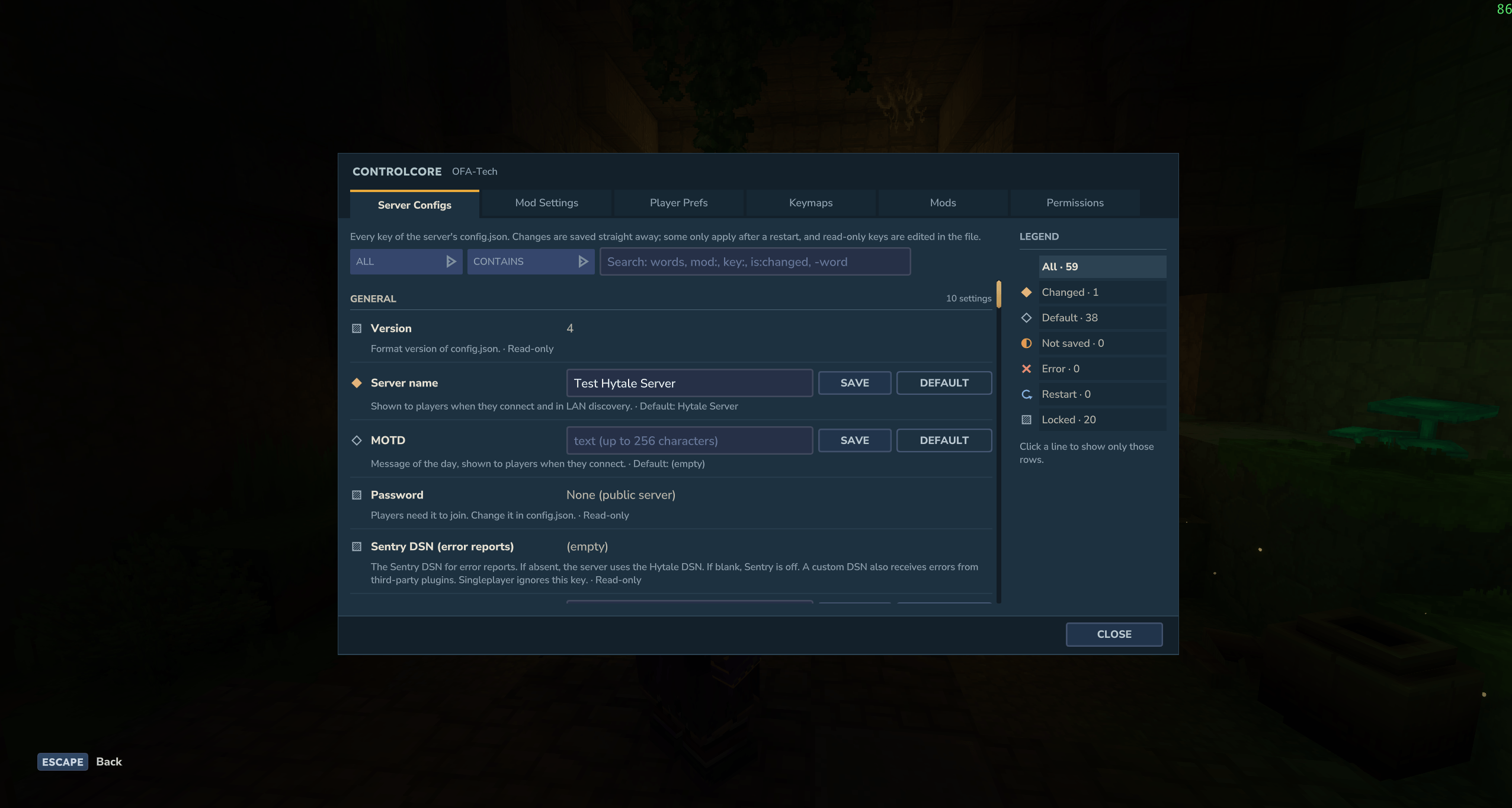
Why ControlCore?
- No more editing JSON by hand. Every key of the server's
config.jsonis in the panel, with its description, limits and default. - See what changed at a glance. Every row shows its state, and a legend counts and filters them.
- One panel for every mod. Mods that use ControlCore show their settings and key binds in the same place, with the same search and permissions.
- Players get their own settings.
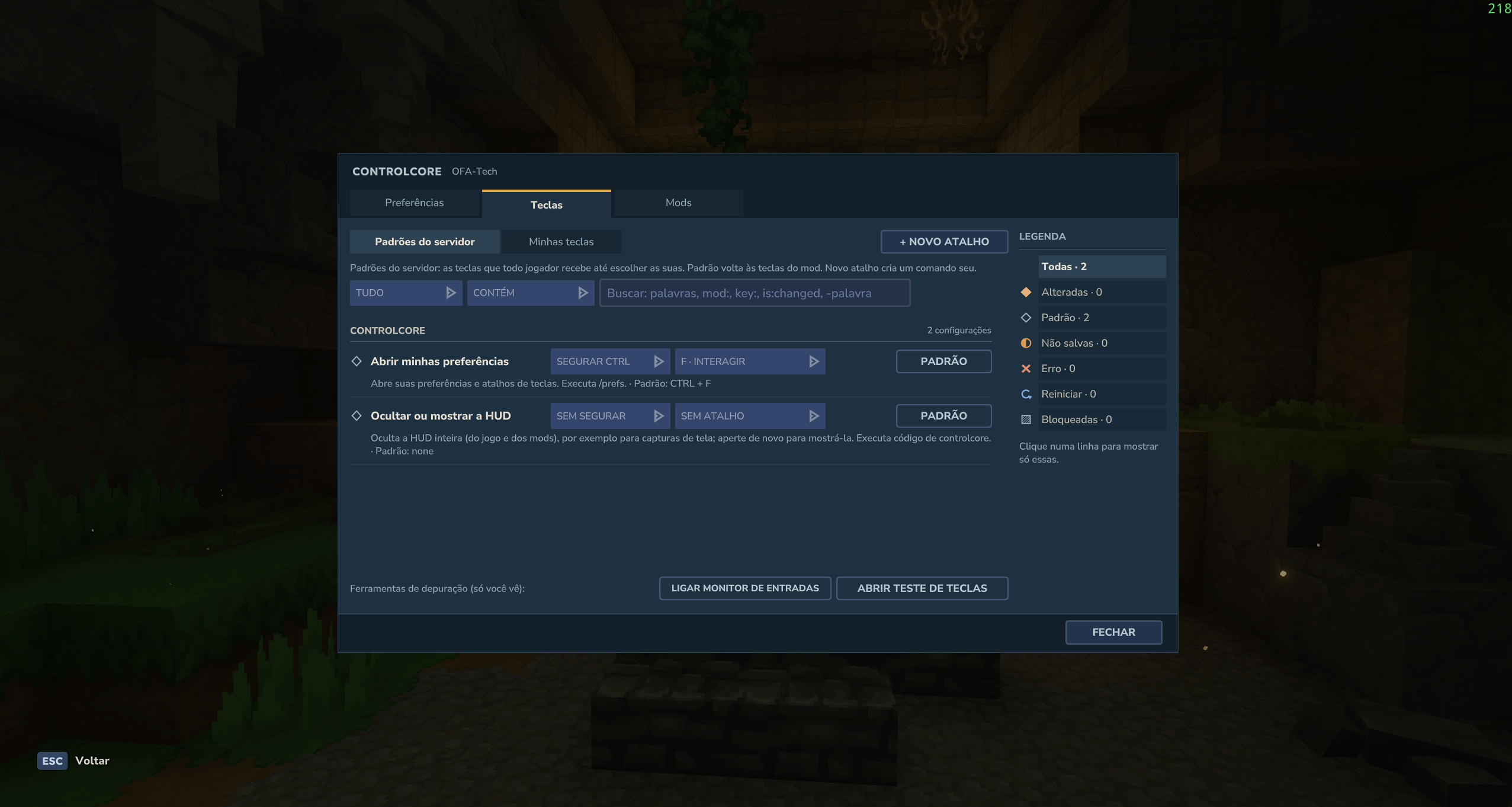
/prefslets each player pick their keys, HUD and preferences. - Your language. English, Português (Brasil) and Español, following each player's game language.
The panel
Open it with /open-admin-config. Six tabs:
| Tab | What you can do |
|---|---|
| Server Configs | Change any config.json key. Changes save at once; keys that only apply after a restart say so, and a banner lists them until you restart. |
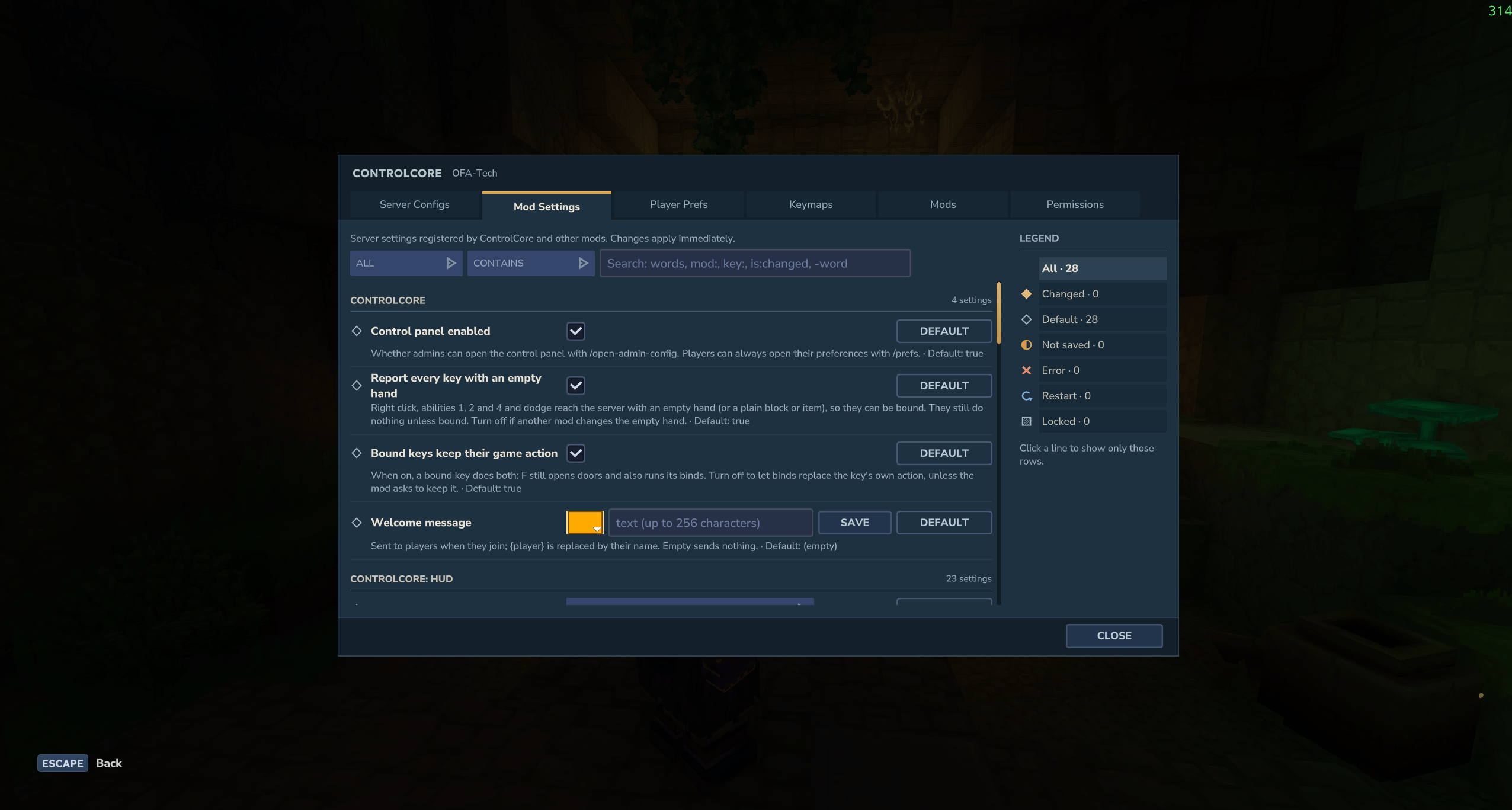
| Mod Settings | Settings registered by ControlCore and other mods: check boxes, sliders, text, colours, lists and dropdowns. |
| Player Prefs | Your own preferences, including which parts of the HUD you see. |
| Keymaps | The server's default keys and your own, plus key binds that run any command. |
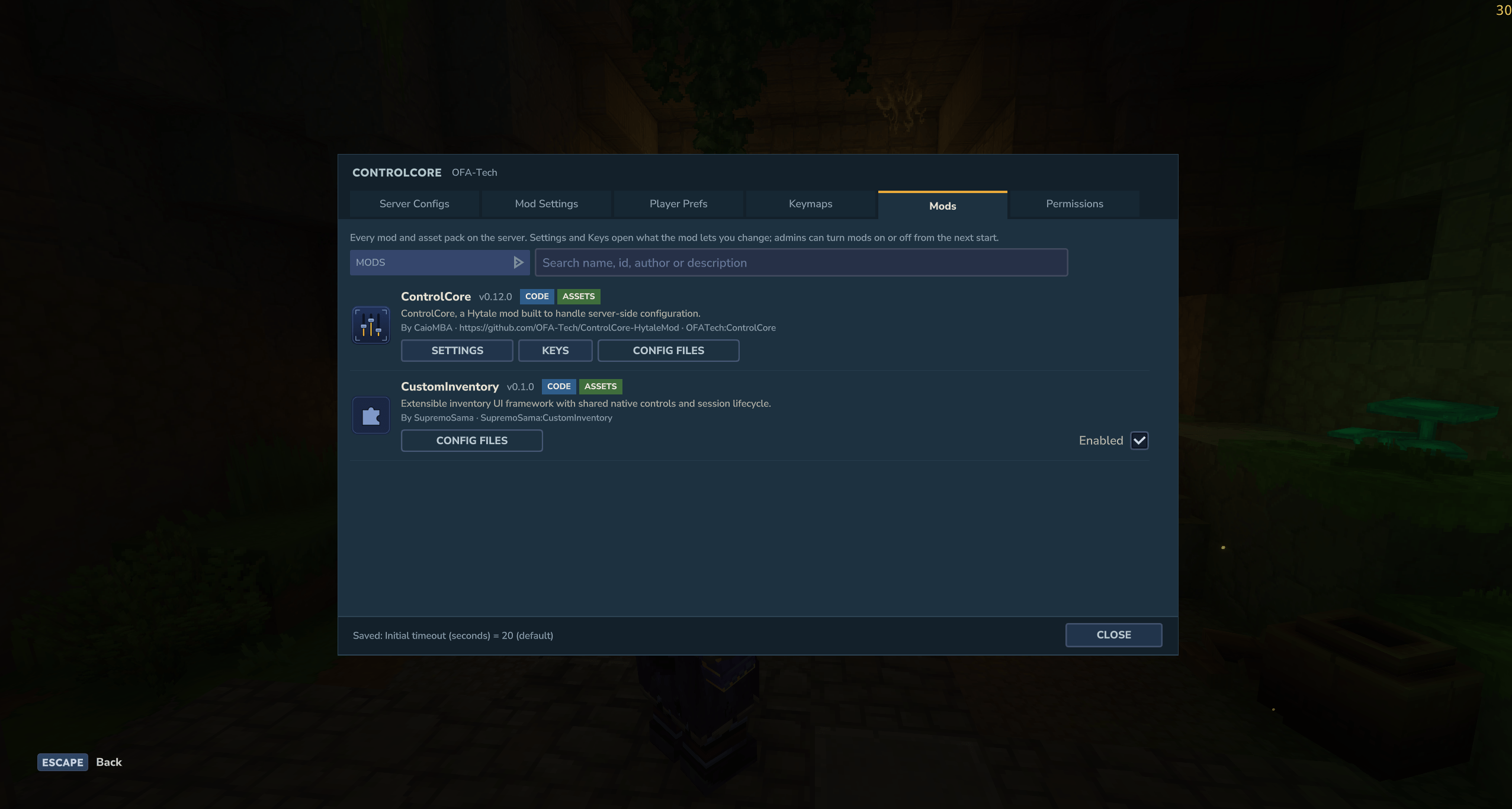
| Mods | Every installed mod with its logo, version and badges. Jump to its settings and keys, turn it on or off, read its config files. |
| Permissions | Decide who may see and who may change each setting, category or whole mod. |
Every setting tells you its state
Each row is marked as changed, default, not saved, error, needs a restart or locked. The Legend on the right counts each state; click one to show only those rows, for example everything you changed. Mistakes are explained right under the field, and Undo puts back your last change.
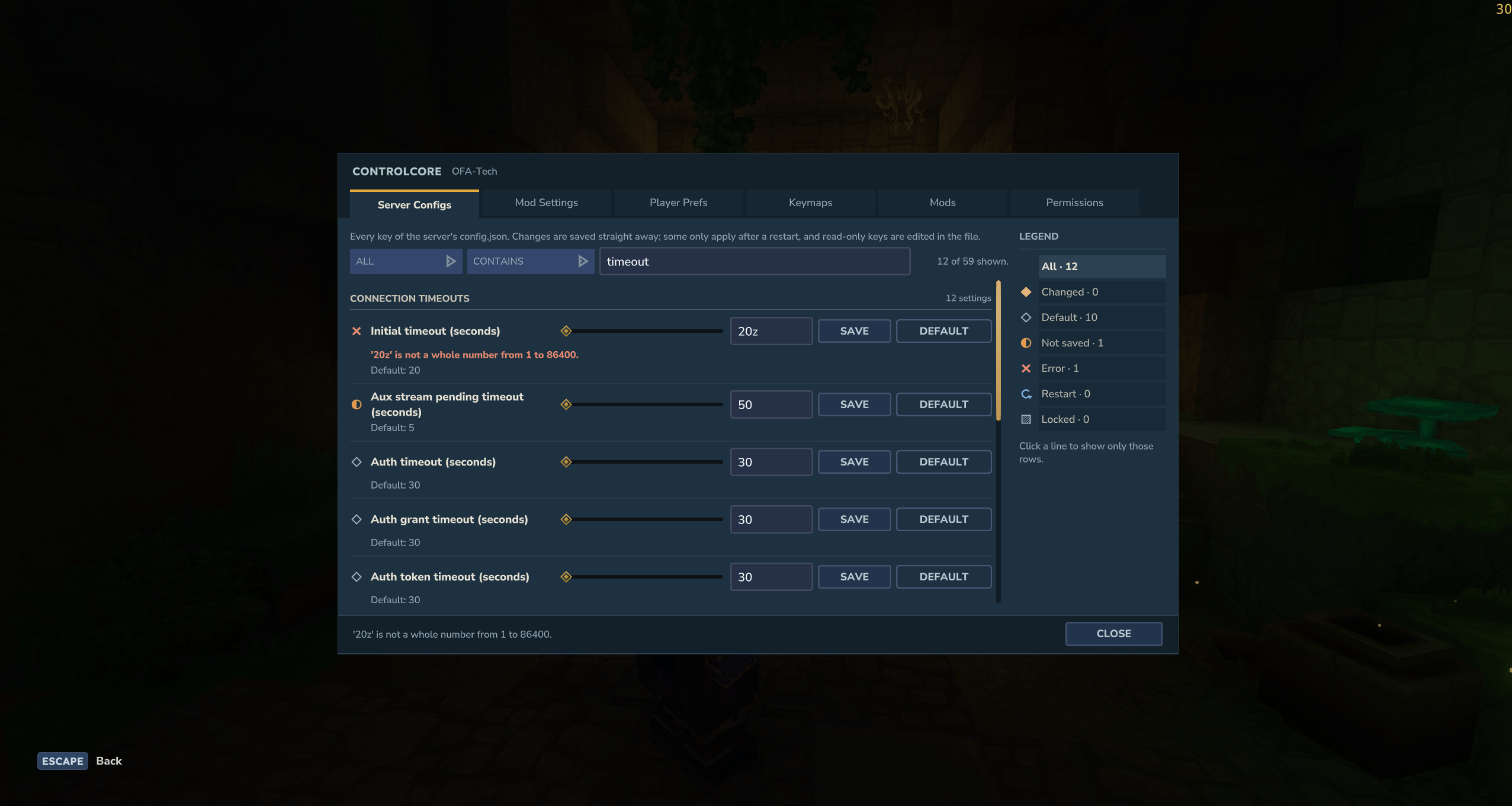
Find anything in seconds
Every list has a search with a field filter (name, mod, value, key, …) and contains / equals / starts with / ends with, plus "changed only". The legend counts follow your search.
Mod settings with real controls
Sliders for numbers, colour pickers, lists you can add to and remove from, and Default and Undo on every row.
Key binds that run commands
Bind keys to any command, without writing a mod. Run it as the player or as the server, set a server-wide default, and let every player choose their own keys. Keys are picked from two dropdowns, a key to hold and a main key, and only keys the server can really detect are offered.
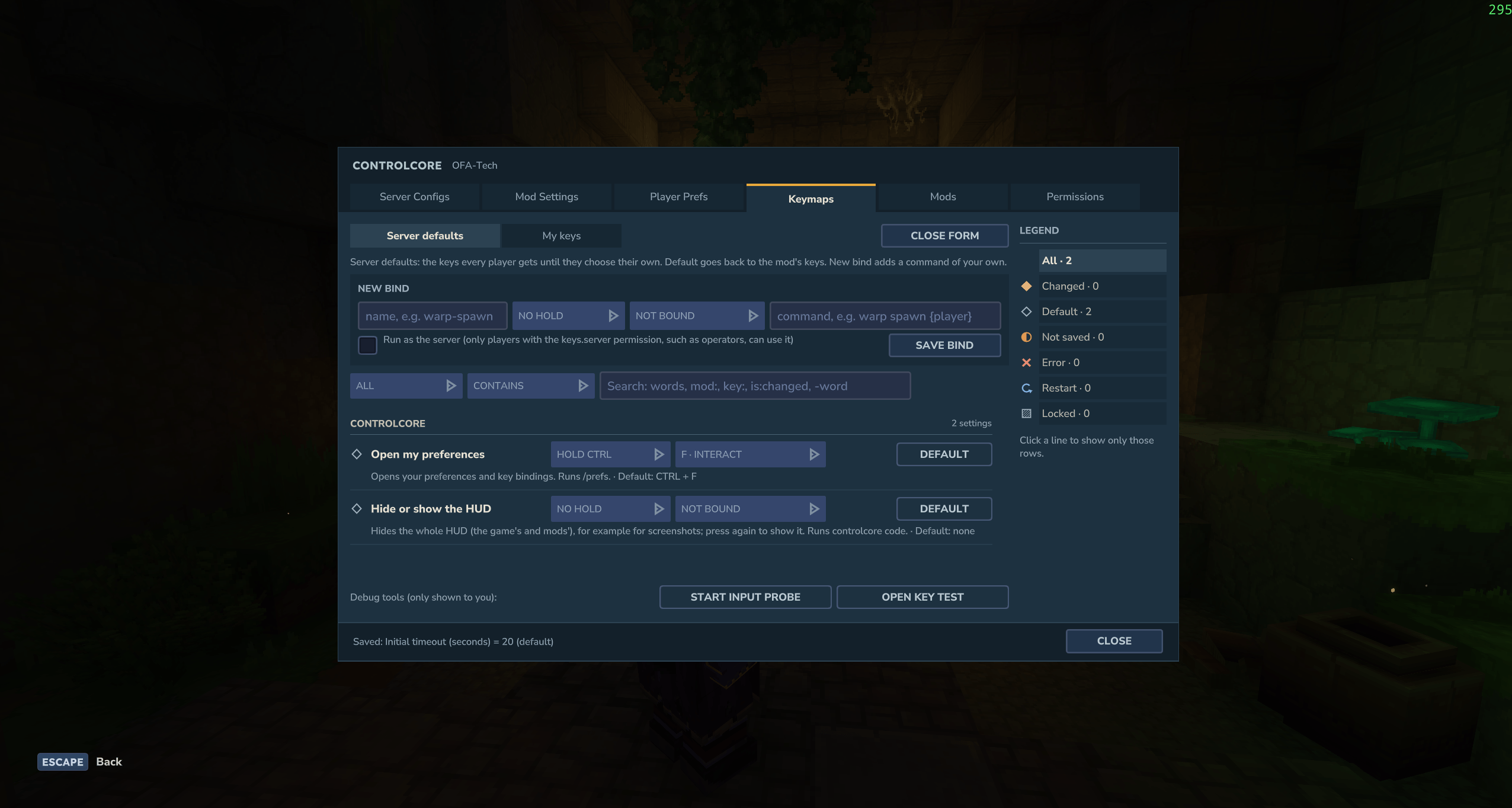
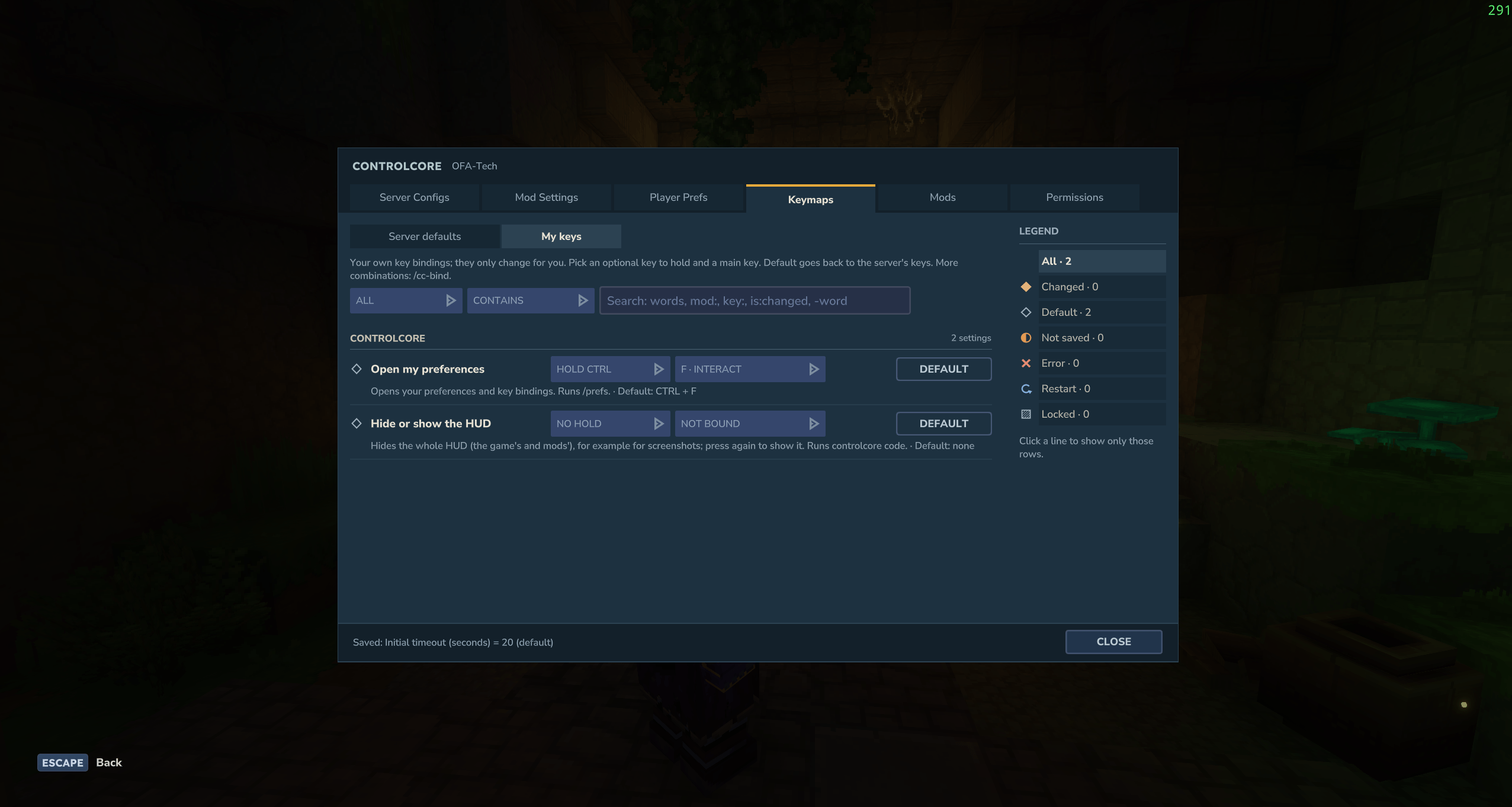
Hytale servers only see game actions, not raw keys. Binds use Q, E, R, F, O, the mouse buttons, hotbar 1-9, ability 4, dodge and combinations with Ctrl, Alt, Shift or Space. Bound keys keep their normal action by default: F still opens doors and runs its binds.
Every mod at a glance
Speaks your players' language
For players
/prefsopens your own preferences: your key binds, your HUD (hide the compass, health, chat and 20 more parts) and more.- Hide or show the HUD with one key you choose, for clean screenshots.
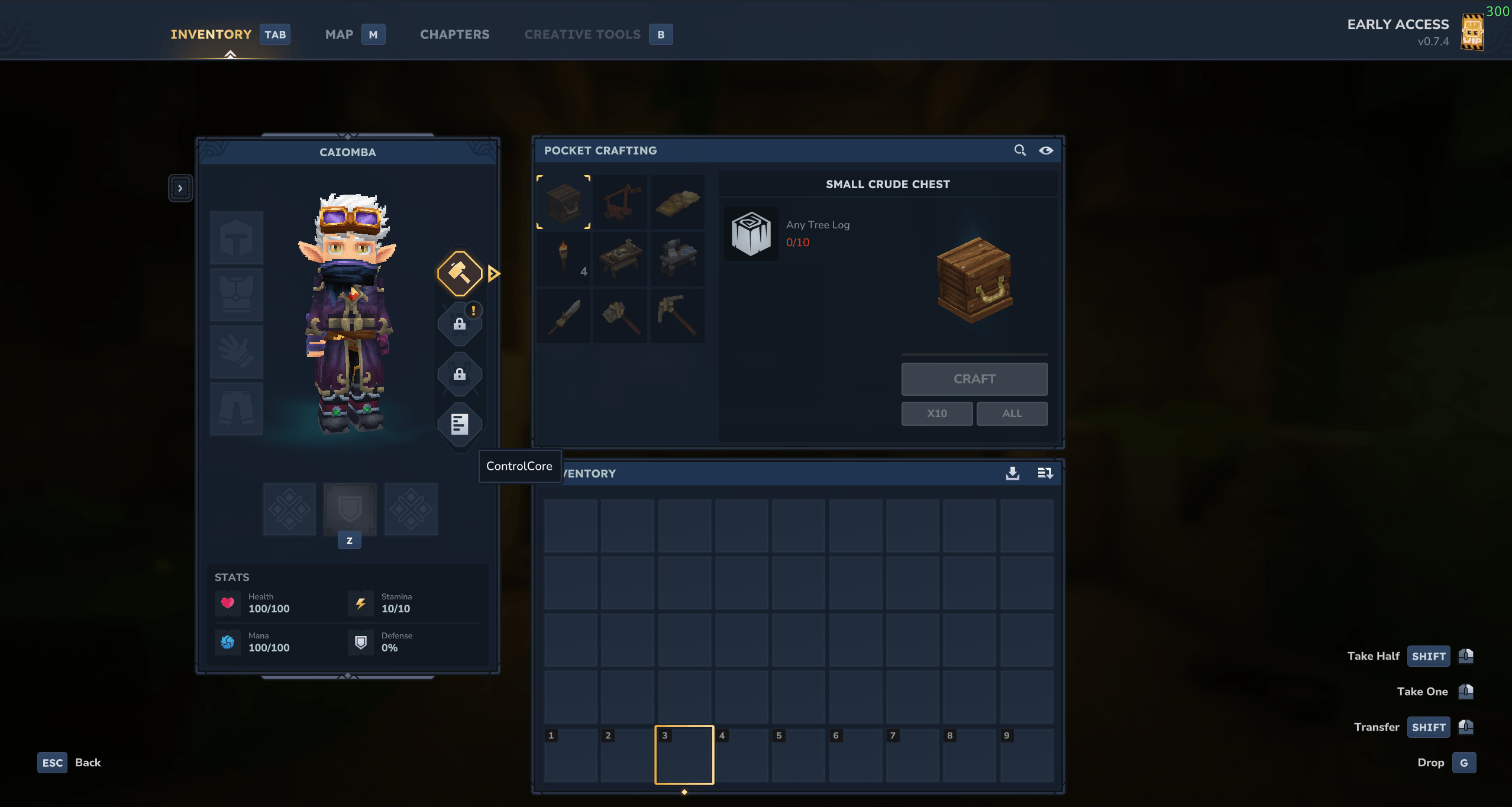
Works with CustomInventory
With CustomInventory installed, its inventory screen gets a ControlCore button: admins open the admin panel, players open their preferences.
Commands
| Command | What it does |
|---|---|
/open-admin-config |
Open the admin panel |
/prefs |
Open your own preferences |
/cc-config <mod> |
Open the panel on one mod's settings |
/cc-get, /cc-set, /cc-reset |
Read and change any setting or config.json key from chat or the console |
/cc-keybind-add, /cc-keybind-remove |
Create and remove command key binds |
/cc-perm, /cc-perms, /cc-perm-check |
Manage permissions per setting |
/cc-mods |
List the server's mods |
The full list, with permissions, is in the wiki.
For mod authors
Register settings (server-wide or per player), key actions and HUD elements in a few lines. ControlCore stores the values, shows them in the panel, checks permissions, translates the names and tells your mod when something changes.
ControlCoreApi.find().ifPresent(api -> {
    api.settings().register(
        SettingDefinition.server("homes", "max-homes", SettingType.integer(1, 50), 3)
            .named("Max homes")
            .inCategory("Limits"));
    api.keymaps().register(KeyAction.of("homes", "go-home")
        .displayName("Go home")
        .command("home {player}")
        .defaultKeys(Key.CTRL, Key.R));
});
Get started with the mod author guide. Links
- Wiki: installing, the panel, commands, permissions, key binds
- Source code (MIT license)
- Report a bug or suggest a feature
Project description from CurseForge.
Pick your setup
Control Core releases for each Hytale build.
Choose the version and loader you play, then open the matching release.
Check the dependencies, then try the file in a copied instance before changing a world you care about.
Recent files
Control Core releases and Hytale builds
ControlCore-0.13.0.jar
24 Oct 2026
Client Not supported Server Required Dependencies No extras listed Listed on Project page
Check the 0.7 setup ControlCore-0.12.0.jar
24 Oct 2026
Client Not supported Server Required Dependencies No extras listed Listed on Project page
Check the 0.7 setup ControlCore-0.11.0.jar
23 Oct 2026
Client Not supported Server Required Dependencies No extras listed Listed on Project page
Check the 0.7 setup ControlCore-0.10.0.jar
21 Oct 2026
Client Not supported Server Required Dependencies No extras listed Listed on Project page
Check the 0.7 setup ControlCore-0.9.0.jar
21 Oct 2026
Client Not supported Server Required Dependencies No extras listed Listed on Project page
Check the 0.7 setup Looking for an older file? The official CurseForge project page is in Resources.
 mod
mod CurseForge · Hytale
Magic Storage: Linked Chest & Bag
Craft a Magic Chest and a Magic Bag that opens it from anywhere, even inside dungeons.
 mod
mod CurseForge · Hytale
Big Lungs
Increases the Oxygen meter from a measly 16.67s to 40s!
 mod
mod CurseForge · Hytale
Flight Stopper
Automatically stops flying when you touch the ground, just like Minecraft creative mode.