Minecraft version
Back to mods 
CurseForge · Minecraft mod
Colorful Lighting
Adds colored lighting to the game.
Choose a version Pick your version below, then grab the matching file.
Quick answer
Which Colorful Lighting release should I use?
Latest stable file colorful_lighting-26.2-1.3.0.jar
Game version 26.1.2, 26.2
Loader NeoForge
Colorful Lighting colorful_lighting-26.2-1.3.0.jar targets 26.1.2, 26.2 with NeoForge. The project page does not say whether this file belongs on the client, dedicated server, or both. No extra mods listed for this file.
Where it goes
Is Colorful Lighting required on the client, server, or both?
The project page does not say whether this file belongs on the client, dedicated server, or both.
Client Source doesn’t say
Dedicated server Source doesn’t say
Loader for this release NeoForge
Required install it here Optional supported, not mandatory Not supported do not install here Source doesn’t say do not assume
The source does not explicitly classify this release as client-only or server-only.
What else does Colorful Lighting colorful_lighting-26.2-1.3.0.jar need?
colorful_lighting-26.2-1.3.0.jar. Change the file and its required mods may change too.
This file does not list any required mods. Do not add a library just because a different file uses it.
This file does not list any required or optional mods.
Before you install it
Add Colorful Lighting without breaking your instance.
Built for Colorful Lighting colorful_lighting-26.2-1.3.0.jar. Pick another file and the loader, install side or required mods may change.
- 01
Stick to this file
Use colorful_lighting-26.2-1.3.0.jar. It targets 26.1.2, 26.2 with NeoForge; another release may have different loader, side or dependency requirements.
- 02
Bring the mods it needs
This file does not list any required mods. Do not add a library just because a different file uses it.
- 03
Put it on the correct side
The project page does not say whether this file belongs on the client, dedicated server, or both.
- 04
Pick the file you checked
Use the “Get this file” button beside colorful_lighting-26.2-1.3.0.jar. It opens that exact file at the source.
About this project
What does Colorful Lighting add?
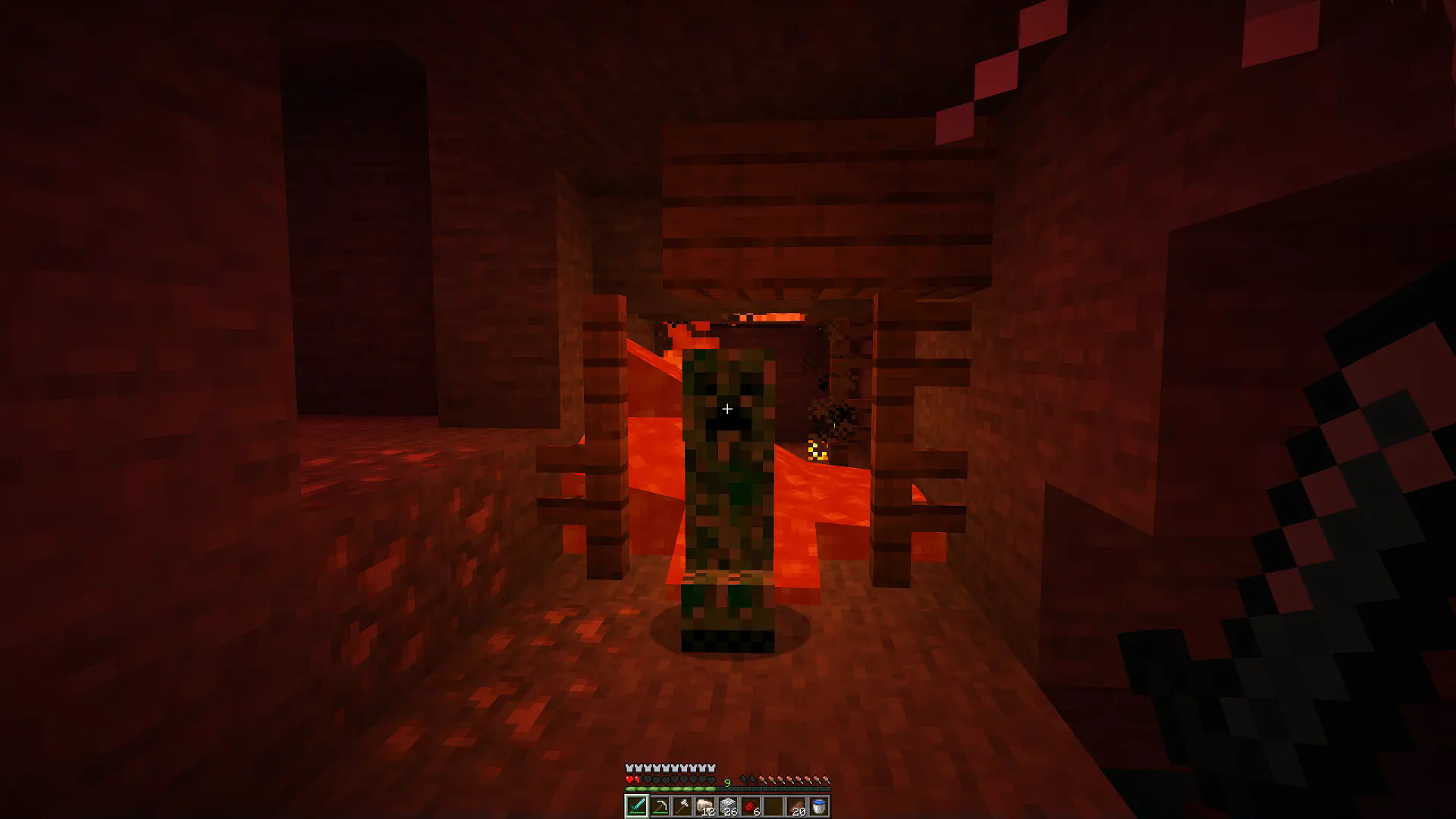 The mod adds colored lighting to the game. Other mods that add colored lights can use it as a dependency.
Warning
The mod is not compatible with Sodium!
Features
- Different blocks can emit different colors
- Light that passes through stained glass is also colored
- Emitted colors, and filtered colors can be customized in resource packs
- The mod is client side - you can play with it on any server and you won't have any problems removing it from your world
Resource Pack Tutorial
In your resourcepack's namespace folder (where folders like textures and models are located) create a light folder. There, you can create an emitters.json file, which defines what light colors blocks emit. Example:
assets\example\light\emitters.json
{
    "minecraft:torch": "#00FF00", // color in hex
    "minecraft:red_candle": "red", // dye name
    "minecraft:redstone_lamp": [ 0, 255, 255 ],
    "minecraft:soul_torch": "purple;5", // override light level emission
    "minecraft:oak_leaves": "light_blue;F" // value after ';' is a hex number from 0 to F
}
You can also create filters.json, where you define what light color passes through a given block. Example:
assets\example\light\filters.json
{
    "minecraft:red_stained_glass": "#00FF00", // color in hex
    "minecraft:green_stained_glass": "red", // dye name
    "minecraft:glass": [ 0, 255, 255 ]
}
Compatible Resource Packs
Colorful Candles: colorful-candles.zip
Project description from CurseForge.
Pick your setup
Colorful Lighting by Minecraft version and loader
Choose the version and loader you play, then open the matching release.
Minecraft version
26.1.2
1 loader buildMinecraft version
26.1.1
1 loader buildMinecraft version
26.1
1 loader buildMinecraft version
1.21.11
1 loader buildMinecraft version
1.21.10
1 loader buildMinecraft version
1.21.9
1 loader buildMinecraft version
1.21.8
1 loader buildMinecraft version
1.21.7
1 loader buildMinecraft version
1.21.6
1 loader buildMinecraft version
1.21.5
1 loader buildMinecraft version
1.21.4
1 loader buildShowing the newest 12 of 14 game versions. Older files are in the list below.
Check the dependencies, then try the file in a copied instance before changing a world you care about.
Recent files
Colorful Lighting versions and loaders
colorful_lighting-26.2-1.3.0.jar
30 Jun 2026
Client Source doesn’t say Server Source doesn’t say Dependencies No extras listed Listed on Release listing
Check the 26.2 · NeoForge setup NeoForge26.1.226.2 release
colorful_lighting-26.1.2-1.3.0.jar
18 Apr 2026
Client Source doesn’t say Server Source doesn’t say Dependencies No extras listed Listed on Release listing
Check the 26.1.2 · NeoForge setup NeoForge26.1.2 release
colorful_lighting-26.1.1-1.3.0.jar
5 Apr 2026
Client Source doesn’t say Server Source doesn’t say Dependencies No extras listed Listed on Release listing
Check the 26.1.1 · NeoForge setup NeoForge26.1.1 release
colorful_lighting-26.1-1.3.0.jar
5 Apr 2026
Client Source doesn’t say Server Source doesn’t say Dependencies No extras listed Listed on Release listing
Check the 26.1 · NeoForge setup NeoForge26.1 release
colorful_lighting-1.21.11-1.3.0.jar
5 Apr 2026
Client Source doesn’t say Server Source doesn’t say Dependencies No extras listed Listed on Release listing
Check the 1.21.11 · NeoForge setup NeoForge1.21.11 release
colorful_lighting-1.21.10-1.3.0.jar
16 Nov 2025
Client Source doesn’t say Server Source doesn’t say Dependencies No extras listed Listed on Release listing
Check the 1.21.10 · NeoForge setup NeoForge1.21.10 release
colorful_lighting-1.21.1-1.3.0.jar
16 Nov 2025
Client Source doesn’t say Server Source doesn’t say Dependencies No extras listed Listed on Release listing
Check the 1.21.1 · NeoForge setup 1.21.1NeoForge release
colorful_lighting-1.20.1-1.3.0.jar
16 Nov 2025
Client Source doesn’t say Server Source doesn’t say Dependencies No extras listed Listed on Release listing
Check the 1.20.1 · Forge setup 1.20.1Forge release
colorful_lighting-1.21.10-1.2.0.jar
11 Oct 2025
Client Source doesn’t say Server Source doesn’t say Dependencies No extras listed Listed on Release listing
Check the 1.21.10 · NeoForge setup NeoForge1.21.10 release
colorful_lighting-1.21.9-1.2.0.jar
11 Oct 2025
Client Source doesn’t say Server Source doesn’t say Dependencies No extras listed Listed on Release listing
Check the 1.21.9 · NeoForge setup 1.21.9NeoForge release
colorful_lighting-1.21.8-1.2.0.jar
11 Oct 2025
Client Source doesn’t say Server Source doesn’t say Dependencies No extras listed Listed on Release listing
Check the 1.21.8 · NeoForge setup 1.21.8NeoForge release
colorful_lighting-1.21.7-1.2.0.jar
11 Oct 2025
Client Source doesn’t say Server Source doesn’t say Dependencies No extras listed Listed on Release listing
Check the 1.21.7 · NeoForge setup NeoForge1.21.7 release
Looking for an older file? The official CurseForge project page is in Resources.
 mod
CurseForge · Minecraft
Towns & Kingdoms - Progression
The character progression system for Towns & Kingdoms: activity XP, levels, skill-point integration, collectible titles with separate cosmetic and passive slots, a character HUD and scaling hostile mobs.
 mod
CurseForge + Modrinth · Minecraft
TheZenithSword
Adding the Zenith Sword to Minecraft, use it to attack groups of enemies from a distance.
 mod
CurseForge · Minecraft
NotEars
Animated 3D ears, tails and wings for players, with custom colors and a wardrobe to try them on.