Flower Enhancements Optional for Inventory Enhancements-1.1.1.jar
optionalMatching file found Matched file: Flower Enhancements-1.1.0.jar
CurseForge · Minecraft mod
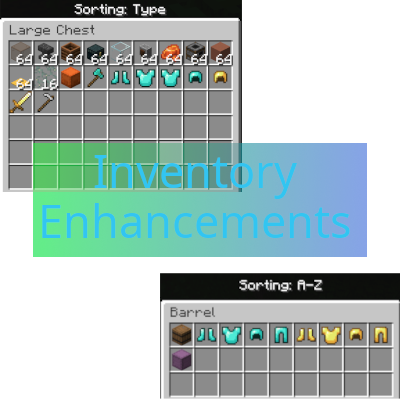
Welcome to Inventory Enhancements! This mod is intended to Enhance the Vanilla Experience with useful Inventory features that do not creep upon the Vanilla Minecraft feel!
Quick answer
Inventory Enhancements-1.1.1.jar targets 26.2 with Fabric. The project page does not say whether this file belongs on the client, dedicated server, or both. No extra mods listed for this file.
Where it goes
The project page does not say whether this file belongs on the client, dedicated server, or both.
The source does not explicitly classify this release as client-only or server-only.
Inventory Enhancements-1.1.1.jar. Change the file and its required mods may change too.
This file does not list any required mods. Do not add a library just because a different file uses it.
1 extra mod was pulled in by another dependency. Indented rows show who needs each one. We only count dependency files that match this setup. A file for another loader does not fill the gap.
Before you install it
Built for Inventory Enhancements-1.1.1.jar. Pick another file and the loader, install side or required mods may change.
Use Inventory Enhancements-1.1.1.jar. It targets 26.2 with Fabric; another release may have different loader, side or dependency requirements.
This file does not list any required mods. Do not add a library just because a different file uses it.
The project page does not say whether this file belongs on the client, dedicated server, or both.
Use the “Get this file” button beside Inventory Enhancements-1.1.1.jar. It opens that exact file at the source.
About this project
Join the Vanilla Enhancements official Minecraft Server!
mc.FireCrafting.net
Also, join the Discord to report issues or just be part of the community & get updates on new mods/existing mod updates!
Welcome to Inventory Enhancements!
RECENT CHANGES:
-> Updated to Minecraft v26.2!
-> Fixes multiple bugs/glitches with the existing Floating Pane for extra inventory slots.
-> Adds Crafting Guide Book enhancements, to re-organize and better search the Crafting Menu
-> Adds similar Brewing Stand Crafting Guide
Here's a breakdown of the mod:
Sorting
Sort your Inventory with the Middle Mouse button!
There are 3 different sort modes:
-> A-Z
-> Category
-> Baseline (this allows you to return to your initial placements if you don't like the A-Z or Category for that inventory)
It also separately sorts your Hotbar, Inventory, and your Chests/Shulkers/Hoppers/Barrels... etc.!
Storage - newly added in v0.2.0
Newly added in this release is the Storage Overlay system.
This allows you to Shift + Right-Click a Player Inventory slot to open a 5-slot Storage Overlay tied to that item.
The Storage Overlay allows you to store multiple items of the same type directly inside a single inventory slot, helping you drastically condense your inventory while traveling.
For example, you can keep all of your pickaxes in one slot, such as Fortune, Silk Touch, general mining tools, and other variants, without needing to dedicate multiple inventory spaces.
These stored items remain bound to the Player Inventory and cannot be moved into other inventories or containers.
All items stored in the Storage Overlay stay safely in the Player Inventory until you manually remove them from the overlay.
At the moment, you will see the overlay for non-full-stacks [this is now fixed, you cannot see the overlay until you are capable of using it], but cannot move items into them. This is intentional - at least, the not being able to move items into them part. You can only move items into the Overlay Storage when the base item has a full stack - whatever that stack size typically is. Ender Pearls: 16, Dirt: 64, Chestplate: 1, etc.
Future Additions~~~~-> Replacement for the Crafting Guide Recipe Book (think, Just Enough Items, just unique!)~~~~-> General feature updates to the existing Sorting and Storage portions
DONE! See: RECENT CHANGES at the top!
Make sure to install this Client-Side AND Server-Side!
Project description from CurseForge.
Pick your setup
Choose the version and loader you play, then open the matching release.
Check the dependencies, then try the file in a copied instance before changing a world you care about.
Recent files
28 Aug 2026
28 Aug 2026
1 Feb 2026
30 Jan 2026
29 Jan 2026
Looking for an older file? The official CurseForge project page is in Resources.
 mod
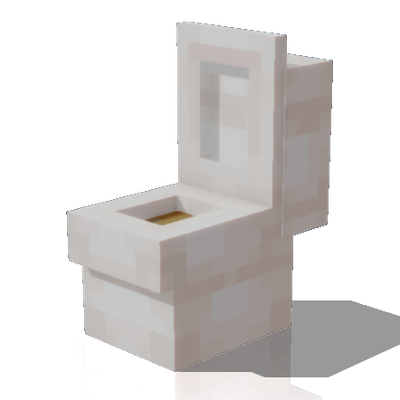
modIntroducing revolutionary pooping functionality to your Minecraft!
 mod
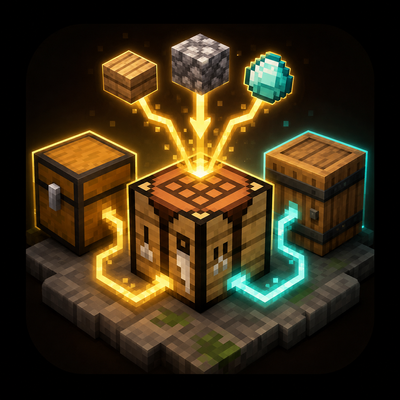
modA simple quality-of-life mod that lets you craft with materials pulled directly from nearby storage.
 mod
modA mod that adds a trash slot to minecraft!