Emerald Enhancements Optional for Flower Enhancements-1.1.0.jar
optionalMatching file found Matched file: Emerald Enhancements-1.1.0.jar
CurseForge · Minecraft mod
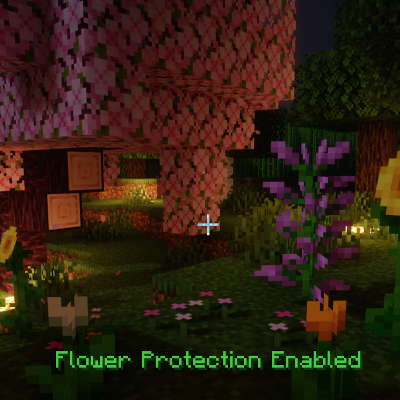
Protects gardens from accidental damage and rapidly decays natural leaves—even when neighboring trees are touching.
Quick answer
Flower Enhancements-1.1.0.jar targets 26.2 with Fabric. The project page does not say whether this file belongs on the client, dedicated server, or both. No extra mods listed for this file.
Where it goes
The project page does not say whether this file belongs on the client, dedicated server, or both.
The source does not explicitly classify this release as client-only or server-only.
Flower Enhancements-1.1.0.jar. Change the file and its required mods may change too.
This file does not list any required mods. Do not add a library just because a different file uses it.
3 extra mods were pulled in by other dependencies. Indented rows show who needs each one. We only count dependency files that match this setup. A file for another loader does not fill the gap.
Before you install it
Built for Flower Enhancements-1.1.0.jar. Pick another file and the loader, install side or required mods may change.
Use Flower Enhancements-1.1.0.jar. It targets 26.2 with Fabric; another release may have different loader, side or dependency requirements.
This file does not list any required mods. Do not add a library just because a different file uses it.
The project page does not say whether this file belongs on the client, dedicated server, or both.
Use the “Get this file” button beside Flower Enhancements-1.1.0.jar. It opens that exact file at the source.
About this project
Join the Vanilla Enhancements official Minecraft Server!
mc.FireCrafting.net
Also, join the Discord to report issues, become part of the community, and receive updates about new and existing mods!
Flower Enhancements helps protect gardens and other vegetation from accidental damage while also eliminating the floating leaves left behind after chopping down trees.
Flower Protection prevents you from accidentally damaging flowers, grass, crops, and other vegetation.
Protection is enabled by default for every player and can be toggled independently by each player.
To toggle Flower Protection:
A message will confirm whether Flower Protection has been enabled or disabled.
Your selected setting is saved with the world and persists between sessions.
While Flower Protection is enabled:
This protects your garden from misplaced clicks, careless tool swings, and accidental block placement.
You do not need to disable Flower Protection whenever you want to remove a plant.
Simply hold Crouch while breaking the plant to intentionally remove it. Flower Protection will remain enabled afterward.
Saplings are excluded from Flower Protection so they can continue to be placed, moved, and managed normally.
Natural leaves decay rapidly after the complete connected trunk of a tree has been chopped down.
Unlike many rapid leaf-decay systems, a neighboring tree's touching leaves will not keep the chopped tree's canopy suspended indefinitely. Flower Enhancements tracks each natural tree separately, allowing the chopped tree's leaves to decay while preserving the neighboring tree's own canopy.
Flower Enhancements must be installed on both the client and server.
For single-player worlds, install it in your client's mods folder as usual.
Project description from CurseForge.
Pick your setup
Choose the version and loader you play, then open the matching release.
Check the dependencies, then try the file in a copied instance before changing a world you care about.
Recent files
28 Aug 2026
14 Jan 2026
Looking for an older file? The official CurseForge project page is in Resources.
 mod
modMakes your hotbar seemingly float in place by shifting it a few pixels upward.
 mod
modThis mod combines the major tree-felling mods – FallingTree, Panda's Falling Trees, HT's TreeChop, and Tree Harvester – and includes all their features. You can configure everything in-game, and the mod menu is opened by pressing G by default.
 mod
modProvides a configuration UI for the Easy NPC mod, allowing players to customize NPC settings easily.