Architectury API Needed by Simply Bows simplybows-forge-neoforge-0.1.4
requiredMatching file found Matched file: [Forge 1.20(.1)] v9.2.14

CurseForge · Minecraft mod
Adds unique bows with powerful abilities
Quick answer
Simply Bows simplybows-forge-neoforge-0.1.4 targets 1.20.1 with Forge, NeoForge. The project page does not say whether this file belongs on the client, dedicated server, or both. All 4 required mods have matching files.
Where it goes
The project page does not say whether this file belongs on the client, dedicated server, or both.
The source does not explicitly classify this release as client-only or server-only.
simplybows-forge-neoforge-0.1.4. Change the file and its required mods may change too.
Install Architectury API, Simply Tooltips, Fzzy Config, Kotlin for Forge first. We found matching files for this game-version and loader setup. 1 comes through another mod in the chain.
1 extra mod was pulled in by another dependency. Indented rows show who needs each one. We only count dependency files that match this setup. A file for another loader does not fill the gap.
Before you install it
Built for Simply Bows simplybows-forge-neoforge-0.1.4. Pick another file and the loader, install side or required mods may change.
Use simplybows-forge-neoforge-0.1.4. It targets 1.20.1 with Forge, NeoForge; another release may have different loader, side or dependency requirements.
Install Architectury API, Simply Tooltips, Fzzy Config, Kotlin for Forge first. We found matching files for this game-version and loader setup. 1 comes through another mod in the chain.
The project page does not say whether this file belongs on the client, dedicated server, or both.
Use the “Get this file” button beside simplybows-forge-neoforge-0.1.4. It opens that exact file at the source.
About this project
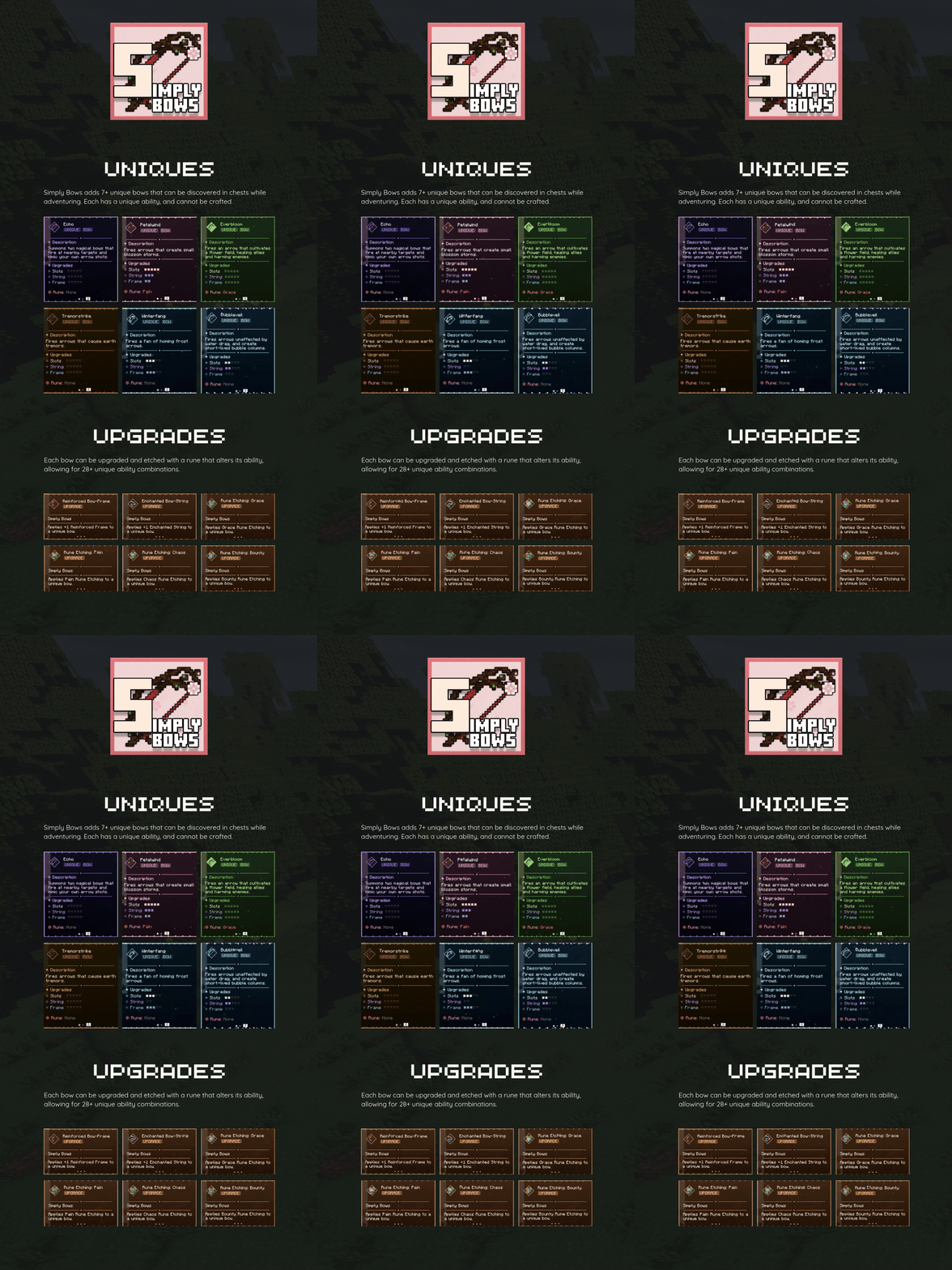
Simply Bows adds 7+ unique bows to the game. Each bow can be found in any chest in the game, with some appearing more frequently in certain areas.
Bow upgrades and rune etchings are also found in the same way.
Unique bows can be further enhanced by applying Enchanted bow strings and Reinforced bow frames to them at an anvil. Holding 'Alt' while a bow tooltip is on-screen will display what each upgrade does to enhance the bow.
These upgrades cannot be reversed, so choose carefully.
Unique bows can have runes etched into them at an anvil. These etchings alter the ability of the bow, in some cases resulting in significantly different behaviour.
The effect of the rune can be seen on the second tooltip tab of the bow. At the time of writing, each bow can be etched with one of four different runes - meaning there are a combination of 28 unique ability behaviours.
Rune etchings can be overriden, so if you don't like the way a etching has modified your bow ability, you can replace it at an anvil.
Project description from CurseForge.
Pick your setup
Choose the version and loader you play, then open the matching release.
Check the dependencies, then try the file in a copied instance before changing a world you care about.
Recent files
simplybows-forge-neoforge-0.1.4.jar
23 Aug 2026
simplybows-0.1.4.jar
23 Aug 2026
SimplyBows-neoforge-0.1.4.jar
23 Aug 2026
SimplyBows-fabric-0.1.4.jar
23 Aug 2026
21 Apr 2026
21 Apr 2026
8 Mar 2026
8 Mar 2026
3 Mar 2026
3 Mar 2026
Looking for an older file? The official CurseForge project page is in Resources.
 mod
modDraw, paint, and fully customize your Armor and Shields in real-time with an interactive in-game 3D Studio
 mod
modIt adds a large number of potion effects based on RPG mechanics.
 mod
modUnofficial port of EEEAB's Mobs - challenging bosses, mobs, structures and gear. Original mod by EEEAB.