Cloth Config API (Fabric/Forge/NeoForge) Needed by Sun Fade sun_fade-1.0+1.21.1.jar
requiredMatching file found Matched file: [NeoForge 1.21] v15.0.140
CurseForge · Minecraft mod
Fades the Sun and Moon away when they pass below the horizon, ideal for void worlds
Quick answer
Sun Fade sun_fade-1.0+1.21.1.jar targets 1.21.1 with NeoForge. The project page does not say whether this file belongs on the client, dedicated server, or both. All 3 required mods have matching files.
Where it goes
The project page does not say whether this file belongs on the client, dedicated server, or both.
The source does not explicitly classify this release as client-only or server-only.
sun_fade-1.0+1.21.1.jar. Change the file and its required mods may change too.
Install Cloth Config API (Fabric/Forge/NeoForge), Sinytra Connector, Forgified Fabric API first. We found matching files for this game-version and loader setup. 15 come through another mod in the chain.
15 extra mods were pulled in by other dependencies. Indented rows show who needs each one. We only count dependency files that match this setup. A file for another loader does not fill the gap.
Before you install it
Built for Sun Fade sun_fade-1.0+1.21.1.jar. Pick another file and the loader, install side or required mods may change.
Use sun_fade-1.0+1.21.1.jar. It targets 1.21.1 with NeoForge; another release may have different loader, side or dependency requirements.
Install Cloth Config API (Fabric/Forge/NeoForge), Sinytra Connector, Forgified Fabric API first. We found matching files for this game-version and loader setup. 15 come through another mod in the chain.
The project page does not say whether this file belongs on the client, dedicated server, or both.
Use the “Get this file” button beside sun_fade-1.0+1.21.1.jar. It opens that exact file at the source.
About this project
Ever played on a Skyblock and get annoyed by the Sun still being visible at the bottom of the world? This mod aims to fix that! After the Sun sets, it will slowly start to fade out, until it is no longer visible.
Same thing with the Moon
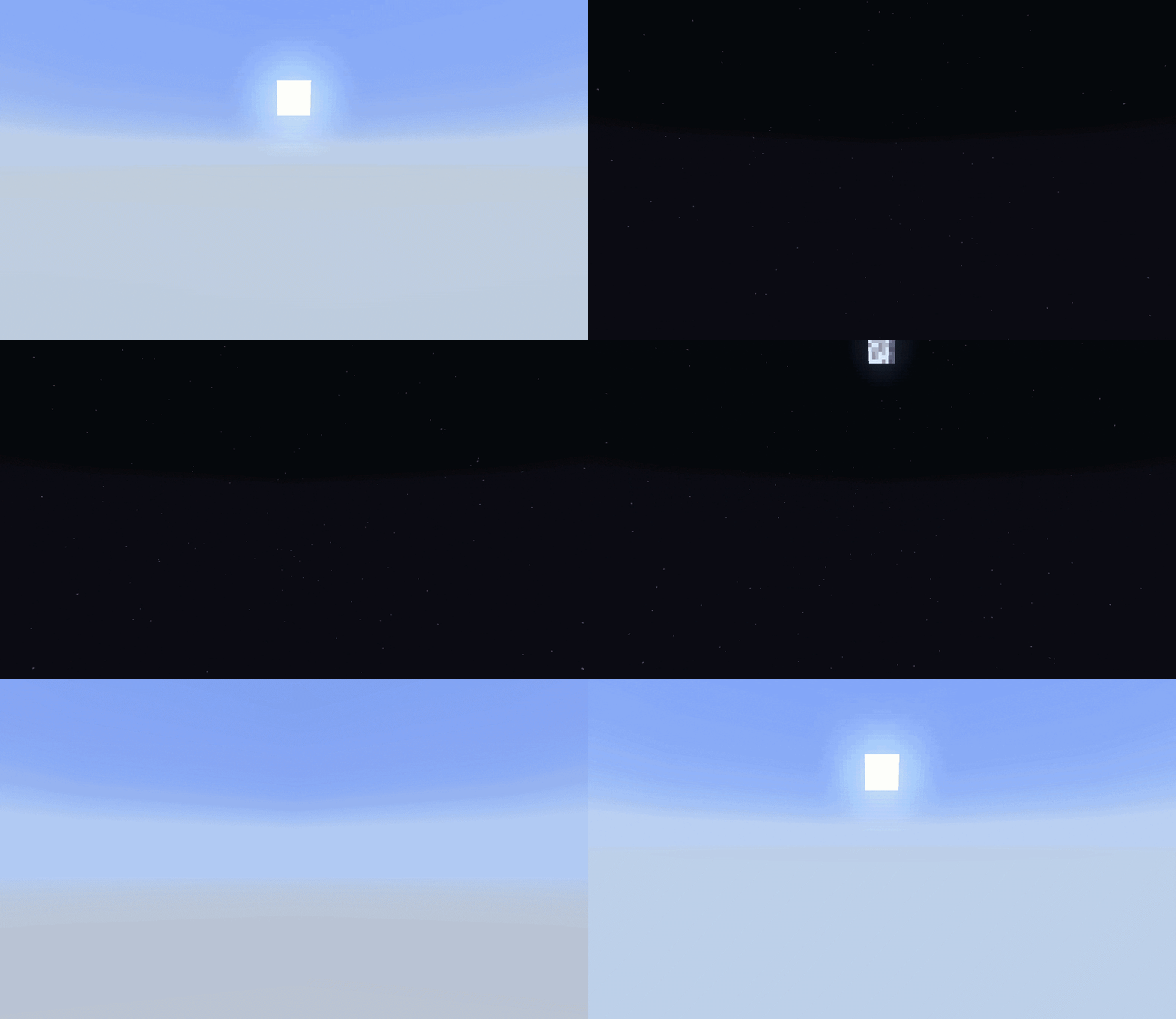
This Mod aims to be compatible with all kinds of worlds and playstyles.
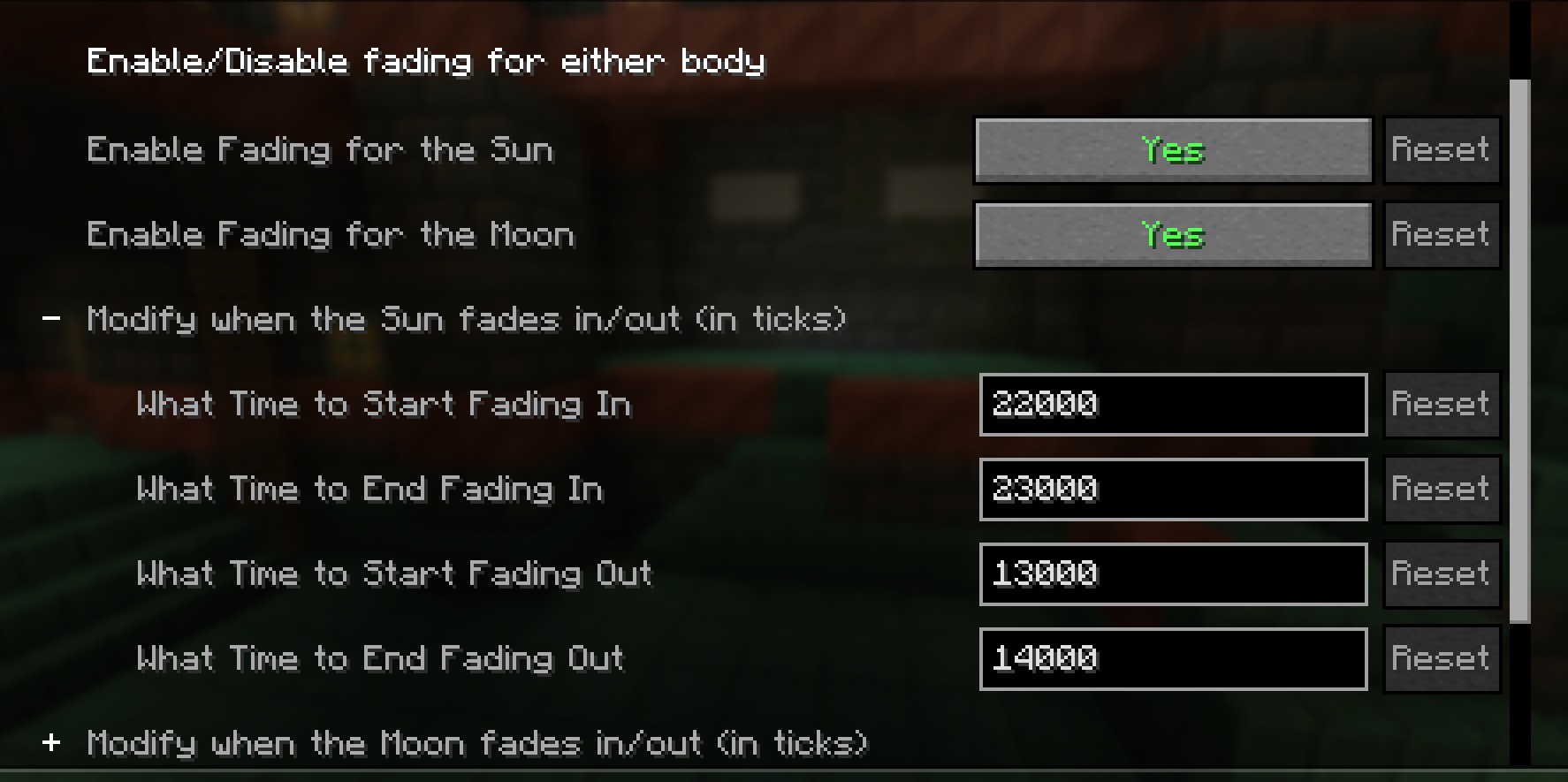
Don't like the time the Sun fades? You change change that
Do you still want the Moon to be visible at all times? You can disable its fading
Current Incompatibilites:
Unknown It's Likely that this mod will conflict with many Skybox mods, as they'd both be touching the same code. Let me know if you run into an incompatibility and I'll try to see about fixing it!Partial Incompatibility
Iris Shaders While there's no errors, the shaders override any changes this mod implements! But if you are using shaders, there should be some that provide similar effects as this modProject description from CurseForge.
Pick your setup
Choose the version and loader you play, then open the matching release.
Check the dependencies, then try the file in a copied instance before changing a world you care about.
Recent files
9 May 2026
9 May 2026
Looking for an older file? The official CurseForge project page is in Resources.
 mod
modBuild Super Factory Manager programs on a visual node canvas instead of writing SFML by hand. Drag nodes, wire them together, search items and fluids by name, and import/export programs you have already written.
 mod
modBurst enemies into piles of gibs!
 mod
modEach player picks their own difficulty, and damage, hunger and monsters around them follow it.