CC: Tweaked Needed by CC: Colored Phosphor cc_coloredphosphor-0.1-1.20.1.jar
requiredMatching file found Matched file: cc-tweaked-1.20.1-forge-1.113.1.jar
CurseForge · Minecraft mod
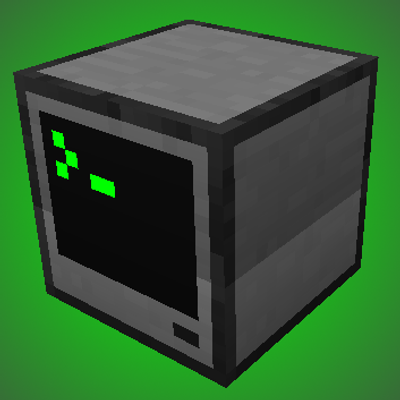
A simple way of tinting basic computers in CC:Tweaked.
Quick answer
CC: Colored Phosphor cc_coloredphosphor-0.1-1.20.1.jar targets 1.20.1 with Forge. The project page does not say whether this file belongs on the client, dedicated server, or both. All 1 required mods have matching files.
Where it goes
The project page does not say whether this file belongs on the client, dedicated server, or both.
The source does not explicitly classify this release as client-only or server-only.
cc_coloredphosphor-0.1-1.20.1.jar. Change the file and its required mods may change too.
Install CC: Tweaked first. We found matching files for this game-version and loader setup.
We only count dependency files that match this setup. A file for another loader does not fill the gap.
Before you install it
Built for CC: Colored Phosphor cc_coloredphosphor-0.1-1.20.1.jar. Pick another file and the loader, install side or required mods may change.
Use cc_coloredphosphor-0.1-1.20.1.jar. It targets 1.20.1 with Forge; another release may have different loader, side or dependency requirements.
Install CC: Tweaked first. We found matching files for this game-version and loader setup.
The project page does not say whether this file belongs on the client, dedicated server, or both.
Use the “Get this file” button beside cc_coloredphosphor-0.1-1.20.1.jar. It opens that exact file at the source.
About this project
CC: Colored Phosphor is a simple add-on to CC:Tweaked that lets you configure what tint do basic computers use, instead of grayscale. The default is green, similar to 80s terminals.
The tint is set in the configuration file via separate Red, Green and Blue values. Configured is suggested for a better experience.
This configuration applies to both terminals, monitors and pocket computers!
Project description from CurseForge.
Pick your setup
Choose the version and loader you play, then open the matching release.
Check the dependencies, then try the file in a copied instance before changing a world you care about.
Recent files
21 May 2026
11 May 2026
Looking for an older file? The official CurseForge project page is in Resources.
 mod
modNever lose your items again!
 mod
modTech progression from thermocouples to rotating black holes: physics-inspired machines, multiblocks, wormholes and gravity tools.
 mod
modA mod that adds some new tools for Tinkers' Construct.