Minecraft version
Back to mods 
CurseForge · Minecraft mod
Carpenter's block (Port)
Customize your Minecraft world. in 1.12.2
Choose a version Pick your version below, then grab the matching file.
Quick answer
Which Carpenter's block (Port) release should I use?
Latest stable file carpentersblockport-0.3.4.jar
Game version 1.12.2
Loader Forge
Carpenter's block (Port) carpentersblockport-0.3.4.jar targets 1.12.2 with Forge. The project page does not say whether this file belongs on the client, dedicated server, or both. No extra mods listed for this file.
Where it goes
Is Carpenter's block (Port) required on the client, server, or both?
The project page does not say whether this file belongs on the client, dedicated server, or both.
Client Source doesn’t say
Dedicated server Source doesn’t say
Loader for this release Forge
Required install it here Optional supported, not mandatory Not supported do not install here Source doesn’t say do not assume
The source does not explicitly classify this release as client-only or server-only.
What else does Carpenter's block (Port) carpentersblockport-0.3.4.jar need?
carpentersblockport-0.3.4.jar. Change the file and its required mods may change too.
This file does not list any required mods. Do not add a library just because a different file uses it.
This file does not list any required or optional mods.
Before you install it
Add Carpenter's block (Port) without breaking your instance.
Built for Carpenter's block (Port) carpentersblockport-0.3.4.jar. Pick another file and the loader, install side or required mods may change.
- 01
Stick to this file
Use carpentersblockport-0.3.4.jar. It targets 1.12.2 with Forge; another release may have different loader, side or dependency requirements.
- 02
Bring the mods it needs
This file does not list any required mods. Do not add a library just because a different file uses it.
- 03
Put it on the correct side
The project page does not say whether this file belongs on the client, dedicated server, or both.
- 04
Pick the file you checked
Use the “Get this file” button beside carpentersblockport-0.3.4.jar. It opens that exact file at the source.
About this project
What does Carpenter's block (Port) add?
| Carpenter's Blocks for Minecraft 1.12.2 An unofficial port of Carpenter's Blocks by Mineshopper to Minecraft 1.12.2 (Forge). Carpenter's blocks are building blocks without a fixed look. Place one, right-click it with almost any block in the game and it takes on that block's texture. Then reshape it with the Hammer, carve patterns into it with the Chisel, dye it, grow grass or snow on top of it, or make it glow. One set of blocks covers stairs, slopes, doors, hatches and more for every material you have. Blocks Shapes
Doors and walls
Redstone
Decoration and utility
Tools Carpenter's Hammer
Carpenter's Chisel
Customizing blocks
Other features
Requirements
Credits
This is a fan port and is not affiliated with the original author. If you find a bug, leave a comment with a description and, if possible, a screenshot or log. *** Community Questions, suggestions and bug reports are welcome on Discord:  |
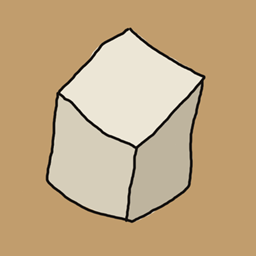  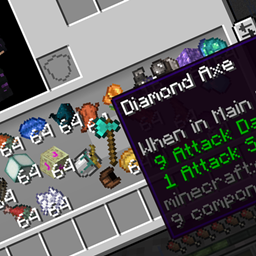        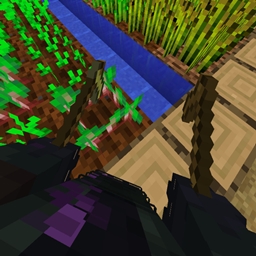          |
|---|
Project description from CurseForge.
Pick your setup
Carpenter's block (Port) by Minecraft version and loader
Choose the version and loader you play, then open the matching release.
Check the dependencies, then try the file in a copied instance before changing a world you care about.
Recent files
Carpenter's block (Port) versions and loaders
carpentersblockport-0.3.4.jar
1 Nov 2026
Client Source doesn’t say Server Source doesn’t say Dependencies No extras listed Listed on Release listing
Check the 1.12.2 · Forge setup Forge1.12.2 release
carpentersblockport-0.3.3.jar
30 Oct 2026
Client Source doesn’t say Server Source doesn’t say Dependencies No extras listed Listed on Release listing
Check the 1.12.2 · Forge setup Forge1.12.2 release
carpentersblockport-0.3.2.jar
8 Oct 2026
Client Source doesn’t say Server Source doesn’t say Dependencies No extras listed Listed on Release listing
Check the 1.12.2 · Forge setup Forge1.12.2 release
Carpenter's Block Port
carpentersblocks-0.2.4.jar
14 Jun 2026
Client Source doesn’t say Server Source doesn’t say Dependencies No extras listed Listed on Release listing
Check the 1.12.2 · Forge setup Forge1.12.2 release
Looking for an older file? The official CurseForge project page is in Resources.
 mod
CurseForge · Minecraft
Create Wareworks
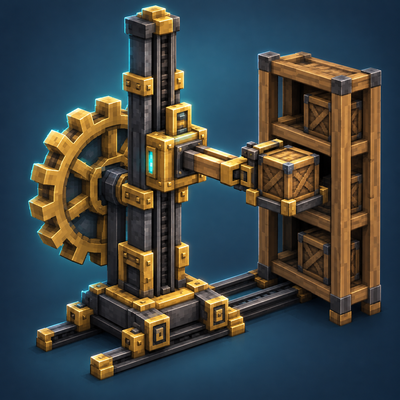
Build real automated warehouses for Create. Stacker cranes physically store and fetch your items along rails. Nothing teleports. Order from a terminal, sort chests with Create filters and let your own machines produce on demand.
 mod
CurseForge · Minecraft
OrePounce
Enhance vanilla survival with wearable backpacks, smart inventory sorting, vein mining, tree felling, farming, villager rerolls, pet management, and extensive configuration.
 mod
CurseForge · Minecraft
Rustic Recrafted
Unofficial modern port of the original Rustic mod, faithfully preserving its classic content and feel with only a few small adjustments for newer Minecraft versions.