Minecraft version
Back to mods 
CurseForge · Minecraft mod
ReturnFeatures
Backports most of the technical functionality from versions 1.21.1+ to 1.12.2.
Choose a version Pick your version below, then grab the matching file.
Quick answer
Which ReturnFeatures release should I use?
Latest stable file ReturnFeatures-0.1.5.jar
Game version 1.12.2
Loader Forge
ReturnFeatures-0.1.5.jar targets 1.12.2 with Forge. The project page does not say whether this file belongs on the client, dedicated server, or both. No extra mods listed for this file.
Where it goes
Is ReturnFeatures required on the client, server, or both?
The project page does not say whether this file belongs on the client, dedicated server, or both.
Client Source doesn’t say
Dedicated server Source doesn’t say
Loader for this release Forge
Required install it here Optional supported, not mandatory Not supported do not install here Source doesn’t say do not assume
The source does not explicitly classify this release as client-only or server-only.
What else does ReturnFeatures-0.1.5.jar need?
ReturnFeatures-0.1.5.jar. Change the file and its required mods may change too.
This file does not list any required mods. Do not add a library just because a different file uses it.
This file does not list any required or optional mods.
Before you install it
Add ReturnFeatures without breaking your instance.
Built for ReturnFeatures-0.1.5.jar. Pick another file and the loader, install side or required mods may change.
- 01
Stick to this file
Use ReturnFeatures-0.1.5.jar. It targets 1.12.2 with Forge; another release may have different loader, side or dependency requirements.
- 02
Bring the mods it needs
This file does not list any required mods. Do not add a library just because a different file uses it.
- 03
Put it on the correct side
The project page does not say whether this file belongs on the client, dedicated server, or both.
- 04
Pick the file you checked
Use the “Get this file” button beside ReturnFeatures-0.1.5.jar. It opens that exact file at the source.
About this project
What does ReturnFeatures add?
| ReturnFeatures is a Forge mod for Minecraft 1.12.2 that backports features from modern Minecraft versions. Features
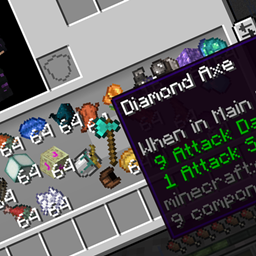
Command Suggestions Replaces the vanilla chat screen to provide command auto-completion, ghost text, and suggestion popups when typing commands.  Chat Tab Completion Backports 1.13+ tab completion mechanics, allowing you to cycle through command completions and argument suggestions using Tab and Shift + Tab.Gamemode Switcher Pressing F3 + F4 opens a gamemode switcher menu allowing you to quickly switch between Creative, Survival, Adventure, and Spectator modes./tick Command Controls game tick execution speed. Supports /tick rate, /tick freeze, /tick unfreeze, and /tick step./attribute Command Allows viewing and modifying entity attributes directly through commands. Modern Textures Includes integrated 1.20+ textures that can be enabled or disabled at any time using /textures.Clickable /locate Makes structure coordinates in /locate command outputs clickable in chat for fast copy or teleportation.Tab List Teleport Allows clicking player names directly in the Tab list menu while in Creative or Spectator mode to quickly teleport to them.  |
          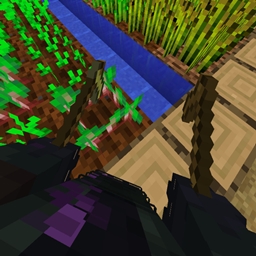  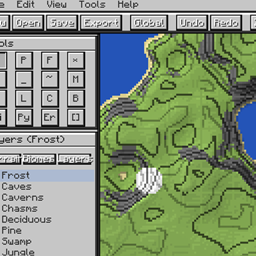    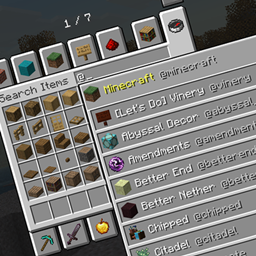 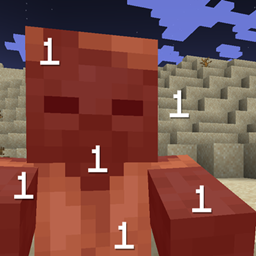   |
|---|
Project description from CurseForge.
Pick your setup
ReturnFeatures by Minecraft version and loader
Choose the version and loader you play, then open the matching release.
Check the dependencies, then try the file in a copied instance before changing a world you care about.
Recent files
ReturnFeatures versions and loaders
ReturnFeatures-0.1.5.jar
29 Jul 2026
Client Source doesn’t say Server Source doesn’t say Dependencies No extras listed Listed on Release listing
Check the 1.12.2 · Forge setup Forge1.12.2 release
ReturnFeatures-0.1.4.jar
29 Jul 2026
Client Source doesn’t say Server Source doesn’t say Dependencies No extras listed Listed on Release listing
Check the 1.12.2 · Forge setup Forge1.12.2 release
Looking for an older file? The official CurseForge project page is in Resources.
 mod
CurseForge + Modrinth · Minecraft
Asgard Shield: Reloaded
A Minecraft mod that adds giant swords and shields to the game. A re-make of the original Asgard Shield, made popular by the 1.5 modpack Hexxit.
 mod
CurseForge · Minecraft
Apothic Pots
Place an Apothic Spawners spawner in a Botany Pot and it grows that mob's loot. Spawner stats apply and mob kills are simulated.
 mod
CurseForge · Minecraft
Friday Craft 13th
Turn Minecraft into Friday the 13th! Hunt as Jason with authentic abilities and executions, or survive with camp escape objectives.