Waystones Optional for Souls Message Banners souls_message_banners-neoforge-1.2.2.jar
optionalMatching file found Matched file: waystones-neoforge-1.21.1-21.1.46.jar
CurseForge · Minecraft mod
Adds Elden Ring/Dark Souls style titles for various events
Quick answer
Souls Message Banners souls_message_banners-neoforge-1.2.2.jar targets 1.21.1 with NeoForge. The project page does not say whether this file belongs on the client, dedicated server, or both. No extra mods listed for this file.
Where it goes
The project page does not say whether this file belongs on the client, dedicated server, or both.
The source does not explicitly classify this release as client-only or server-only.
souls_message_banners-neoforge-1.2.2.jar. Change the file and its required mods may change too.
This file does not list any required mods. Do not add a library just because a different file uses it.
1 extra mod was pulled in by another dependency. Indented rows show who needs each one. We only count dependency files that match this setup. A file for another loader does not fill the gap.
Before you install it
Built for Souls Message Banners souls_message_banners-neoforge-1.2.2.jar. Pick another file and the loader, install side or required mods may change.
Use souls_message_banners-neoforge-1.2.2.jar. It targets 1.21.1 with NeoForge; another release may have different loader, side or dependency requirements.
This file does not list any required mods. Do not add a library just because a different file uses it.
The project page does not say whether this file belongs on the client, dedicated server, or both.
Use the “Get this file” button beside souls_message_banners-neoforge-1.2.2.jar. It opens that exact file at the source.
About this project
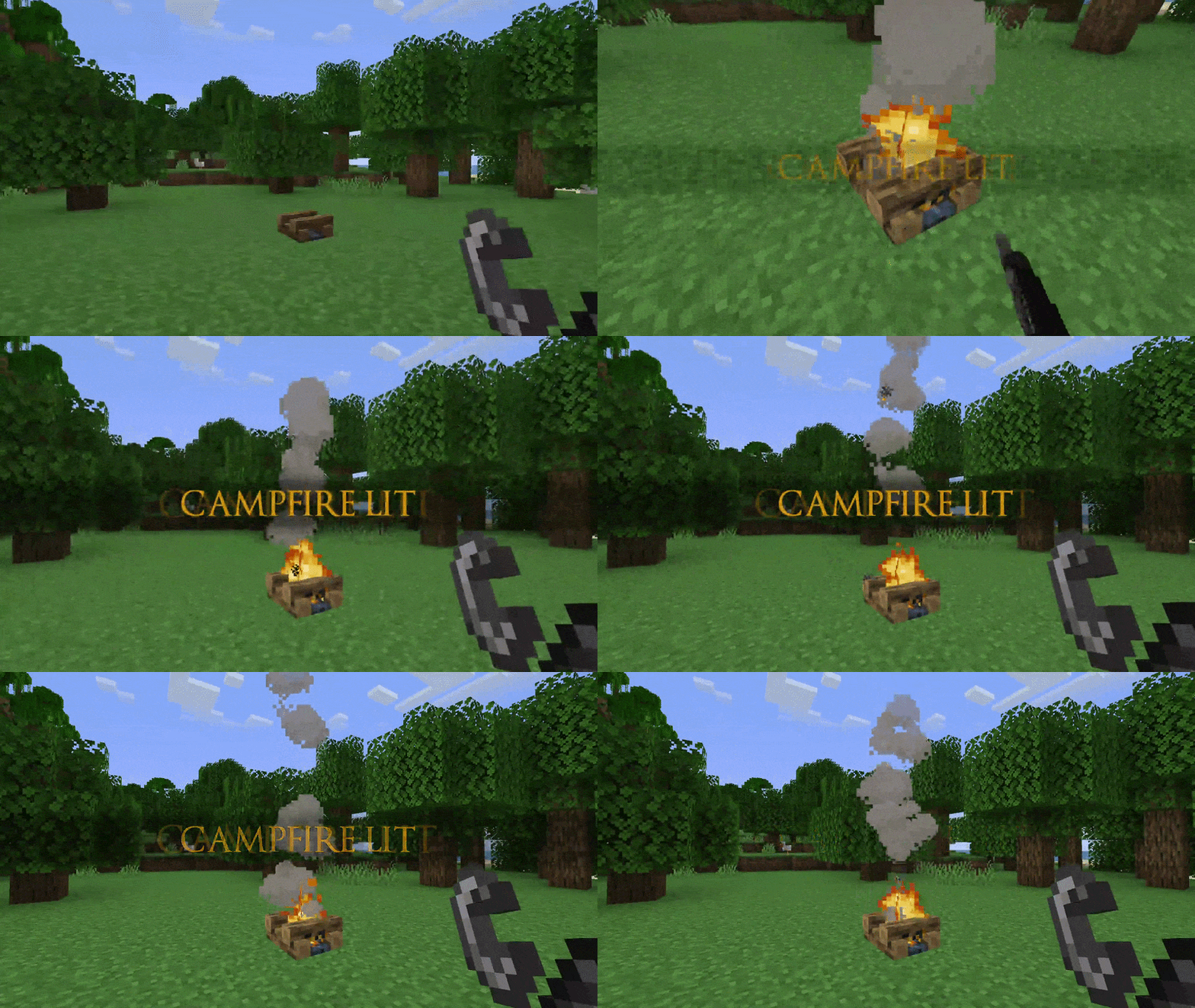
This mod currently adds elden ring style NOUN VERBED titles that appear on certain events:
Check out my partner mod, Souls Combat HUD.
Message banners can be customized:
/assets/<namespace>/smb_styles/[banner_style].json#forge:bosses or #c:bosses. You may also add custom entities and other triggers via datapacks inside /data/<namespace>/smb_triggers/[arbitrary_name].json.<namespace>:trigger_id formatYou may look on how to customize the banner styles here.
Message banners can also be sent via commands, and ive also added light kubejs support which adds a single method:
MessageBannerAPI.send(player, "text", "souls_message_banners:default")
This mod is best paired with:
Project description from CurseForge.
Pick your setup
Choose the version and loader you play, then open the matching release.
Check the dependencies, then try the file in a copied instance before changing a world you care about.
Recent files
11 Sept 2026
11 Sept 2026
6 Sept 2026
6 Sept 2026
8 Aug 2026
8 Aug 2026
27 Jul 2026
27 Jul 2026
15 Jul 2026
15 Jul 2026
13 Jul 2026
13 Jul 2026
Looking for an older file? The official CurseForge project page is in Resources.
 mod
modImproves performance of hitbox rendering and adds per-hover and per-damaged (i-frame) colors. By Polyfrost, best with OneClient.
 mod
modAdds modular lights to Minecraft. Floodlights, industrial lights and more!
 mod
modThis is a mod that adds fun characters with buffs