Fabric API Needed by Praseodymium 0.2.0-beta.1 — Minecraft 26.1 (Fabric)
requiredMatching file found Matched file: [26.1.2] Fabric API 0.155.3+26.1.2

CurseForge · Minecraft mod
Client-side visual optimizations, connected glass and creative building tools, with zoom, light readings and a frame-time HUD in one Fabric mod.
Quick answer
Praseodymium 0.2.0-beta.1 — Minecraft 26.1 (Fabric) targets 26.1 with Fabric. The project page does not say whether this file belongs on the client, dedicated server, or both. All 1 required mods have matching files.
Where it goes
The project page does not say whether this file belongs on the client, dedicated server, or both.
The source does not explicitly classify this release as client-only or server-only.
Praseodymium 0.2.0-beta.1 — Minecraft 26.1 (Fabric) on 26.1. Every mod below is checked against that same setup.
Install Fabric API first. We found matching files for this game-version and loader setup.
We only count dependency files that match this setup. A file for another loader does not fill the gap.
Before you install it
Built for Praseodymium 0.2.0-beta.1 — Minecraft 26.1 (Fabric) on 26.1. Pick another file and the loader, install side or required mods may change.
Use Praseodymium 0.2.0-beta.1 — Minecraft 26.1 (Fabric). It targets 26.1 with Fabric; another release may have different loader, side or dependency requirements.
Install Fabric API first. We found matching files for this game-version and loader setup.
The project page does not say whether this file belongs on the client, dedicated server, or both.
Use the “Get this file” button beside Praseodymium 0.2.0-beta.1 — Minecraft 26.1 (Fabric). It opens that exact file at the source.
About this project
Praseodymium is a client-side Fabric mod for Minecraft Java that combines visual optimizations, connected full-glass textures and creative building tools. This merged release includes Lens zoom, Light Meter and Pulse inside the same JAR. You do not need separate companion mods.
Fabric files are available for 1.19.2, 1.20.1, 1.20.3, 1.20.4, 1.21, 1.21.1, 1.21.4, 1.21.6, 1.21.11, 26.1, 26.1.2, 26.2 and 26.3. Choose your version in Files. Features and material catalogs can differ between ports; read the selected file's changelog before updating an existing world.
Conservative wall-occlusion checks can skip rendering fully hidden entities and particles. Adaptive visual settings and bounded particle counts reduce rendering work under load. Your chosen render distance and simulation distance stay unchanged. Server entity ticking, collisions, pushing, cramming and farms continue normally. Culling is deliberately conservative around gaps, glass and uncertain visibility.
Performance varies with the scene, hardware and other mods. The 35 FPS defense and 20 FPS emergency thresholds are controller targets, not guaranteed frame rates. This is not a replacement for every renderer optimization, and no universal culling percentage or fixed FPS improvement is promised.
Hold Left Alt to open nine persistent saved hotbars plus your live hotbar. Preview rows, save your current palette, edit slots, drag items, clear with confirmation and undo. The menu owns its scrolling and hotbar input, including custom Z/X/C/V bindings. Saved palettes stay local to your Minecraft profile.
The menu also includes permission-aware gamemode controls, creative flight speed, a block-display creator and a block-state editor. H runs a bounded enclosed-space check; Creative-only block scans search loaded chunks inside the smaller of your render and simulation distances. Scan results can be outlined through blocks. Use the menu scan button or assign an unused hold-to-scan key. Search/result limits are reported rather than silently claiming a complete scan. Server commands require normal permissions, and server rules still apply.
Connected glass removes supported internal seams on full glass blocks while retaining outer borders and corners. Support targets vanilla-style 16-pixel cube textures; glass panes, animated/high-resolution textures and unsupported custom models are left unchanged. Particle wall handling hides whole occluded sprites, not every partial intersection.
Open Help / setup in the menu to see your current controls and open Minecraft's key editor. Assign unused keys to Lens, Light Meter and Pulse; they normally start unbound and do not replace your existing bindings. Block scanning also starts unbound to avoid hotbar conflicts.
Select the Praseodymium and Fabric API files for your exact Minecraft version. Use Java 17 for the listed 1.19/1.20 ports, Java 21 for the listed 1.21 ports, and Java 25 for 26.x. Each file's changelog lists its required Fabric Loader and Fabric API versions. Put the main Praseodymium JAR and Fabric API in the client's mods folder. Do not install the sources JAR. No server installation is needed.
When updating, remove older Praseodymium and standalone Lens, Light Meter and Pulse JARs from that profile first. Keep your configuration files and saved hotbars; existing key identifiers and storage paths are preserved. Duplicate standalone companions are rejected to prevent doubled hooks. Fabric API remains a separate dependency and is not merged into our code.
The mod uncaps FPS and turns off VSync once after startup options are available. Other temporary adaptive changes recover and restore player preferences when leaving a world.
Praseodymium remains Beta; choose the current file for your Minecraft version. It does not provide the complete Axiom editor, arbitrary NBT editing, infinite reach, or guaranteed compatibility with every shader or rendering mod. Please report issues with your Minecraft version, mod list and a relevant crash log after removing private information.
Gameplay showcase images are actual in-game captures; the Pr logo is branding, not a gameplay screenshot. Source is licensed CC0-1.0, credited to tjtjklra529.
For a great combination, explore my other mods: Carry & Quarry, Grand Workshop, Grand Workshop: Companions, Grand Workshop: Cultivation, Grand Workshop: Hearthworks, Grand Workshop: Passageways, Grand Workshop: Signalworks, IDEAS Workshop.
Choose files for the same Minecraft version. Use Grand Workshop Complete on its own, or Grand Workshop Core with your chosen standalone expansions; do not install duplicate expansions with Complete. Praseodymium belongs on the client only. The matching nine-project collection passed representative client/server checks across the listed versions; this does not cover every feature interaction.
Project description from CurseForge.
Pick your setup
Choose the version and loader you play, then open the matching release.
Showing the newest 12 of 13 game versions. Older files are in the list below.
Check the dependencies, then try the file in a copied instance before changing a world you care about.
Recent files
praseodymium-26.1-0.2.0-beta.1-port.26.1.jar
11 Oct 2026
Looking for an older file? The official CurseForge project page is in Resources.
 mod
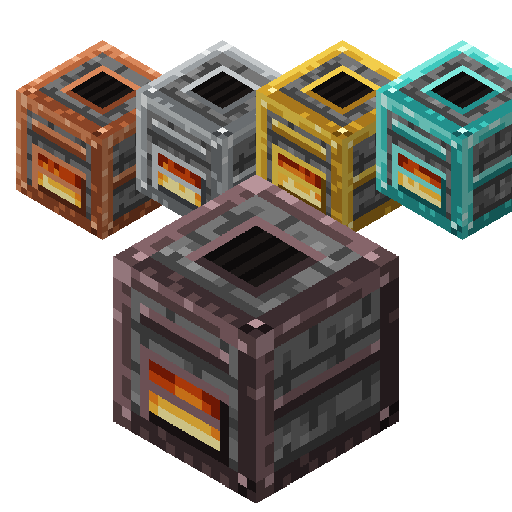
Faster furnaces for Fabric 26.3: copper, iron, gold, diamond and netherite smelt 2 to 8 times as fast. Vanilla furnaces inside.
 mod
Hold a torch or a lantern and it lights the world around you, for everyone nearby. Server side: works with vanilla clients.
 mod
Five skills (Mining, Woodcutting, Farming, Combat, Exploring) that level with what you do and give real perks. /skills opens a chest menu.