Minecraft version
Back to mods 
CurseForge · Minecraft mod
AeroForge ✈️
Build and operate powerful aircraft and heavy industrial vehicles.
Choose a version Pick your version below, then grab the matching file.
Quick answer
Which AeroForge ✈️ release should I use?
Latest stable file AeroForge-1.21.1-NeoForge-1.0.4.jar
Game version 1.21.1
Loader NeoForge
AeroForge ✈️ AeroForge-1.21.1-NeoForge-1.0.4.jar targets 1.21.1 with NeoForge. The project page does not say whether this file belongs on the client, dedicated server, or both. No extra mods listed for this file.
Where it goes
Is AeroForge ✈️ required on the client, server, or both?
The project page does not say whether this file belongs on the client, dedicated server, or both.
Client Source doesn’t say
Dedicated server Source doesn’t say
Loader for this release NeoForge
Required install it here Optional supported, not mandatory Not supported do not install here Source doesn’t say do not assume
The source does not explicitly classify this release as client-only or server-only.
What else does AeroForge ✈️ AeroForge-1.21.1-NeoForge-1.0.4.jar need?
AeroForge-1.21.1-NeoForge-1.0.4.jar. Change the file and its required mods may change too.
This file does not list any required mods. Do not add a library just because a different file uses it.
This file does not list any required or optional mods.
Before you install it
Add AeroForge ✈️ without breaking your instance.
Built for AeroForge ✈️ AeroForge-1.21.1-NeoForge-1.0.4.jar. Pick another file and the loader, install side or required mods may change.
- 01
Stick to this file
Use AeroForge-1.21.1-NeoForge-1.0.4.jar. It targets 1.21.1 with NeoForge; another release may have different loader, side or dependency requirements.
- 02
Bring the mods it needs
This file does not list any required mods. Do not add a library just because a different file uses it.
- 03
Put it on the correct side
The project page does not say whether this file belongs on the client, dedicated server, or both.
- 04
Pick the file you checked
Use the “Get this file” button beside AeroForge-1.21.1-NeoForge-1.0.4.jar. It opens that exact file at the source.
About this project
What does AeroForge ✈️ add?
Requirements
26.2 and below requires immersive aircraft
26.3 requires Immersive Aircraft (Unofficial Port)
AeroForge
Take to the skies. Haul your cargo. Dig into the world.
AeroForge is an expansion for Immersive Aircraft that adds new aircraft, heavy work vehicles, and a detailed vehicle assembly system to Minecraft. Whether you’re exploring distant terrain, transporting supplies, drilling tunnels, or operating an excavator, AeroForge gives you a vehicle for the job.
Vehicles
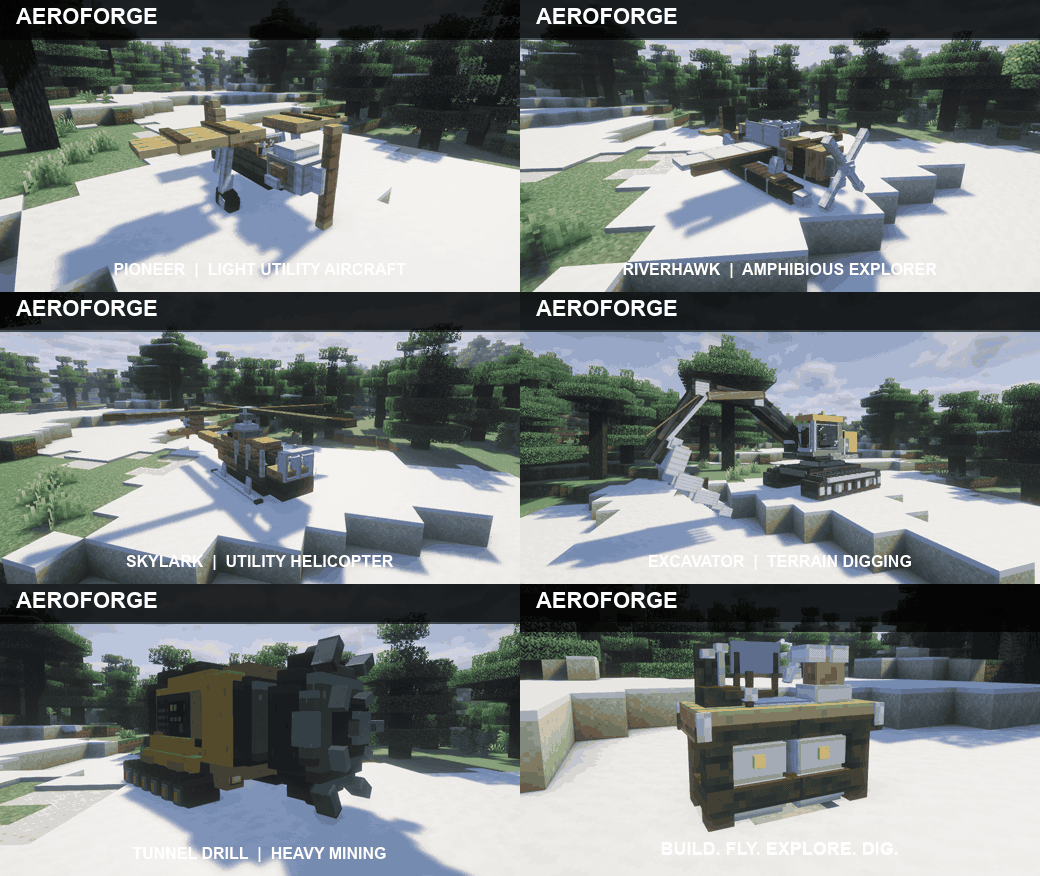
Pioneer
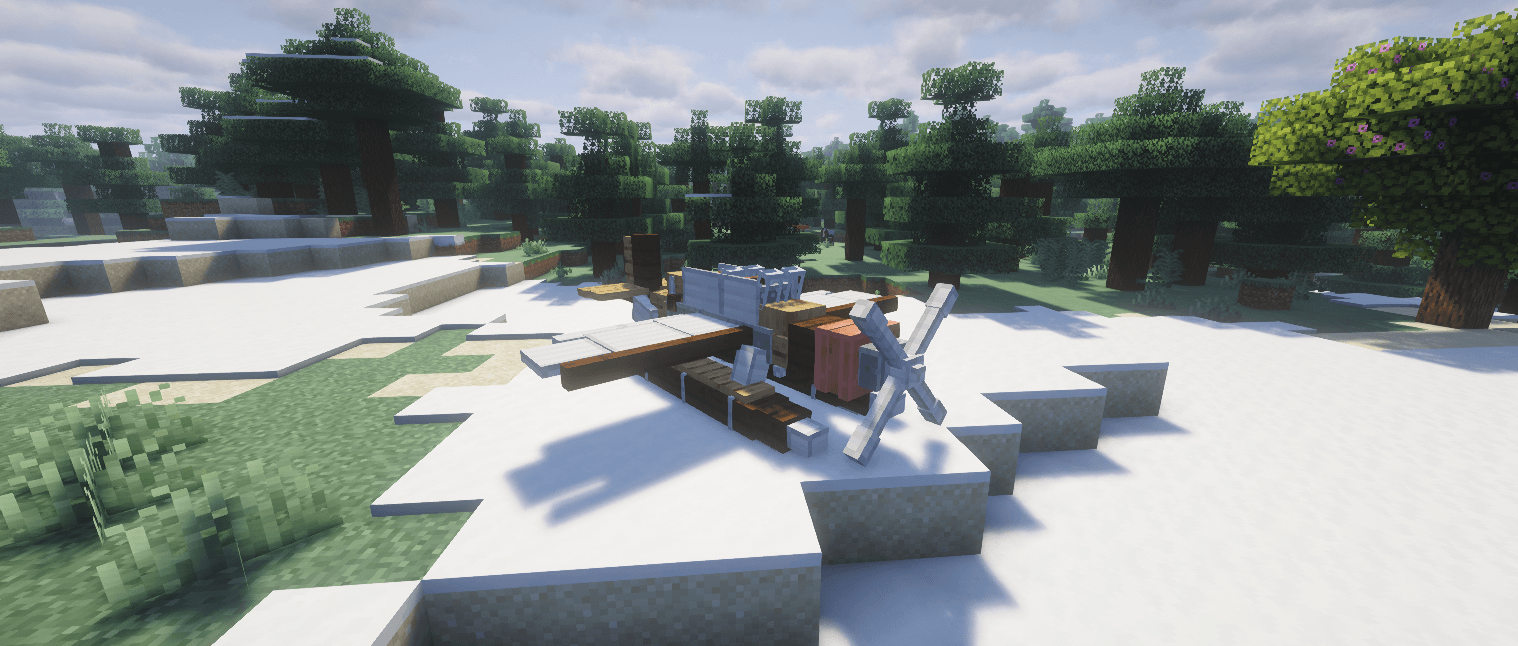
A light, single-seat utility plane built for short flights and exploration. It features an animated propeller and its own engine sound.
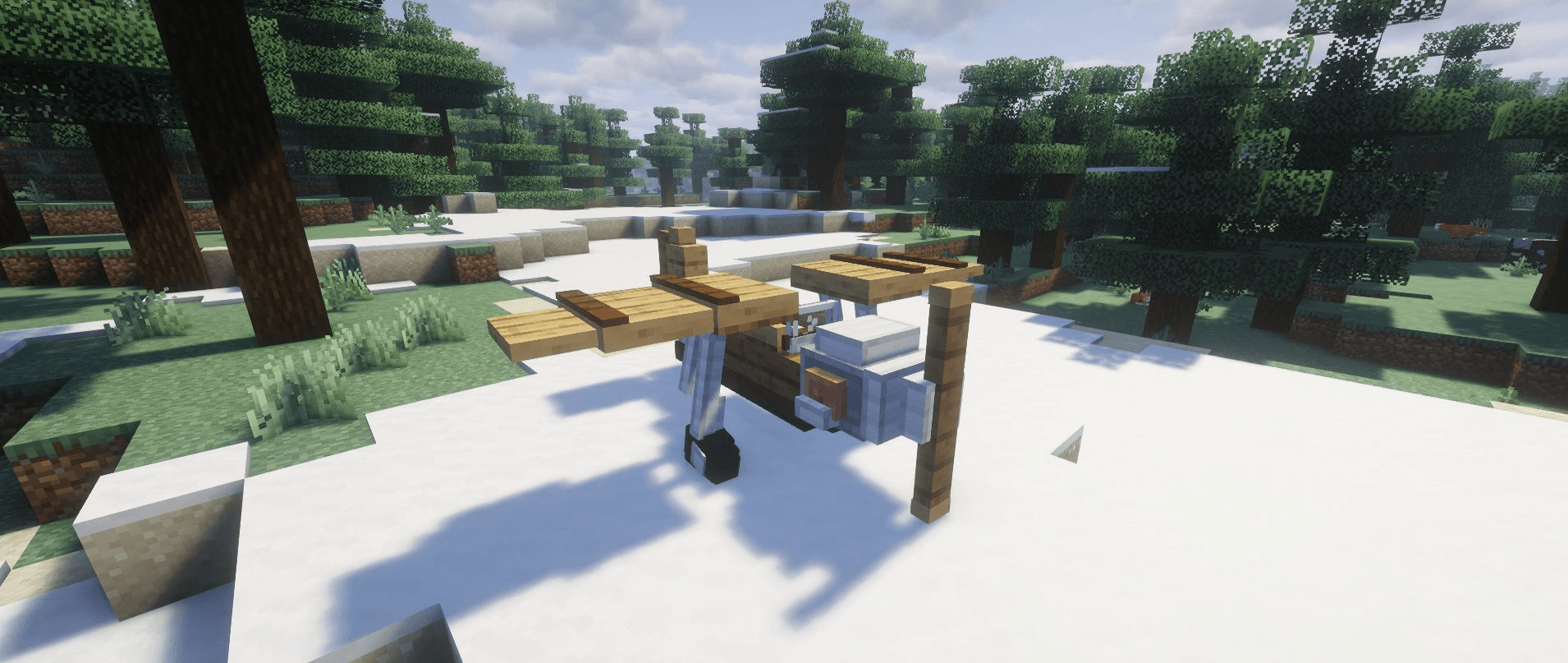
Wayfarer Heavy
A large, two-seat cargo aircraft with 162 inventory slots across three separate cargo holds. Cargo weight affects the aircraft, and you’ll receive a warning if you overload it.
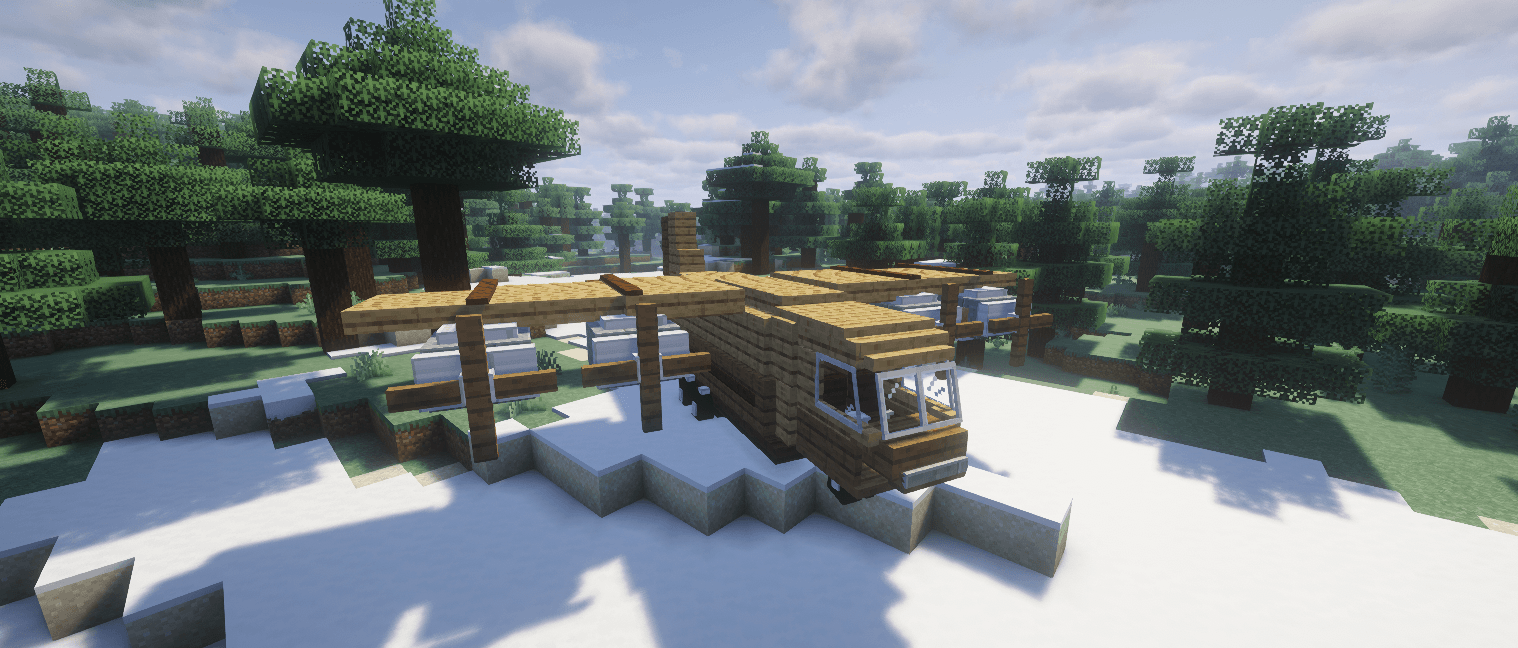
Skylark
A nimble, two-seat helicopter that can take off and land vertically. Its animated main and tail rotors make it ideal for reaching places without a runway.
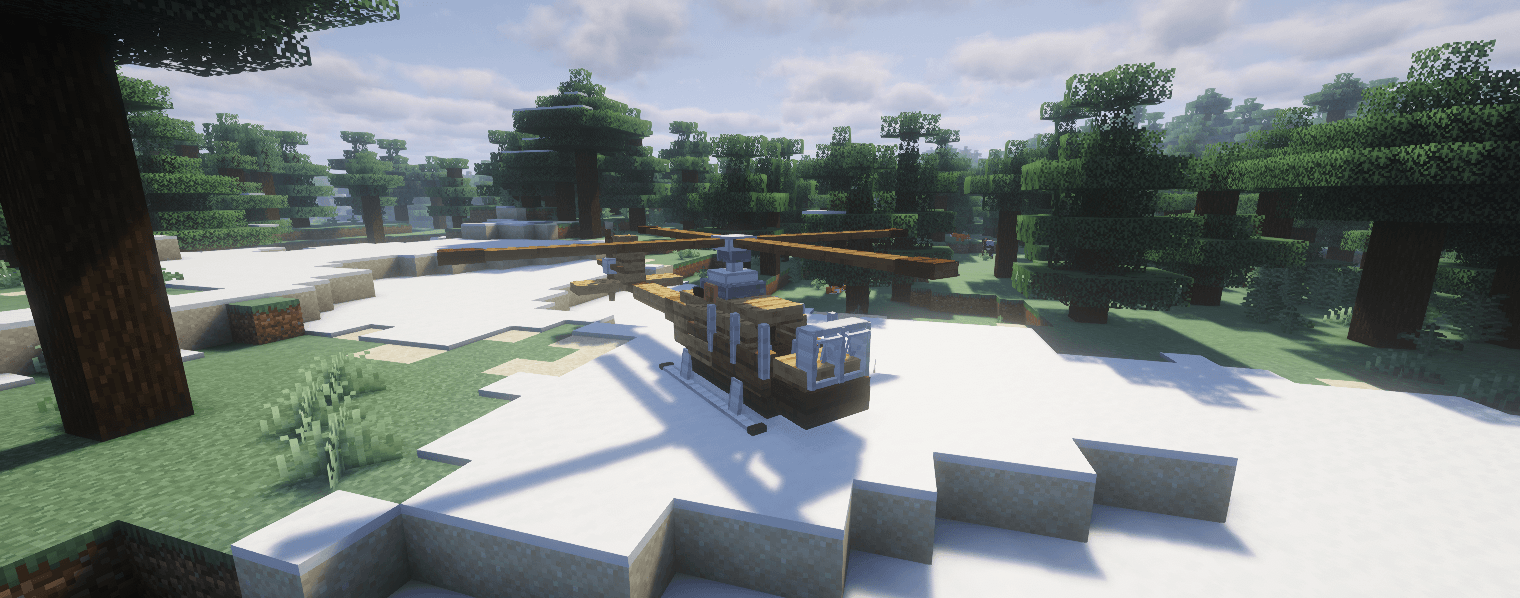
Riverhawk
A two-seat amphibious aircraft that operates from both land and water. With 9 cargo slots, it’s well suited to scouting trips and smaller deliveries.
Tunnel Drill
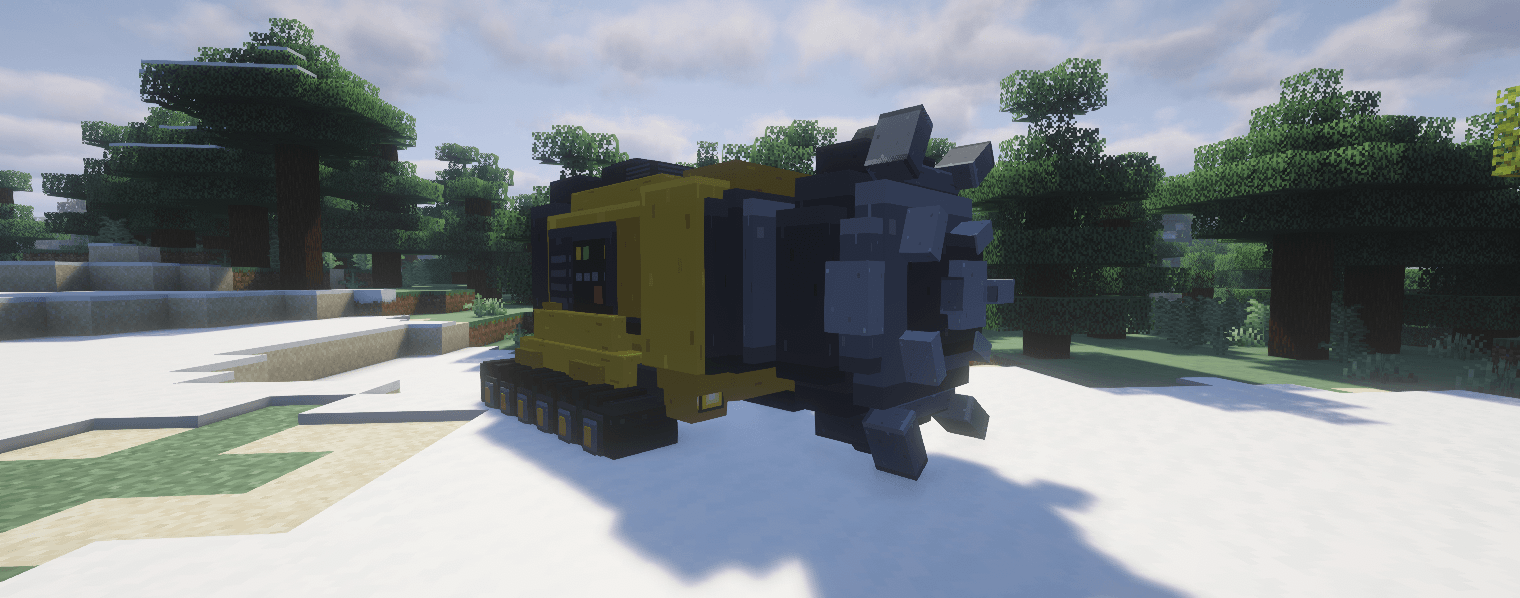
A heavy, single-seat tracked mining vehicle that drills a 5 × 5 tunnel. It automatically collects mined blocks in its 27 storage slots. If the storage fills up, remaining blocks are safely dropped into the world. The drill also features moving tracks, a rotating drill head, machine sounds, and a drilling mode you can toggle while driving.
AeroForge Excavator
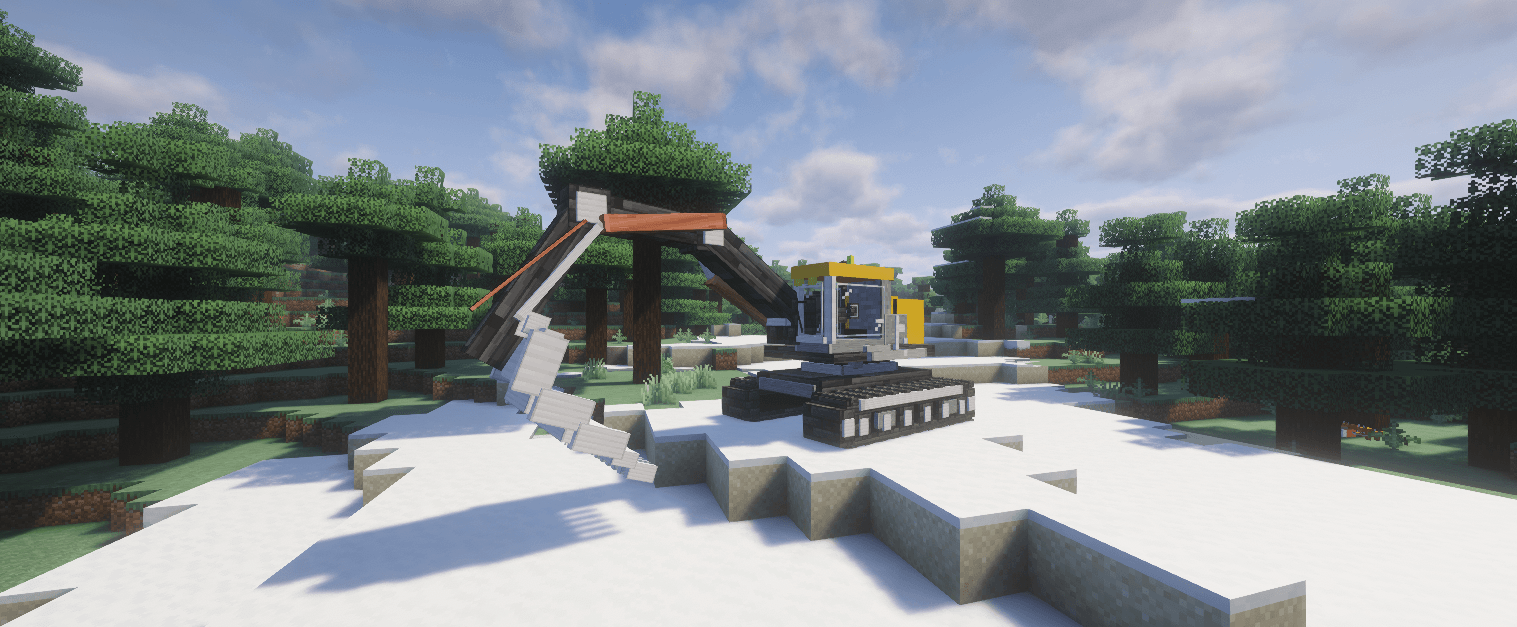
A large, single-seat tracked excavator with a movable upper body, boom, arm, and bucket. The bucket can actually break blocks and store the mined materials in 9 slots. You can then unload its contents onto the ground. Diesel smoke, an exhaust, hydraulic sounds, and a working beacon complete the machine.
Build Your Vehicles
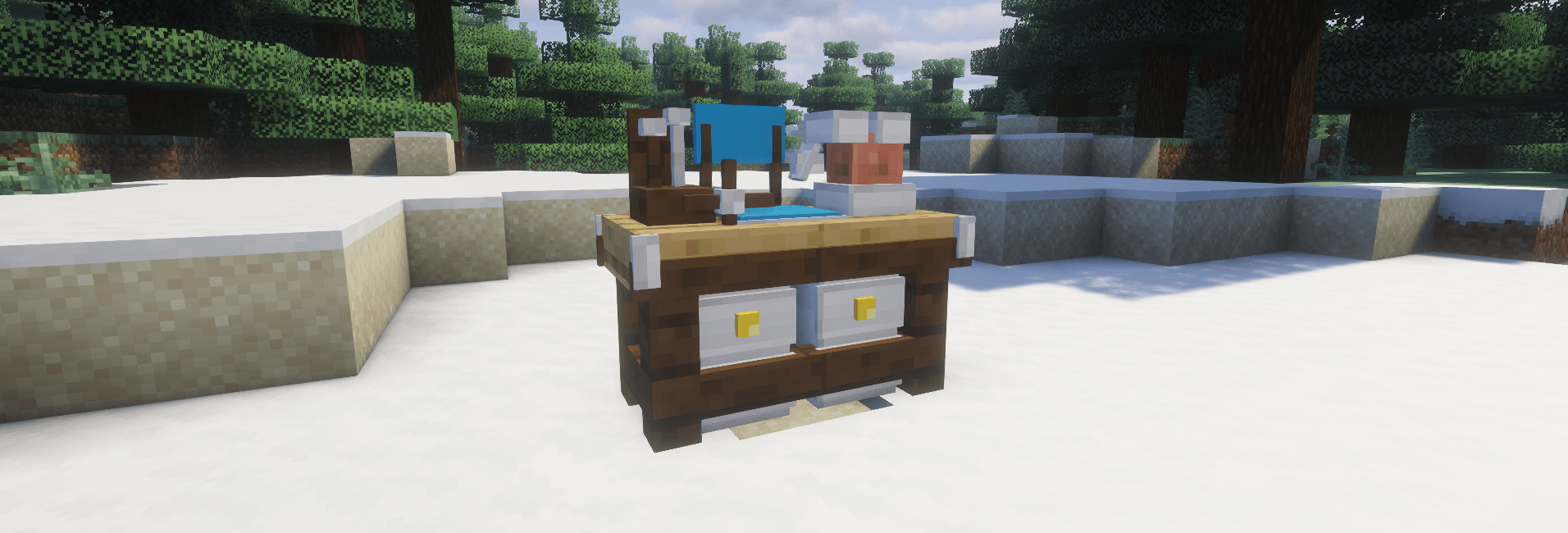
Every vehicle is crafted through the Vehicle Assembly Workbench. Choose an aircraft or work vehicle, select its blueprint, and inspect a rotatable 3D preview before building it.
The workbench shows the vehicle’s role, seats, storage capacity, required parts, and build progress. Supply the materials, press Build, then take the finished vehicle item from the output slot. Use it on a large, clear area to place your vehicle.
❤️Do you know ? we have over 120 mods!

💡 Suggestions & Bug Reports
Found a bug or have an idea ? Join the discord!
Feedback and suggestions are always welcome! 💬

An independent Minecraft mod, unaffiliated with and not endorsed by Mojang or Microsoft.
Project description from CurseForge.
Pick your setup
AeroForge ✈️ by Minecraft version and loader
Choose the version and loader you play, then open the matching release.
Minecraft version
26.2
2 loader buildsMinecraft version
26.1.2
2 loader buildsMinecraft version
1.21.10
2 loader buildsMinecraft version
1.21.1
1 loader buildMinecraft version
1.20.1
2 loader buildsCheck the dependencies, then try the file in a copied instance before changing a world you care about.
Recent files
AeroForge ✈️ versions and loaders
AeroForge-1.21.1-NeoForge-1.0.4.jar
15 Oct 2026
Client Source doesn’t say Server Source doesn’t say Dependencies No extras listed Listed on Release listing
Check the 1.21.1 · NeoForge setup 1.21.1NeoForge release
AeroForge-1.20.1-Forge-1.0.9.jar
3 Oct 2026
Client Source doesn’t say Server Source doesn’t say Dependencies No extras listed Listed on Release listing
Check the 1.20.1 · Forge setup 1.20.1ForgeNeoForge release
AeroForge-26.3-NeoForge-1.0.7.jar
1 Oct 2026
Client Source doesn’t say Server Source doesn’t say Dependencies No extras listed Listed on Release listing
Check the 26.3 · NeoForge setup NeoForge26.3 release
AeroForge-26.3-Fabric-1.0.7.jar
1 Oct 2026
Client Source doesn’t say Server Source doesn’t say Dependencies No extras listed Listed on Release listing
Check the 26.3 · Fabric setup Fabric26.3 release
AeroForge-26.2-NeoForge-1.0.6.jar
1 Oct 2026
Client Source doesn’t say Server Source doesn’t say Dependencies No extras listed Listed on Release listing
Check the 26.2 · NeoForge setup NeoForge26.2 release
AeroForge-26.2-Fabric-1.0.6.jar
1 Oct 2026
Client Source doesn’t say Server Source doesn’t say Dependencies No extras listed Listed on Release listing
Check the 26.2 · Fabric setup Fabric26.2 release
AeroForge-26.1.2-NeoForge-1.0.5.jar
1 Oct 2026
Client Source doesn’t say Server Source doesn’t say Dependencies No extras listed Listed on Release listing
Check the 26.1.2 · NeoForge setup NeoForge26.1.2 release
AeroForge-26.1.2-Fabric-1.0.5.jar
1 Oct 2026
Client Source doesn’t say Server Source doesn’t say Dependencies No extras listed Listed on Release listing
Check the 26.1.2 · Fabric setup Fabric26.1.2 release
AeroForge-1.21.10-Fabric-1.0.3.jar
1 Oct 2026
Client Source doesn’t say Server Source doesn’t say Dependencies No extras listed Listed on Release listing
Check the 1.21.10 · Fabric setup Fabric1.21.10 release
AeroForge-1.20.1-Forge-1.0.7.jar
1 Oct 2026
Client Source doesn’t say Server Source doesn’t say Dependencies No extras listed Listed on Release listing
Check the 1.20.1 · Forge setup 1.20.1ForgeNeoForge release
AeroForge-26.3-NeoForge-1.0.6.jar
30 Sept 2026
Client Source doesn’t say Server Source doesn’t say Dependencies No extras listed Listed on Release listing
Check the 26.3 · NeoForge setup NeoForge26.3 release
AeroForge-26.3-Fabric-1.0.6.jar
30 Sept 2026
Client Source doesn’t say Server Source doesn’t say Dependencies No extras listed Listed on Release listing
Check the 26.3 · Fabric setup Fabric26.3 release
Looking for an older file? The official CurseForge project page is in Resources.
 mod
mod CurseForge · Minecraft
Solo Leveling SLR HunterBond
Befriend, fight beside and even romance the hunters of Solo Leveling: Reawakening, with hidden personalities, deep talks, gifts, and roles like rival or best friend, without changing their stats or combat.
 mod
mod CurseForge · Minecraft
Wolverine Powers
Become Wolverine: bone or Adamantium claws, a brutal healing factor with full-body regeneration, 14 feral moves, realistic wounds, and the classic yellow and blue suit.
 mod
mod CurseForge · Minecraft
Singulo
Tech progression from thermocouples to rotating black holes: physics-inspired machines, multiblocks, wormholes and gravity tools.