















Minecraft version
Back to mods 
CurseForge · Minecraft mod
Eclipse Suite
Minimap + world map, custom HUD, trajectories, chunk borders, zoom, chest finder, dynamic lights and a schematic printer. One mod, one menu.
Choose a version Pick your version below, then grab the matching file.
Quick answer
Which Eclipse Suite release matches 26.3?
Best match for your filters Eclipse Client 2.2.0 (26.3)
Game version 26.3
Loader Fabric
Eclipse Suite Eclipse Client 2.2.0 (26.3) targets 26.3 with Fabric. The project page does not say whether this file belongs on the client, dedicated server, or both. No extra mods listed for this file.
Where it goes
Is Eclipse Suite required on the client, server, or both?
The project page does not say whether this file belongs on the client, dedicated server, or both.
Client Source doesn’t say
Dedicated server Source doesn’t say
Loader for this release Fabric
Required install it here Optional supported, not mandatory Not supported do not install here Source doesn’t say do not assume
The source does not explicitly classify this release as client-only or server-only.
What else does Eclipse Suite Eclipse Client 2.2.0 (26.3) need?
Eclipse Client 2.2.0 (26.3) on 26.3. Every mod below is checked against that same setup.
This file does not list any required mods. Do not add a library just because a different file uses it.
This file does not list any required or optional mods.
Before you install it
Add Eclipse Suite without breaking your instance.
Built for Eclipse Suite Eclipse Client 2.2.0 (26.3) on 26.3. Pick another file and the loader, install side or required mods may change.
- 01
Stick to this file
Use Eclipse Client 2.2.0 (26.3). It targets 26.3 with Fabric; another release may have different loader, side or dependency requirements.
- 02
Bring the mods it needs
This file does not list any required mods. Do not add a library just because a different file uses it.
- 03
Put it on the correct side
The project page does not say whether this file belongs on the client, dedicated server, or both.
- 04
Pick the file you checked
Use the “Get this file” button beside Eclipse Client 2.2.0 (26.3). It opens that exact file at the source.
About this project
What does Eclipse Suite add?
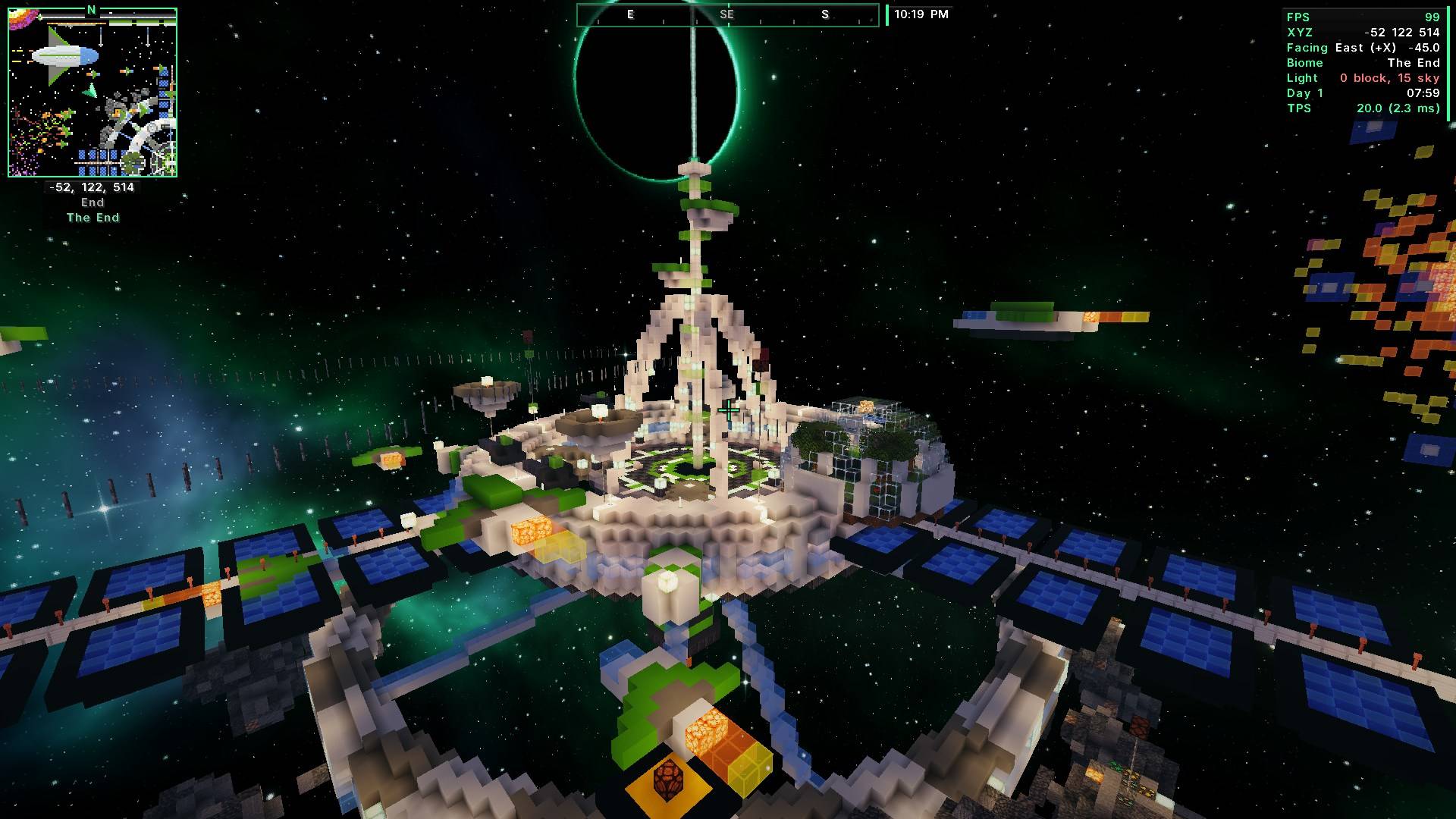 Minimap + world map, custom HUD, trajectories, chunk borders, zoom, chest finder, dynamic lights and a schematic printer. One mod, one menu.


🆕 New in 2.2
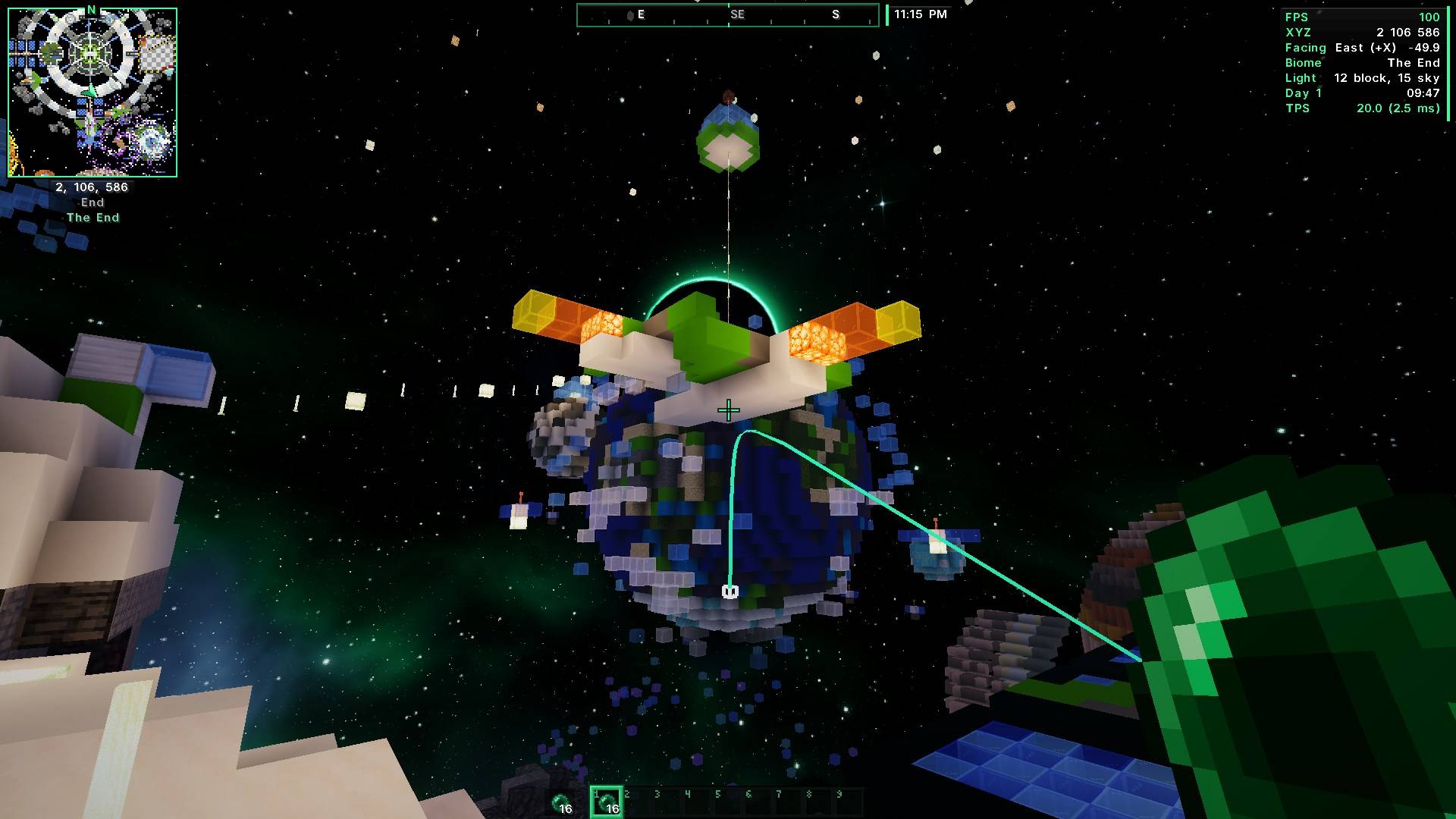
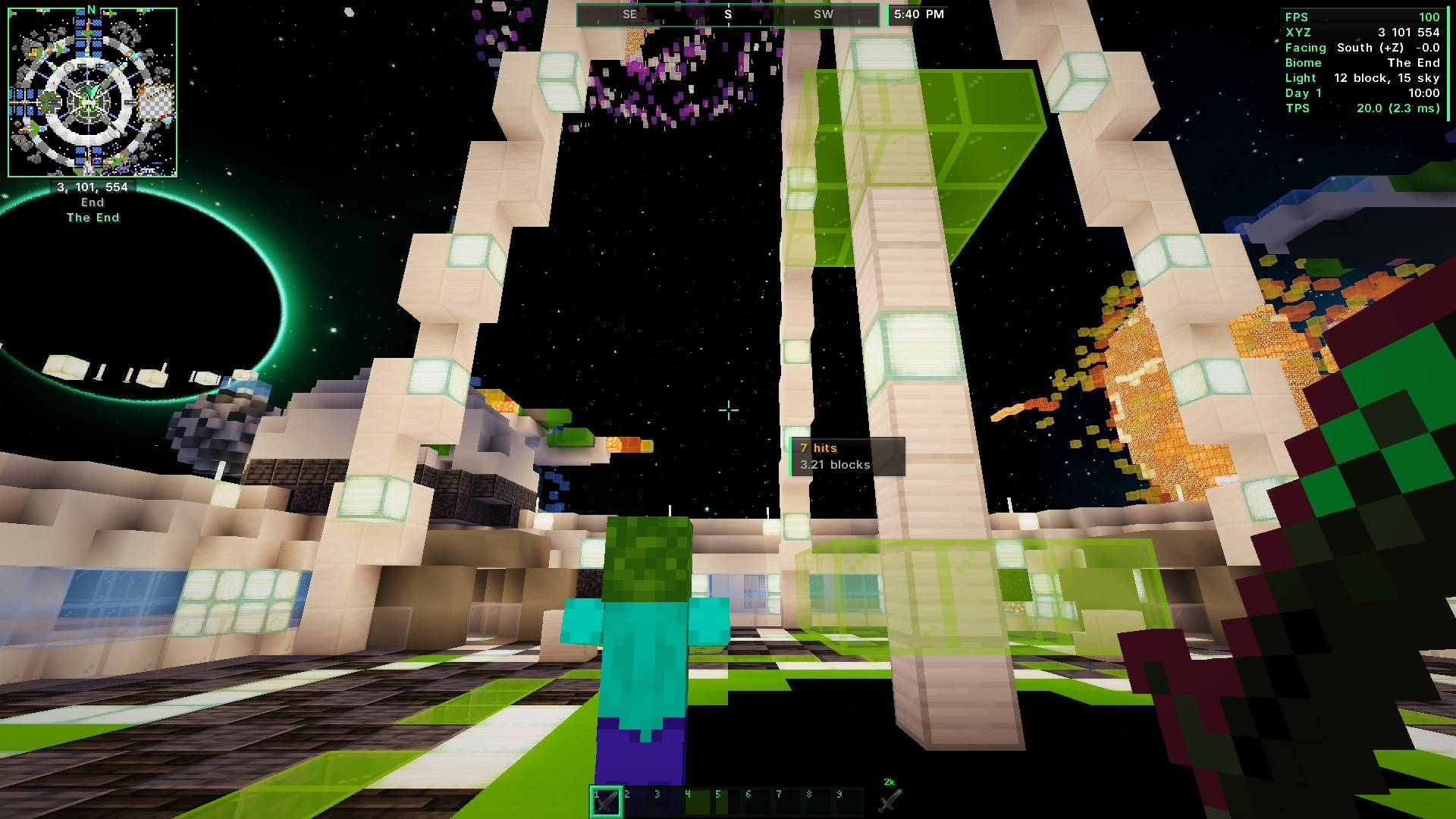
| 🏹 | Trajectories Hold a bow, crossbow, trident, ender pearl, snowball or potion and see exactly where it will land. The box turns red when it will hit a mob or player. |
|---|---|
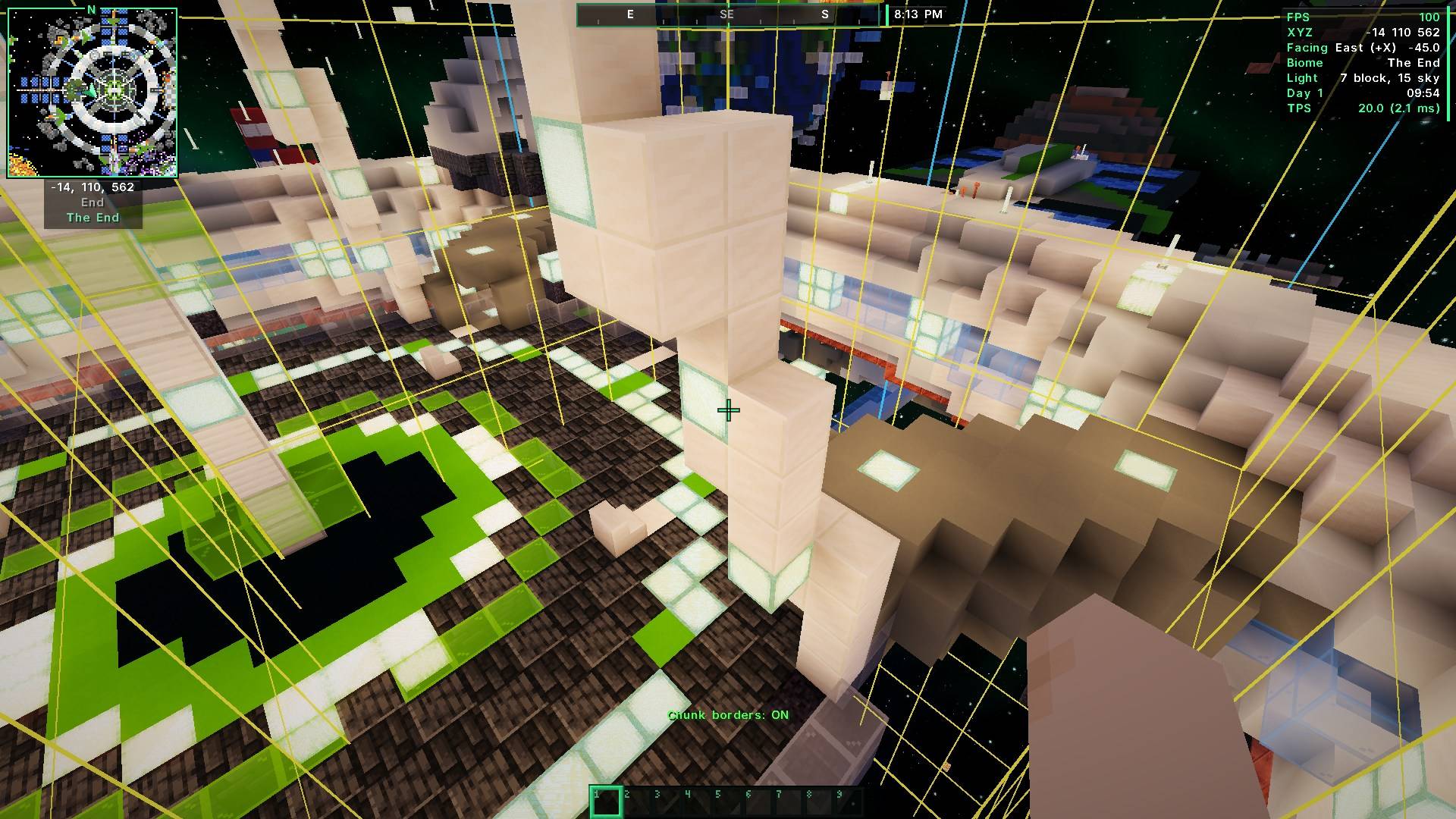
| 🟨 | Chunk Borders Press F9 to see the chunk you stand in with a clear grid. Great for farms and slime chunks. |
| ⚔️ | Combo Counter For PvP: how many hits in a row you landed and the reach of your last hit. |
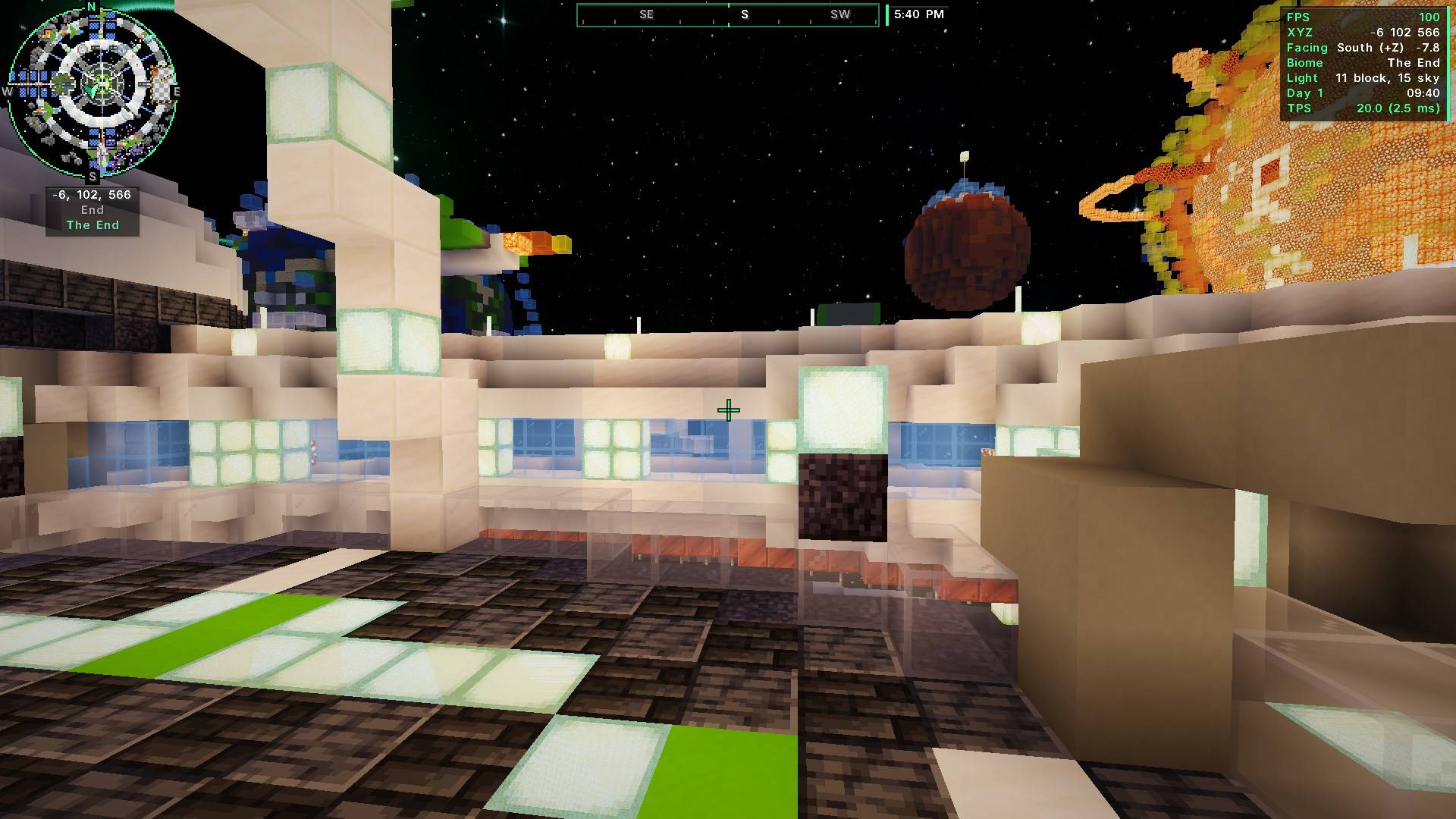
| 🗺️ | Better Map Round minimap option, the biome name under your coords, and a nicer world map with a scale bar and zoom buttons. |
| 📊 | Smarter HUD Pick a label color, and hide lines like Light, TPS and Ping while they are fine. |
| 📦 | Chest Finder grid See everything stored in your chests and click an item to find it. |
| ✨ | Premium look Soft shadows, shine and smooth animations on every button, switch and menu. Turn it off on the Client page if you like it plain. |
| 🛠️ | Fixes Chat times no longer show twice. On small windows the HUD parts no longer cover each other. |
What it is
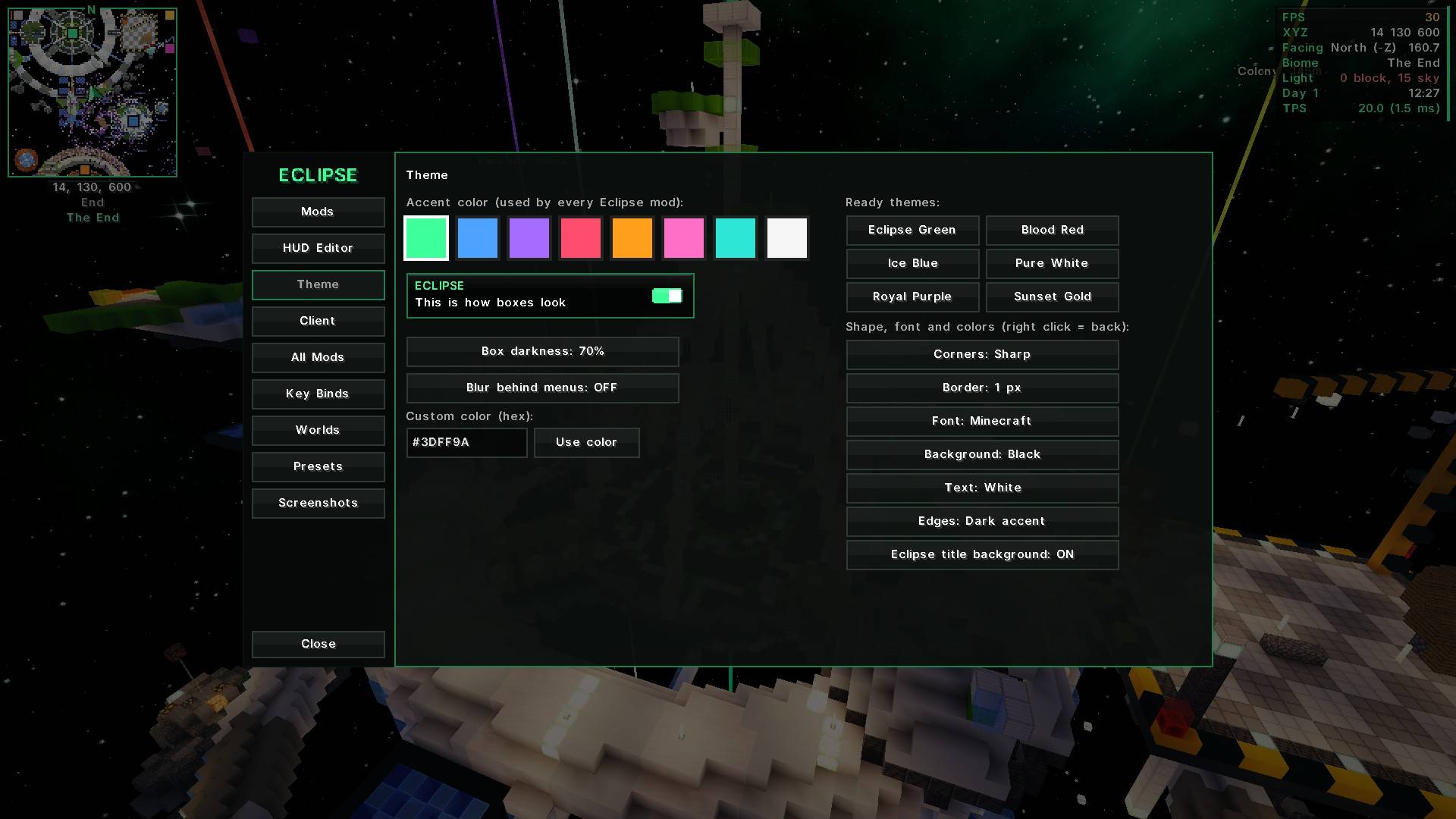
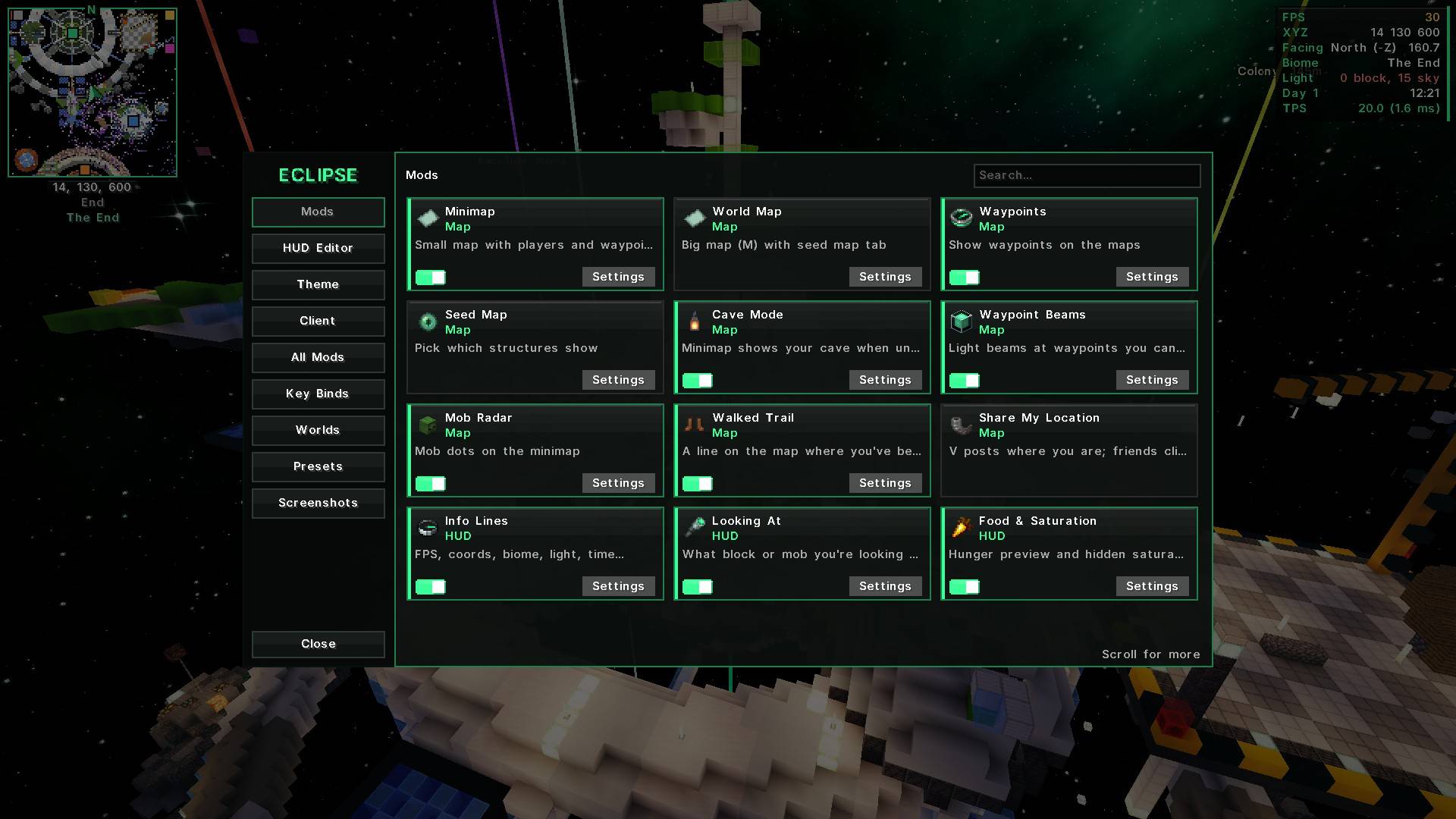
Eclipse Suite is the whole Eclipse Client in one mod. A minimap and world map, a clean HUD, lots of handy tools, nicer visuals and a schematic printer. Everything is set up from one black + green menu: press Backspace. 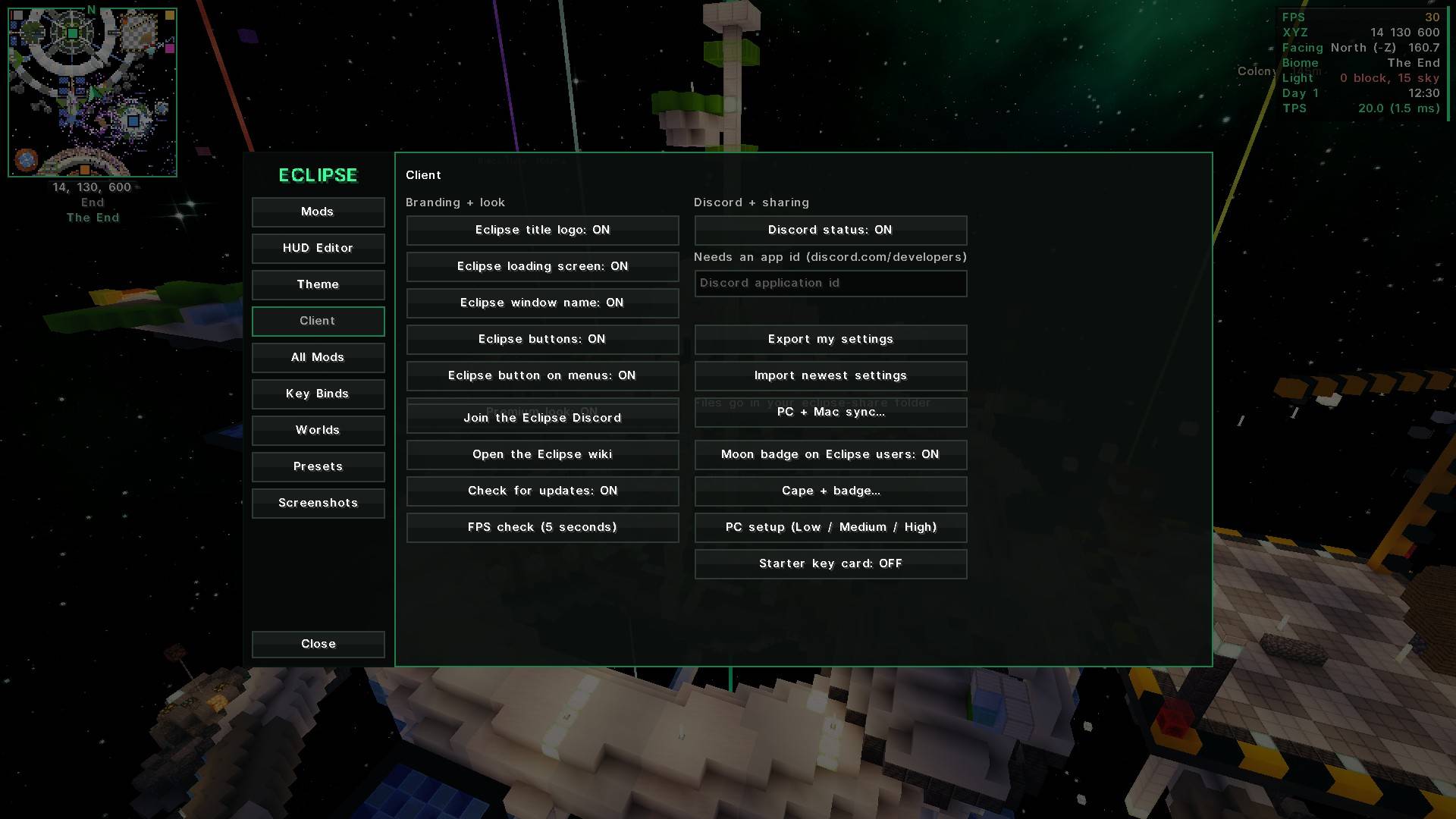
⭐ What's inside
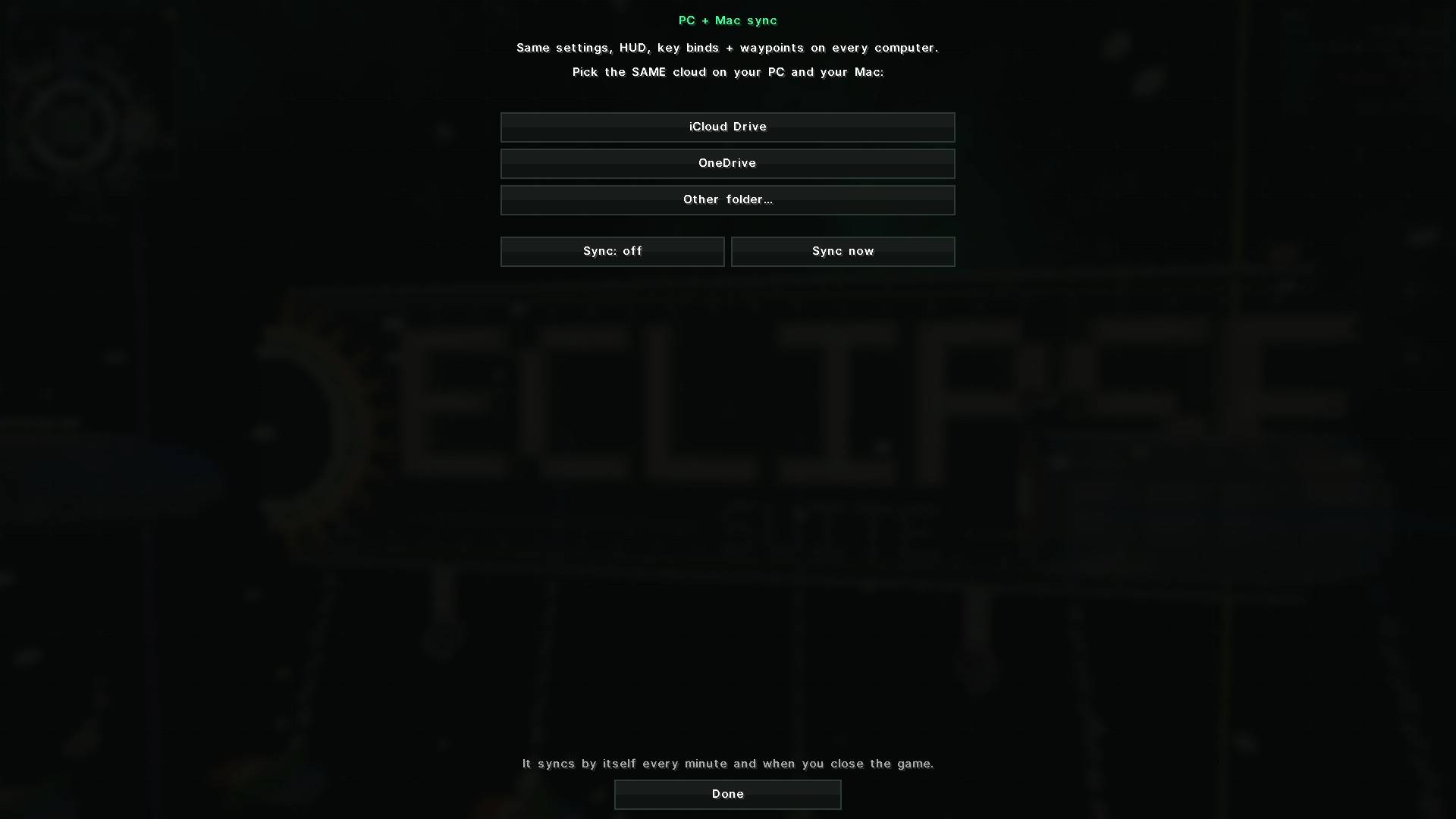
| 🖥️ Eclipse menu | Every feature is a card with an on/off switch, settings search, HUD editor, themes, presets and PC + Mac sync. |
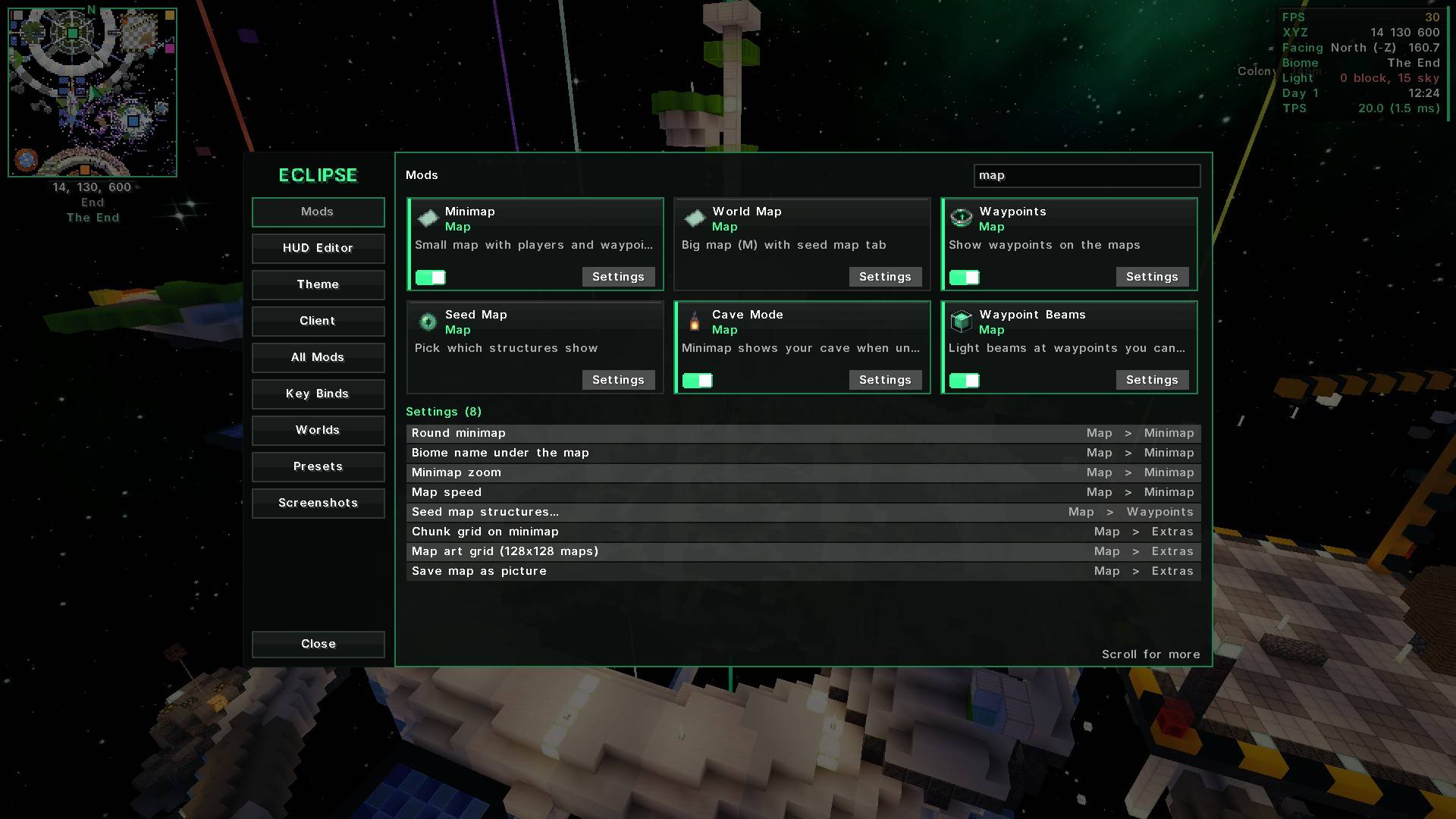
| 🗺️ Map | Minimap, world map (M), waypoints with light beams, seed map, map art grid, mob spawn spots. Imports Xaero waypoints. |
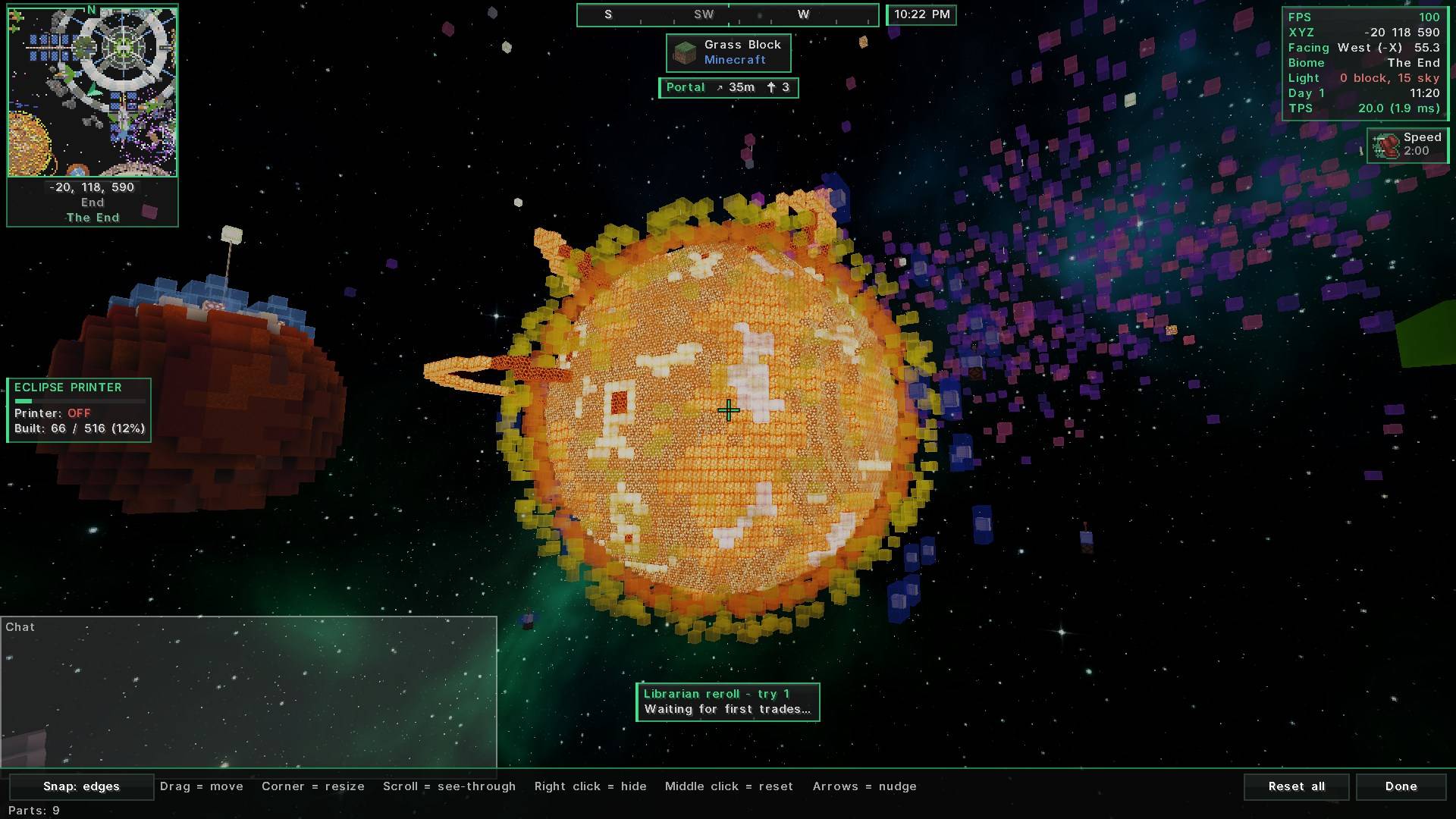
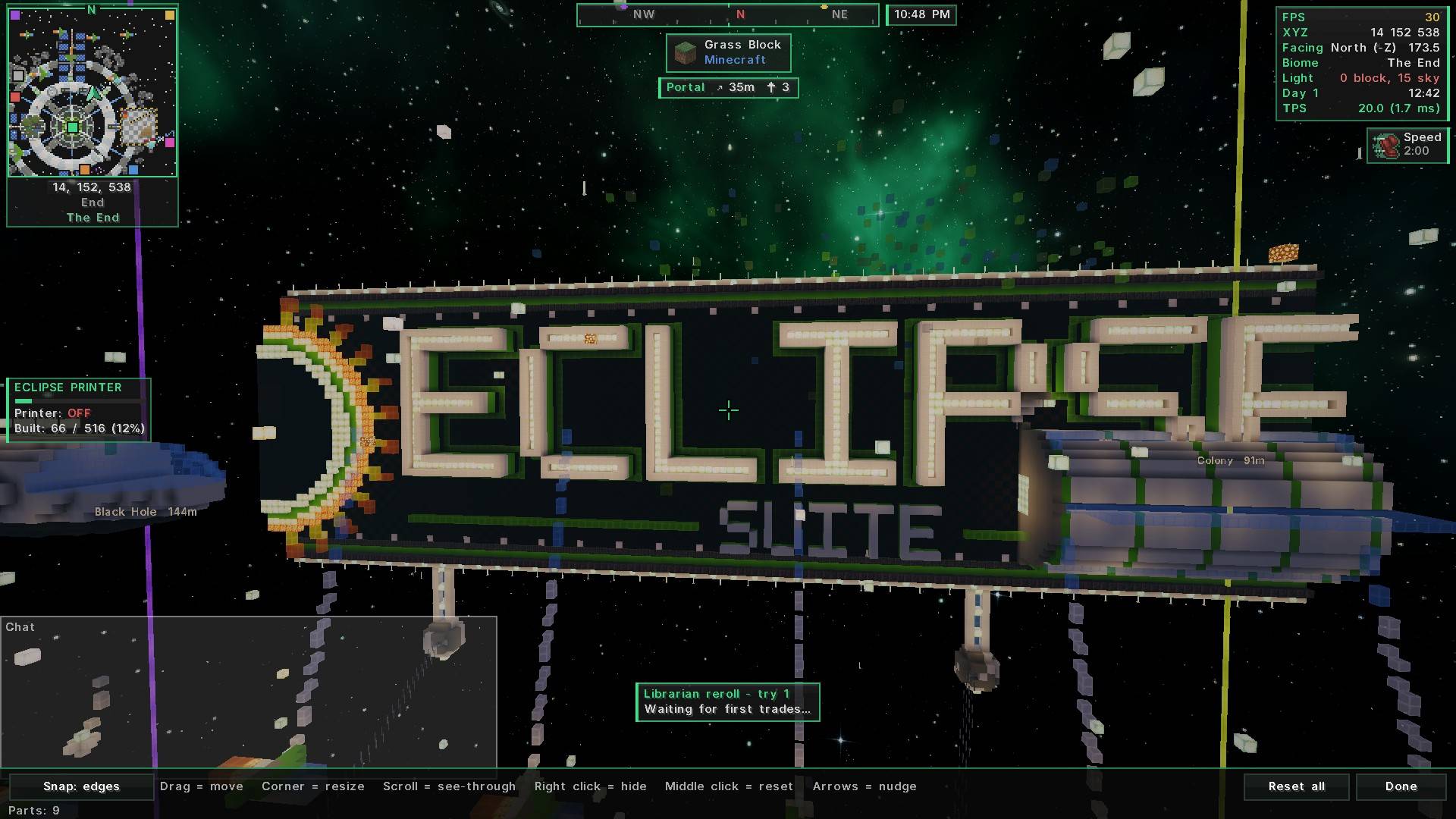
| 📊 HUD | Info lines, compass bar, "looking at" box, armor, food and potions. Drag anything anywhere. |
| 🧰 Tools | Zoom (C), freecam, fullbright, ruler (R), chest finder (J), librarian reroll, inventory sort and more. |
| ✨ Visuals | Custom crosshair, damage numbers, dynamic lights, item physics, particles, fancy tooltips. |
| 🖨️ Printer | Builds schematics for you. Has its own schematic menu, ghost blocks and layer view (26.3), or uses Litematica when installed. Plus a Map Art Maker. |
🗺️ Map
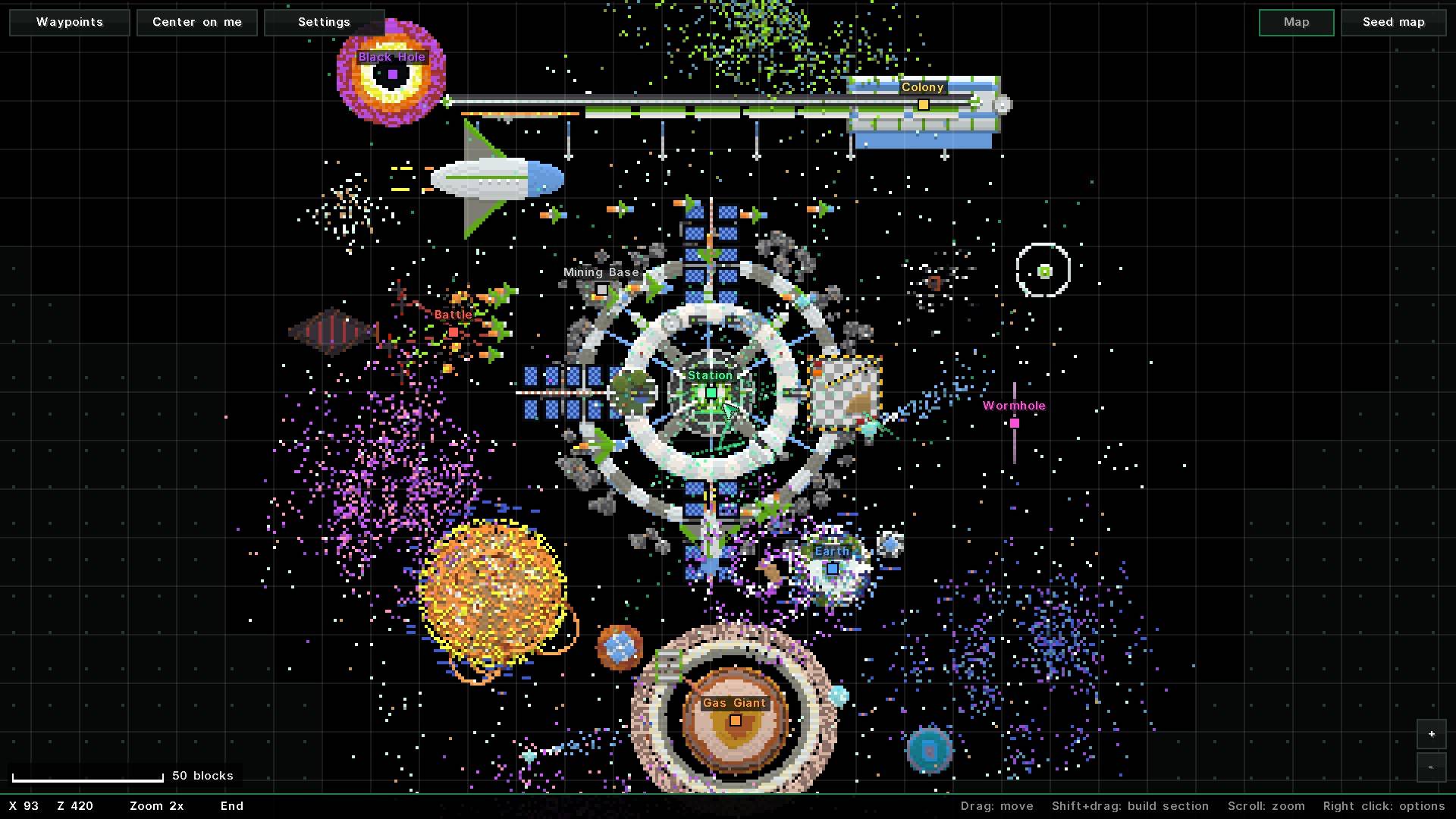
- Minimap in the corner with coords, players and waypoints
- World map (M): drag, zoom, seed map tab for villages and structures
- Waypoints (X): light beams, death points, share in chat, Xaero import
- Map art grid: the exact 128×128 area one map covers
- Mob spawn spots: red = mobs can spawn now, yellow = only at night
📊 HUD
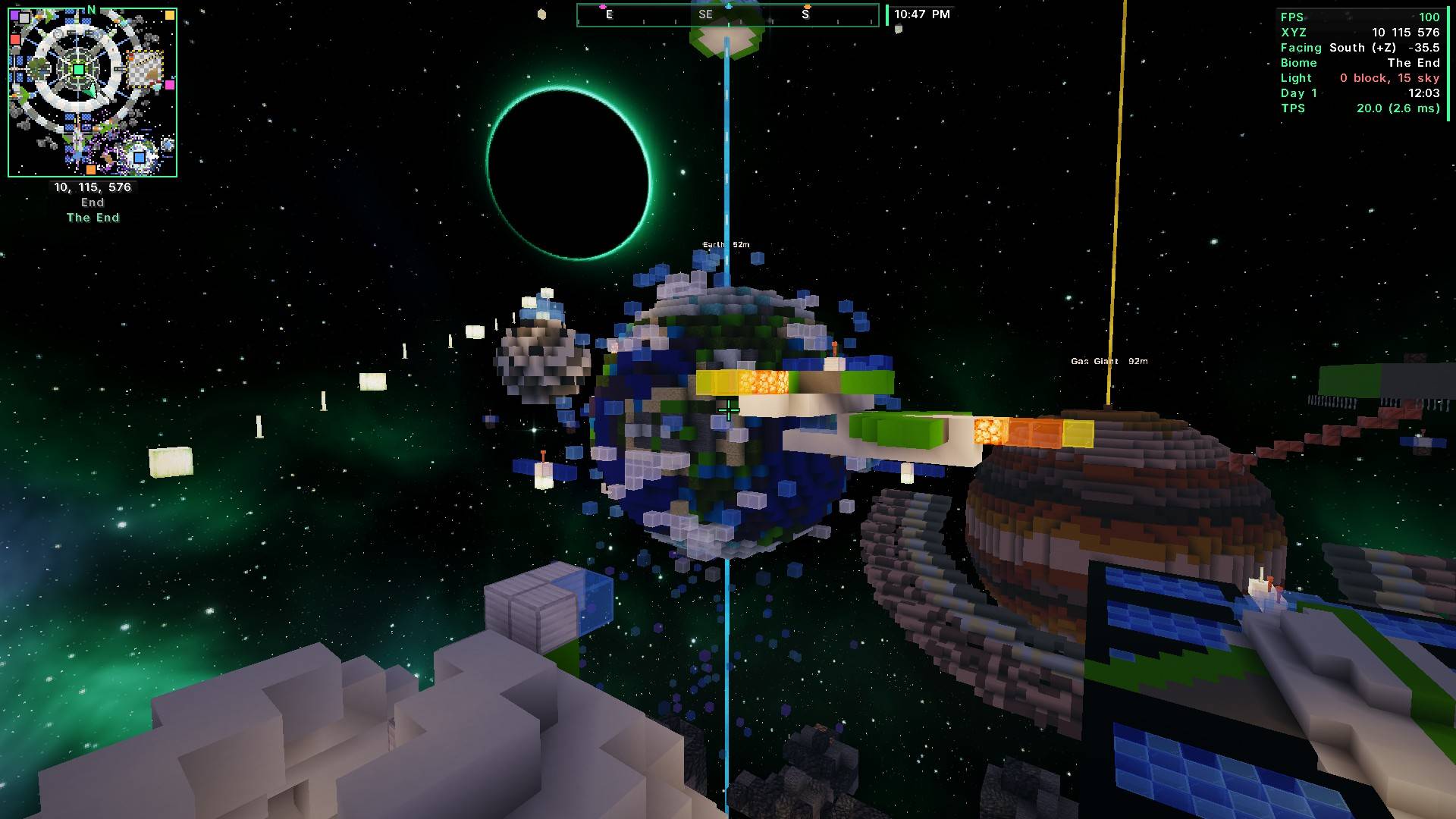
- FPS, coords, Nether coords, biome, light, time, ping, TPS and more
- Compass bar with your waypoints · saturation bar · armor + tool durability
- Potion timers, break warning, keystrokes, session stats, better tooltips
🧰 Tools
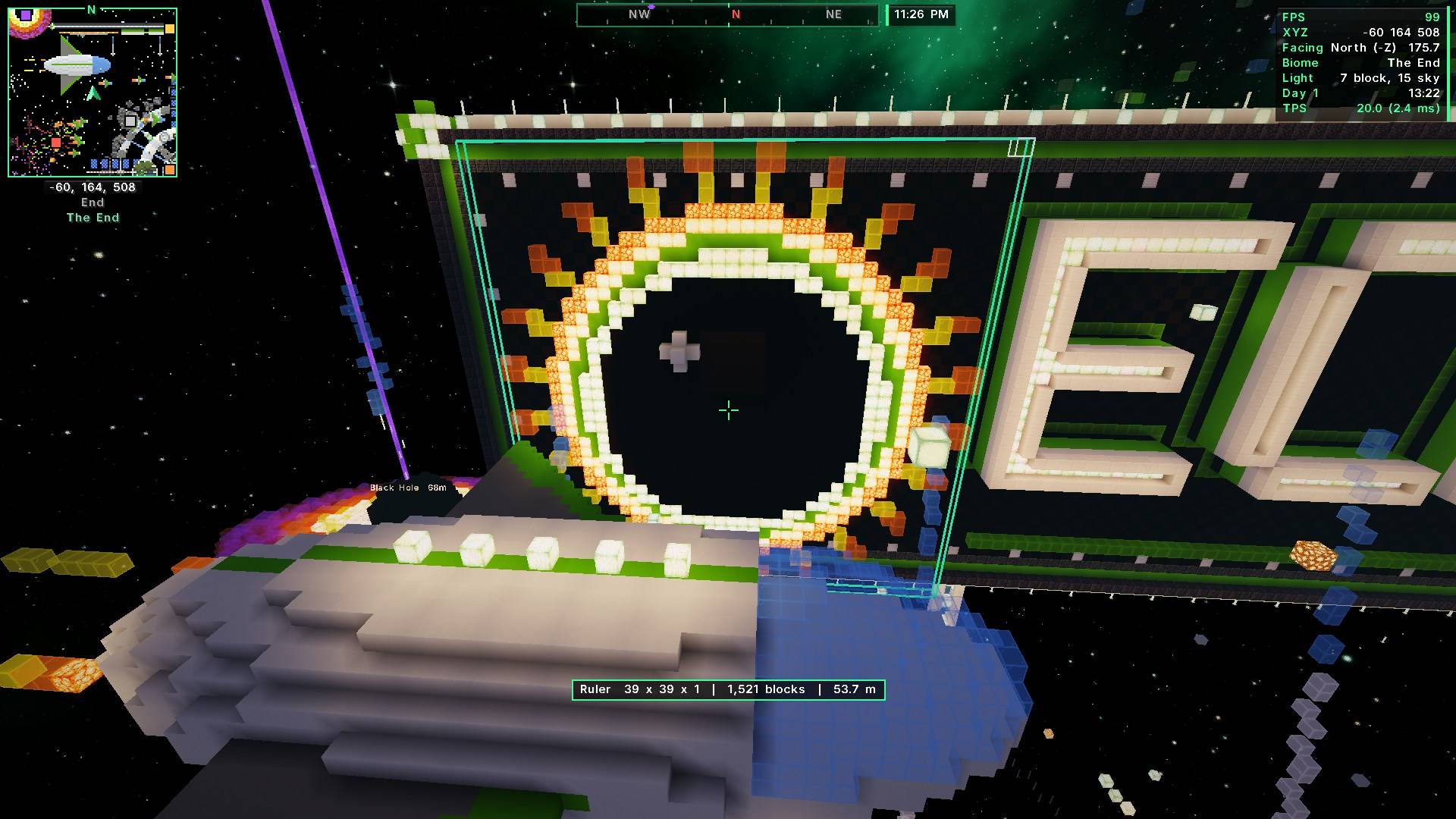
- Ruler (R): size, block count and distance between two blocks
- Chest finder (J): remembers every chest you open
- Zoom (C), fullbright (F8), freecam (F4), borderless fullscreen (F11)
- Inventory sort, item lock, chest search, stack refill, better chat, portal helper
- Screenshots to Discord (F10)
✨ Visuals
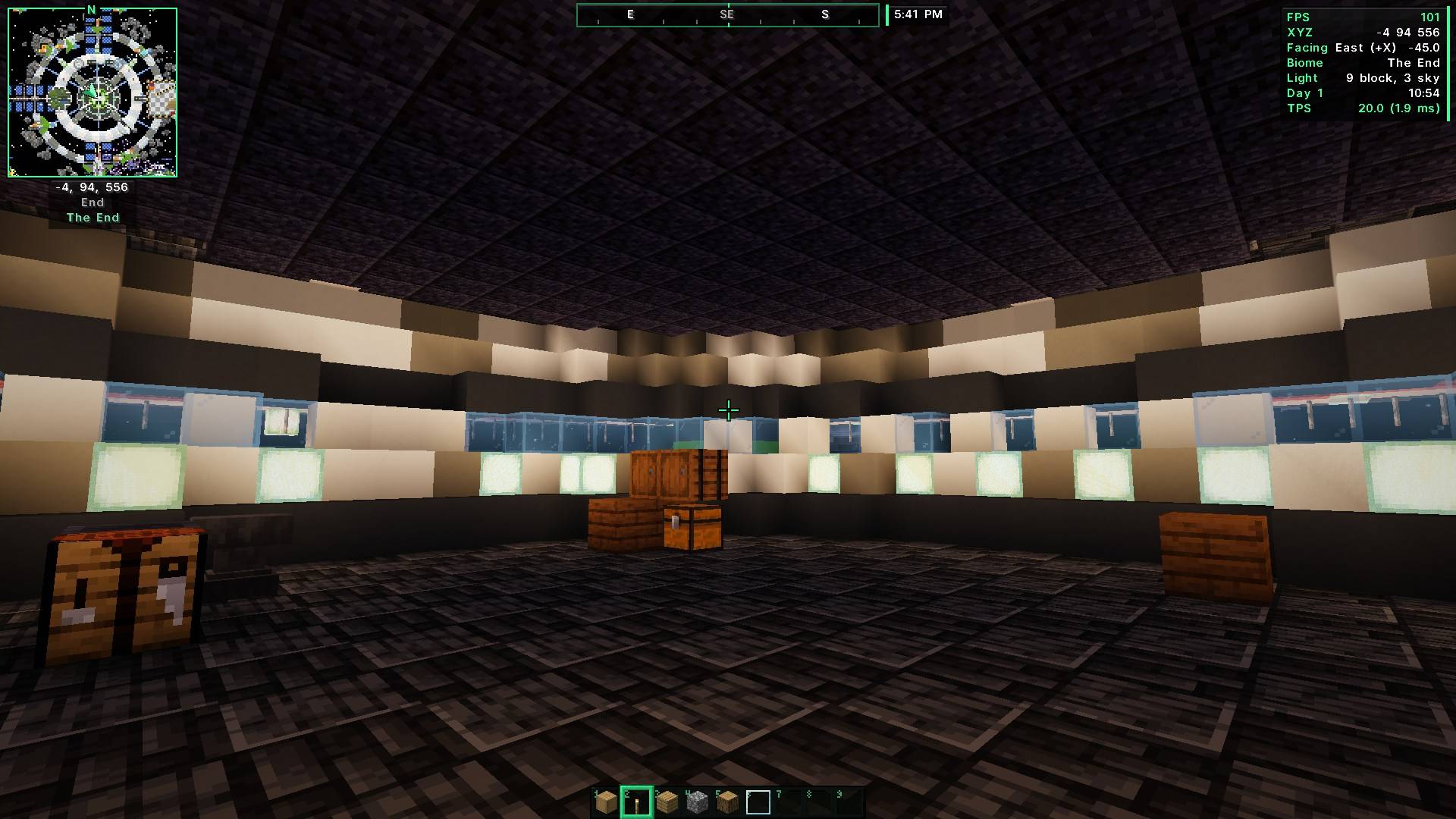
- 10 crosshair styles that change color on mobs
- Damage numbers, health on name tags, dynamic lights
- Item physics, fireflies + ambient particles, smooth hotbar, clear water
🖨️ Printer
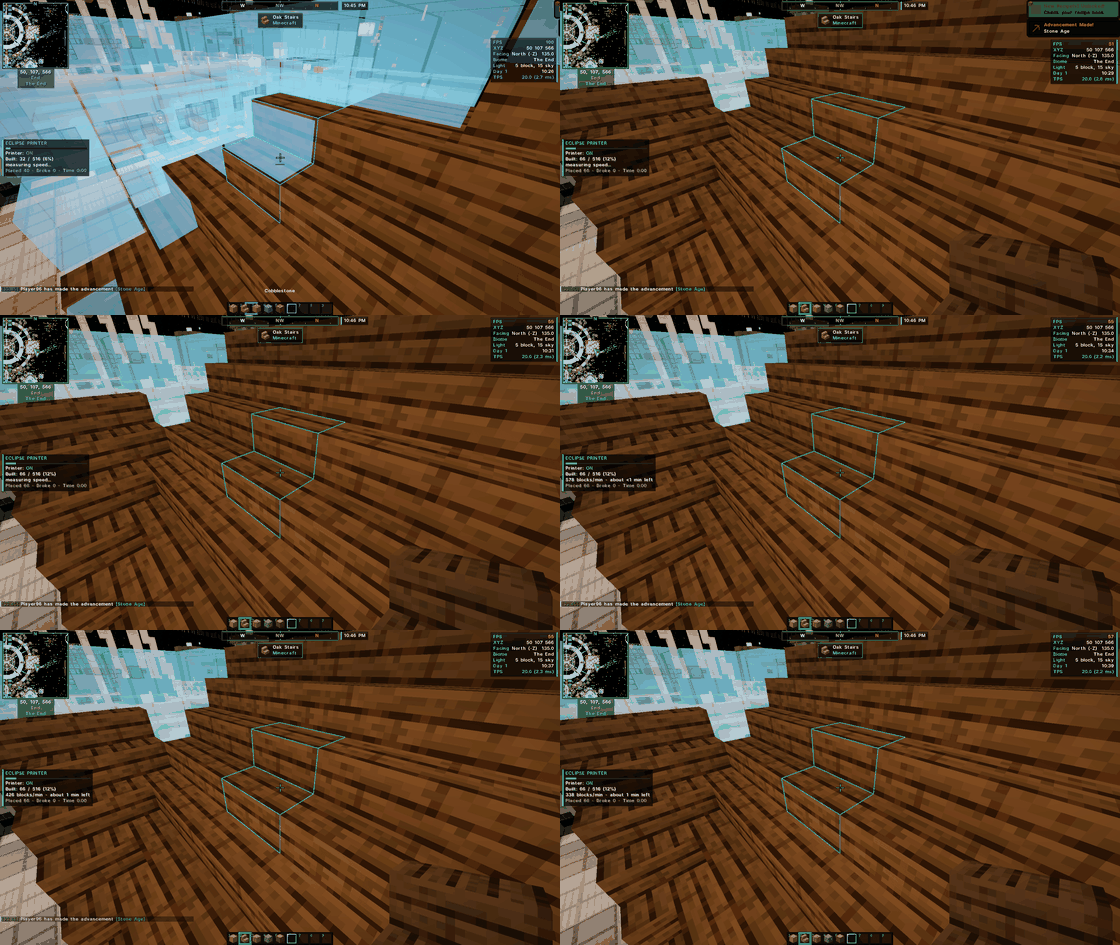
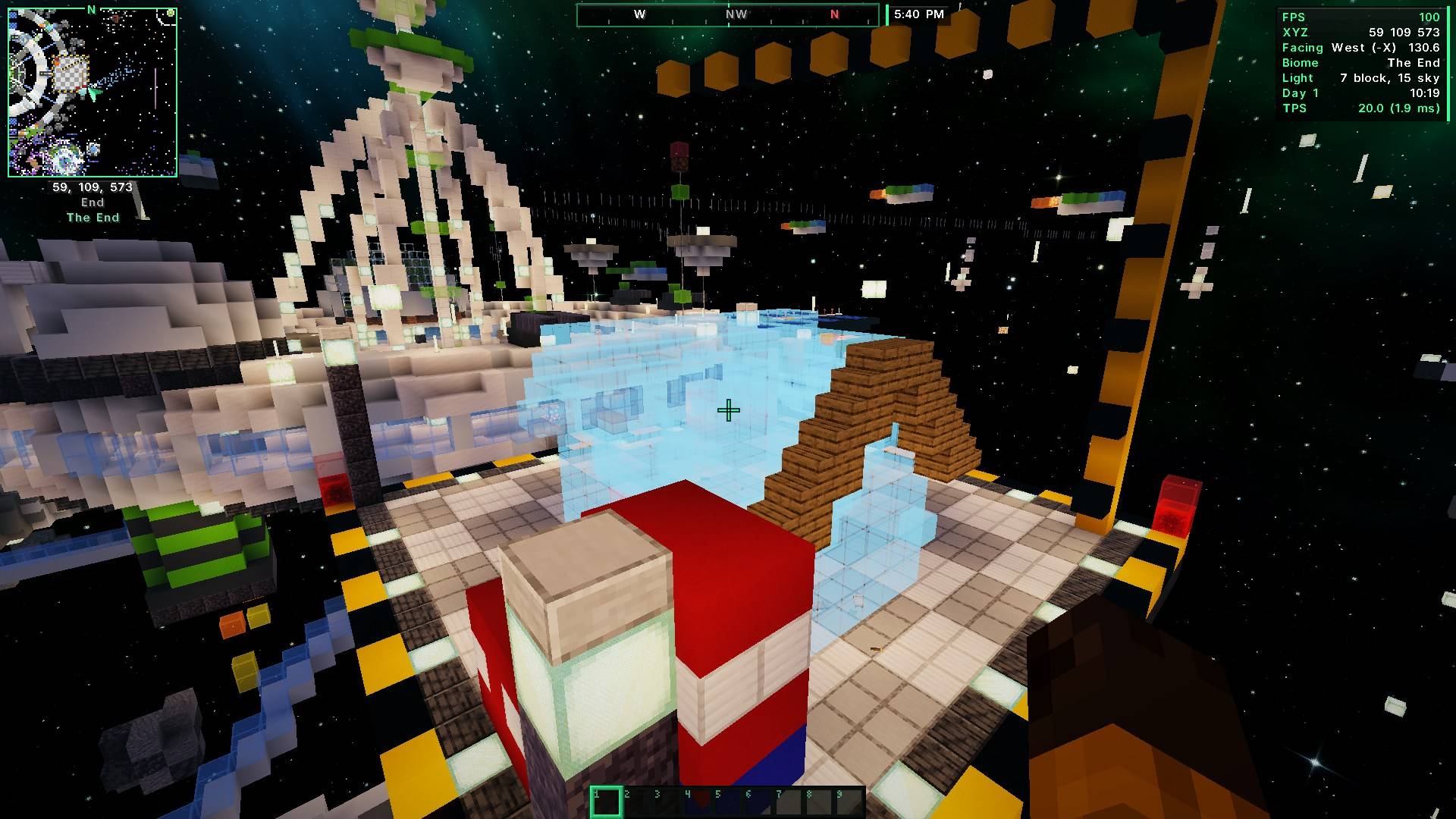
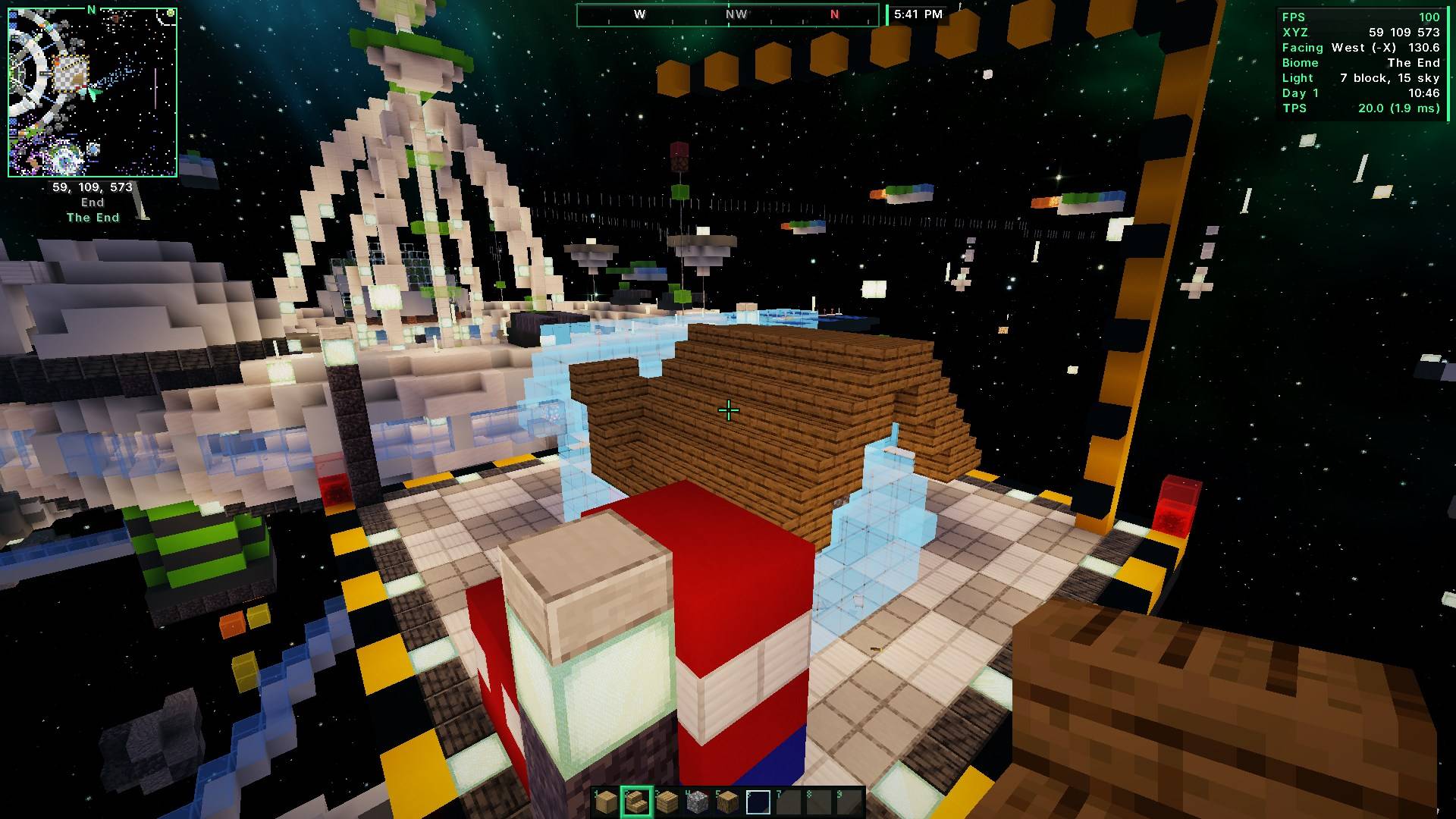
- Press Caps Lock and walk around: it places the right blocks
- 🆕 No Litematica needed on 26.3: Schematics menu (K) loads .litematic, .schem (WorldEdit) and .nbt files. Place, move, rotate and mirror them
- Ghost blocks: blue = missing, red = wrong block, orange = turned the wrong way, pink = extra
- Layer view (Page Up / Page Down) and save an area as a .litematic
- Litematica installed? The Printer simply uses it, like before
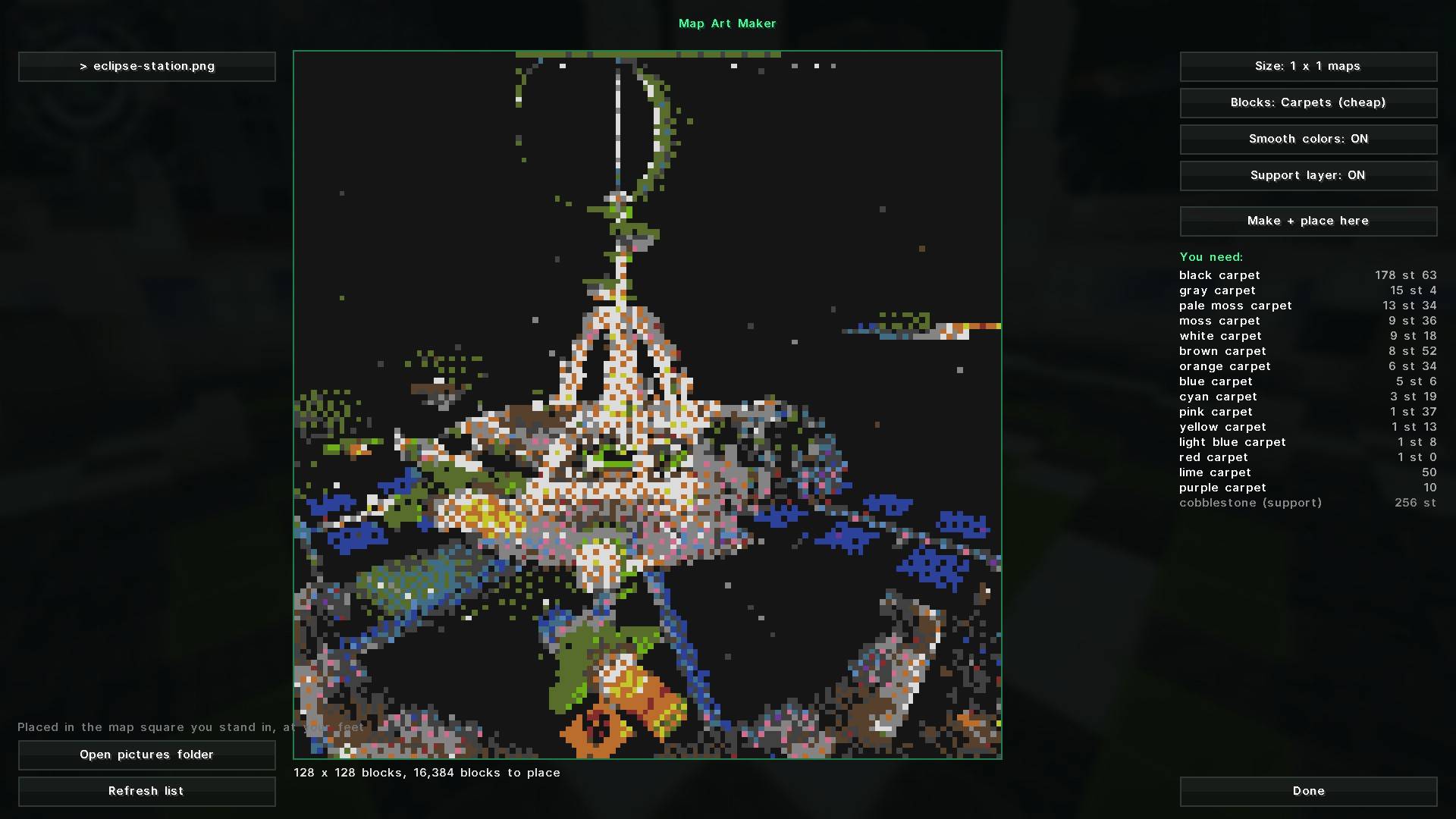
- Map Art Maker: turn any picture into map art, placed in your map square
- Auto walk, restock from chests, build together with friends, server-safe mode
⚖️ Fair play
Auto hit, auto totem, freecam, cave map, mob radar and full auto walking only work in singleplayer, or on servers running Eclipse Server that allow them.
⌨️ Main keys
Backspace Eclipse menu · M map · X waypoint · C zoom · R ruler · J chest finder · F7 hide HUD · Caps Lock printer · K schematics Change any key in Eclipse menu → Key Binds. Litematica's own menu moves to N.
📌 On Minecraft 1.20.1 and 1.21.1
Everything works on 1.21.1 and 1.20.1 too. For the Printer on these versions, use Litematica + MaLiLib for your Minecraft version (the built-in schematic system is coming to them next). On 1.20.1 the only thing missing is Auto Raid, because the Ominous Bottle isn't in 1.20.1.
📥 Install
- Install Fabric Loader + Fabric API (or NeoForge for 1.21.1 - no Fabric API needed there; the Printer is not on NeoForge yet)
- Put Eclipse Suite (eclipse-client jar) in your
modsfolder - Optional: Litematica + MaLiLib (the Printer needs them on 1.20.1 – 26.2; on 26.3 it has its own schematic system)
- In game, press Backspace
🔄 Used the separate Eclipse mods before?
Eclipse Core, Map, HUD, Tools, Visuals and Printer are now all inside this one mod. Remove the old ones from your mods folder. Your settings, waypoints and HUD layout stay the same.
Also from Eclipse: Eclipse Server · Eclipse Plus · Eclipse Shaders · 📖 Wiki 🤖
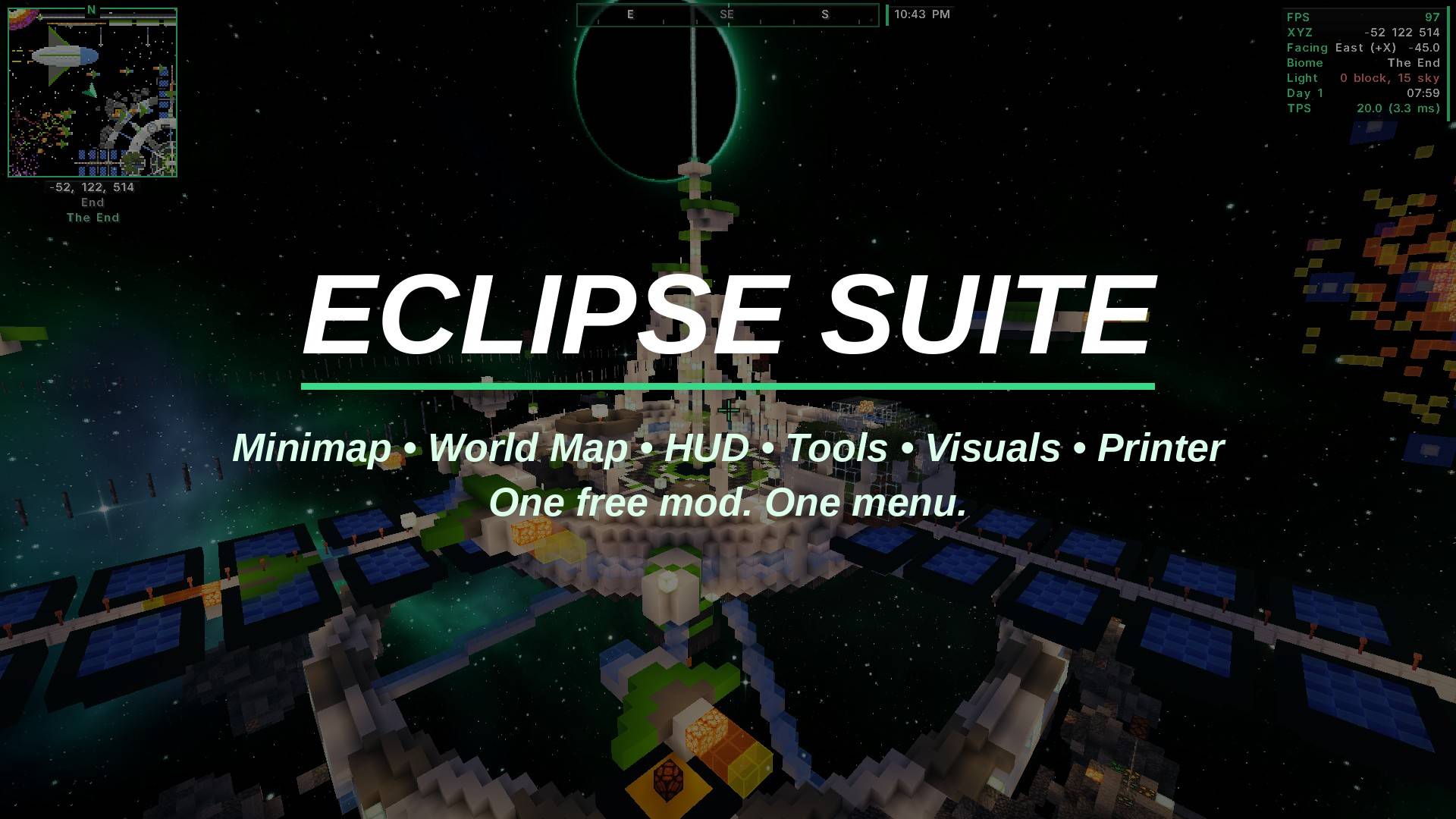
📸 Gallery
 |
 |
|---|---|
 |
 |
 |
 |
✨ More from nobub
Everything is free. Tap any icon to open it.
🆕 Just released
 Eclipse FPS Shaders |
 Sugar Cute Shaders |
 Hollow Horror Shaders |
 Solstice Realistic Shaders |
 Sugar Buddies |
 Eclipse PvP Practice |
|---|
✨ Shaders
Eclipse FPS Shaders |
Sugar Cute Shaders |
Hollow Horror Shaders |
Solstice Realistic Shaders |
 Hearthlight Shaders |
 Eclipse Shaders |
|---|
🎨 Texture packs
 Sugar Cute 32x |
 Eclipse PvP 64x |
 Hollow Horror |
 Hearthlight |
 Cute Mob Faces |
 Better Tools & Weapons |
|---|---|---|---|---|---|
 Cozy Autumn |
 Clear Glass + Clean UI |
 Eclipse Glowing Ores |
 Eclipse PvP Pack |
 Eclipse Dark GUI |
|
 Eclipse Plus |
🧩 Mods
📦 Modpacks
 Eclipse Friends SMP |
 Eclipse Adventures |
 Hearthlight Cozy Survival |
 Eclipse FPS Boost & PvP |
 Eclipse Suite Pack |
|---|
🖥️ Server plugins
 Eclipse Server Plugin |
|---|
Made by nobub with help from AI · Found a bug? Leave a comment and it'll be fixed fast.
Project description from CurseForge.
Pick your setup
Eclipse Suite by Minecraft version and loader
Choose the version and loader you play, then open the matching release.
Minecraft version
26.2
1 loader buildMinecraft version
26.1.2
1 loader buildMinecraft version
1.21.1
2 loader buildsMinecraft version
1.20.1
1 loader buildCheck the dependencies, then try the file in a copied instance before changing a world you care about.
Recent files
Eclipse Suite versions and loaders
Eclipse Client 2.2.0 (26.3)
eclipse-client-2.2.0-mc26.3.jar
20 Nov 2026
Client Source doesn’t say Server Source doesn’t say Dependencies No extras listed Listed on Release listing
Check the 26.3 · Fabric setup Fabric26.3 release
Eclipse Client 2.1.2 (26.3)
eclipse-client-2.1.2.jar
16 Nov 2026
Client Source doesn’t say Server Source doesn’t say Dependencies No extras listed Listed on Release listing
Check the 26.3 · Fabric setup Fabric26.3 release
Eclipse Client 2.1.1 (26.3)
eclipse-client-2.1.1-26.3.jar
14 Nov 2026
Client Source doesn’t say Server Source doesn’t say Dependencies 1 required · 1 unchecked Listed on Release listing
Check the 26.3 · Fabric setup Fabric26.3 release
Eclipse Client 2.1.0 (26.3)
eclipse-client-2.1.0-26.3.jar
14 Nov 2026
Client Source doesn’t say Server Source doesn’t say Dependencies 1 required · 1 unchecked Listed on Release listing
Check the 26.3 · Fabric setup Fabric26.3 release
Eclipse Client 2.0.3 (26.3)
eclipse-client-2.0.3-26.3.jar
13 Nov 2026
Client Source doesn’t say Server Source doesn’t say Dependencies 1 required · 1 unchecked Listed on Release listing
Check the 26.3 · Fabric setup Fabric26.3 release
Eclipse Client 2.0.0 (26.3)
eclipse-client-2.0.0.jar
12 Nov 2026
Client Source doesn’t say Server Source doesn’t say Dependencies 1 required · 1 unchecked Listed on Release listing
Check the 26.3 · Fabric setup Fabric26.3 release
Eclipse Core 1.2.0 (26.3)
eclipse-core-1.2.0.jar
12 Nov 2026
Client Source doesn’t say Server Source doesn’t say Dependencies 1 required · 1 unchecked Listed on Release listing
Check the 26.3 · Fabric setup Fabric26.3 release
Eclipse Core 1.1.2 (26.3)
eclipse-core-1.1.2.jar
11 Nov 2026
Client Source doesn’t say Server Source doesn’t say Dependencies 1 required · 1 unchecked Listed on Release listing
Check the 26.3 · Fabric setup Fabric26.3 release
Looking for an older file? The official CurseForge project page is in Resources.
 mod
CurseForge + Modrinth · Minecraft
Field Guide
Discover Plants, Animals and Monsters with a Spyglass. Collect them all and take notes in your personal Field Guide!
 mod
CurseForge + Modrinth · Minecraft
Gouge
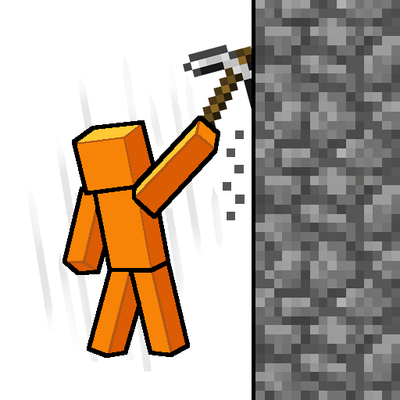
Slam your pickaxe into a wall mid-fall to slow your descent or lock yourself in place before you hit the ground.
 mod
CurseForge + Modrinth · Minecraft
TofuCraftReload
This mod is a remake of Old Mod TofuCraft made by tsuteto. add soybean As a new all-purpose food!