OG Core Needed by Structural OG - Realistic Building Physics & Structural Integrity Structural OG 1.0.0 (NeoForge 26.3)
requiredMatching file found Matched file: OG Core 1.3.0 (NeoForge 26.3)
CurseForge · Minecraft mod
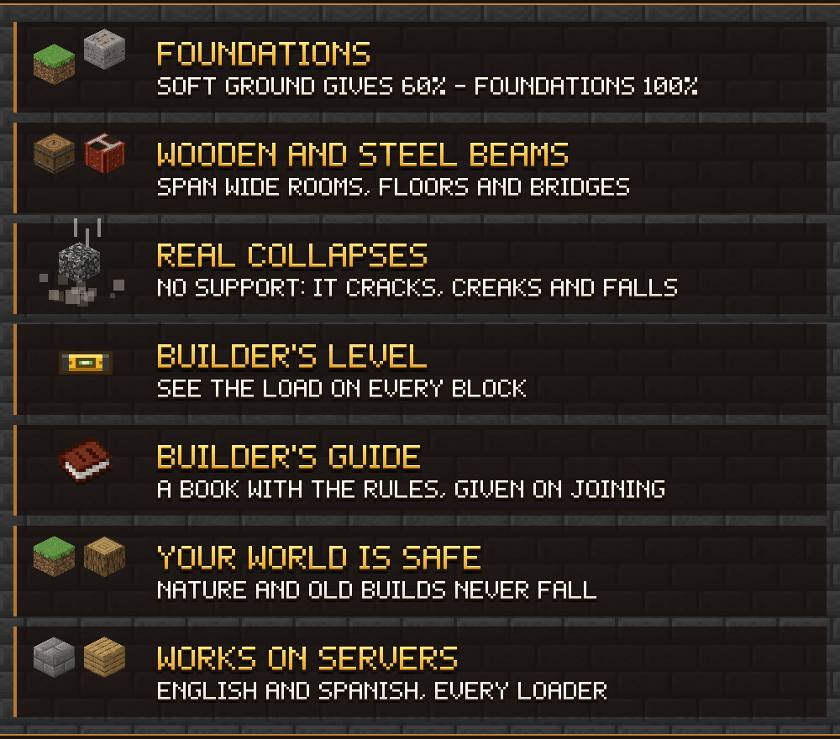
Realistic building: blocks need support. Build foundations, span rooms and bridges with wooden and steel beams, or watch structures crack and collapse. Guide book included.
Quick answer
Structural OG - Realistic Building Physics & Structural Integrity Structural OG 1.0.0 (NeoForge 26.3) targets 26.3 with NeoForge. The project page does not say whether this file belongs on the client, dedicated server, or both. All 1 required mods have matching files.
Where it goes
The project page does not say whether this file belongs on the client, dedicated server, or both.
The source does not explicitly classify this release as client-only or server-only.
Structural OG 1.0.0 (NeoForge 26.3). Change the file and its required mods may change too.
Install OG Core first. We found matching files for this game-version and loader setup.
We only count dependency files that match this setup. A file for another loader does not fill the gap.
Before you install it
Built for Structural OG - Realistic Building Physics & Structural Integrity Structural OG 1.0.0 (NeoForge 26.3). Pick another file and the loader, install side or required mods may change.
Use Structural OG 1.0.0 (NeoForge 26.3). It targets 26.3 with NeoForge; another release may have different loader, side or dependency requirements.
Install OG Core first. We found matching files for this game-version and loader setup.
The project page does not say whether this file belongs on the client, dedicated server, or both.
Use the “Get this file” button beside Structural OG 1.0.0 (NeoForge 26.3). It opens that exact file at the source.
About this project
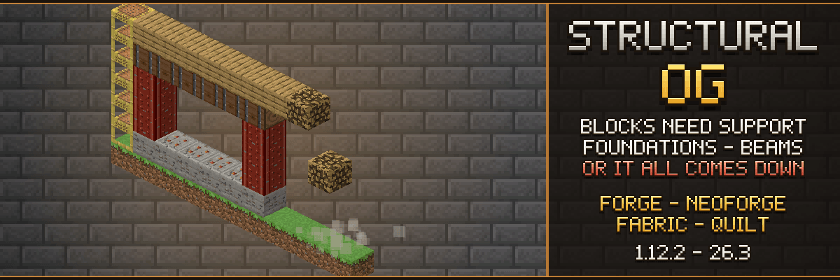
Forge • NeoForge • Fabric • Quilt | 1.12.2 → 26.3
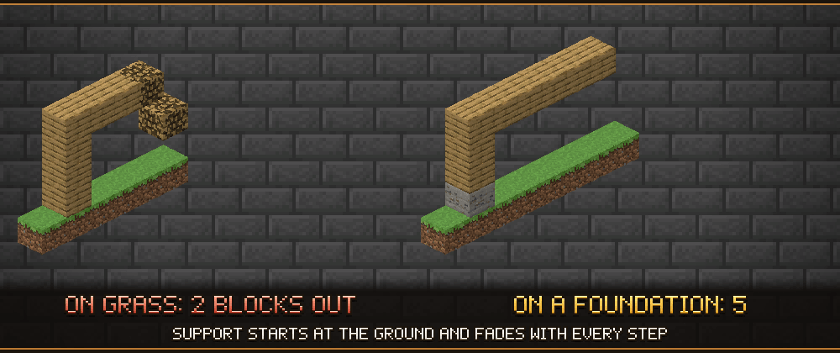
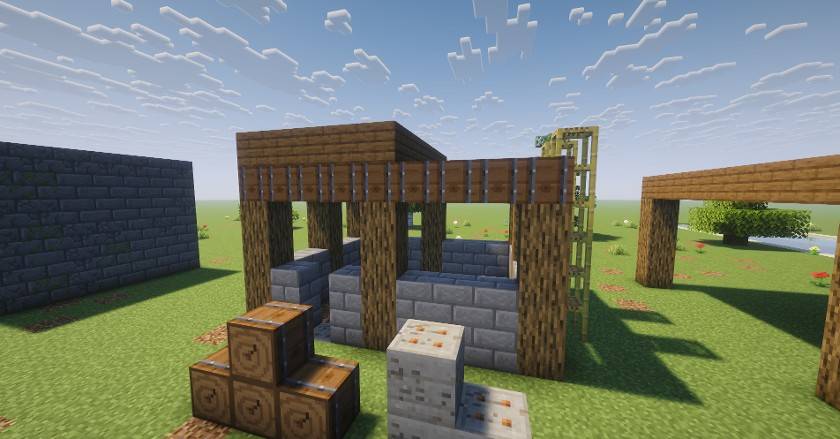
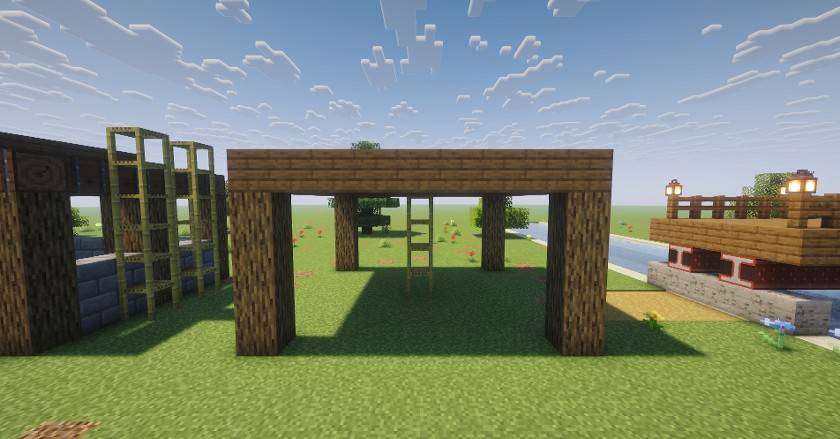
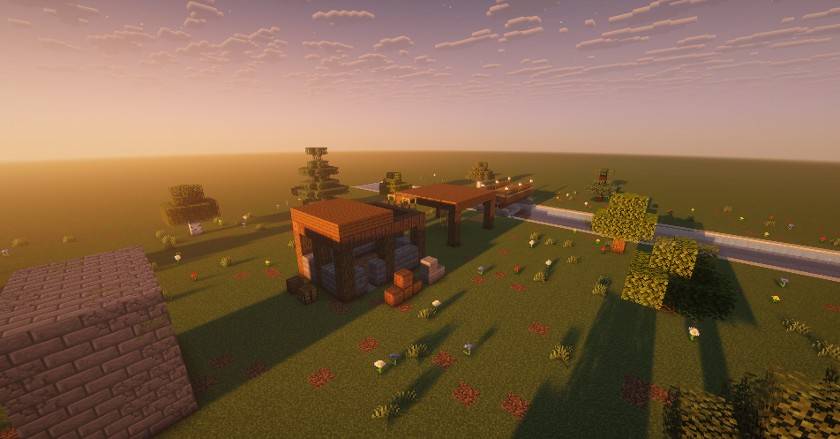
Build it right or watch it fall. Structural OG brings realistic building to Minecraft without turning you into an architect. Every block you place has to be held up: support starts at the ground and fades a little with every block it passes through. Walls and pillars carry weight well, but reaching out sideways costs a lot. Put Foundations under your walls, lay wooden or steel beams under wide floors and bridges, and your builds stand. Skip them, and roofs crack, creak and come down.
Every player gets the Builder's Guide book the first time they join, with all the rules in a few short pages.
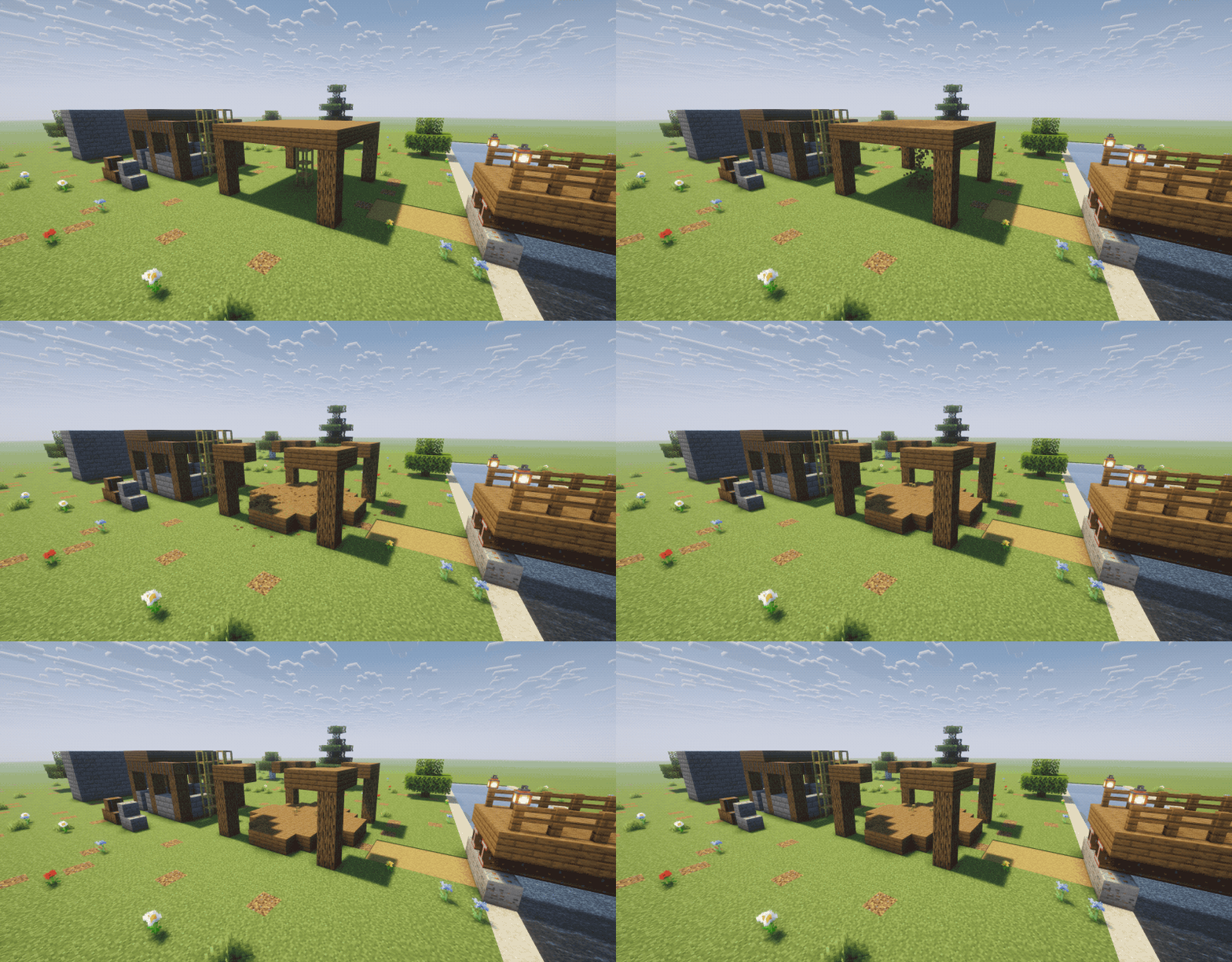
The scaffolding goes, and a roof that only the scaffolding was holding comes down with it.

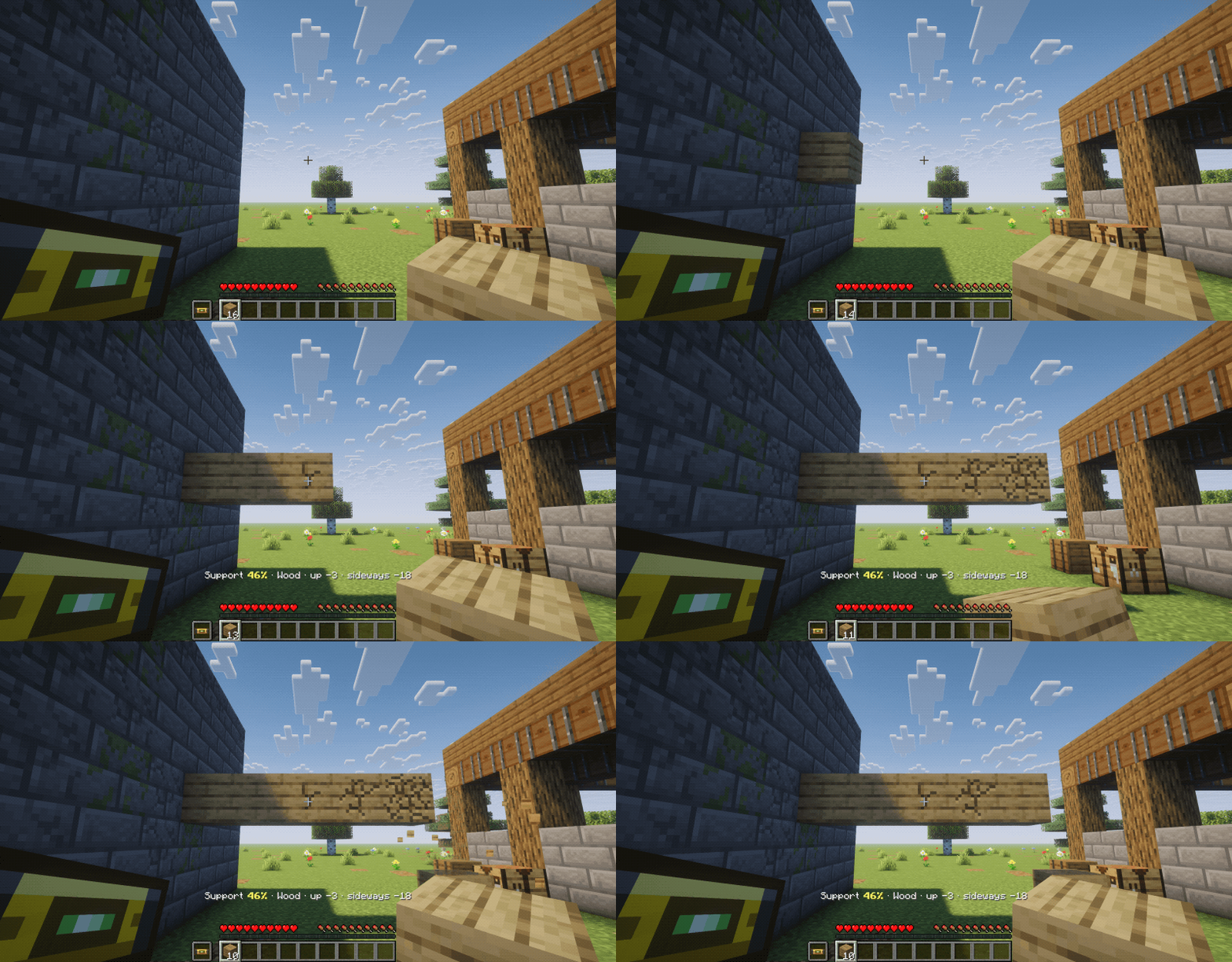
Out from an old wall, plank by plank: the level in the off hand shows the cracks getting deeper, and the sixth plank falls.

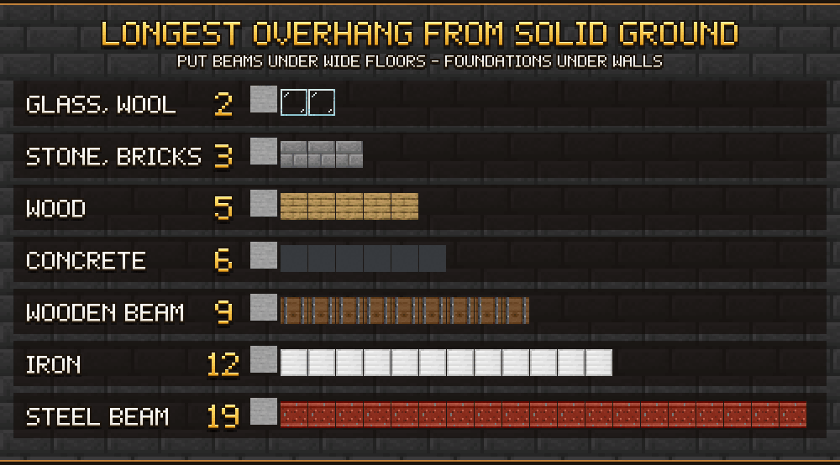
| Material | Loses going up | Loses going sideways | Longest overhang from the ground |
|---|---|---|---|
| Glass, wool, leaves, dirt, sand... | 6 | 40 | 2 |
| Stone, bricks, deepslate, terracotta... | 2 | 25 | 3 |
| Wood (planks, logs, fences, stairs...) | 3 | 18 | 5 |
| Concrete | 1 | 15 | 6 |
| Wooden Beam | 2 | 10 | 9 |
| Iron, copper, gold, chains, bars... | 1 | 8 | 12 |
| Steel Beam | 1 | 5 | 19 |
Blocks laid on top of a beam rest on it, so a beam under a floor lets the whole floor reach much further. Modded blocks are sorted by the words in their name (and their sound), so they work too. Every number can be changed in the config.

Builder's Level: hold it (in either hand) and look at a block. The bar above your hotbar shows its support (green, yellow or red), its material and how much it loses up and sideways. Blocks around it that carry a heavy load show cracks: the deeper the cracks, the closer to falling. Look at the ground and it tells you whether it's solid or soft.
Builder's Guide: a written book with the rules, given to every player once, the first time they join. It's translated (English and Spanish). Lost it? Right-click a Foundation with a plain book and you get a new one.
A block placed close to its limit also cracks for a few seconds as a warning, even without the level.

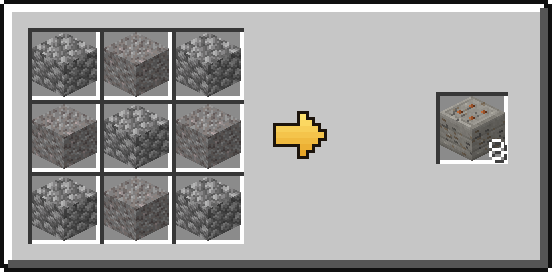
Foundation (8): cobblestone and gravel in a checker pattern.
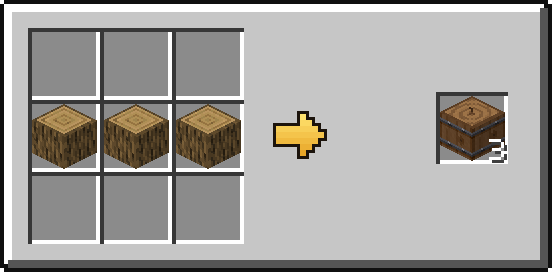
Wooden Beam (3): three logs of any wood in a row.
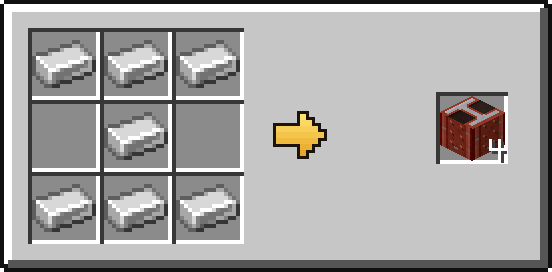
Steel Beam (4): seven iron ingots in the shape of an I.
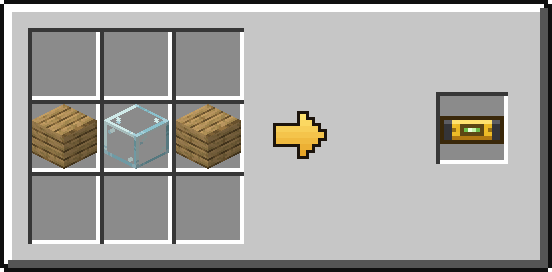
Builder's Level: a glass block between two planks.
You'll find the blocks in the Building Blocks tab and the level in Tools & Utilities in creative.

Everything can be changed in config/structuralog.properties (created on the first start, with a comment on each line):
| Setting | Default | What it does |
|---|---|---|
enabled |
true |
Turn the physics on or off |
creativeBuilds |
true |
Blocks placed in creative mode obey the physics too |
softGround |
60 |
Support given by soft ground (Foundations and rock give 100) |
collapseDelay |
8 |
Ticks a block cracks before it falls |
collapseDamage |
true |
Falling blocks of a collapse hurt like an anvil |
warnings |
true |
A block placed close to its limit cracks for a moment |
giveGuideBook |
true |
Give the Builder's Guide to every player on their first join |
loss.* |
see the table | How much each material loses going up / sideways |
words.* |
Which blocks are which material, by words in their id | |
ignoredBlocks |
Blocks that never fall and never hold anything up | |
ignoredDimensions |
Dimensions without physics (e.g. minecraft:the_end) |

| Loader | Minecraft versions |
|---|---|
| NeoForge | 1.20.4, 1.20.6, 1.21.1, 1.21.3, 1.21.4, 1.21.5, 1.21.8, 1.21.10, 1.21.11, 26.1.2, 26.2, 26.3 |
| Forge | 1.12.2, 1.16.5, 1.17.1, 1.18.2, 1.19.2, 1.19.3, 1.19.4, 1.20.1, 1.20.2, 1.20.4, 1.20.6, 1.21.1, 1.21.3, 1.21.4, 1.21.5, 1.21.8, 1.21.10, 1.21.11, 26.1.2, 26.2, 26.3 |
| Fabric / Quilt | 1.16.5, 1.17.1, 1.18.2, 1.19.2, 1.19.3, 1.19.4, 1.20.1, 1.20.2, 1.20.4, 1.20.6, 1.21.1, 1.21.3, 1.21.4, 1.21.5, 1.21.8, 1.21.10, 1.21.11, 26.1.2, 26.2, 26.3 (needs Fabric API) |
data folder.
More screenshots in the Gallery tab.
💬 Found a bug or have an idea? Leave a comment. Feedback is always welcome!
⭐ If Structural OG made your builds feel real, a follow helps a lot!
🎁 All seventeen in one pack: OG Collection
Project description from CurseForge.
Pick your setup
Choose the version and loader you play, then open the matching release.
Showing the newest 12 of 28 game versions. Older files are in the list below.
Check the dependencies, then try the file in a copied instance before changing a world you care about.
Recent files
structuralog-neoforge-26.3-1.0.0.jar
10 Nov 2026
structuralog-forge-26.3-1.0.0.jar
10 Nov 2026
structuralog-fabric-26.3-1.0.0.jar
10 Nov 2026
structuralog-neoforge-26.2-1.0.0.jar
10 Nov 2026
structuralog-forge-26.2-1.0.0.jar
10 Nov 2026
structuralog-fabric-26.2-1.0.0.jar
10 Nov 2026
structuralog-neoforge-26.1.2-1.0.0.jar
10 Nov 2026
structuralog-forge-26.1.2-1.0.0.jar
10 Nov 2026
structuralog-fabric-26.1.2-1.0.0.jar
10 Nov 2026
structuralog-neoforge-1.21.11-1.0.0.jar
10 Nov 2026
structuralog-forge-1.21.11-1.0.0.jar
10 Nov 2026
structuralog-fabric-1.21.11-1.0.0.jar
10 Nov 2026
Looking for an older file? The official CurseForge project page is in Resources.
 mod
A detailed diorama-style map and minimap with team-shared fog of war, waypoints, teams, diplomacy and chunk claims.
 mod
Bring classic card and board games into Minecraft! Play solo or against friends with GAME, featuring built-in profiles, bot difficulties, level progression, and match rewards.
 mod
Pack 9 eggs into an Egg Carton and trade them with the new Egg Merchant villager.