Minecraft version
Back to mods 
CurseForge · Minecraft mod
Do-Over: Quit Without Saving
Leave a singleplayer world without saving: undo everything that changed since you joined, TNT craters and all.
Choose a version Pick your version below, then grab the matching file.
Quick answer
Which Do-Over: Quit Without Saving release matches 26.1.2 NeoForge?
Best match for your filters Do-Over 0.7.2 for NeoForge 26.1.2
Game version 26.1.2
Loader NeoForge
Do-Over: Quit Without Saving Do-Over 0.7.2 for NeoForge 26.1.2 targets 26.1.2 with NeoForge. The project page does not say whether this file belongs on the client, dedicated server, or both. No extra mods listed for this file.
Where it goes
Is Do-Over: Quit Without Saving required on the client, server, or both?
The project page does not say whether this file belongs on the client, dedicated server, or both.
Client Source doesn’t say
Dedicated server Source doesn’t say
Loader for this release NeoForge
Required install it here Optional supported, not mandatory Not supported do not install here Source doesn’t say do not assume
The source does not explicitly classify this release as client-only or server-only.
What else does Do-Over: Quit Without Saving Do-Over 0.7.2 for NeoForge 26.1.2 need?
Do-Over 0.7.2 for NeoForge 26.1.2 on 26.1.2 NeoForge. Every mod below is checked against that same setup.
This file does not list any required mods. Do not add a library just because a different file uses it.
This file does not list any required or optional mods.
Before you install it
Add Do-Over: Quit Without Saving without breaking your instance.
Built for Do-Over: Quit Without Saving Do-Over 0.7.2 for NeoForge 26.1.2 on 26.1.2 NeoForge. Pick another file and the loader, install side or required mods may change.
- 01
Stick to this file
Use Do-Over 0.7.2 for NeoForge 26.1.2. It targets 26.1.2 with NeoForge; another release may have different loader, side or dependency requirements.
- 02
Bring the mods it needs
This file does not list any required mods. Do not add a library just because a different file uses it.
- 03
Put it on the correct side
The project page does not say whether this file belongs on the client, dedicated server, or both.
- 04
Pick the file you checked
Use the “Get this file” button beside Do-Over 0.7.2 for NeoForge 26.1.2. It opens that exact file at the source.
About this project
What does Do-Over: Quit Without Saving add?
Burned your house down? A creeper took out half the base? Walked the wrong way for an hour? Leave the world without saving, and it will be exactly as it was when you joined. How to use it The pause menu gets one more button under "Save and Quit to Title": Quit Without Saving…. It opens a screen with two choices:
Leaving the normal way keeps everything, as usual. Everything that changed during the visit goes back: blocks, items, inventories, mobs, time of day, advancements and stats. How it works The game keeps saving as it always does. Before a file in the world folder changes for the first time, the mod puts its old copy into .do-over inside that folder:
"Save and Quit" deletes the copies. "Quit Without Saving" puts them back and deletes files that appeared during the visit. If the game crashes, the copies stay, and the next visit carries on from the same point. That visit can still be undone back to where the lost one began. Good to know
Versions Minecraft 1.7.10, 1.12.2, 1.14.4, 1.15.2, 1.16.5, 1.18.2, 1.19.2, 1.20.1, 1.21.1, 26.1, 26.2 and 26.3 on Fabric, Forge and NeoForge (Legacy Fabric for 1.7.10 and 1.12.2). |
               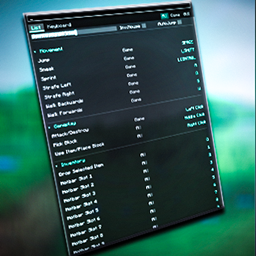 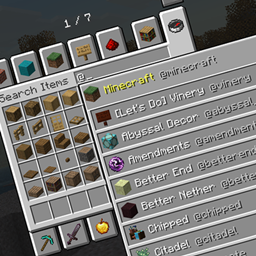    |
|---|
Project description from CurseForge.
Pick your setup
Do-Over: Quit Without Saving by Minecraft version and loader
Choose the version and loader you play, then open the matching release.
Minecraft version
26.2
3 loader buildsMinecraft version
26.1.2
3 loader buildsMinecraft version
1.21.1
3 loader buildsMinecraft version
1.20.1
3 loader buildsMinecraft version
1.19.2
2 loader buildsMinecraft version
1.18.2
2 loader buildsMinecraft version
1.16.5
2 loader buildsMinecraft version
1.15.2
2 loader buildsMinecraft version
1.14.4
2 loader buildsMinecraft version
1.12.2
2 loader buildsMinecraft version
1.7.10
2 loader buildsCheck the dependencies, then try the file in a copied instance before changing a world you care about.
Recent files
Do-Over: Quit Without Saving versions and loaders
Do-Over 0.7.2 for NeoForge 26.1.2
doover-neoforge-0.7.2-26.1.2.jar
11 Nov 2026
Client Source doesn’t say Server Source doesn’t say Dependencies No extras listed Listed on Release listing
Check the 26.1.2 · NeoForge setup NeoForge26.1.2 release
Looking for an older file? The official CurseForge project page is in Resources.
 mod
CurseForge · Minecraft
Quiet Please
Mute music track by track: turn any song in your modpack down or off, build your own playlist, skip songs and keep favorites.
 mod
CurseForge · Minecraft
LagSense
In-game Minecraft performance profiler with world visualisation, automatic lag detection, player-accessible reports, profiling history, comparisons and Discord integration.
 mod
CurseForge · Minecraft
Prometheus
🔥 Backbone of modded fire 🔥