Interaction Wheel Optional for RFTools 1.12-6.13
optionalMatching file found Matched file: 1.12-1.2.7
CurseForge · Minecraft mod
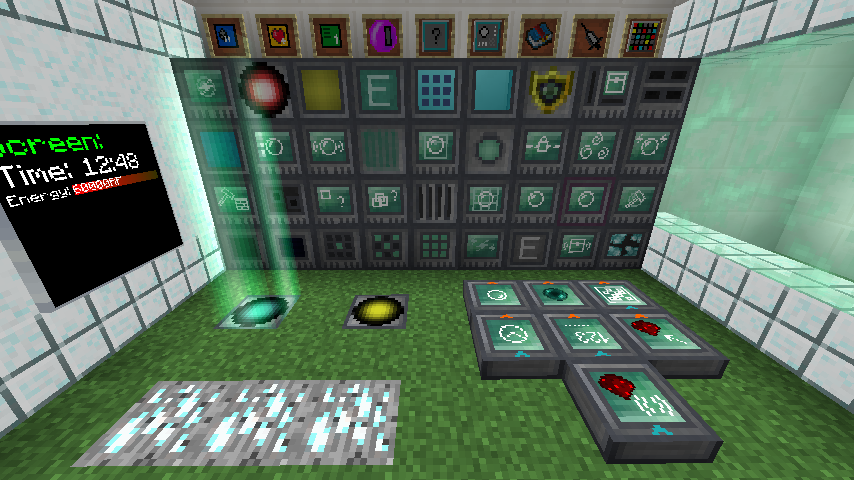
RFTools, blocks and items to help with Redflux (dimension builder, crafter, monitor, scanner, ...)
Quick answer
RFTools 1.12-6.13 targets 1.12, 1.12.1, 1.12.2 with Forge. Installation on the client is optional. Installation on the dedicated server is optional. 1 required mod needs a matching file.
Where it goes
Installation on the client is optional. Installation on the dedicated server is optional.
The source marks this as usable on both the client and server.
1.12-6.13. Change the file and its required mods may change too.
Install McJtyLib first, but 1 required mod has no matching file for this setup. Do not mix loader builds to force a match.
We only count dependency files that match this setup. A file for another loader does not fill the gap.
Before you install it
Built for RFTools 1.12-6.13. Pick another file and the loader, install side or required mods may change.
Use 1.12-6.13. It targets 1.12, 1.12.1, 1.12.2 with Forge; another release may have different loader, side or dependency requirements.
Install McJtyLib first, but 1 required mod has no matching file for this setup. Do not mix loader builds to force a match.
Installation on the client is optional. Installation on the dedicated server is optional.
Use the “Get this file” button beside 1.12-6.13. It opens that exact file at the source.
About this project
RFTools is a mod containing various tools that are related to RF (Redflux) or technology in general. The blocks and items that are in the current version are usable and feature complete. This mod is for 1.7.10, 1.8.9, 1.9 and 1.10.2. The major feature in this mod (since 2.00) is the Dimension Builder. With this device you can make your own dimensions for exploration, mining, building and so on.
Note! This mod no longer exists on 1.14 and higher. Instead it has been split into multiple mods starting with RFToolsBase!
Note! RFTools requires McJtyLib!
Note! If you want to use dimensions then you have to get the RFTools Dimensions mod as the dimension builder has been moved there. Also check out RFTools Control which is another companion mod for RFTools adding powerful automation capabilities.
Note! Comments have been disabled because it is hard for me to check for this on too many places. If you want to submit a bug report then go to the 'Issues' tab or here: RFTools Issue Tracker. If you want to discuss RFTools in general you can do that here: RFTools on my discord
You can use RFTools in your modpacks without restrictions.
You can support me by pleding at https://www.patreon.com/McJty
Thanks!
RFTools spotlight from Direwolf20 (part one out of five):
Project description from CurseForge.
Pick your setup
Choose the version and loader you play, then open the matching release.
Check the dependencies, then try the file in a copied instance before changing a world you care about.
Recent files
rftools-1.12-7.00alpha1.jar
26 Jan 2023
rftools-1.1x-7.00alpha1.jar
26 Jan 2023
rftools-1.12-6.13.jar
26 Jan 2023
rftools-1.1x-6.13.jar
26 Jan 2023
rftools-1.12-6.12.jar
26 Jan 2023
rftools-1.1x-6.12.jar
26 Jan 2023
rftools-1.12-6.11.jar
26 Jan 2023
rftools-1.1x-6.11.jar
26 Jan 2023
rftools-1.12-6.10beta4.jar
26 Jan 2023
rftools-1.12-6.10beta3.jar
26 Jan 2023
rftools-1.12-6.10beta2.jar
26 Jan 2023
rftools-1.12-6.10beta1.jar
26 Jan 2023
Looking for an older file? The official CurseForge project page is in Resources.
 mod
modOfficial tiertagger mod for PvPTiers
 mod
modStore, breed and farm animals in a single block, with no entity lag. Pens change their look to suit what's inside, breed, milk, shear and butcher on their own, and Hopper Pens pipe out items, milk and liquid XP
 mod
modAny color for your Nether portals: dyes, gradients, rainbows and pulses, with matching particles. Right-click with a dye.