Forge Config API Port Needed by Death Finder v26.3.0-mc26.3.x+fabric
requiredMatching file found Matched file: [FABRIC] [26.3.x] v26.3.1
CurseForge · Minecraft mod
Deaths happen. Finding your items should not be the hard part.
Quick answer
Death Finder v26.3.0-mc26.3.x+fabric targets 26.3 with Fabric. The project page does not say whether this file belongs on the client, dedicated server, or both. All 3 required mods have matching files.
Where it goes
The project page does not say whether this file belongs on the client, dedicated server, or both.
The source does not explicitly classify this release as client-only or server-only.
v26.3.0-mc26.3.x+fabric. Change the file and its required mods may change too.
Install Forge Config API Port, Fabric API, Puzzles Lib first. We found matching files for this game-version and loader setup. 4 come through another mod in the chain.
4 extra mods were pulled in by other dependencies. Indented rows show who needs each one. We only count dependency files that match this setup. A file for another loader does not fill the gap.
Before you install it
Built for Death Finder v26.3.0-mc26.3.x+fabric. Pick another file and the loader, install side or required mods may change.
Use v26.3.0-mc26.3.x+fabric. It targets 26.3 with Fabric; another release may have different loader, side or dependency requirements.
Install Forge Config API Port, Fabric API, Puzzles Lib first. We found matching files for this game-version and loader setup. 4 come through another mod in the chain.
The project page does not say whether this file belongs on the client, dedicated server, or both.
Use the “Get this file” button beside v26.3.0-mc26.3.x+fabric. It opens that exact file at the source.
About this project




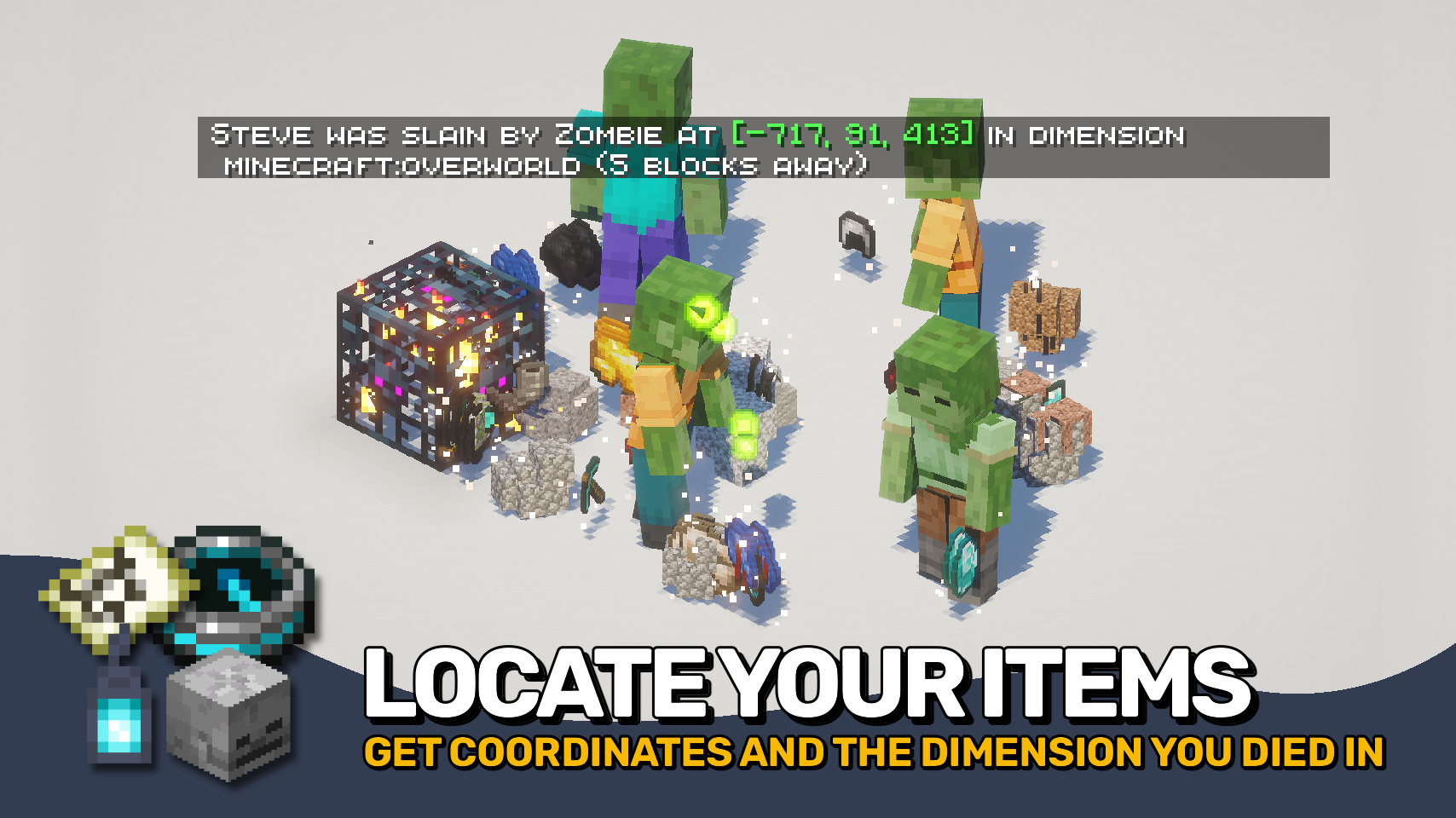
Death Finder helps you recover from death without the frustration. ☠️ Your last death position is shown directly on the death screen and included in death messages, making it easy to find your way back to lost items.
Coordinates, dimensions, and even your distance from the death point can be displayed, keeping important information right where you need it. Recovery compasses also gain tooltip support to quickly reference your most recent death location. 🧭
Need more control? Death Finder includes flexible death message options and configurable teleport support, making recovery smoother for both singleplayer and multiplayer worlds alike. ✨

deathfinder:silent_deaths entity type tag.

⏩ INSTALLATION REQUIRED ON CLIENT & REQUIRED ON SERVER
⏩ REQUIRES PUZZLES LIB TO BE INSTALLED (FABRIC & NEOFORGE)
⏩ REQUIRES FABRIC API TO BE INSTALLED (FABRIC)
⏩ REQUIRES FORGE CONFIG API PORT TO BE INSTALLED (FABRIC)

If available for a mod, configuration is possible directly from in-game using the mod menu (requires Mod Menu by Prospector to be installed on Fabric).
For manual configuration using an external text editor all files are found at .minecraft/config, named as MOD_ID-client.toml, MOD_ID-common.toml, or MOD_ID-server.toml, depending on the type of config. Not all types might exist for a mod, if any at all.
 |
 |
|
|---|---|---|
 |
 |
|
 |
 |
|
 |
 |
|
 |
 |
|

© 2026 @heyitsfuzs. All rights reserved. This page was last edited on 11 September 2026, at 06:44 (UTC).
Project description from CurseForge.
Pick your setup
Choose the version and loader you play, then open the matching release.
Showing the newest 12 of 22 game versions. Older files are in the list below.
Check the dependencies, then try the file in a copied instance before changing a world you care about.
Recent files
deathfinder-v26.3.0-mc26.3.x+fabric.jar
23 Sept 2026
deathfinder-v26.3.0-mc26.3.x+neoforge.jar
23 Sept 2026
DeathFinder-v21.1.2-mc1.21.1-NeoForge.jar
12 Sept 2026
DeathFinder-v21.1.2-mc1.21.1-Fabric.jar
12 Sept 2026
DeathFinder-v26.2.0-mc26.2.x-Fabric.jar
18 Jun 2026
DeathFinder-v26.2.0-mc26.2.x-NeoForge.jar
18 Jun 2026
DeathFinder-v21.11.1-mc1.21.11-Fabric.jar
3 Jun 2026
DeathFinder-v21.11.1-mc1.21.11-NeoForge.jar
3 Jun 2026
DeathFinder-v26.1.1-mc26.1.x-Fabric.jar
1 Jun 2026
DeathFinder-v26.1.1-mc26.1.x-NeoForge.jar
1 Jun 2026
DeathFinder-v26.1.0-mc26.1.x-Fabric.jar
29 Apr 2026
DeathFinder-v26.1.0-mc26.1.x-NeoForge.jar
29 Apr 2026
Looking for an older file? The official CurseForge project page is in Resources.
 mod
Introduces a wide range of features to enhance the gameplay experience. From quality of life improvements to new mob behaviors and random sh*t, this mod offers a little bit of everything. The mod is designed to work on server-side as well!
 mod
Shows the territories from the Recruits mod on JourneyMap
 mod
Advancement now give permanent player buffs. Health, Damage, Reach, Step Assist, Pick up radius and much more.
