Minecraft version
Back to mods 
CurseForge · Minecraft mod
Player Tabs
More Inventory space, with seamless usability!
Choose a version Pick your version below, then grab the matching file.
Quick answer
Which Player Tabs release should I use?
Latest stable file PlayerTabs 1.4
Game version 1.18.2
Loader Forge
Player Tabs PlayerTabs 1.4 targets 1.18.2 with Forge. The project page does not say whether this file belongs on the client, dedicated server, or both. No extra mods listed for this file.
Where it goes
Is Player Tabs required on the client, server, or both?
The project page does not say whether this file belongs on the client, dedicated server, or both.
Client Source doesn’t say
Dedicated server Source doesn’t say
Loader for this release Forge
Required install it here Optional supported, not mandatory Not supported do not install here Source doesn’t say do not assume
The source does not explicitly classify this release as client-only or server-only.
What else does Player Tabs PlayerTabs 1.4 need?
PlayerTabs 1.4. Change the file and its required mods may change too.
This file does not list any required mods. Do not add a library just because a different file uses it.
This file does not list any required or optional mods.
Before you install it
Add Player Tabs without breaking your instance.
Built for Player Tabs PlayerTabs 1.4. Pick another file and the loader, install side or required mods may change.
- 01
Stick to this file
Use PlayerTabs 1.4. It targets 1.18.2 with Forge; another release may have different loader, side or dependency requirements.
- 02
Bring the mods it needs
This file does not list any required mods. Do not add a library just because a different file uses it.
- 03
Put it on the correct side
The project page does not say whether this file belongs on the client, dedicated server, or both.
- 04
Pick the file you checked
Use the “Get this file” button beside PlayerTabs 1.4. It opens that exact file at the source.
About this project
What does Player Tabs add?
 |
|---|
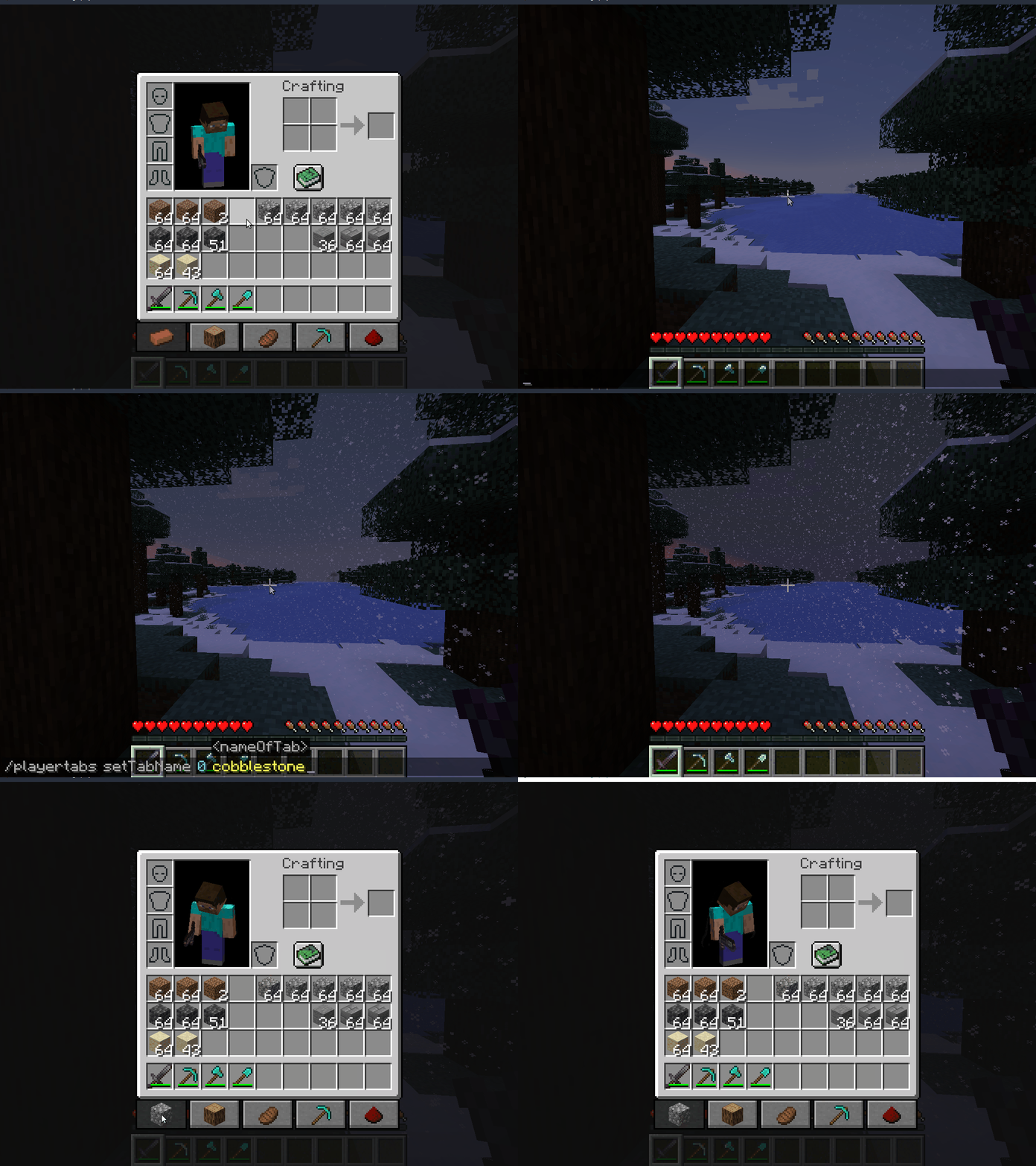
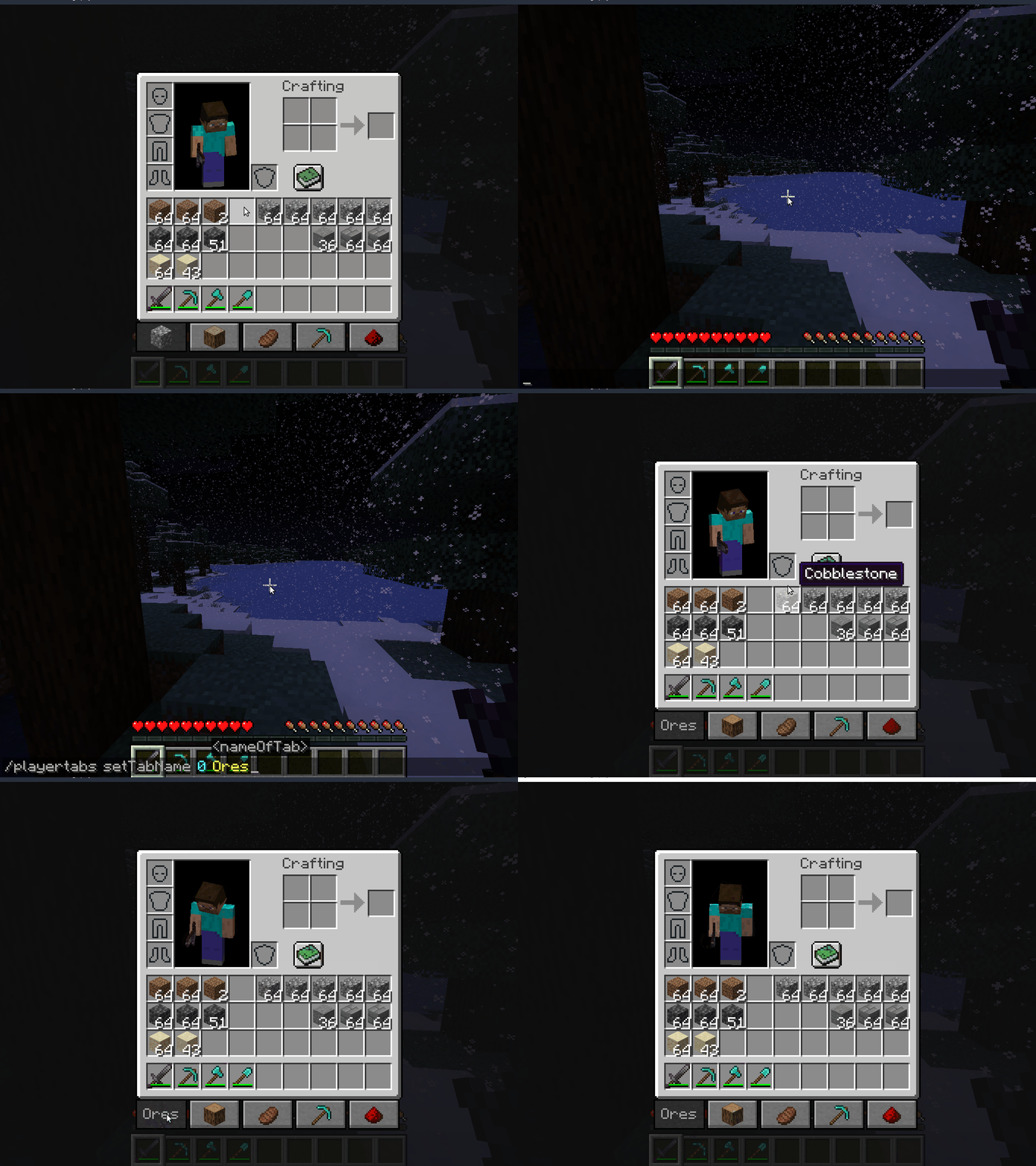
| Player Tabs Increase your inventory space with custom tabs! 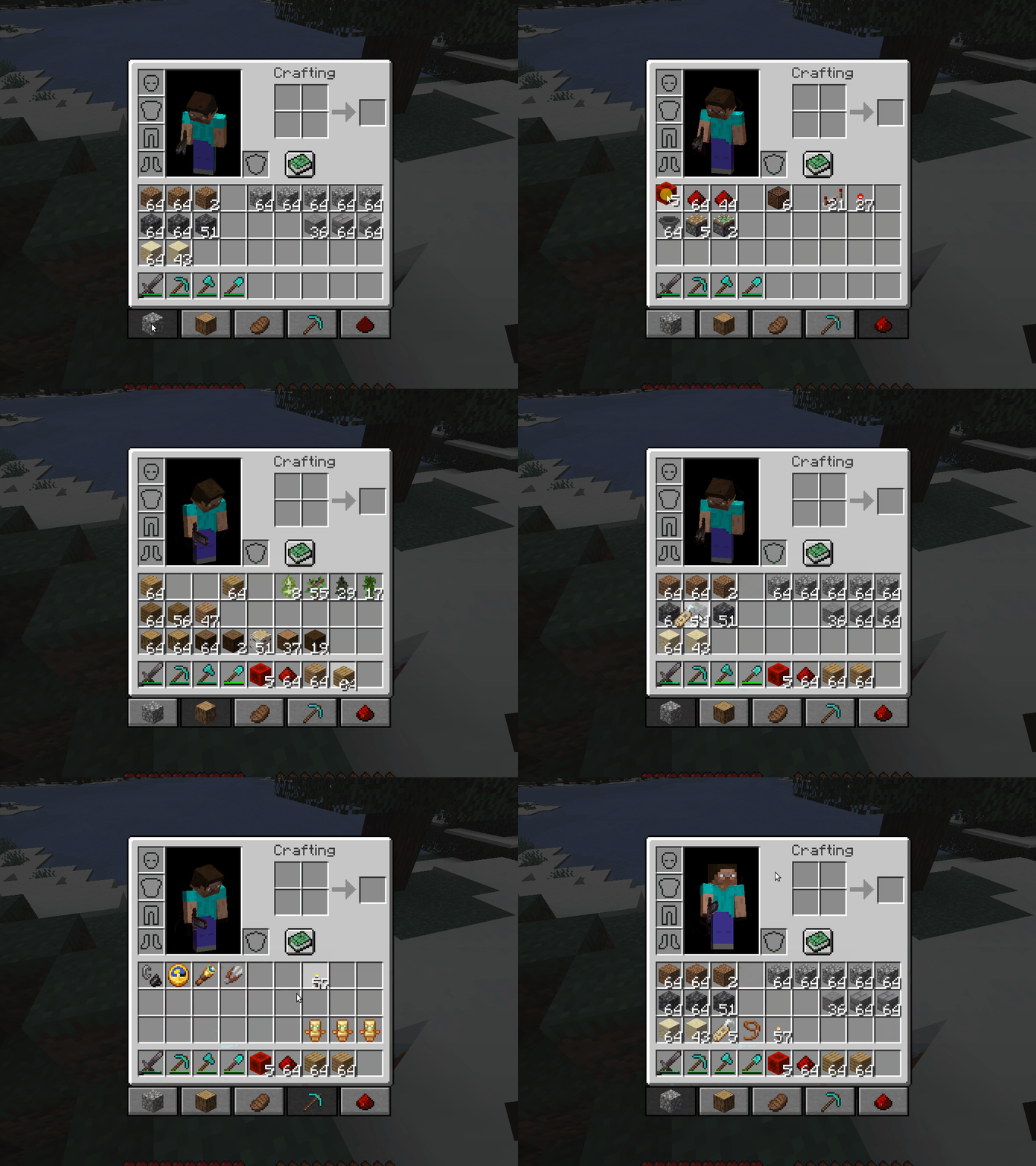 You can customize your tabs with a name of your choice, or an item or block. To have an item image in your tab, simply set the name of your tab to an item name. Like "cobblestone", "oak_log" or "hearthwell:myst_dust" If you have OP privileges, you can also change the number of tabs that you have access to. /playertabs setTabName «tab number» «new tab name» /playertabs setNumberOfTabs «number of tabs» |
 |
 |
 |
|---|
** **Feel free to join the discord and share your ideas and feedback! **Feel free to join the discord and share your ideas and feedback! |
Sponsored by BISECT HOSTING Dedicated to make your Minecraft server hosting experience as easy and affordable as it can possibly be. Get 25% off your first month for any gaming server with the code "wolforce". |
| MCTCG | Mega Builds | Simple Shops | Player Tabs | Support me! | ||||||||
|---|---|---|---|---|---|---|---|---|---|---|---|---|
 |
 |
 |
 |
 |
||||||||
| Hearth Well | Vaultopic | Mechanics | Pristeel | Groves | Miner Golems | |||||||
 |
 |
 |
 |
 |
 |
Project description from CurseForge.
Pick your setup
Player Tabs by Minecraft version and loader
Choose the version and loader you play, then open the matching release.
Check the dependencies, then try the file in a copied instance before changing a world you care about.
Recent files
Player Tabs versions and loaders
playertabs-1.5.jar
21 Nov 2022
Client Source doesn’t say Server Source doesn’t say Dependencies No extras listed Listed on Release listing
Check the 1.18.2 · Fabric setup Fabric1.18.2 beta
PlayerTabs 1.4
playertabs-1.4.jar
20 Sept 2022
Client Source doesn’t say Server Source doesn’t say Dependencies No extras listed Listed on Release listing
Check the 1.18.2 · Forge setup 1.18.2Forge release
PlayerTabs 1.3
playertabs-1.3.jar
29 Jun 2022
Client Source doesn’t say Server Source doesn’t say Dependencies No extras listed Listed on Release listing
Check the 1.18.2 · Forge setup 1.18.2Forge release
Player Tabs 1.0
playertabs-1.0.jar
29 Apr 2022
Client Source doesn’t say Server Source doesn’t say Dependencies No extras listed Listed on Release listing
Check the 1.18.2 · Forge setup 1.18.2Forge release
Player Tabs Beta 0.1
playertabs-0.1.jar
27 Apr 2022
Client Source doesn’t say Server Source doesn’t say Dependencies No extras listed Listed on Release listing
Check the 1.18.2 · Forge setup 1.18.2Forge beta
Looking for an older file? The official CurseForge project page is in Resources.
 mod
mod CurseForge + Modrinth · Minecraft
ServerUtilities - GTNH
Various utilities for players and admins
 mod
mod CurseForge + Modrinth · Minecraft
Hodgepodge
A Hodgepodge of Fixes
 mod
mod CurseForge · Minecraft
Trade Everything
Gives every villager an extra "Trade Anything" slot that accepts any item and exchanges it for goods the villager buys, at configurable rarity-based values.