Forge Config API Port Needed by Armor Statues [FABRIC] [26.2.x] v26.2.0
requiredMatching file found Matched file: [FABRIC] [26.2.x] v26.2.1

CurseForge · Minecraft mod
Unlock the potential of armor stands! Works on servers with the Vanilla Tweaks data pack.
This page is having a moment, so a few details may be a little behind.
Quick answer
Armor Statues [FABRIC] [26.2.x] v26.2.0 targets 26.2 with Fabric. The project page does not say whether it belongs on the client. The project page does not say whether it belongs on the dedicated server. All 3 required mods have matching files.
Where it goes
The project page does not say whether it belongs on the client. The project page does not say whether it belongs on the dedicated server.
The source does not explicitly classify this release as client-only or server-only.
[FABRIC] [26.2.x] v26.2.0. Change the file and its required mods may change too.
Install Forge Config API Port, Puzzles Lib, Fabric API first. We found matching files for this game-version and loader setup. 2 come through another mod in the chain.
2 extra mods were pulled in by other dependencies. Indented rows show who needs each one. We only count dependency files that match this setup. A file for another loader does not fill the gap.
Before you install it
Built for Armor Statues [FABRIC] [26.2.x] v26.2.0. Pick another file and the loader, install side or required mods may change.
Use [FABRIC] [26.2.x] v26.2.0. It targets 26.2 with Fabric; another release may have different loader, side or dependency requirements.
Install Forge Config API Port, Puzzles Lib, Fabric API first. We found matching files for this game-version and loader setup. 2 come through another mod in the chain.
The project page does not say whether it belongs on the client. The project page does not say whether it belongs on the dedicated server.
Use the “Get this file” button beside [FABRIC] [26.2.x] v26.2.0. It opens that exact file at the source.
About this project







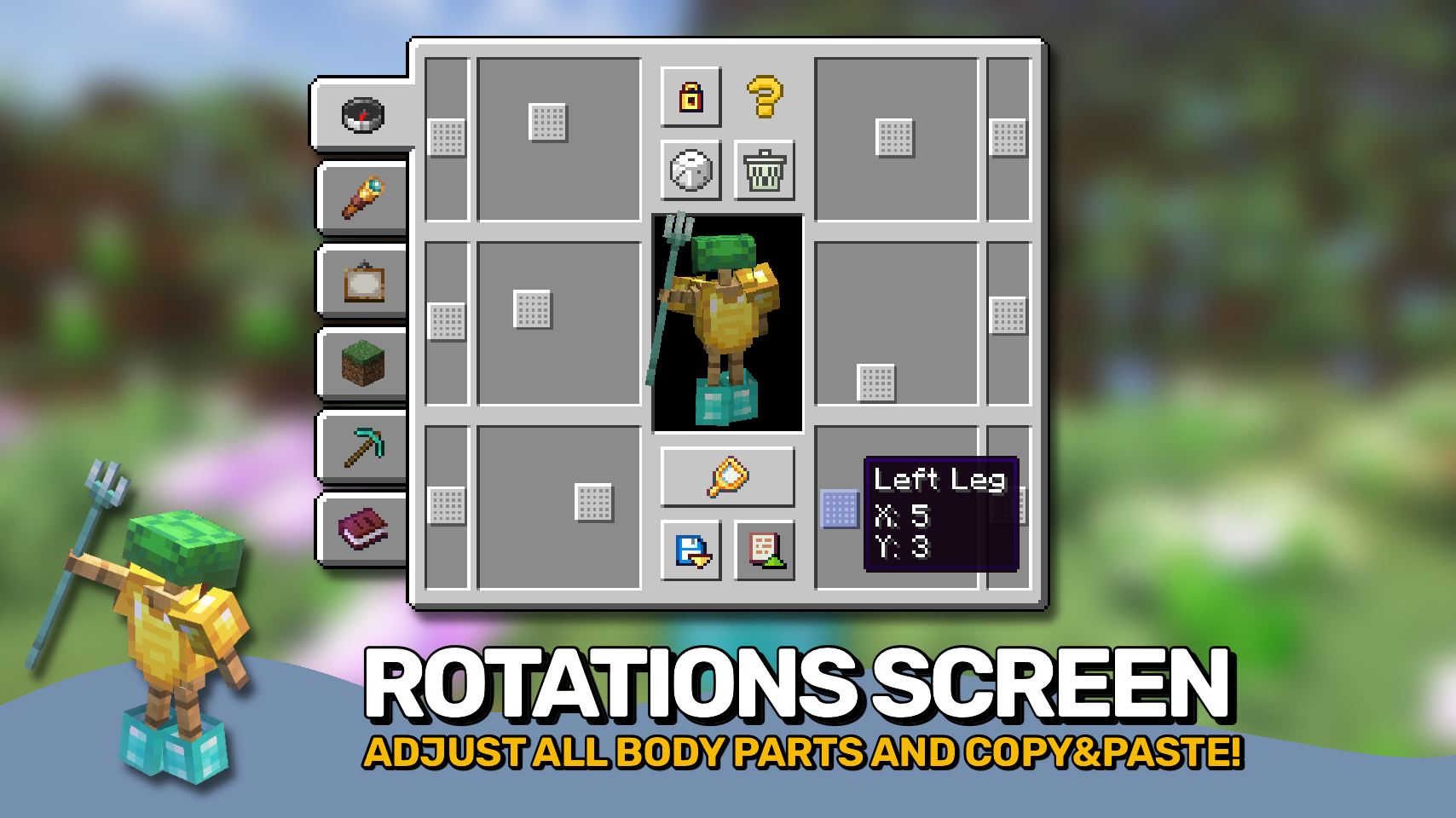
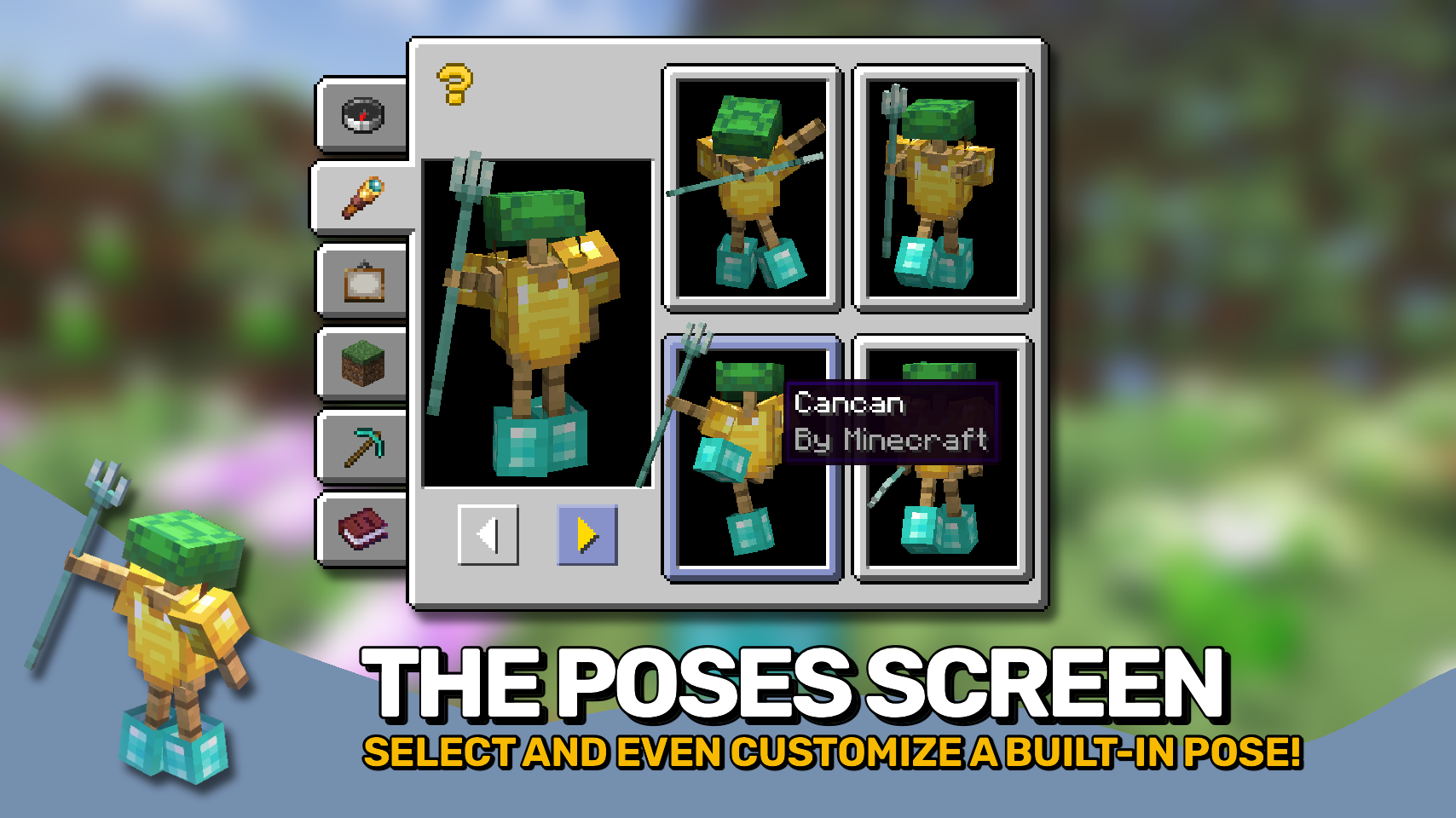
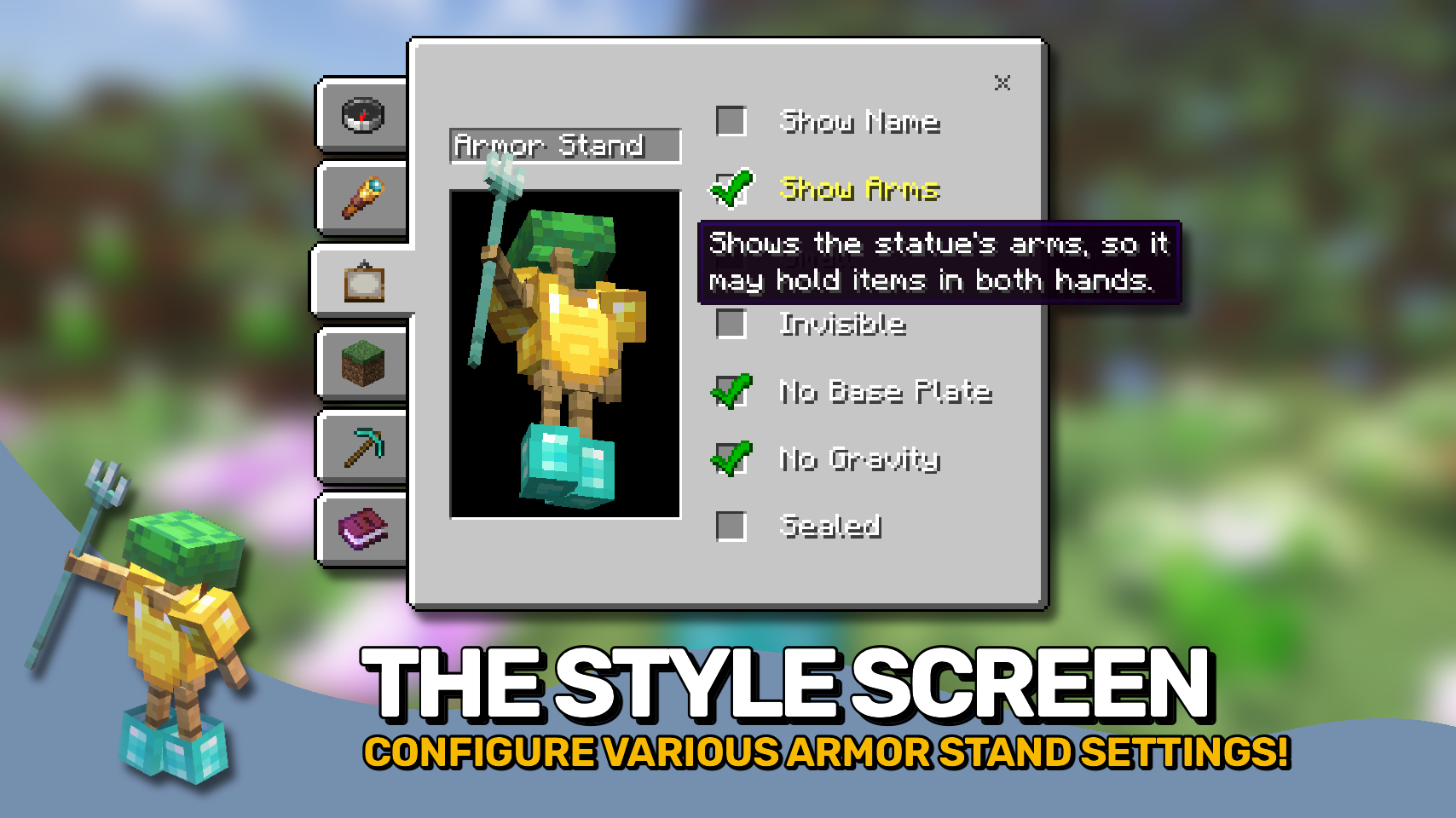
Armor Statues unlocks the full potential of armor stands: Customize everything from unlocking arms, rotating every single body part, to selecting from built-in poses, adjusting various style settings, as well as great tools for positioning the armor stand, even in ways where you can use it to only display items in your world, making the stand itself invisible.
And the best part: This mod works on vanilla servers that do not have it installed! If a server does not have this mod, but has the Vanilla Tweaks: Armor Statues data pack installed, this mod when installed on your client can serve as a replacement for the book normally used for controlling the data pack features. To use this functionality make sure to manually enable the use_vanilla_tweaks_triggers config option. Also if you are a server operator you do not even need the data pack on your server, Armor Statues will simply work by sending vanilla commands in the background.

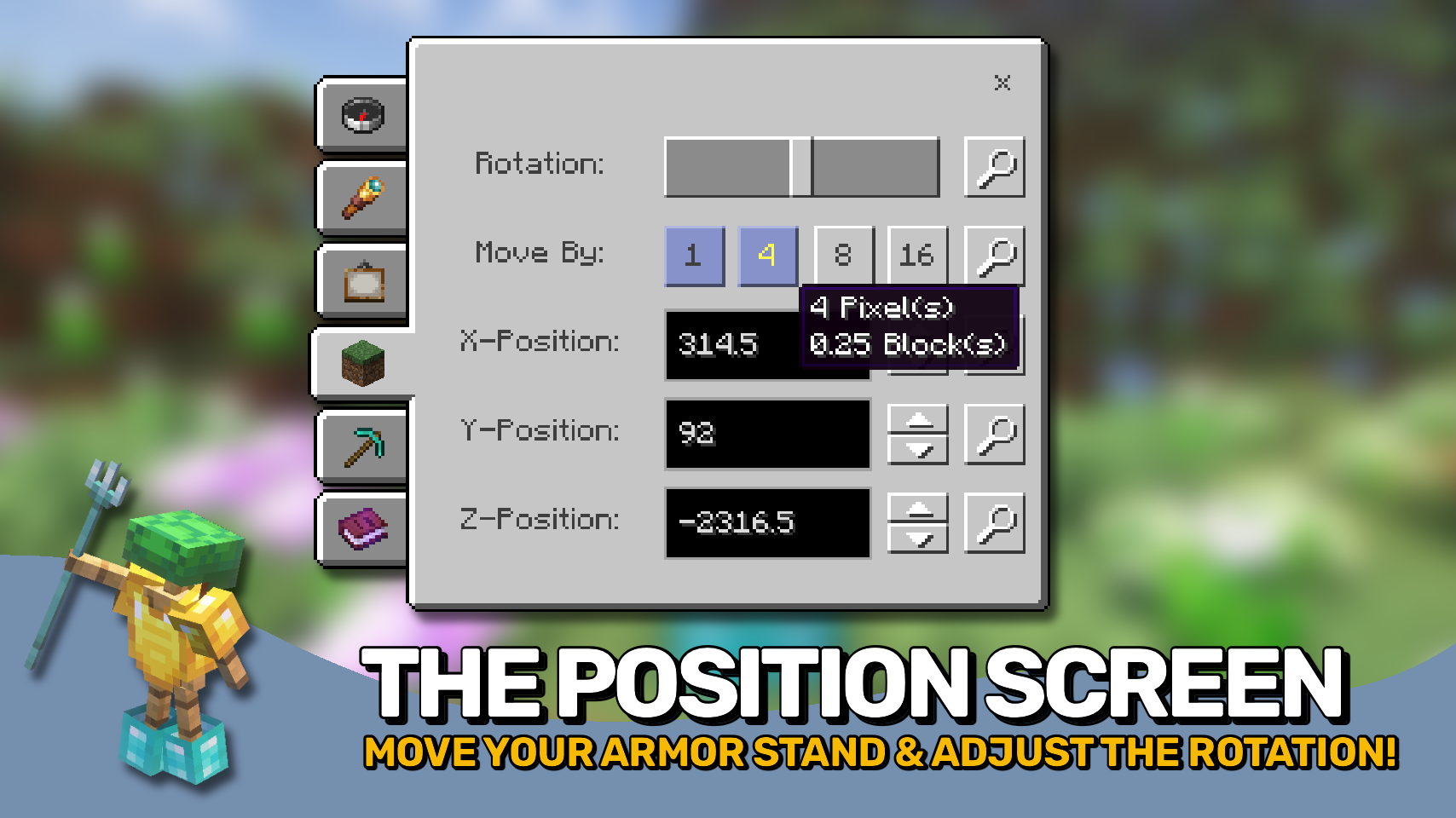
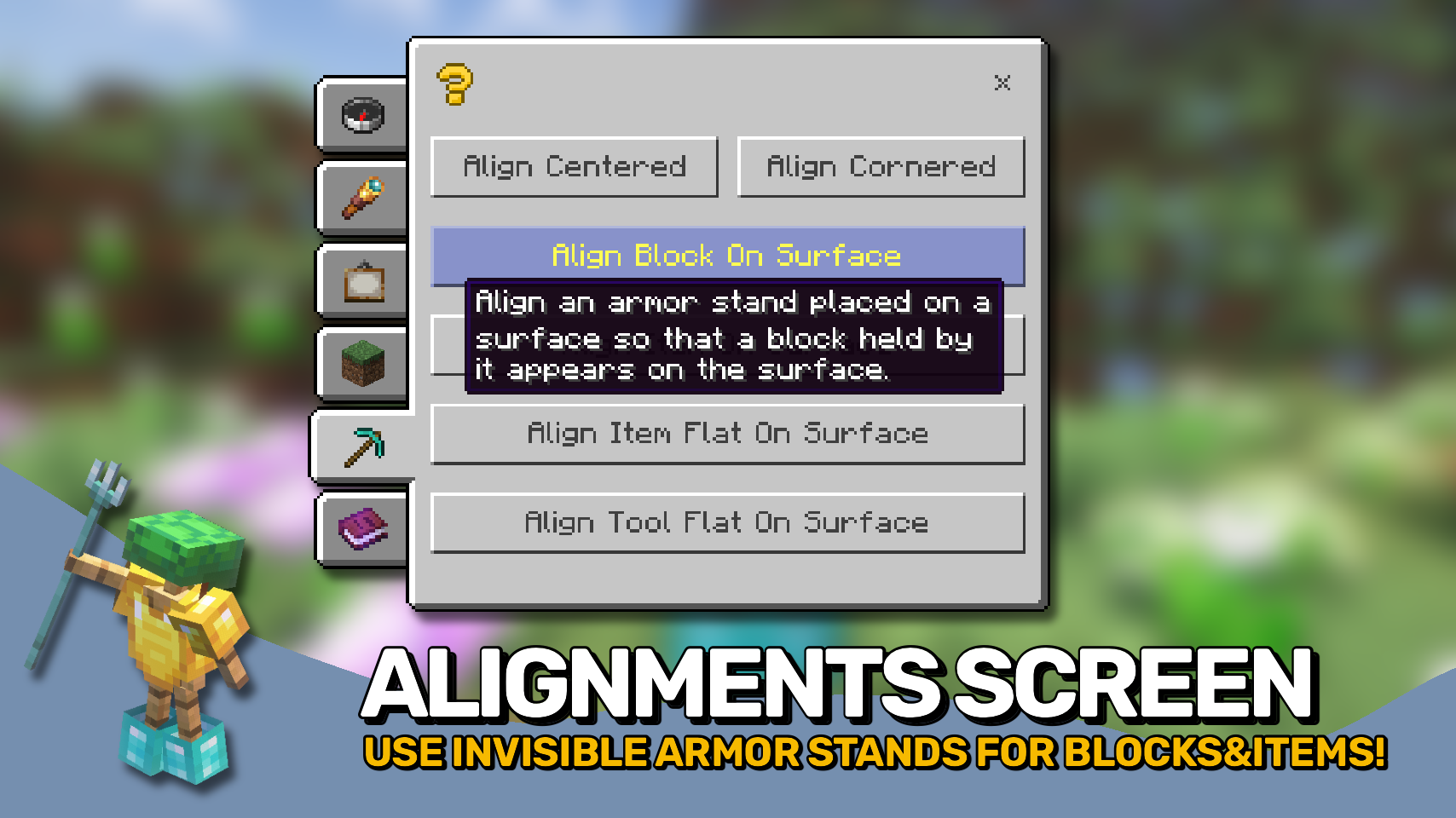
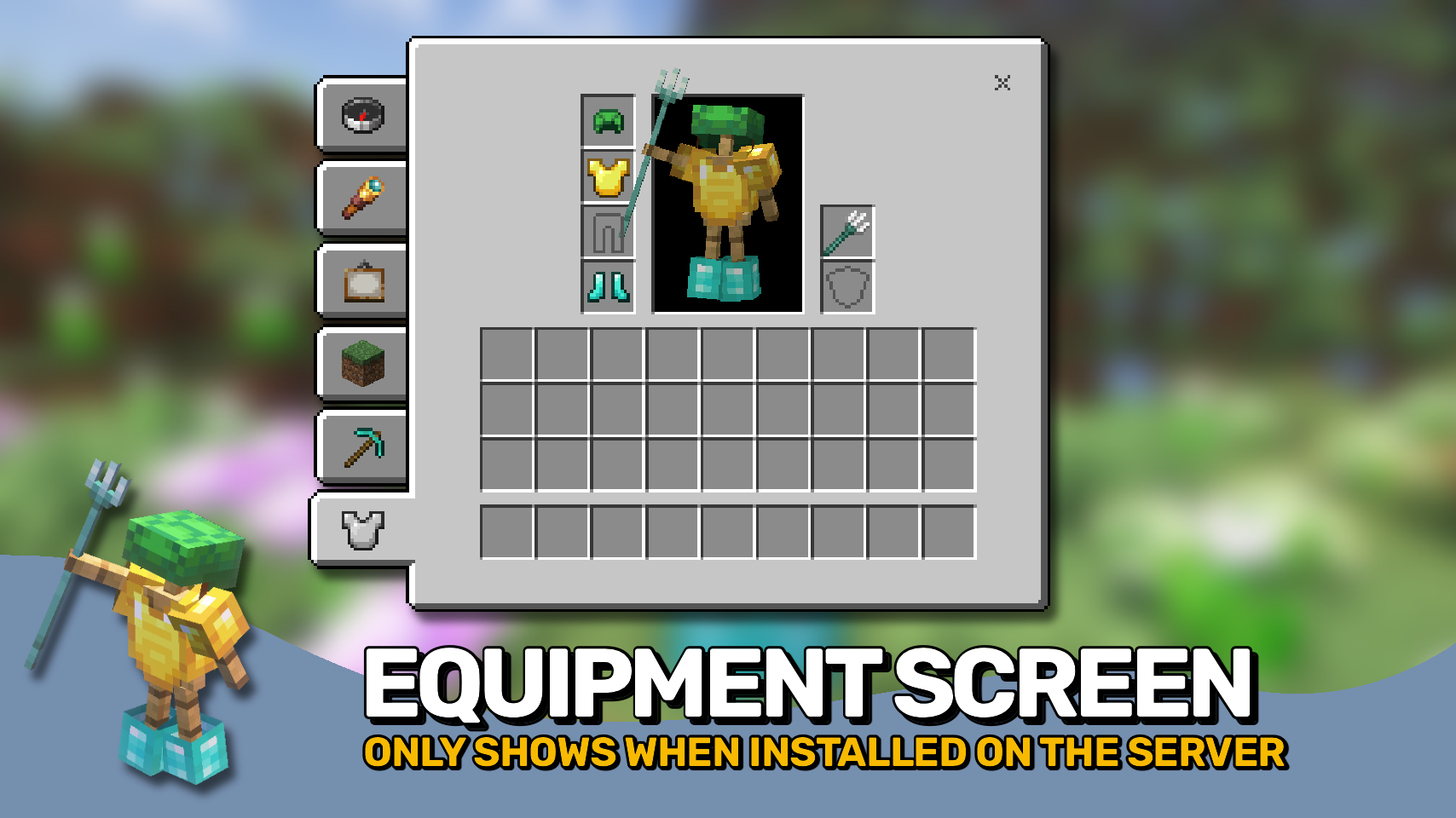
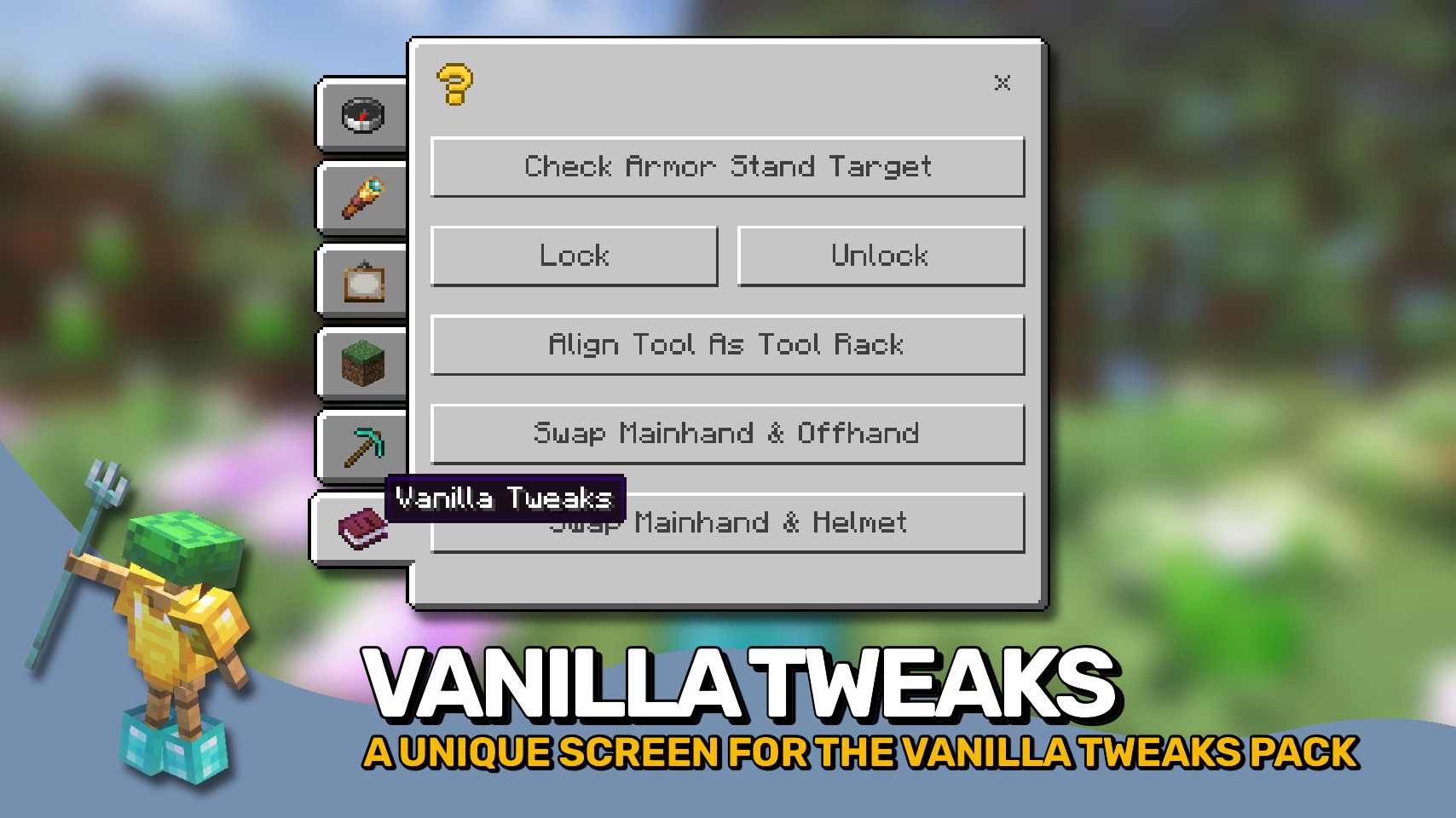

⏩ INSTALLATION REQUIRED ON CLIENT & OPTIONAL ON SERVER
⏩ REQUIRES PUZZLES LIB TO BE INSTALLED (FABRIC & NEOFORGE)
⏩ REQUIRES FABRIC API TO BE INSTALLED (FABRIC)
⏩ REQUIRES FORGE CONFIG API PORT TO BE INSTALLED (FABRIC)

If available for a mod, configuration is possible directly from in-game using the mod menu (requires Mod Menu by Prospector to be installed on Fabric). Please note that on older Minecraft versions installing Forge Config Screens is also a requirement.
For manual configuration using an external text editor all files are found at .minecraft/config, named as MOD_ID-client.toml, MOD_ID-common.toml, or MOD_ID-server.toml, depending on the type of config. Not all types might exist for a mod, if any at all.

🌟 Huge thanks to the VanillaTweaks Team for their Armor Statues data pack, which heavily inspired this whole mod, and provided some values for certain features such as the alignments screen and a lot of the built-in poses.
🌟 Thanks to Forge_User_41096743 and their Armor Stand Configurator mod for being a big inspiration behind this mod.
🌟 Thanks to AUTOMATIC_MAIDEN and their Statues mod which the rotations screen is heavily based upon.
🌟 Thanks to Finalbossblues for their amazing icons available over on itch.io.
 |
 |
|
|---|---|---|
 |
 |
|
 |
 |
|
 |
 |
|
 |
 |
|

Project description from CurseForge.
Pick your setup
Choose the version and loader you play, then open the matching release.
Showing the newest 12 of 16 game versions. Older files are in the list below.
Check the dependencies, then try the file in a copied instance before changing a world you care about.
Recent files
ArmorStatues-v26.2.0-mc26.2.x-Fabric.jar
18 Jun 2026
ArmorStatues-v26.2.0-mc26.2.x-NeoForge.jar
18 Jun 2026
ArmorStatues-v26.1.0-mc26.1.x-Fabric.jar
7 May 2026
ArmorStatues-v26.1.0-mc26.1.x-NeoForge.jar
7 May 2026
ArmorStatues-v21.11.1-mc1.21.11-Fabric.jar
17 Jan 2026
ArmorStatues-v21.11.1-mc1.21.11-NeoForge.jar
17 Jan 2026
ArmorStatues-v21.11.0-mc1.21.11-NeoForge.jar
15 Dec 2025
ArmorStatues-v21.11.0-mc1.21.11-Fabric.jar
15 Dec 2025
ArmorStatues-v21.10.0+mc1.21.10-Fabric.jar
16 Oct 2025
ArmorStatues-v21.10.0+mc1.21.10-NeoForge.jar
16 Oct 2025
ArmorStatues-v21.8.0-1.21.8-NeoForge.jar
18 Jul 2025
ArmorStatues-v21.8.0-1.21.8-Fabric.jar
18 Jul 2025
Looking for an older file? The official CurseForge project page is in Resources.
 mod
modServer-authoritative daily lucky draws for Forge and NeoForge, with optional animations, admin tools, and unmodded-client chat fallback.
 mod
modWorld Finder is a client-side seed map and structure finder for vanilla Minecraft worlds, built as an in-game ChunkBase-style helper.
 mod
modCursed Fate addon which adds a Chroma Orb recipe as well as a rarity based cursed energy color system with custom Flow auras for players to acquire.
