
Minecraft version
Back to mods 
CurseForge · Minecraft mod
Inventory Backups
Records every inventory change. Roll back any moment, find any item and see who took it, even for offline players.
Choose a version Pick your version below, then grab the matching file.
Quick answer
Which Inventory Backups release matches 1.20 Forge?
Best match for your filters InventoryLogger-1.20.1-1.2.1
Game version 1.20.1, 1.20
Loader NeoForge, Forge
Inventory Backups InventoryLogger-1.20.1-1.2.1 targets 1.20.1, 1.20 with NeoForge, Forge. The project page does not say whether this file belongs on the client, dedicated server, or both. No extra mods listed for this file.
Where it goes
Is Inventory Backups required on the client, server, or both?
The project page does not say whether this file belongs on the client, dedicated server, or both.
Client Source doesn’t say
Dedicated server Source doesn’t say
Loader for this release NeoForge, Forge
Required install it here Optional supported, not mandatory Not supported do not install here Source doesn’t say do not assume
The source does not explicitly classify this release as client-only or server-only.
What else does Inventory Backups InventoryLogger-1.20.1-1.2.1 need?
InventoryLogger-1.20.1-1.2.1 on 1.20 Forge. Every mod below is checked against that same setup.
This file does not list any required mods. Do not add a library just because a different file uses it.
This file does not list any required or optional mods.
Before you install it
Add Inventory Backups without breaking your instance.
Built for Inventory Backups InventoryLogger-1.20.1-1.2.1 on 1.20 Forge. Pick another file and the loader, install side or required mods may change.
- 01
Stick to this file
Use InventoryLogger-1.20.1-1.2.1. It targets 1.20.1, 1.20 with NeoForge, Forge; another release may have different loader, side or dependency requirements.
- 02
Bring the mods it needs
This file does not list any required mods. Do not add a library just because a different file uses it.
- 03
Put it on the correct side
The project page does not say whether this file belongs on the client, dedicated server, or both.
- 04
Pick the file you checked
Use the “Get this file” button beside InventoryLogger-1.20.1-1.2.1. It opens that exact file at the source.
About this project
What does Inventory Backups add?
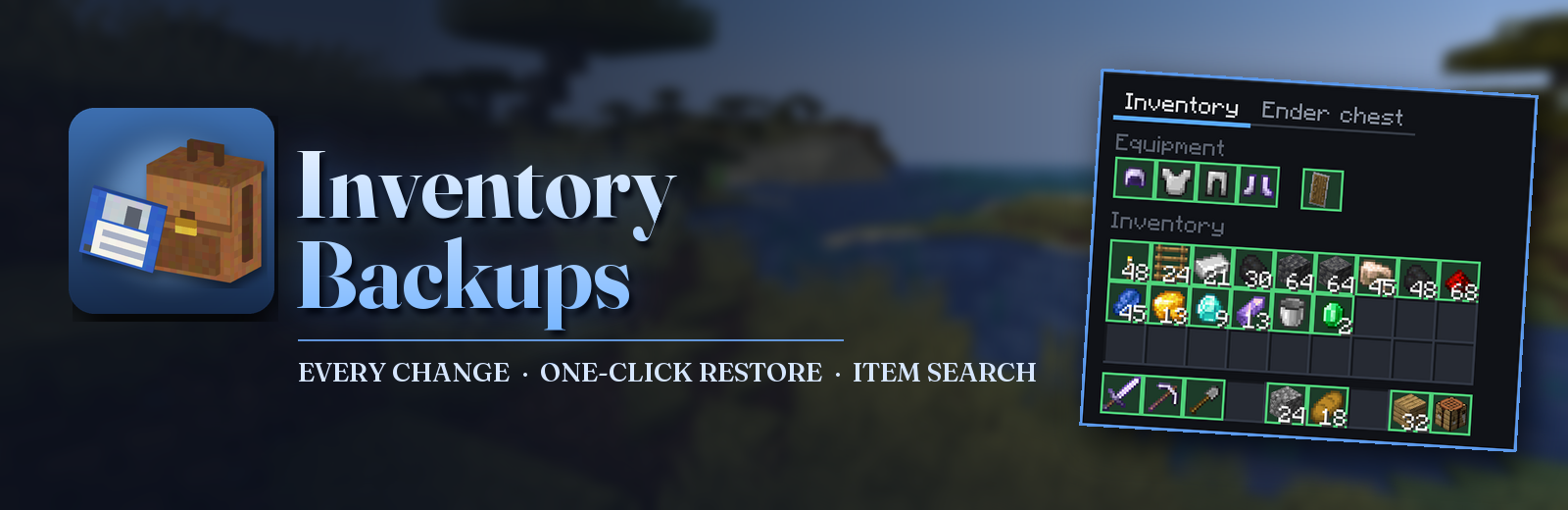



Inventory backups for server admins.
The mod records every change in every player's inventory, armor, ender chest and mod slots. When someone loses their things to a server bug, a crash, a bad connection or anything like it, open their timeline, pick the moment before it happened and give everything back with one click.
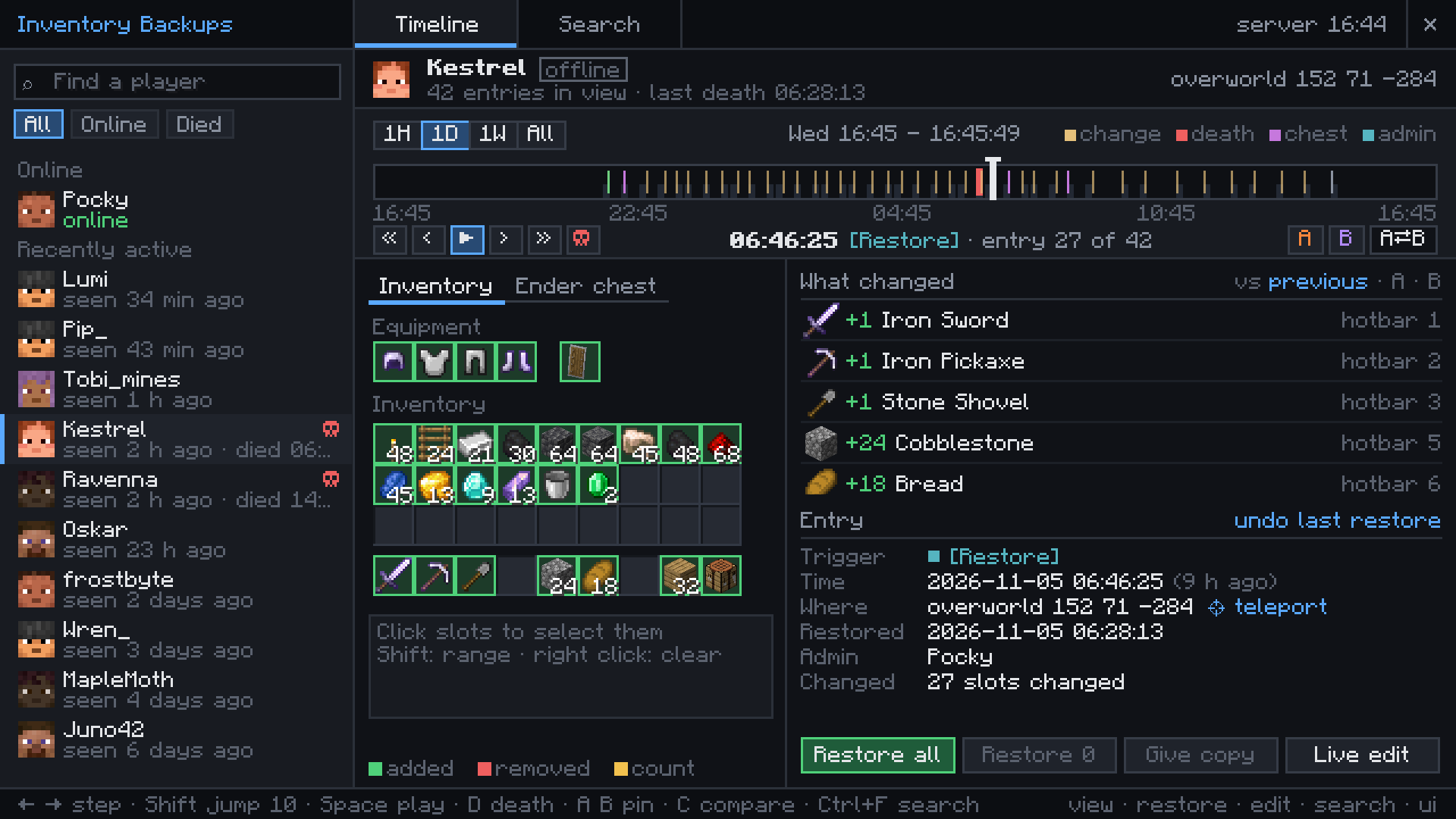
About 100 bytes per change · Offline players too · Vanilla clients work through chat
Main command: /inventory ui
Opens the admin screen; Ctrl+I does the same. The admin needs the mod on their client too.
After a death
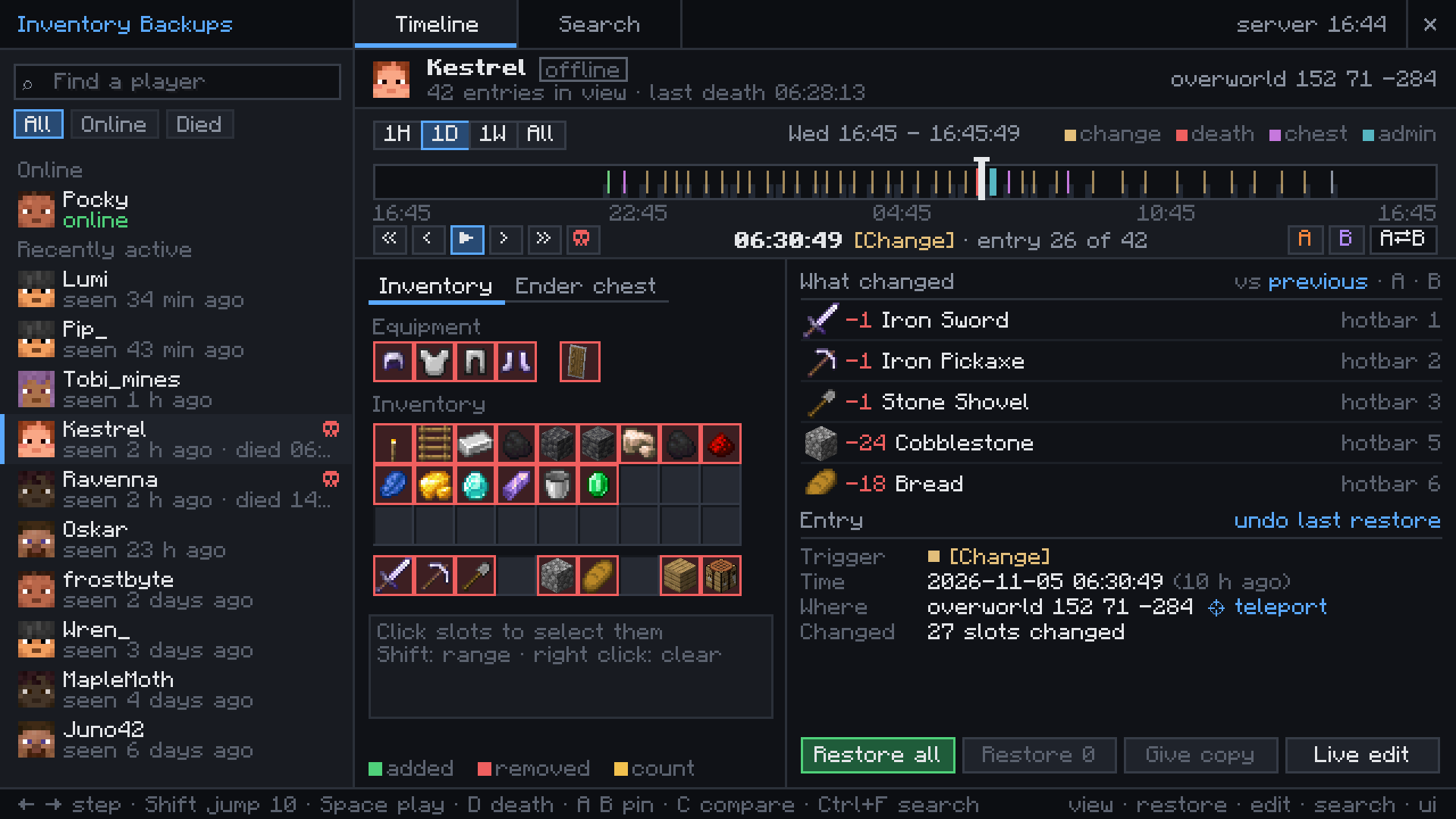
Kestrel was blown up by a creeper deep in a mine and came back with nothing. The death entry still holds every slot, with the cause and the place.
Restore all puts it back, or pick only some slots. An admin who restored the wrong moment can undo it.
Every change on the timeline
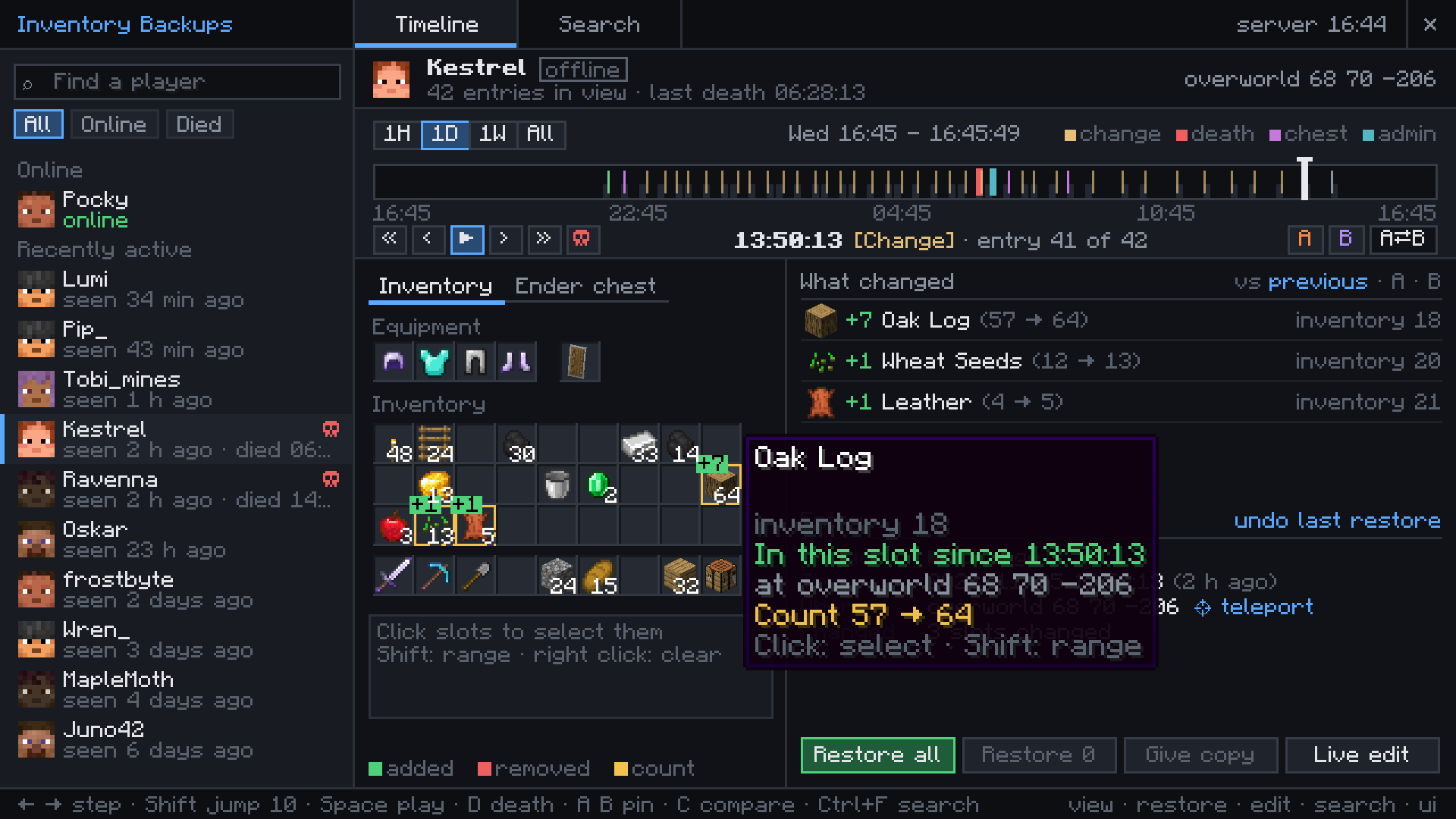
Pickups, crafting and chest visits become entries, one for each burst of changes. Hover a slot to see when the item got there and where the player stood.
Pin two moments as A and B to compare them, or play the whole day back.
Where did the sword go?
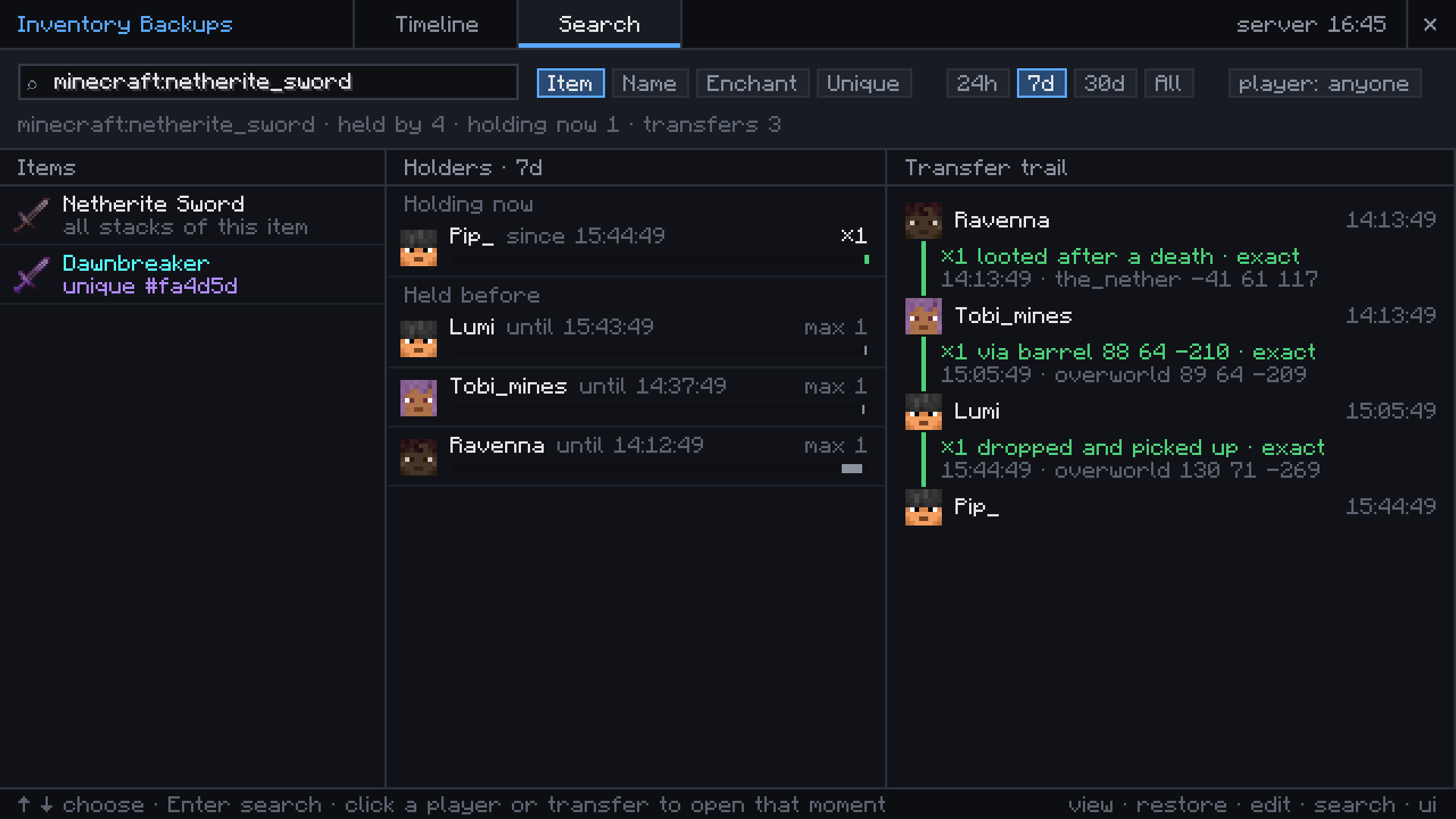
Search for any item by id, name or enchantment and see who has it now and who had it before.
One named or enchanted stack can be followed from player to player: dropped at a death, picked up, put into a barrel, taken out.
From chat, without the client mod
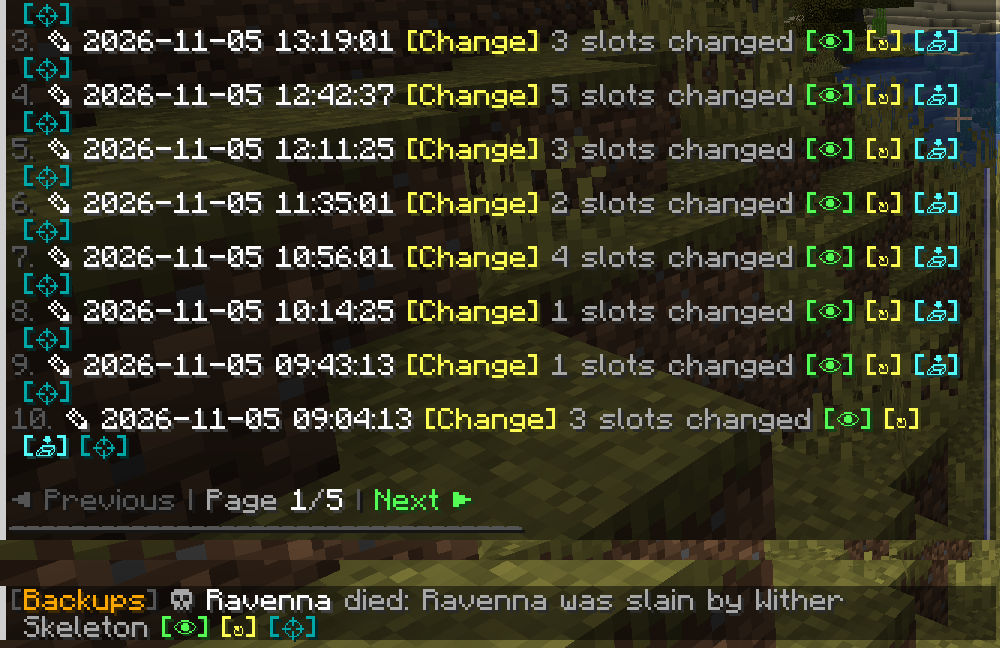
Admins with a vanilla client get clickable lists in chat with view, restore, copy and teleport buttons on every entry.
With deathAlerts on, online admins get a message about every death with items and can restore it from there.
Getting started
Put the mod into the mods folder of the server. On Fabric it also needs Fabric API and Forge Config API Port.
Admins who want the timeline screen put the same file into their own mods folder and type /inventory ui or press Ctrl+I. Other players do not need it.
Operators can use everything. With LuckPerms, grant inventorybackups.view, .restore, .edit, .search and .ui per group./inventory list <player> shows the timeline in chat and /invsearch <item> finds items. Backups and configs of version 2.x are taken over on the first start.
Works with


More mods by Pocky


Made by Pocky. The earlier Minecraft 1.20.1 Forge and Fabric versions (2.0) were made by DjJewl. Special thanks to PiglinMine.com. Source on GitHub (MIT).
Project description from CurseForge.
Pick your setup
Inventory Backups by Minecraft version and loader
Choose the version and loader you play, then open the matching release.
Minecraft version
26.2
2 loader buildsMinecraft version
26.1.2
2 loader buildsMinecraft version
1.21.11
2 loader buildsMinecraft version
1.21.1
2 loader buildsMinecraft version
1.20.1
3 loader buildsMinecraft version
1.20
2 loader buildsMinecraft version
1.19.2
1 loader buildMinecraft version
1.19.1
1 loader buildMinecraft version
1.19
1 loader buildMinecraft version
1.18.2
1 loader buildMinecraft version
1.18.1
1 loader buildShowing the newest 12 of 19 game versions. Older files are in the list below.
Check the dependencies, then try the file in a copied instance before changing a world you care about.
Recent files
Inventory Backups versions and loaders
InventoryLogger-1.20.1-1.2.1
InventoryLogger-1.20.1-1.2.1.jar
13 Oct 2024
Client Source doesn’t say Server Source doesn’t say Dependencies No extras listed Listed on Release listing
Check the 1.20 · Forge setup NeoForge1.20.1Forge1.20 release
InventoryLogger-1.20.1-1.2.0
InventoryLogger-1.20.1-1.2.0.jar
13 Oct 2024
Client Source doesn’t say Server Source doesn’t say Dependencies No extras listed Listed on Release listing
Check the 1.20 · Forge setup NeoForge1.20.1Forge1.20 release
Looking for an older file? The official CurseForge project page is in Resources.
 mod
CurseForge · Minecraft
Leaky - Item Lag Fix
Detects broken farms and item leaks, reduces dropped item lag, and safely cleans up dangerous item concentrations
 mod
CurseForge · Minecraft
Hide Name Tags (Hide Player Names)
Hide player name tags and usernames with simple server commands.
 mod
CurseForge · Minecraft
HideName (Nick), Nickname & Player Health - Minecraft Mod
Hide player names, add custom nicknames and prefixes, and display player health.