Forge Config API Port Needed by Mindful Darkness v26.3.0-mc26.3.x+fabric
requiredMatching file found Matched file: [FABRIC] [26.3.x] v26.3.1
CurseForge · Minecraft mod
Turning all the lights off! Automatic dark mode for guis; as configurable as possible.
Quick answer
Mindful Darkness v26.3.0-mc26.3.x+fabric targets 26.3 with Fabric. The project page does not say whether this file belongs on the client, dedicated server, or both. All 3 required mods have matching files.
Where it goes
The project page does not say whether this file belongs on the client, dedicated server, or both.
The source does not explicitly classify this release as client-only or server-only.
v26.3.0-mc26.3.x+fabric. Change the file and its required mods may change too.
Install Forge Config API Port, Fabric API, Puzzles Lib first. We found matching files for this game-version and loader setup. 4 come through another mod in the chain.
4 extra mods were pulled in by other dependencies. Indented rows show who needs each one. We only count dependency files that match this setup. A file for another loader does not fill the gap.
Before you install it
Built for Mindful Darkness v26.3.0-mc26.3.x+fabric. Pick another file and the loader, install side or required mods may change.
Use v26.3.0-mc26.3.x+fabric. It targets 26.3 with Fabric; another release may have different loader, side or dependency requirements.
Install Forge Config API Port, Fabric API, Puzzles Lib first. We found matching files for this game-version and loader setup. 4 come through another mod in the chain.
The project page does not say whether this file belongs on the client, dedicated server, or both.
Use the “Get this file” button beside v26.3.0-mc26.3.x+fabric. It opens that exact file at the source.
About this project







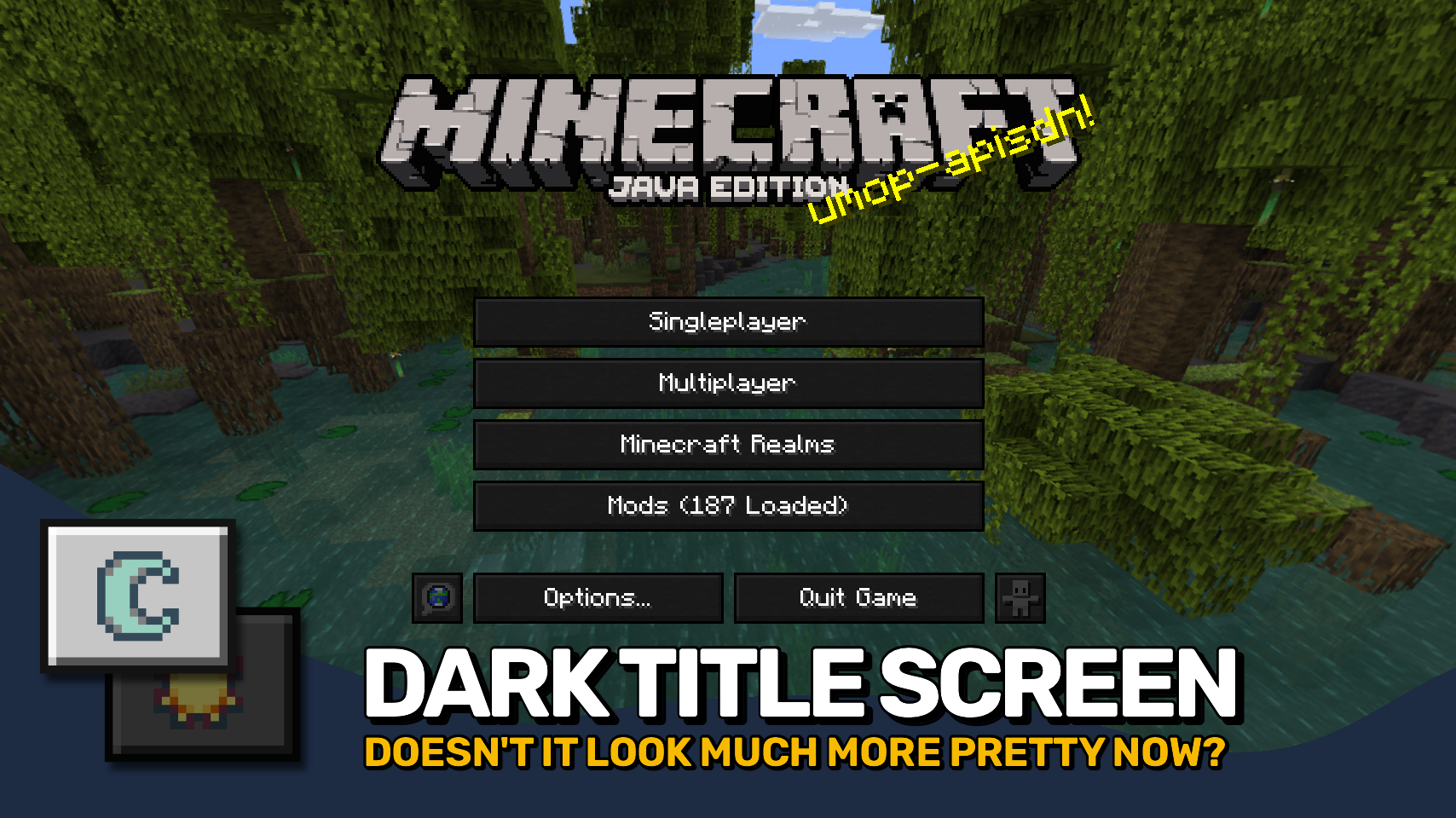
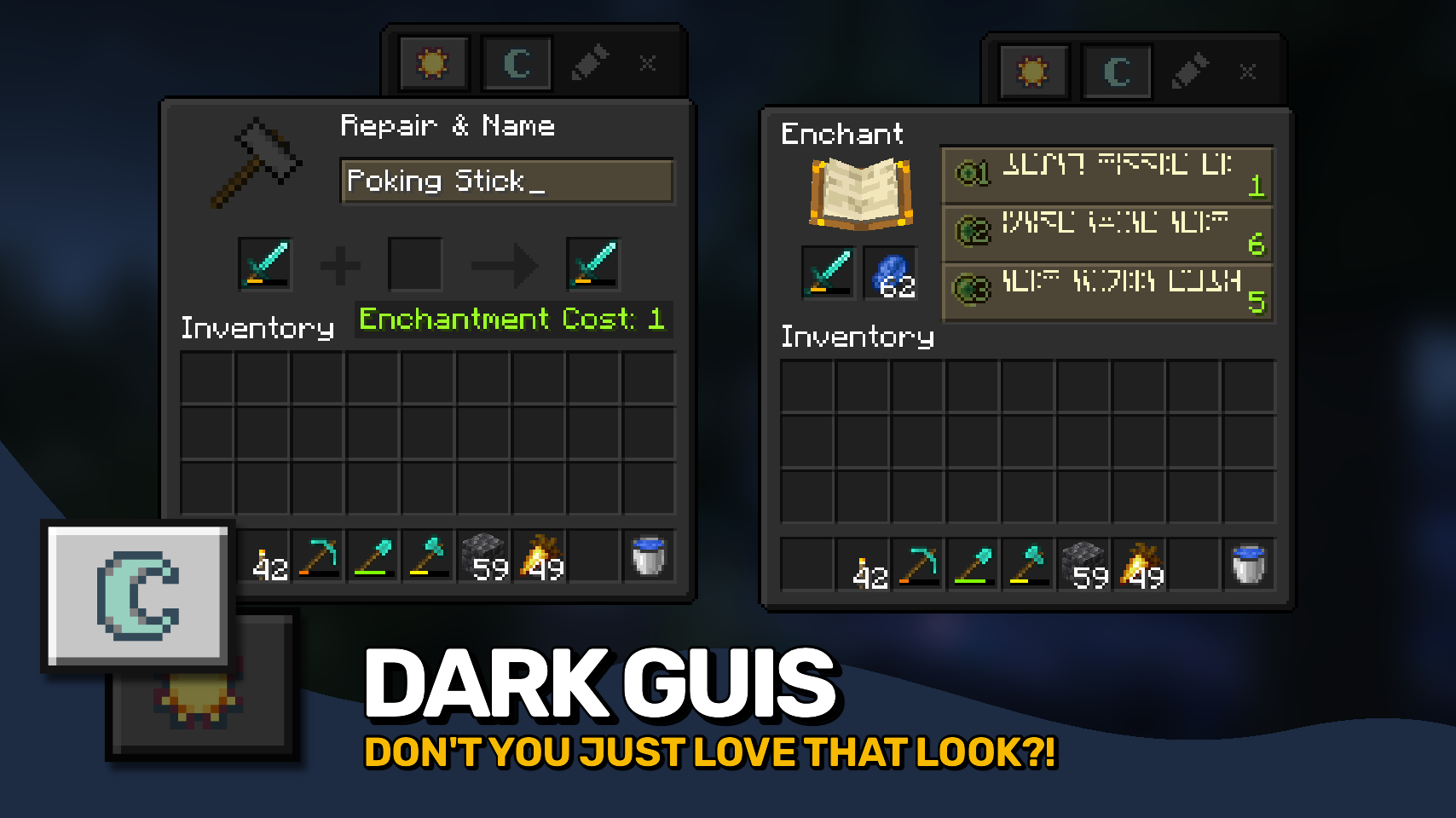
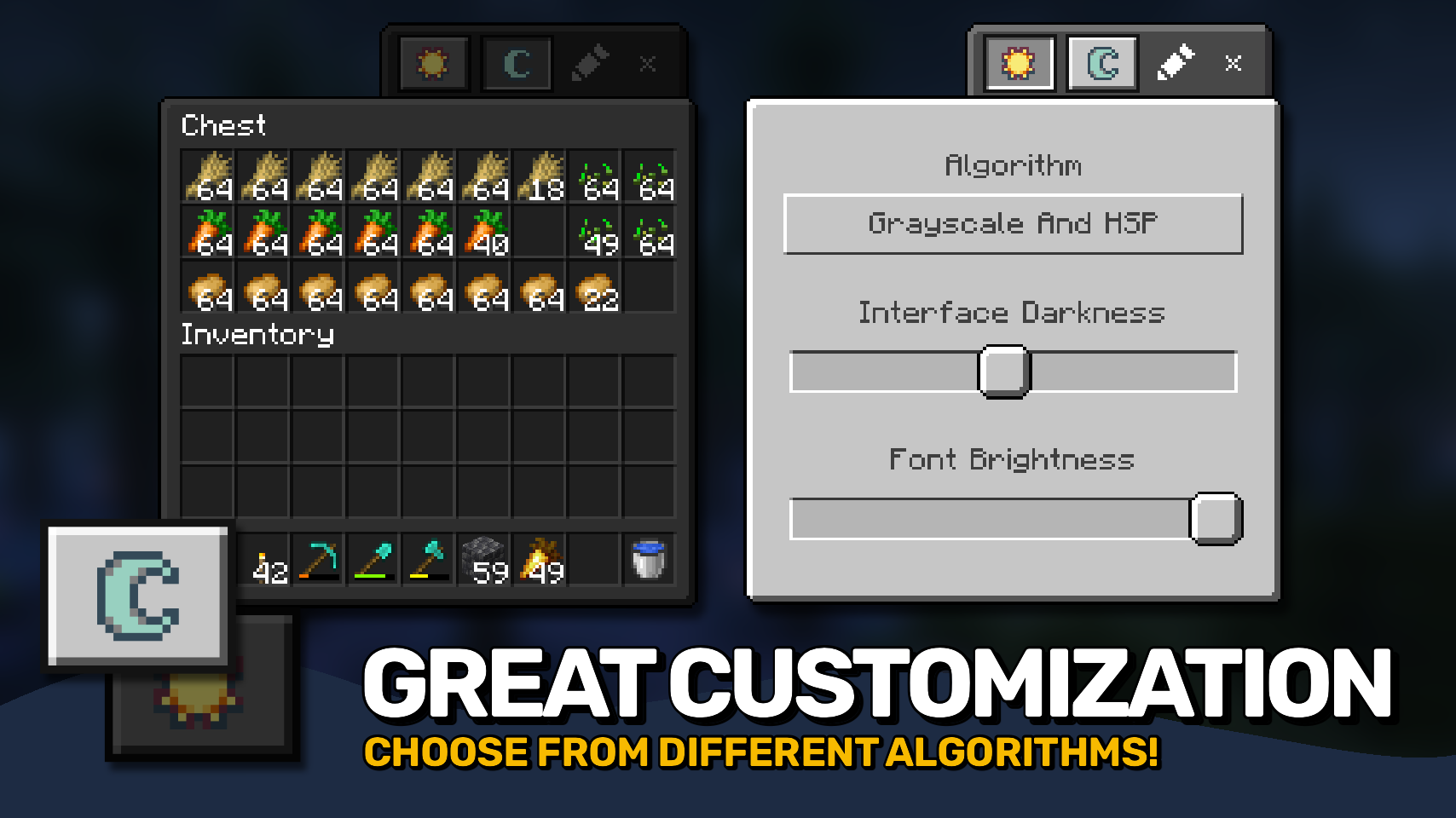
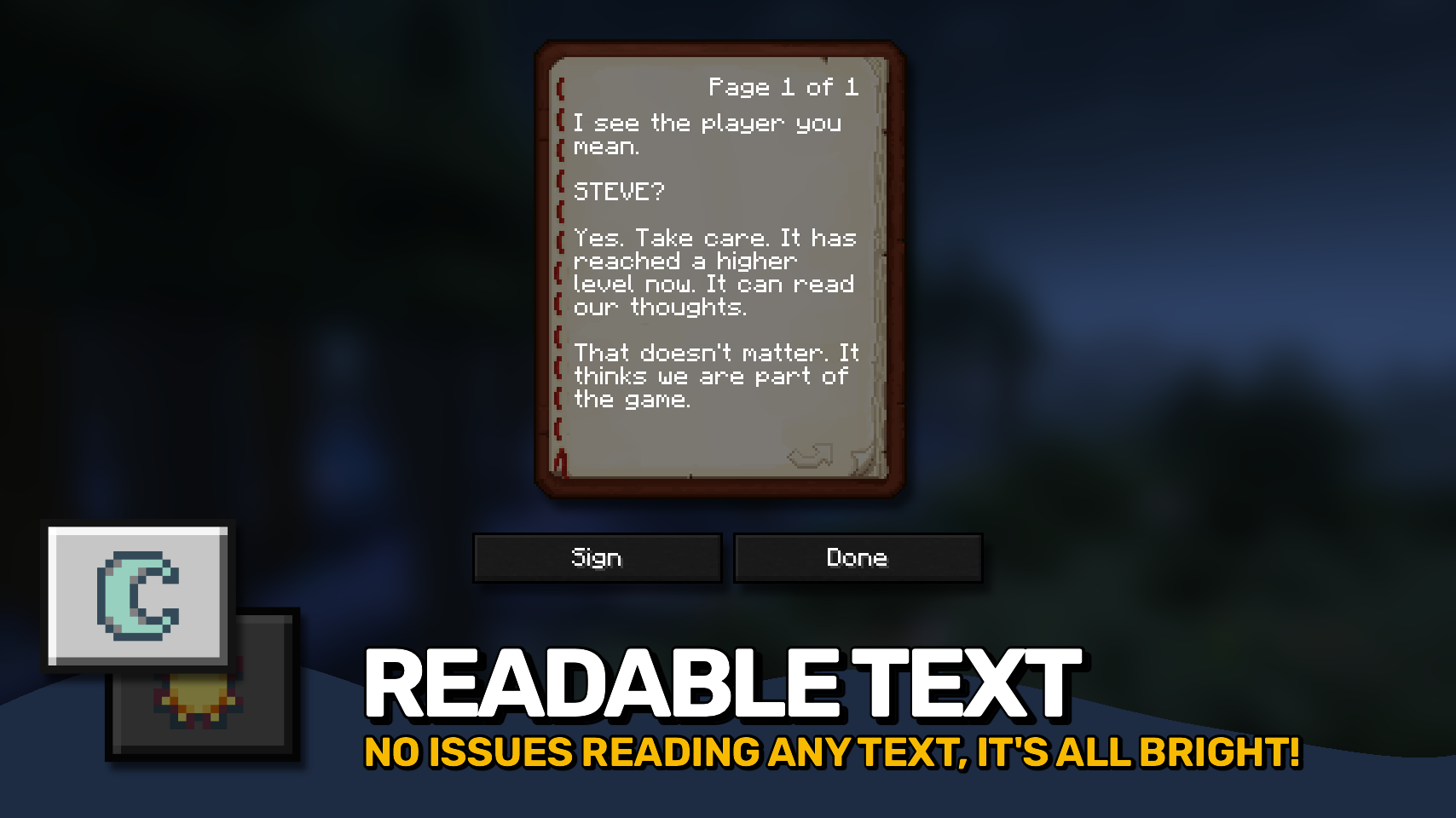
Mindful Darkness adds a fully automatic dark mode to your game. 🌙 Darken menus and interfaces instantly without requiring any texture changes or resource packs.
Toggle it on or off directly in game and customize the look to match your preferences. 🎨 Choose from different darkening algorithms, adjust the darkness intensity, and fine tune the effect with ease.
A simple texture control system is also included, letting you decide exactly which textures are affected. ⚙️ Comfortable, flexible, and easy on the eyes. ✨


⏩ INSTALLATION REQUIRED ON CLIENT
⏩ REQUIRES PUZZLES LIB TO BE INSTALLED (FABRIC & NEOFORGE)
⏩ REQUIRES FABRIC API TO BE INSTALLED (FABRIC)
⏩ REQUIRES FORGE CONFIG API PORT TO BE INSTALLED (FABRIC)

If available for a mod, configuration is possible directly from in-game using the mod menu (requires Mod Menu by Prospector to be installed on Fabric).
For manual configuration using an external text editor all files are found at .minecraft/config, named as MOD_ID-client.toml, MOD_ID-common.toml, or MOD_ID-server.toml, depending on the type of config. Not all types might exist for a mod, if any at all.
Mindful Darkness does not automatically darken every gui texture in the game, instead you have to manually specify in the config which textures are affected. Resources can be specified using '*' as wildcard char, can affect all or just a single namespace and you can use '!' to exclude resources.
By default, configuration looks like this: "textures/gui/*.png, !minecraft:textures/gui/icons.png". This will include all textures in the textures/gui directory from all namespaces (since this is where mods ususally put their gui textures). Specifically for the minecraft namespace icons.png is excluded though (indicated by adding '!' at the beginning). NOTE: The order of defining resources matters for exclusions! Excluded resources need to come after any entry that would otherwise include them.

🌟 Thanks to Buuz135 and their Dark Mode Everywhere mod, which I stole the idea for changing the font color from.
 |
 |
|
|---|---|---|
 |
 |
|
 |
 |
|
 |
 |
|
 |
 |
|

© 2026 @heyitsfuzs. All rights reserved. This page was last edited on 11 September 2026, at 06:44 (UTC).
Project description from CurseForge.
Pick your setup
Choose the version and loader you play, then open the matching release.
Showing the newest 12 of 17 game versions. Older files are in the list below.
Check the dependencies, then try the file in a copied instance before changing a world you care about.
Recent files
mindfuldarkness-v26.3.0-mc26.3.x+fabric.jar
29 Sept 2026
mindfuldarkness-v26.3.0-mc26.3.x+neoforge.jar
29 Sept 2026
MindfulDarkness-v26.2.0-mc26.2.x-Fabric.jar
19 Jun 2026
MindfulDarkness-v26.2.0-mc26.2.x-NeoForge.jar
19 Jun 2026
MindfulDarkness-v26.1.0-mc26.1.x-Fabric.jar
7 May 2026
MindfulDarkness-v26.1.0-mc26.1.x-NeoForge.jar
7 May 2026
MindfulDarkness-v21.11.0-mc1.21.11-NeoForge.jar
15 Dec 2025
MindfulDarkness-v21.11.0-mc1.21.11-Fabric.jar
15 Dec 2025
MindfulDarkness-v21.10.0+mc1.21.10-NeoForge.jar
8 Oct 2025
MindfulDarkness-v21.10.0+mc1.21.10-Fabric.jar
8 Oct 2025
MindfulDarkness-v21.9.0+mc1.21.9-NeoForge.jar
6 Oct 2025
MindfulDarkness-v21.9.0+mc1.21.9-Fabric.jar
6 Oct 2025
Looking for an older file? The official CurseForge project page is in Resources.
 mod
modSeal any mod until it's earned — after a number of in-game days or by unlocking an advancement. Includes a randomizer and a setup screen for new worlds.
 mod
modIce and Fire: Dragon Hybrids is an unofficial-tier expansion mod for Ice and Fire: Dragons on Minecraft Forge 1.20.1, introducing hybrid cross-breeding, primordial elemental dragons, multi-elemental breath powers, and Dragonsteel forging progression.
 mod
modThis addon is an extension and quality of life rework for MMNM's AbilityProtection system.
