Minecraft version
Back to mods 
Modrinth · Minecraft mod
Seamless Shader Reload
Reloads and applies new shader settings without loading time
Choose a version Pick your version below, then grab the matching file.
Quick answer
Which Seamless Shader Reload release should I use?
Latest stable file 0.3.8+forge-1.20.1
Game version 1.20.1
Loader Forge
Seamless Shader Reload 0.3.8+forge-1.20.1 targets 1.20.1 with Forge. It must be installed on the client. Do not install it on the dedicated server. No extra mods listed for this file.
Where it goes
Is Seamless Shader Reload required on the client, server, or both?
It must be installed on the client. Do not install it on the dedicated server.
Client Required
Dedicated server Not supported
Loader for this release Forge
Required install it here Optional supported, not mandatory Not supported do not install here Source doesn’t say do not assume
This file is marked client-only.
What else does Seamless Shader Reload 0.3.8+forge-1.20.1 need?
0.3.8+forge-1.20.1. Change the file and its required mods may change too.
This file does not list any required mods. Do not add a library just because a different file uses it.
This file does not list any required or optional mods.
Before you install it
Add Seamless Shader Reload without breaking your instance.
Built for Seamless Shader Reload 0.3.8+forge-1.20.1. Pick another file and the loader, install side or required mods may change.
- 01
Stick to this file
Use 0.3.8+forge-1.20.1. It targets 1.20.1 with Forge; another release may have different loader, side or dependency requirements.
- 02
Bring the mods it needs
This file does not list any required mods. Do not add a library just because a different file uses it.
- 03
Put it on the correct side
It must be installed on the client. Do not install it on the dedicated server.
- 04
Pick the file you checked
Use the “Get this file” button beside 0.3.8+forge-1.20.1. It opens that exact file at the source.
About this project
What does Seamless Shader Reload add?
Reduces the time your game freezes when changing shader settings or turning a shader on or off by preparing the new shader in the background.
Reloading shaders with R or turning them on no longer freezes your game for seconds – the switch takes about 0.4 s, and the world stays visible. Changing the render distance, smooth lighting, biome blend or leaves no longer empties the world while chunks rebuild. With Voxy, your LODs stay loaded through all of it.
What it does
Iris normally loads and compiles a shader pack on the render thread, and every reload makes Sodium (and Voxy) throw away and rebuild all chunk meshes. Seamless Shader Reload prepares the new pack on a background thread, compiles its shaders in a separate GL context and loads them as finished program binaries, so the game keeps rendering until the switch. Chunk meshes are only rebuilt when the new pack actually needs it, and then in the background while the old ones stay visible. Each feature checks your Iris, Sodium and Voxy versions at startup and turns itself off, falling back to the normal behaviour, if anything doesn't match.
Requires: Minecraft 26.3, Fabric Loader ≥ 0.19.5, Java 25. Optional: Iris, Sodium, Voxy, LoadShift. Fabric API is not needed.
Project description from Modrinth.
Pick your setup
Seamless Shader Reload by Minecraft version and loader
Choose the version and loader you play, then open the matching release.
Minecraft version
26.1.2
1 loader buildMinecraft version
1.21.11
1 loader buildMinecraft version
1.20.1
1 loader buildCheck the dependencies, then try the file in a copied instance before changing a world you care about.
Recent files
Seamless Shader Reload versions and loaders
0.3.8+forge-1.20.1
seamless-shader-reload-0.3.8+forge-1.20.1.jar
29 Nov 2026
Client Required Server Not supported Dependencies No extras listed Listed on Release listing
Check the 1.20.1 · Forge setup 1.20.1Forge release
0.3.8+1.21.11
seamless-shader-reload-0.3.8+1.21.11.jar
29 Nov 2026
Client Required Server Not supported Dependencies No extras listed Listed on Release listing
Check the 1.21.11 · Fabric setup 1.21.11Fabric release
0.3.8+26.1.2
seamless-shader-reload-0.3.8+26.1.2.jar
29 Nov 2026
Client Required Server Not supported Dependencies No extras listed Listed on Release listing
Check the 26.1.2 · Fabric setup 26.1.2Fabric release
0.3.8+26.3
seamless-shader-reload-0.3.8+26.3.jar
29 Nov 2026
Client Required Server Not supported Dependencies No extras listed Listed on Release listing
Check the 26.3 · Fabric setup 26.3Fabric release
0.3.7+forge-1.20.1
seamless-shader-reload-0.3.7+forge-1.20.1.jar
28 Nov 2026
Client Required Server Not supported Dependencies No extras listed Listed on Release listing
Check the 1.20.1 · Forge setup 1.20.1Forge release
0.3.7+26.3
seamless-shader-reload-0.3.7+26.3.jar
28 Nov 2026
Client Required Server Not supported Dependencies No extras listed Listed on Release listing
Check the 26.3 · Fabric setup 26.3Fabric release
0.3.7+26.1.2
seamless-shader-reload-0.3.7+26.1.2.jar
28 Nov 2026
Client Required Server Not supported Dependencies No extras listed Listed on Release listing
Check the 26.1.2 · Fabric setup 26.1.2Fabric release
0.3.7+1.21.11
seamless-shader-reload-0.3.7+1.21.11.jar
28 Nov 2026
Client Required Server Not supported Dependencies No extras listed Listed on Release listing
Check the 1.21.11 · Fabric setup 1.21.11Fabric release
0.3.6+26.3
seamless-shader-reload-0.3.6+26.3.jar
19 Nov 2026
Client Required Server Not supported Dependencies No extras listed Listed on Release listing
Check the 26.3 · Fabric setup 26.3Fabric release
0.3.6+26.3
seamless-shader-reload-0.3.6+26.3.jar
12 Nov 2026
Client Required Server Not supported Dependencies No extras listed Listed on Release listing
Check the 26.3 · Fabric setup 26.3Fabric release
0.3.4+26.3
seamless-shader-reload-0.3.4+26.3.jar
28 Oct 2026
Client Required Server Not supported Dependencies No extras listed Listed on Release listing
Check the 26.3 · Fabric setup 26.3Fabric release
0.3.3+26.3
seamless-shader-reload-0.3.3+26.3.jar
28 Oct 2026
Client Required Server Not supported Dependencies No extras listed Listed on Release listing
Check the 26.3 · Fabric setup 26.3Fabric release
Looking for an older file? The official Modrinth project page is in Resources.
 mod
CurseForge + Modrinth · Minecraft
Moving Elevators
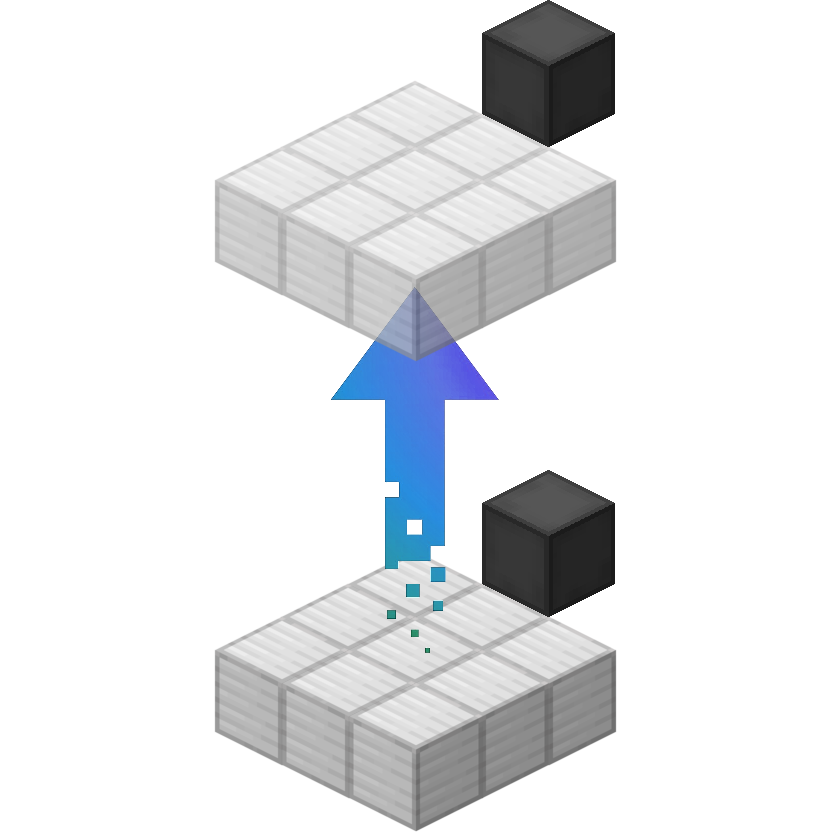
Moving Elevators adds real Elevators to Minecraft!
 mod
CurseForge + Modrinth · Minecraft
Uni GUI
A library for UI designed for maximum performance
 mod
CurseForge · Minecraft
Companion Call
Call your companions and mounts to your side and choose them through a card interface.