Fabric API Needed by Station Builder stationbuilder-FABRIC-1.0.0+1.21.4.jar
requiredMatching file found Matched file: [1.21.4] Fabric API 0.119.4+1.21.4
CurseForge · Minecraft mod
Create decorated railways and stations with few clicks!
Quick answer
Station Builder stationbuilder-FABRIC-1.0.0+1.21.4.jar targets 1.21.4 with Fabric. The project page does not say whether this file belongs on the client, dedicated server, or both. All 1 required mods have matching files.
Where it goes
The project page does not say whether this file belongs on the client, dedicated server, or both.
The source does not explicitly classify this release as client-only or server-only.
stationbuilder-FABRIC-1.0.0+1.21.4.jar. Change the file and its required mods may change too.
Install Fabric API first. We found matching files for this game-version and loader setup.
We only count dependency files that match this setup. A file for another loader does not fill the gap.
Before you install it
Built for Station Builder stationbuilder-FABRIC-1.0.0+1.21.4.jar. Pick another file and the loader, install side or required mods may change.
Use stationbuilder-FABRIC-1.0.0+1.21.4.jar. It targets 1.21.4 with Fabric; another release may have different loader, side or dependency requirements.
Install Fabric API first. We found matching files for this game-version and loader setup.
The project page does not say whether this file belongs on the client, dedicated server, or both.
Use the “Get this file” button beside stationbuilder-FABRIC-1.0.0+1.21.4.jar. It opens that exact file at the source.
About this project
Create decorated railways and stations for Create, MTR, and Vanilla Minecraft with few clicks!
Build a station (with vanilla, Create, and MTR rails) 
Build parallel rails (in vanilla, Create, and MTR mode) 
Station Builder provides 2 tools for convenient construction of continuous rails and train stations.
.schem files (//schem save building_name).Ctrl+Z to undo station generation, railway construction, and building placement. At most 10 times can be undone.Tunnel 
Bridge 
Station Builder GUI 
To select building in Station Builder GUI 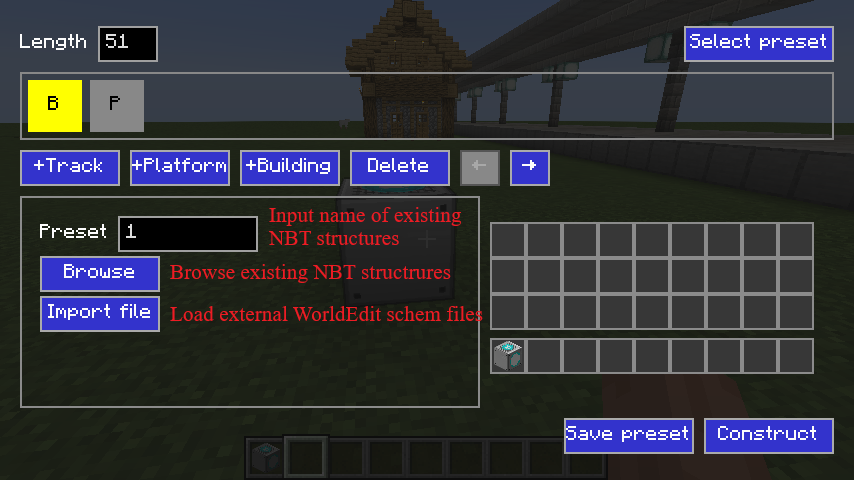
Rail Builder GUI 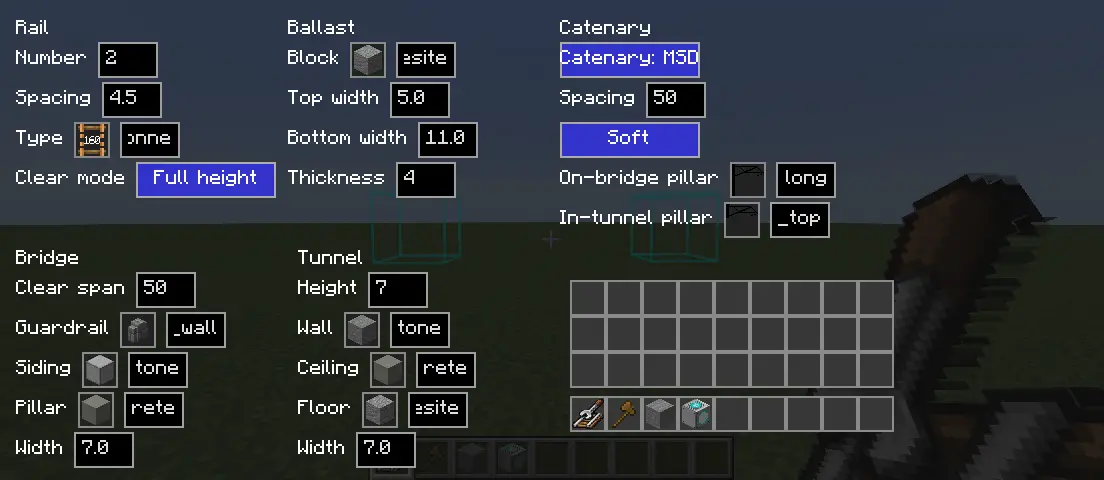
Different "Rail -> Clear Mode": 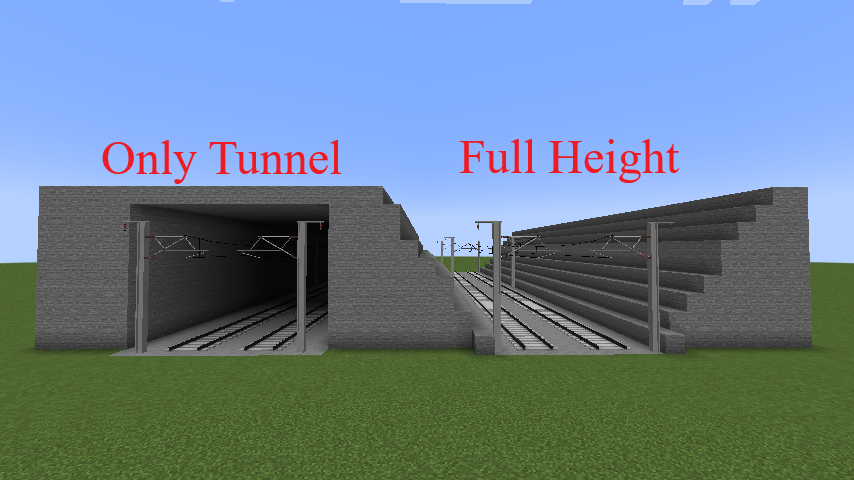
One-way rail settings 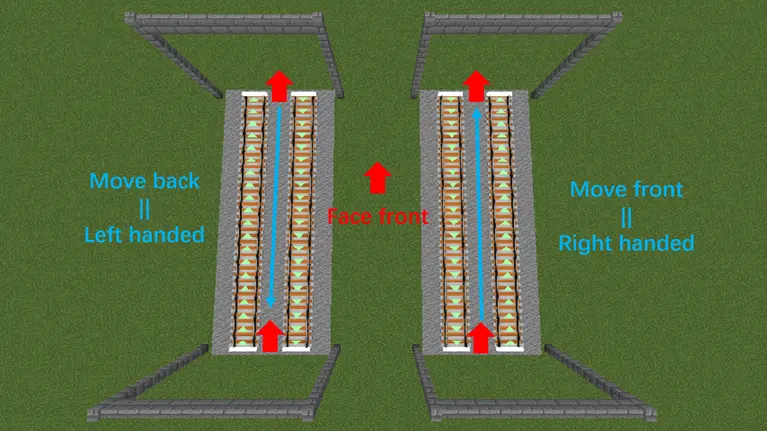
Project description from CurseForge.
Pick your setup
Choose the version and loader you play, then open the matching release.
Check the dependencies, then try the file in a copied instance before changing a world you care about.
Recent files
stationbuilder-FABRIC-1.0.0-1.21.4.jar
15 Nov 2026
stationbuilder-FORGE-1.0.0-1.20.1.jar
15 Nov 2026
stationbuilder-FORGE-1.0.0-1.20.4.jar
15 Nov 2026
stationbuilder-NEOFORGE-1.0.0-1.21.1.jar
15 Nov 2026
stationbuilder-NEOFORGE-1.0.0-1.21.4.jar
15 Nov 2026
stationbuilder-FABRIC-1.0.0+1.21.1.jar
15 Nov 2026
stationbuilder-FABRIC-1.0.0+1.20.4.jar
15 Nov 2026
stationbuilder-FABRIC-1.0.0+1.20.1.jar
15 Nov 2026
stationbuilder-NEOFORGE-0.2.2-1.21.4.jar
14 Nov 2026
stationbuilder-NEOFORGE-0.2.2-1.21.1.jar
14 Nov 2026
stationbuilder-FORGE-0.2.2-1.20.4.jar
14 Nov 2026
stationbuilder-FORGE-0.2.2-1.20.1.jar
14 Nov 2026
Looking for an older file? The official CurseForge project page is in Resources.
 mod
Buttons in more colors to bring beauty to your world
 mod
Create decorated railways and stations with few clicks!
 mod
Introduces the 6 totems of Zambesi from Legends Of Tomorrow & their Ancestral Dimensions into 1.20.1 Minecraft, Granting players unique power & more. Next update will add the Waverider in the Time Stream dimension for bearers to access and live within.