Minecraft version
Back to mods 
Modrinth · Minecraft mod
Synaxis
Add circuit / luascript infrastructure that runs at full precision/frequency and many utilities to sable
Choose a version Pick your version below, then grab the matching file.
Quick answer
Which Synaxis release should I use?
Latest stable file 1.5.0
Game version 1.21.1
Loader NeoForge
Synaxis 1.5.0 targets 1.21.1 with NeoForge. Installation on the client is optional. Installation on the dedicated server is optional. No extra mods listed for this file.
Where it goes
Is Synaxis required on the client, server, or both?
Installation on the client is optional. Installation on the dedicated server is optional.
Client Optional
Dedicated server Optional
Loader for this release NeoForge
Required install it here Optional supported, not mandatory Not supported do not install here Source doesn’t say do not assume
The source marks this as usable on both the client and server.
What else does Synaxis 1.5.0 need?
1.5.0. Change the file and its required mods may change too.
This file does not list any required mods. Do not add a library just because a different file uses it.
This file does not list any required or optional mods.
Before you install it
Add Synaxis without breaking your instance.
Built for Synaxis 1.5.0. Pick another file and the loader, install side or required mods may change.
- 01
Stick to this file
Use 1.5.0. It targets 1.21.1 with NeoForge; another release may have different loader, side or dependency requirements.
- 02
Bring the mods it needs
This file does not list any required mods. Do not add a library just because a different file uses it.
- 03
Put it on the correct side
Installation on the client is optional. Installation on the dedicated server is optional.
- 04
Pick the file you checked
Use the “Get this file” button beside 1.5.0. It opens that exact file at the source.
About this project
What does Synaxis add?
What is Synaxis
Precision Engineering for Sable
Synaxis is a comprehensive engineering and automation expansion for Sable, focused on giving players practical, configurable, and scalable control over moving structures.
At its core, Synaxis is not just about making things move - it is about making them behave the way you want. Whether you are building a compact aircraft, a large articulated machine, a stabilized weapons platform, or a fully automated vehicle, Synaxis provides the tools to control motion, connect systems, and coordinate behavior without forcing everything through awkward redstone contraptions.
Contents:
Cimulink Circuitry
- Cimulink is one of the core systems of Synaxis.
- Build logic and control networks using familiar components such as comparators, boolean logic, weighted sums, vector utilities, shifters, muxes, flip-flops, ports, and Lua-based programmable units.
- Entire circuits can be compressed into compact, reusable modules, making large control systems cleaner, more maintainable, and far easier to deploy on real vehicles and machines.
- Whether you want a simple feedback loop or a multi-stage flight control system, Cimulink is designed to scale with your ambition.
Highly Configurable Joint Components
- Synaxis provides a range of joint and actuator blocks for precision motion control.
- Dynamic and kinematic motors, joint motors, and linear actuators can be configured to suit very different mechanical roles, from stable hinges and suspension elements to powered control surfaces and articulated assemblies.
- These components are built around configurability: tune motion behavior, response, and mechanical purpose instead of being locked into a single predefined use case.
- The goal is not just movement, but controllable, engineerable movement.
Drive-by-Wire Control
- The Control Chair and Tweakerminal provide a convenient drive-by-wire workflow for vehicles and moving structures.
- Instead of wiring every mechanism by hand in a clumsy way, you can directly connect pilot input to the systems that matter and iterate quickly on how a craft feels to control.
- This makes testing, piloting, and refining complex creations much more practical, especially when working with multiple actuators, propulsion sources, or feedback circuits.
Propulsion and Utility Power Sources
- Propellers, vector thrusters, flaps, and related propulsion blocks are provided as flexible utilities rather than heavily restricted one-purpose systems.
- They are meant to be convenient tools you can adapt to your own designs: aircraft, ships, drones, moving platforms, test rigs, or entirely unconventional mechanisms.
- Configure thrust direction, torque behavior, and control response to fit your build instead of redesigning your build around the block.
- Synaxis does not try to dictate what a propulsion block is for - it gives you a practical power and motion utility layer and lets you decide how to use it.
Utilities
- Gravitational Anchor: Customize drag and gravity behavior.
- Camera: Link from thousands of blocks away and view your ships remotely (to be ported).
Project description from Modrinth.
Pick your setup
Synaxis by Minecraft version and loader
Choose the version and loader you play, then open the matching release.
Check the dependencies, then try the file in a copied instance before changing a world you care about.
Recent files
Synaxis versions and loaders
1.5.0
synaxis-1.5.0.jar
9 Aug 2026
Client Optional Server Optional Dependencies No extras listed Listed on Release listing
Check the 1.21.1 · NeoForge setup 1.21.1NeoForge release
1.4.3
synaxis-1.4.3.jar
11 Jul 2026
Client Optional Server Optional Dependencies No extras listed Listed on Release listing
Check the 1.21.1 · NeoForge setup 1.21.1NeoForge release
1.2.1
synaxis-1.2.1.jar
28 May 2026
Client Optional Server Optional Dependencies No extras listed Listed on Release listing
Check the 1.21.1 · NeoForge setup 1.21.1NeoForge release
1.2.0
synaxis-1.2.0.jar
17 May 2026
Client Optional Server Optional Dependencies No extras listed Listed on Release listing
Check the 1.21.1 · NeoForge setup 1.21.1NeoForge release
1.1.7
synaxis-1.1.7.jar
14 May 2026
Client Optional Server Optional Dependencies No extras listed Listed on Release listing
Check the 1.21.1 · NeoForge setup 1.21.1NeoForge release
1.0.4
synaxis-1.0.4.jar
29 Apr 2026
Client Optional Server Optional Dependencies 3 required · 3 unchecked Listed on Release listing
Check the 1.21.1 · NeoForge setup 1.21.1NeoForge release
Looking for an older file? The official Modrinth project page is in Resources.
 mod
CurseForge + Modrinth · Minecraft
World Portal
Create custom world portal to travel between dimensions.
 mod
CurseForge · Minecraft
Create: Airspace
Aviation and airport accessories for Create: barrier posts, terminal seats, airfield signs, edge lights, a windsock and a rotating beacon.
 mod
CurseForge · Minecraft
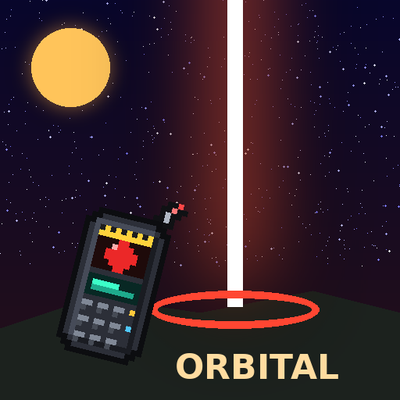
Orbital Arsenal
Call down cinematic orbital strikes with a remote: erase the world with a sun lance, drop a spike from Saturn, make Orion fall or tear the land into the sky!