Vintage Story version
Back to mods 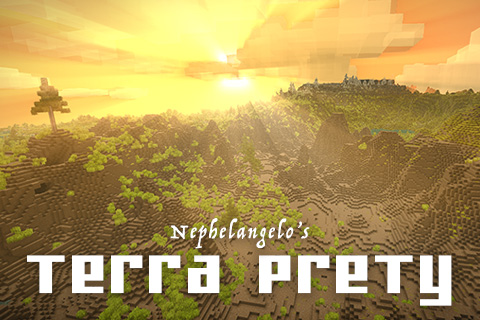
Vintage Story Mod DB · Vintage Story mod
Terra Prety
OBLIGATORY PLUGS: Material Needs Material Needs: Geology Material Needs: Flowers More Fog Please Terra Prety Nephelangelo's Let's Play Series Nephelangelo's Donation Page JonR's Donation Page COOL MOD PLUG: For those of you who would like a slightly more cha
Choose a version Pick your version below, then grab the matching file.
Quick answer
Which Terra Prety release should I use?
Latest stable file 6.2.0
Game version 1.22.2
Loader Built-in Vintage Story mod system
Terra Prety 6.2.0 targets 1.22.2. Do not install it on the client. It must be installed on the dedicated server. No extra mods listed for this file.
Where it goes
Is Terra Prety required on the client, server, or both?
Do not install it on the client. It must be installed on the dedicated server.
Client Not supported
Dedicated server Required
Loader for this release Built-in Vintage Story mod system
Required install it here Optional supported, not mandatory Not supported do not install here Source doesn’t say do not assume
This Vintage Story file is marked server-only.
What else does Terra Prety 6.2.0 need?
6.2.0. Change the file and its required mods may change too.
This file does not list any required mods. Do not add a library just because a different file uses it.
This file does not list any required or optional mods.
Before you install it
Add Terra Prety without breaking your instance.
Built for Terra Prety 6.2.0. Pick another file and the loader, install side or required mods may change.
- 01
Stick to this file
Use 6.2.0. It targets 1.22.2; another release may have different loader, side or dependency requirements.
- 02
Bring the mods it needs
This file does not list any required mods. Do not add a library just because a different file uses it.
- 03
Put it on the correct side
Do not install it on the client. It must be installed on the dedicated server.
- 04
Pick the file you checked
Use the “Get this file” button beside 6.2.0. It opens that exact file at the source.
About this project
What does Terra Prety add?
OBLIGATORY PLUGS:
Material Needs
Material Needs: Geology
Material Needs: Flowers
More Fog Please
Terra Prety
Nephelangelo's Let's Play Series
Nephelangelo's Donation Page
JonR's Donation Page
COOL MOD PLUG: For those of you who would like a slightly more challenging immersive mapmaking experience where you get to draw your own fantasy style maps on parchment, check out this new mod Frontier's Map that was built off some game design ideas we've been discussing on the VS Discord for the last couple years!
7.10.2 UPDATE NOTES: Compatability patch for Watersheds, thanks to collaboration with Algernon. Should now work smoothly and reliably with the latest release of Watersheds! As always, BACKUP YOUR WORLD BEFORE ATTEMPTING TO UPDATE!
If you are updating your 7.8 or 7.9 worlds, make sure to keep the TerraPrety.json ModConfig file you used to create that world in place, and delete older version of Terra Prety from you Mods folder. If you are starting a new world in 7.10, make sure to remove the TerraPrety.json from your ModConfigs folder before running Terra Prety 7.10 so the mod can generate a new TerraPrety.json file with updated settings. And if you change any of these settings to generate a new world make sure to save a backup copy of this new TerraPrety.json alongside your normal world backup save file, you will need it to run that particular world. Terra Prety 7.10 is not compatible with earlier versions of the mod due to the new build balance changing the seeds. Note that there will probably be a little inconsistency with salt water and fresh water regions, this should get patched later and those areas will be easy to regenerate. Thank you as always to Darkluke1111 and JonR for their hard work helping to get this update out quickly! And thank you guys for the positive vibes in the comments! :)
This update makes a number of adjustments to the overall balance and design of Terra Prety worldgen, including:
• Increases the volume of flatter terrain between Hills and Mountains.
• Increases the volume of ocean relative to landmass for more continents fully encircled by ocean.
• Somwhat decreases irregularity of continent shapes so that they're more of a fully formed continent rather than a scatter of landmass.
• Increases the physical mass of Mountains and Hills and Cliffs and canyons to appear more full and robust.
• Refines Canyon landforms to appear more sharp and distinct.
• Relocates the Flat Top landforms to higher altitudes regions so they don't interact with Wetlands and create shattered floating terrain.
• Various other tweaks and adjustments.
Thank you as always to Darkluke1111 and JonR for their amazing work on this mod which would not be possible without them.
Recommended Worldgen Settings (MUST READ)
World Height: 384
Landform Scale: 300%
Walk Speed: Slightly Faster
If you find continents or oceans too large or too small you can adjust their scale by changing the noiseScale value in the TerraPrety.json in your ModConfig folder. If you find regions such as valleys or mountainscapes too large or small, you can also adjust heightMapNoiseScale in the same file. Landcover and Landcover Scale are both disregarded by Terra Prety's new ocean generating system.
Landform Scale: 300%
Walk Speed: Slightly Faster
If you find continents or oceans too large or too small you can adjust their scale by changing the noiseScale value in the TerraPrety.json in your ModConfig folder. If you find regions such as valleys or mountainscapes too large or small, you can also adjust heightMapNoiseScale in the same file. Landcover and Landcover Scale are both disregarded by Terra Prety's new ocean generating system.
Recommended Mods (MUST READ)
Terra Prety is best used with the following mods:
Farseer
Compatibility (MUST READ)
Terra Prety is compatible with the following mods:
Will Update Soon.
Rivers appears to be functional currently but it has significantly increased build time. We will look into that at a later time. Watersheds should be working properly.
Which Terra Prety Update Do You Need?
Any release with 7.9 in the name (7.9.0, 7.9.1, 7.9.2, etc.) will work for a world created in 7.9. If you started your world in 7.8, you will need to download the latest version, which is currently 7.8.2.
As always with any new patch, be sure to *** BACKUP YOUR WORLD *** first before updating.
As always with any new patch, be sure to *** BACKUP YOUR WORLD *** first before updating.
Instructions For Copying and Pasting Builds To New World
Sometimes official game updates mess up mods. Thankfully Vintage Story gives us fantastic WorldEdit tools that make it super easy to copy your builds over to a new world if you you're ever in a pinch.
1. Backup your world and the TerraPrety.json file you used to create it. (Put all your gear in a chest inside your build first, and note the world's current date.)
2. Load up your old world, and go into Creative Mode by pressing "T" and typing "/gm c".
3. Open your Creative Inventory by pressing "E", search for the Magic Wand and put it in your hotbar.
4. Open WorldEdit by pressing "~" (just left of the 1 key) and click the Selection Tool on the left (fourth option down).
5. With the Magic Wand in your hand make a 3D selection around whatever you want to save by left clicking one corner, and right clicking the opposite corner.
6. Save your selected build by pressing "T" and typing “/we export savename”.
7. Create a new world save in Vintage Story 1.21 using Terra Prety 7.0.9.
8. Go to the location you wish to place your build, bring up WorldEdit by press "~", click the “Import” tool at the bottom left and select “savename.json” from the top menu.
9. Select "Replace All" from the Replace Mode at the top center menu, move the selection to the correct position with directional buttons and click “Place”.
You can then also use "/time setmonth ___" (first 3 letters of the month) and "/time add _ days" (number of days into month) to bring your world to the exact date you left off.
Config Guide
These are the only config settings relevant for players to change, the rest are for us as we work. The mod is designed for our Recommended Settings so we can't promise a lot of quality control or support for worlds that tweak these settings much, but you are welcome to play around with them.
noiseScale - Enlarges or shrinks size of continents and oceans equally.
heightMapNoiseScale - Enlarges or shrinks range of mountain and flatland regions equally.
oceanWobbleScale - Enlarges or shrinks range of the irregularity in continent / ocean shapes.
oceanWobbleIntensity - Makes continents either more or less irregular in shape.
remappingKeys - Controls ratio of land to ocean. Reduce both numbers to increase ocean, increase both number to increase land.
remappingValues - Designates pure land and pure ocean areas. Should leave at 0.0 and 1.0.
chanceForMidZone - Increases chance for medium elevation landforms.
targetMidLevel - Determines what elevation landforms to use in MidZone regions.
lowThreshForMidZone - Determines minimum elevation an area needs to be to qualify for being changed by targetMidLevel.
Note on the Current Build of Terra Prety
UPDATE: So the 1.21 update has come to pass, and it looks like we have been able to successfully update all major releases of Terra Prety to work with 1.21! While we can never know for sure what unexpected changes might be coming from Anego in the future, this relatively big 1.21 worldgen update seems to suggest that updating old Terra Prety worlds to new versions of Vintage Story should be feasible. For anyone trying to update their older worlds to 1.21, please download the latest "pre" version of whichever Terra Prety release you are looking to update to 1.21. For example, if you started your world in 6.0.1, you will need to download "6.0.1-pre.2". And as always BACKUP YOUR WORLD BEFORE ATTEMPTING TO UPDATE. As of now they are all updated and all seem to be working properly. 👍
The following is an older cautionary disclaimer which now appears to be outdated, but for the record you can read below:
Down the Rabbit Hole of History You Go
OUDTATED: Because of the unforeseeable nature of Vintage Story game development, Terra Prety will have to remain in a "Work In Progress" state for the time being, as we work toward the completion of a single "final" version of the mod that we will attempt to maintain focused support for throughout future versions of Vintage Story. The 1.21 update appears to be coming sooner than we expected, and with some worldgen changes we were not expecting, so we will be attempting to adapt to that. Whenever it is possible for us to provide patches for future updates of Vintage Story so that people can extend the life of their current worlds, we will try, but we won't know if that's possible until we find out what is coming in future updates.
The goal of this mod, since I first began it, has been to develop terrain well designed and "complete" enough that I feel satisfies my own personal standards for a "Forever World". I will continue to be making tweaks to the overall balance of this mod as we play through it, and try to implement what we consider to be the last two big "missing pieces" for a fully comprehensive standard of worldgen, Ridged Mountain and Elevated Rivers. The balance of terrain you see in the current version of the mod, while a huge step forward, still falls shy of my intended balance. For example, it's great that Terra Prety now has a vast range of ultra flat plains, but I ultimately intend to break up a lot of that dead space with regions of gentle slopes and rolling hills.
I apologize for the uncertainty, and hope you get as much game time fun out of the current build of the mod as possible.
The goal of this mod, since I first began it, has been to develop terrain well designed and "complete" enough that I feel satisfies my own personal standards for a "Forever World". I will continue to be making tweaks to the overall balance of this mod as we play through it, and try to implement what we consider to be the last two big "missing pieces" for a fully comprehensive standard of worldgen, Ridged Mountain and Elevated Rivers. The balance of terrain you see in the current version of the mod, while a huge step forward, still falls shy of my intended balance. For example, it's great that Terra Prety now has a vast range of ultra flat plains, but I ultimately intend to break up a lot of that dead space with regions of gentle slopes and rolling hills.
I apologize for the uncertainty, and hope you get as much game time fun out of the current build of the mod as possible.
Archive
Terra Prety: Coastlines & Continents 7.0 is out! I am extremely pleased to bring you what I feel is now a fully comprehensive assemblage of key worldgen, including oceans, scattered archipelagos, detailed coastlines, and truly proper, fully formed continents spanning vast and distinct regions of terrain, everything from the deepest wetlands, to ultra flat plains, to sublime slopes, rolling hills, precarious cliffs, canyons, crags, monstrous peaks and more. Thank you to my coding partners Darkluke1111 and JonR for helping to enable this approach to worldgen design which I have been working to develop for the last year. I hope you enjoy!
The focus of Terra Prety 7.0 is to introduce truly proper continents, islands, and archipelagos into Vintage Story, with far more gradual and detailed coastlines, all of which have now been made possible with the help of my exceptionally talented coding partner Darkluke1111, who had overheard my rambling ideas for producing natural looking coastlines and continents many months ago and approached me offering his help. Terra Prety 7.0 also introduces a new landform elevation system made possible by JonR of the Toolsmith mod, finally enabling us to organize landforms based on height to prevent blending transition problems and create a more comprehensive, coherent world with distinct regions, enormous diversity and seamless transitions. This landscape should now feel far more gradual and natural, and both the Elk and Boat travel should feel far more enjoyable and rewarding. Best experienced with Farseer mod.
Gone are the days of shattered floating pillars (well, mostly gone :D) and artificial looking geometric terrain, this worldgen is designed to live up to the beautiful builds you create for it. Please consider this your artistic canvas, please share pictures of any pretty terrain you might find, and the works of art you build upon it.
Note on 7.0.6 and 7.0.7
It looks like the previous 7.0.6 and 7.0.7 releases contained a bit of extra code which had been causing story structures to sometimes spawn in the ocean or floating above, a mistake I had missed in my testing. We have now fixed this in Terra Prety 7.0.8. Unfortunately this will not be backwards compatible with existing worlds due to the nature of tweaking worldgen, but you CAN simply copy and paste your build progress from 7.0.7 onto an identical seed in 7.0.8 using Vintage Story's WorldEdit and continue playing from there (just make sure to use your old TerraPrety.json from 7.0.7 for creating this new world save). I'm very sorry about this. Story structure spawning has been tested in 7.0.8 and should be 100% reliable spawning inland on continents. To copy and paste your build progress onto a new world, you can follow the instructions below (looks convoluted but it's actually very easy):
Instructions For Copying And Pasting Build Onto New World
1. Backup your world and the TerraPrety.json file you used to create it. (Put all your gear in a chest first, and note the world's current date.)
2. Load up your world, press "T" and type "/gm c" to go into Creative Mode.
3. Press "E" to bring up the Creative Inventory, search for the Magic Wand and put it in your hotbar.
4. Press "~" (just left of the 1 key) to bring up WorldEdit and click the Selection Tool on the left (fourth option down).
5. With the Magic Wand in your hand make a 3D selection around whatever you want to save by left clicking one corner, and right clicking the opposite corner.
6. Press "T" and type “/we export savename” to save the selected build.
7. Make sure the old TerraPrety.json used to create your world remains unchanged in your ModConfig folder.
8. Create a new identical world save in Vintage Story 1.21 using Terra Prety 7.0.8. (You can use the "Create a new world with this world seed" button from your old world's settings menu and copy and paste its settings using the copy button to the right of "Playstyle".)
9. Go to the location for your build, press "~" to bring up WorldEdit, click the “Import” tool at the bottom left and select “savename.json” from the top menu.
10. Select "Replace All" from the Replace Mode at the top center menu, move the selection to the correct position with directional buttons and click “Place”.
You can then also use "/time setmonth ___" (first 3 letters of the month) and "/time add _ days" to bring your world to the exact date you left off.
2. Load up your world, press "T" and type "/gm c" to go into Creative Mode.
3. Press "E" to bring up the Creative Inventory, search for the Magic Wand and put it in your hotbar.
4. Press "~" (just left of the 1 key) to bring up WorldEdit and click the Selection Tool on the left (fourth option down).
5. With the Magic Wand in your hand make a 3D selection around whatever you want to save by left clicking one corner, and right clicking the opposite corner.
6. Press "T" and type “/we export savename” to save the selected build.
7. Make sure the old TerraPrety.json used to create your world remains unchanged in your ModConfig folder.
8. Create a new identical world save in Vintage Story 1.21 using Terra Prety 7.0.8. (You can use the "Create a new world with this world seed" button from your old world's settings menu and copy and paste its settings using the copy button to the right of "Playstyle".)
9. Go to the location for your build, press "~" to bring up WorldEdit, click the “Import” tool at the bottom left and select “savename.json” from the top menu.
10. Select "Replace All" from the Replace Mode at the top center menu, move the selection to the correct position with directional buttons and click “Place”.
You can then also use "/time setmonth ___" (first 3 letters of the month) and "/time add _ days" to bring your world to the exact date you left off.
Note on 7.0.8 and 7.0.9
Surprise surprise! Terra Prety 7.0.9 is now out! This update focuses on bringing the variety of the landscape to the forefront, introducing a few new landforms including Nightmare Peak mountains straight out of a fairy tale, greatly increasing the frequency of specialty landforms such as cliffs, plateaus, canyons, bogs, wetlands, lakes, ponds, buttes, flat tops, and more. Also shrinks down the broadness of the standard plains and hills to increase the overall frequency of details and make it a lot easier to see new things while traveling. New recommended world height is now 384 for the new mountains! Also be sure to check out my new mod Material Needs to get the 28 new flower variants included in the screenshots above. Also update regarding the Rivers mods, the Rivers mod does now appear to be stable enough for use with Terra Prety, though we cannot provide any support for it. We are currently working on our own implementations of Rivers.
This update is a continuation of our ongoing design improvements and is NOT compatible with existing worlds. You will need to start a new world to use 7.0.9. Please make sure to backup and remove any existing TerraPrety.json files from your ModConfig folder before starting a new world with Terra Prety 7.0.9. (You will need to save this config file for any particular worlds you use them with. Eventually we will try to bake these settings into your save file so you don't have to keep this additional file.) As always with any new patch, be sure to *** BACKUP YOUR WORLD *** first before installing an update patch.
As always with any new patch, be sure to *** BACKUP YOUR WORLD *** first before updating.
The Mod Formerly Known As VTR (Vanilla Terrain Reformed).
THANK YOU to Tenth Architect, BillyGalbreath, dove, Dekkan, Nat, Techy, Cupcake, Generation Internet, NiclAss, burneddi and Tyron for assistance in the development of this little mod.
Project description from Vintage Story Mod DB.
Pick your setup
Terra Prety releases for each Vintage Story version.
Choose the version and loader you play, then open the matching release.
Vintage Story version
1.22.1
1 loader buildVintage Story version
1.22.0
1 loader buildVintage Story version
1.21.6
1 loader buildVintage Story version
1.21.5
1 loader buildVintage Story version
1.21.1-rc.1
1 loader buildVintage Story version
1.21.1
1 loader buildVintage Story version
1.21.0-rc.4
1 loader buildVintage Story version
1.21.0
1 loader buildVintage Story version
1.20.12
1 loader buildVintage Story version
1.20.11
1 loader buildVintage Story version
1.20.9
1 loader buildShowing the newest 12 of 16 game versions. Older files are in the list below.
Check the dependencies, then try the file in a copied instance before changing a world you care about.
Recent files
Terra Prety versions and loaders
6.2.0
TerraPrety_6.2.0.zip
26 May 2026
Client Not supported Server Required Dependencies No extras listed Listed on Release listing
Check the 1.22.2 setup 1.22.2 release
7.10.2
TerraPrety_7.10.2.zip
11 May 2026
Client Source doesn’t say Server Source doesn’t say Dependencies No extras listed Listed on Release listing
Check the 1.22.2 setup 1.22.01.22.11.22.2 release
7.8.2
TerraPrety_7.8.2.zip
7 May 2026
Client Source doesn’t say Server Source doesn’t say Dependencies No extras listed Listed on Release listing
Check the 1.22.2 setup 1.22.01.22.11.22.2 release
7.9.2
TerraPrety_7.9.2.zip
7 May 2026
Client Source doesn’t say Server Source doesn’t say Dependencies No extras listed Listed on Release listing
Check the 1.22.2 setup 1.22.01.22.11.22.2 release
7.10.1
TerraPrety_7.10.1.zip
7 May 2026
Client Source doesn’t say Server Source doesn’t say Dependencies No extras listed Listed on Release listing
Check the 1.22.2 setup 1.22.01.22.11.22.2 release
7.8.1
TerraPrety_7.8.1.zip
6 May 2026
Client Source doesn’t say Server Source doesn’t say Dependencies No extras listed Listed on Release listing
Check the 1.22.2 setup 1.22.2 release
7.9.1
TerraPrety_7.9.1.zip
6 May 2026
Client Source doesn’t say Server Source doesn’t say Dependencies No extras listed Listed on Release listing
Check the 1.22.2 setup 1.22.01.22.11.22.2 release
7.10.0
TerraPrety_7.10.0.zip
6 May 2026
Client Source doesn’t say Server Source doesn’t say Dependencies No extras listed Listed on Release listing
Check the 1.22.2 setup 1.22.01.22.11.22.2 release
7.8.0
TerraPrety_7.8.0.zip
15 Dec 2025
Client Source doesn’t say Server Source doesn’t say Dependencies No extras listed Listed on Release listing
Check the 1.21.6 setup 1.21.6 release
7.9.0
TerraPrety_7.9.0.zip
15 Dec 2025
Client Source doesn’t say Server Source doesn’t say Dependencies No extras listed Listed on Release listing
Check the 1.21.6 setup 1.21.6 release
7.0.9
TerraPrety_7.0.9.zip
15 Nov 2025
Client Source doesn’t say Server Source doesn’t say Dependencies No extras listed Listed on Release listing
Check the 1.21.5 setup 1.21.5 release
7.0.8
TerraPrety_7.0.8.zip
7 Sept 2025
Client Source doesn’t say Server Source doesn’t say Dependencies No extras listed Listed on Release listing
Check the 1.21.5 setup 1.21.01.21.11.21.5 release
Looking for an older file? The official Vintage Story Mod DB project page is in Resources.