Minecraft version
Back to mods 
CurseForge · Minecraft mod
Tactile:Blocks
Functional blocks are being overhauled to make them more detailed, immersive, and interactive. No more UI fore them !
Choose a version Pick your version below, then grab the matching file.
Quick answer
Which Tactile:Blocks release should I use?
Latest stable file tactile-blocks1.0.1.jar
Game version 26.1.2
Loader NeoForge
Tactile:Blocks tactile-blocks1.0.1.jar targets 26.1.2 with NeoForge. The project page does not say whether this file belongs on the client, dedicated server, or both. No extra mods listed for this file.
Where it goes
Is Tactile:Blocks required on the client, server, or both?
The project page does not say whether this file belongs on the client, dedicated server, or both.
Client Source doesn’t say
Dedicated server Source doesn’t say
Loader for this release NeoForge
Required install it here Optional supported, not mandatory Not supported do not install here Source doesn’t say do not assume
The source does not explicitly classify this release as client-only or server-only.
What else does Tactile:Blocks tactile-blocks1.0.1.jar need?
tactile-blocks1.0.1.jar. Change the file and its required mods may change too.
This file does not list any required mods. Do not add a library just because a different file uses it.
This file does not list any required or optional mods.
Before you install it
Add Tactile:Blocks without breaking your instance.
Built for Tactile:Blocks tactile-blocks1.0.1.jar. Pick another file and the loader, install side or required mods may change.
- 01
Stick to this file
Use tactile-blocks1.0.1.jar. It targets 26.1.2 with NeoForge; another release may have different loader, side or dependency requirements.
- 02
Bring the mods it needs
This file does not list any required mods. Do not add a library just because a different file uses it.
- 03
Put it on the correct side
The project page does not say whether this file belongs on the client, dedicated server, or both.
- 04
Pick the file you checked
Use the “Get this file” button beside tactile-blocks1.0.1.jar. It opens that exact file at the source.
About this project
What does Tactile:Blocks add?
Functional blocks are menus with a model in front of them. Tactile:Blocks removes the menu and leaves the object.
Every functional block is rebuilt with a more detailed model, keeping the vanilla textures as much as possible. The GUI is gone: you interact with the block itself, and the work happens in front of you, in plain sight.
Vanilla recipes drive everything, so any recipe, modded or not, works exactly as it always did. A few blocks go further and change the mechanics themselves: the enchanting table, the anvil and the furnace.
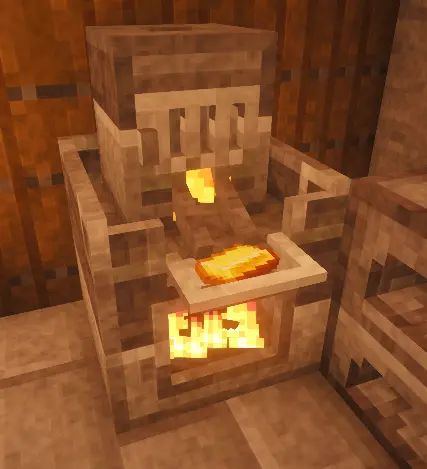
Furnace
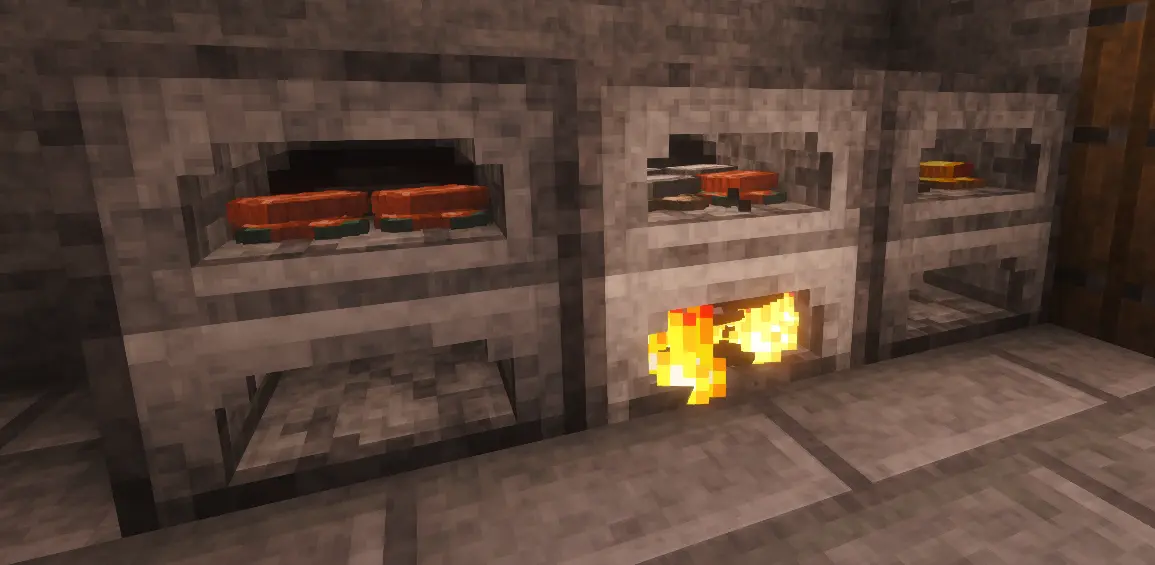
Two compartments: ingredients on top, fuel below. The top one holds four different item types, and the results stack on an eight-slot grid.
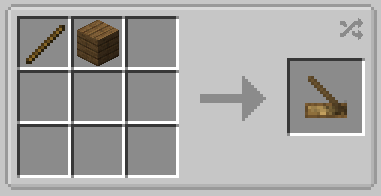
Light the fuel by holding right-click on it with the hand drill. Fuel keeps burning whether or not there is anything to cook. Hoppers are not supported.
Smoker
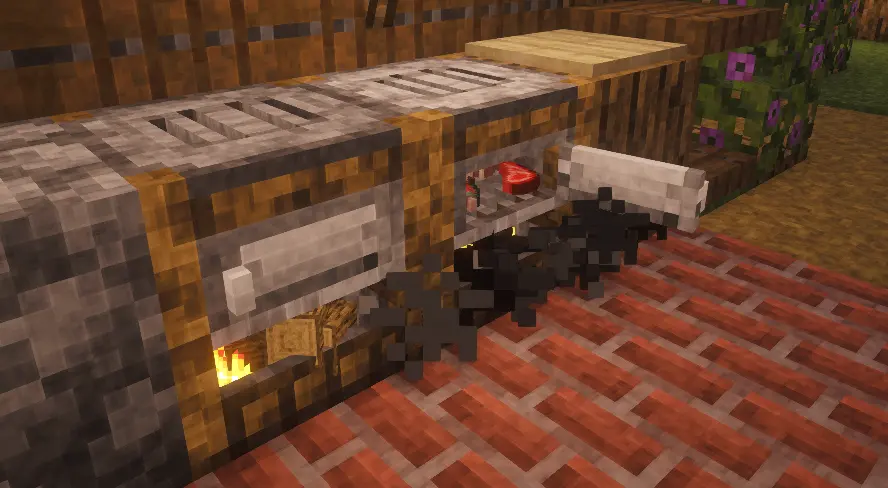
Same idea, behind a door you have to open to load it. Leave the door open and the smoke escapes from the front, and the food stops cooking.
Brewing stand
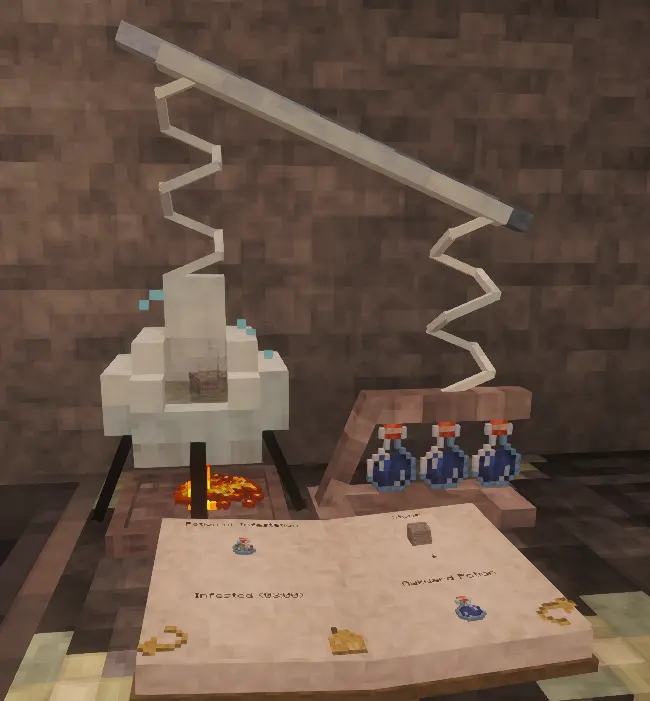
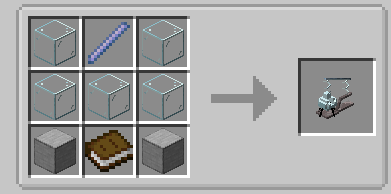
Vanilla mechanics, no interface. Blaze powder goes in the compartment underneath, the ingredient in the chamber above it, the three bottles on the right, and water is poured in with a water bottle.
The water boils and takes the colour of the ingredient once a recipe is valid. The book at the front is a real index: click a potion to jump to its recipe.
Anvil and engraving bench
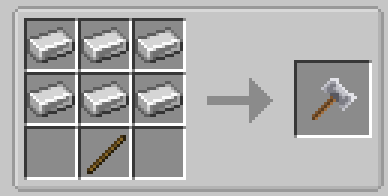
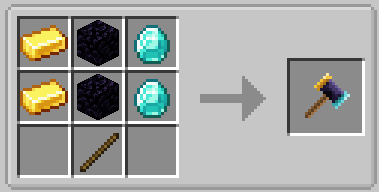
The anvil alone repairs and merges. Place the item down, the ingredient on top, then strike with the forging hammer until the sound and the particles tell you it is done.
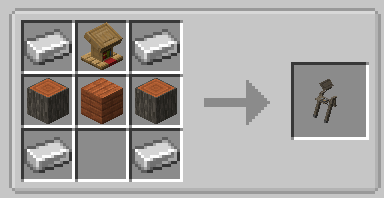
Renaming and merging enchantment books need the engraving bench, added on the left side. Right-click a tool to rename it. Right-click with a book to lay it on the lectern, then strike it with the enchantment hammer.
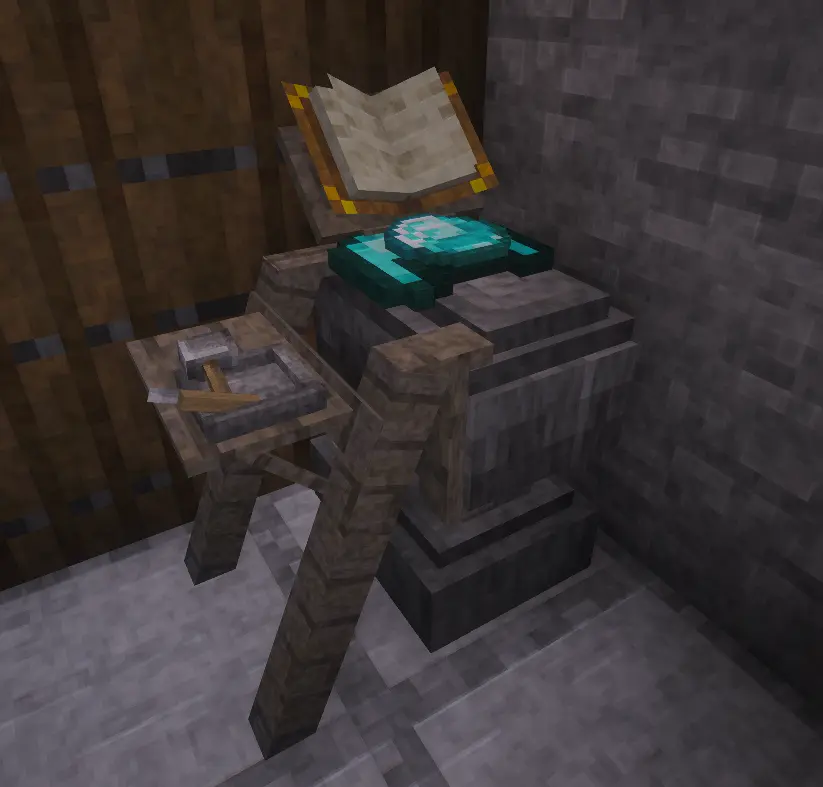
Millstone
Hold right-click nearby to repair or disenchant.
Repairing needs no ingredient but costs experience, and a fully broken item takes 30 seconds. The repair cap drops by 0.05% per second, and only an anvil removes it. Disenchanting is free and quick.
Smithing table
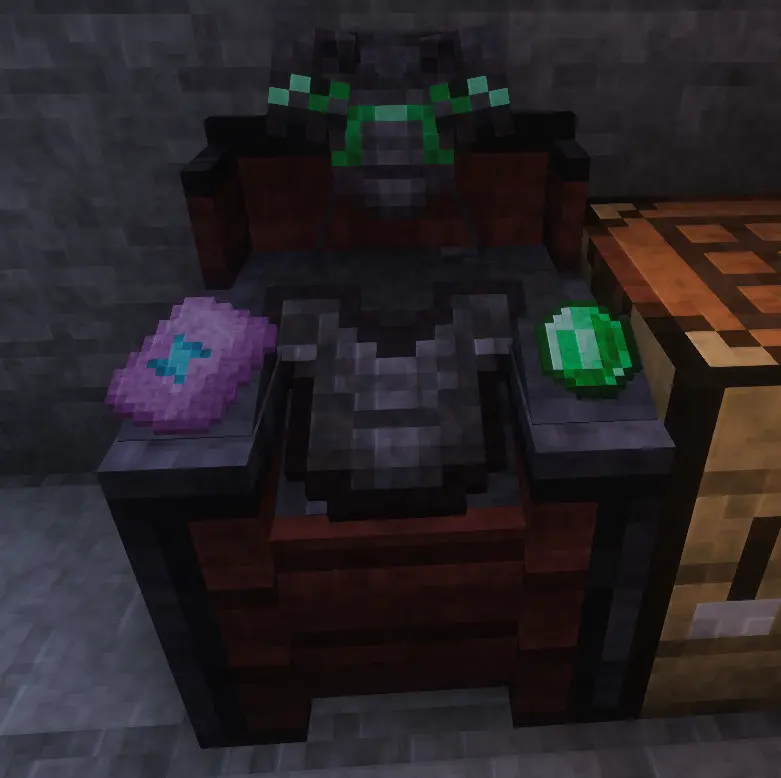
Item in the centre, template on the left, material on the right. The preview faces you. Confirm with the smithing hammer.
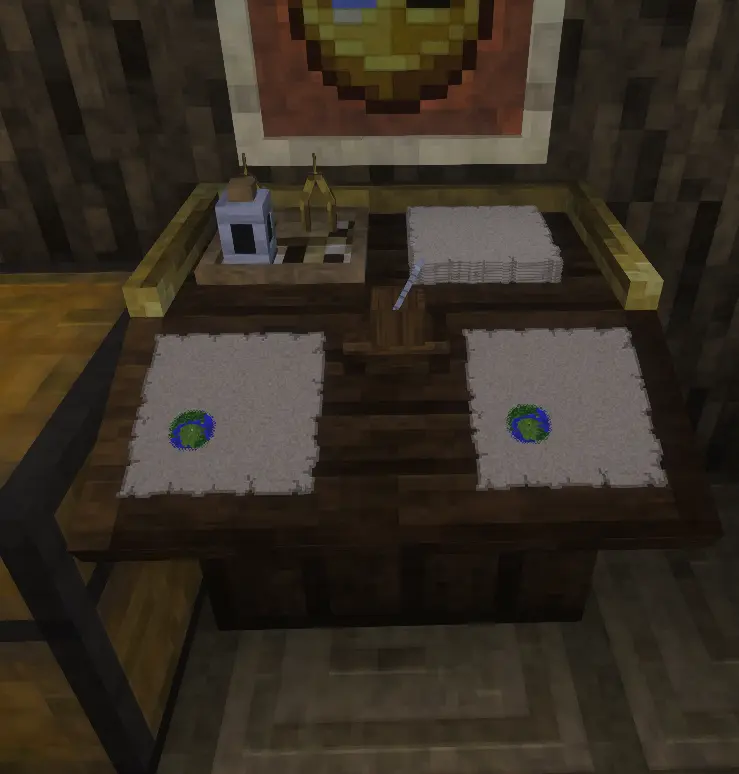
Cartography table
Map enlargement recipes are replaced by the table itself, and blank maps can only be activated here. Everything but enlarging consumes ink and quills.
Main map on the left, right-click the quill to reveal a blank one. Copy slot on the right. Back right holds the eight blank maps an enlargement needs; right-click the compasses to enlarge. Refill the ink with an ink sac, the holder with a feather.
Enchanting table
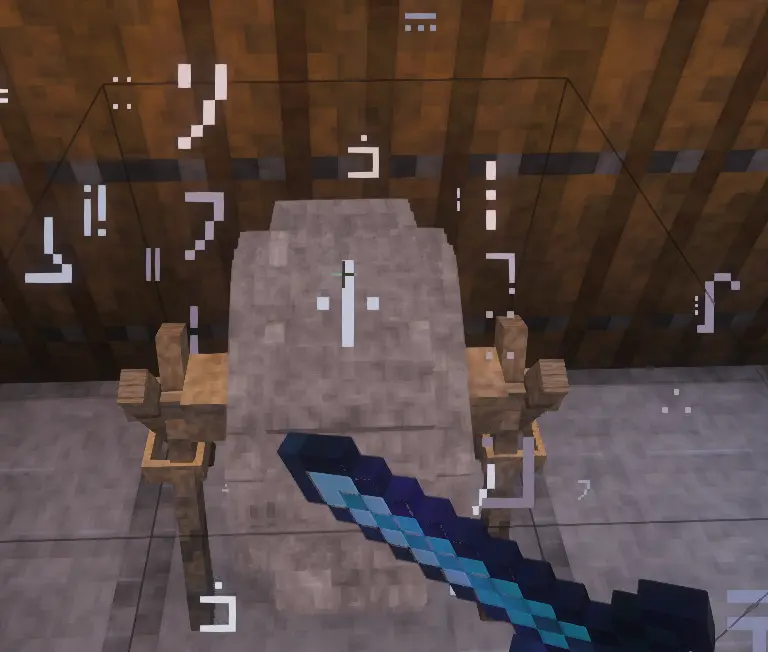
An altar you handle directly. Everything happens inside the Grimoire, a book you hold open in front of you.
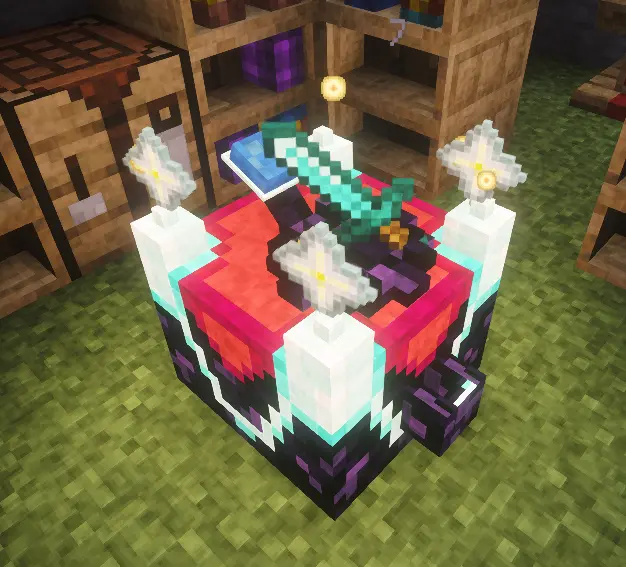
Three things are yours to manage:
- Power. Right-click the front chute with an empty hand to invest levels. They are stored permanently in the four antennae and are never spent by enchanting. The more power, the stronger the offers, up to level 32, where curses stop appearing.
- Fuel. Only Knowledge Books fuel an enchantment. Craft them by right-clicking a plain book on the lectern, for 2 levels, then store them in the bookshelves around the table. Each holds four.
- Lapis lazuli. Right-click the back receptacle to fill it. Lapis pays for refreshing the three offers.
Place the item on the central pedestal, hold the Grimoire, and right-click near the table. The left page shows your context, the right page the three offers and their cost. Click one to apply it.
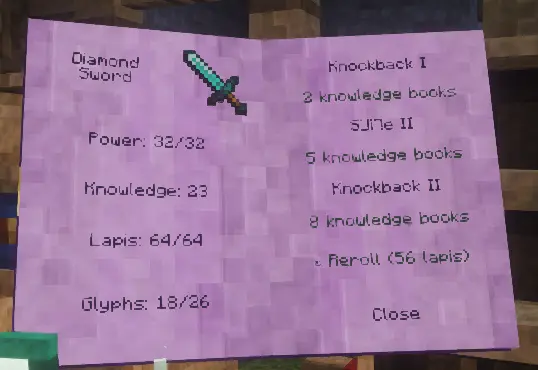
Enchantment names are written in the Standard Galactic Alphabet. Every enchantment teaches you a few letters, and the Grimoire slowly becomes readable.
Books can be enchanted too, and turn into ordinary enchanted books. Being easy targets, they cost more: twice as much for a plain book, one and a half times for a Knowledge Book.
Once the antennae are full, an offer may appear in gold with a +: an enchantment beyond the normal limit. It costs one Nether Star, placed by right-clicking an antenna, up to four.
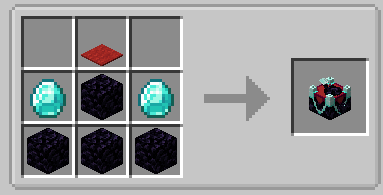
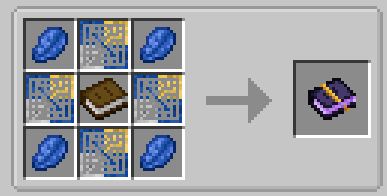
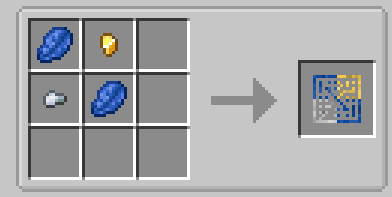
The enchanting system can be switched back to the vanilla format in the mod settings. You keep the grimoire, and still fill the bookshelves with standard books.
Chest
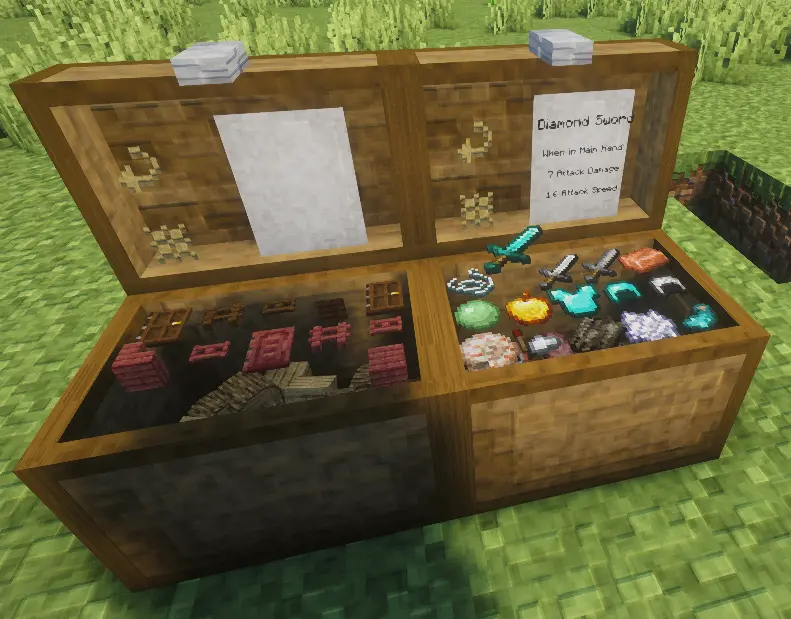
Two states that last until you act on them: closed, and breakable. Open, and unbreakable.
Right-click the grid to place an item, hold to place the stack. Left-click to take one, hold to take the stack. Shift picks up or puts down everything matching. Items dropped onto the chest are stored on their own.
Two buttons on top: swap to the second grid, and sort the current one. Shift-click sorts the whole chest.
Blast furnace
Vanilla behaviour. Fuel at the bottom, raw ore on top, and the small compartment at the front collects the result.
It moves into the world you already have
Stations already placed, in villages or in your own builds, become their Tactile versions on their own, without touching what they contain.
Compatibility
- Any recipe works, vanilla or modded, with nothing to configure.
- Existing worlds are supported.
- The enchanting system can be switched back to vanilla from the mod settings, in the mods list. It is a server setting, shared with every player who connects.
Save safety
Change your mind and everything goes back to vanilla with /tactile revert: the stations return to the blocks they were, everywhere in the world.
Nothing is lost in the process. Whatever a station was holding goes back into the vanilla block when that block has an inventory, and drops at your feet when it has none, as with the smithing table or the enchanting table. Unopened structure chests keep their loot. A backup is still good practice.
Minecraft 1.21.1 and 26.1 · Fabric and NeoForge · client and server
Website : belerion63.github.io/Tactile Discord : discord
The mods are free and will stay free. If you want to support the work, you can do it on Ko-fi.
Part of the Tactile suite
Tactile reworks the world of Minecraft in depth, one layer at a time. The gesture is its final note.
Available now :
Tactile:Wood is coming, and more after it.
AI Disclosure
Developed with AI assistance (Claude by Anthropic) for code implementation. Concept, design, architecture and all decisions are entirely my own.
Project description from CurseForge.
Pick your setup
Tactile:Blocks by Minecraft version and loader
Choose the version and loader you play, then open the matching release.
Minecraft version
1.21.1
1 loader buildCheck the dependencies, then try the file in a copied instance before changing a world you care about.
Recent files
Tactile:Blocks versions and loaders
tactile-blocks1.0.1.jar
21 Jul 2026
Client Source doesn’t say Server Source doesn’t say Dependencies No extras listed Listed on Release listing
Check the 26.1.2 · NeoForge setup NeoForge26.1.2 release
tactile-blocks1.0.0.jar
14 Jul 2026
Client Source doesn’t say Server Source doesn’t say Dependencies No extras listed Listed on Release listing
Check the 26.1.2 · NeoForge setup NeoForge26.1.2 release
tactile 1.0 - 1.21.1.jar
8 Jul 2026
Client Source doesn’t say Server Source doesn’t say Dependencies No extras listed Listed on Release listing
Check the 1.21.1 · Fabric setup Fabric1.21.1 release
Looking for an older file? The official CurseForge project page is in Resources.
 mod
mod CurseForge + Modrinth · Minecraft
Hovering Hotbar
Makes your hotbar seemingly float in place by shifting it a few pixels upward.
 mod
mod CurseForge · Minecraft
Create Aeronautics Controller Compat
Allows Create Aeronautics To Be Played On Controller
 mod
mod CurseForge · Minecraft
TD LeaderBoard
A server-authoritative Minecraft leaderboard for deaths and travel distance. Hold TAB for live rankings or open a full-screen view with sorting, pagination, configurable columns, and optional offline players.