Minecraft version
Back to mods 
CurseForge · Minecraft mod
Tactile:Wood
Trees stop being copies: every one becomes a unique, procedurally shaped volume, and felling it is a real gesture. Modded trees are handled automatically, and an in-game workshop lets you sculpt your own species and share them in one click.
Choose a version Pick your version below, then grab the matching file.
Quick answer
Which Tactile:Wood release should I use?
Latest stable file tactilewood-1.0.4.jar
Game version 26.1.2
Loader NeoForge
Tactile:Wood tactilewood-1.0.4.jar targets 26.1.2 with NeoForge. The project page does not say whether this file belongs on the client, dedicated server, or both. No extra mods listed for this file.
Where it goes
Is Tactile:Wood required on the client, server, or both?
The project page does not say whether this file belongs on the client, dedicated server, or both.
Client Source doesn’t say
Dedicated server Source doesn’t say
Loader for this release NeoForge
Required install it here Optional supported, not mandatory Not supported do not install here Source doesn’t say do not assume
The source does not explicitly classify this release as client-only or server-only.
What else does Tactile:Wood tactilewood-1.0.4.jar need?
tactilewood-1.0.4.jar. Change the file and its required mods may change too.
This file does not list any required mods. Do not add a library just because a different file uses it.
This file does not list any required or optional mods.
Before you install it
Add Tactile:Wood without breaking your instance.
Built for Tactile:Wood tactilewood-1.0.4.jar. Pick another file and the loader, install side or required mods may change.
- 01
Stick to this file
Use tactilewood-1.0.4.jar. It targets 26.1.2 with NeoForge; another release may have different loader, side or dependency requirements.
- 02
Bring the mods it needs
This file does not list any required mods. Do not add a library just because a different file uses it.
- 03
Put it on the correct side
The project page does not say whether this file belongs on the client, dedicated server, or both.
- 04
Pick the file you checked
Use the “Get this file” button beside tactilewood-1.0.4.jar. It opens that exact file at the source.
About this project
What does Tactile:Wood add?
A forest is a thousand copies of the same tree. Tactile:Wood makes every one of them its own.
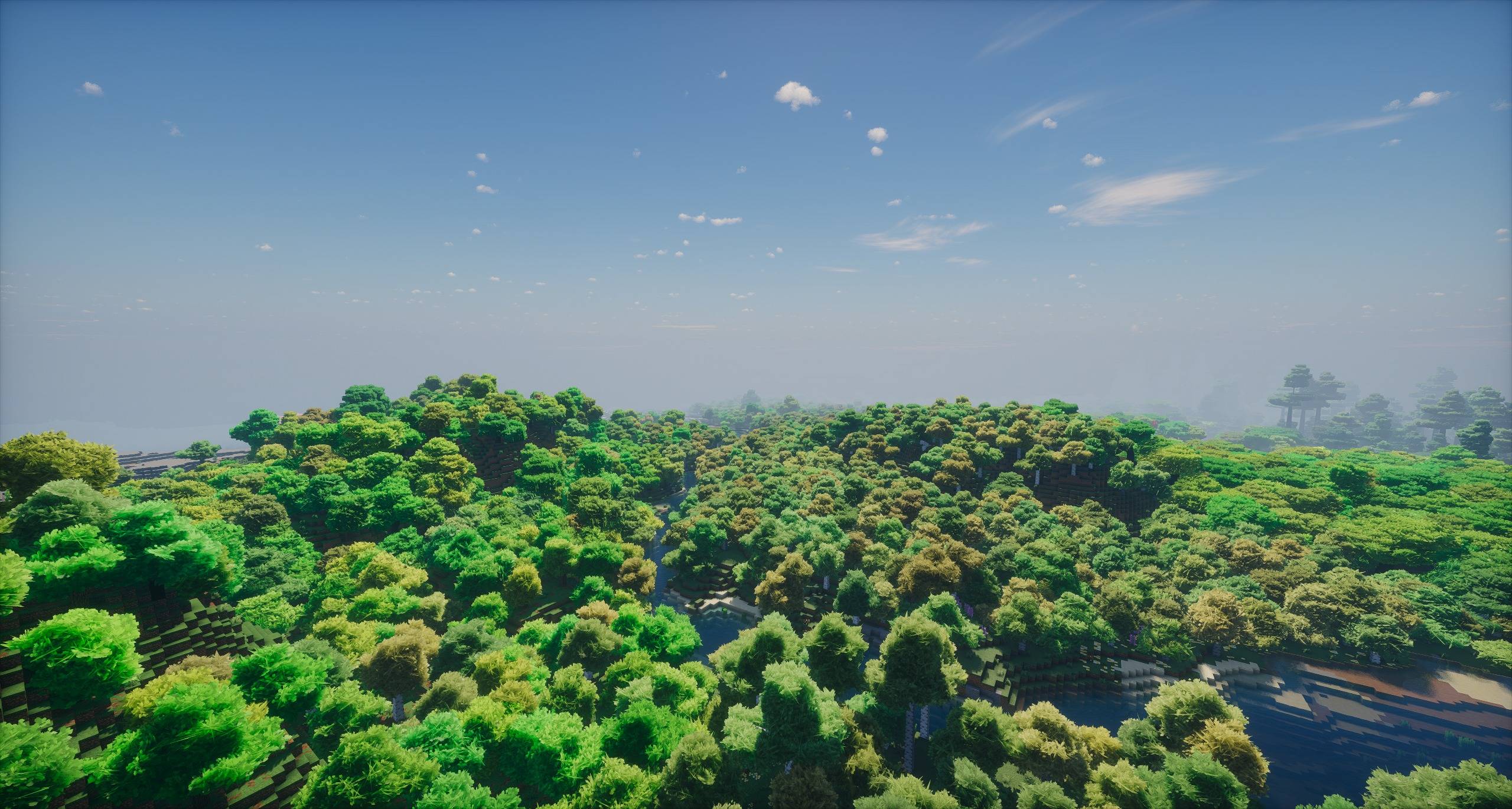
The mod does not generate anything. It reads the trees your world already has and redraws them: trunk, branches and foliage. Two things follow from that.
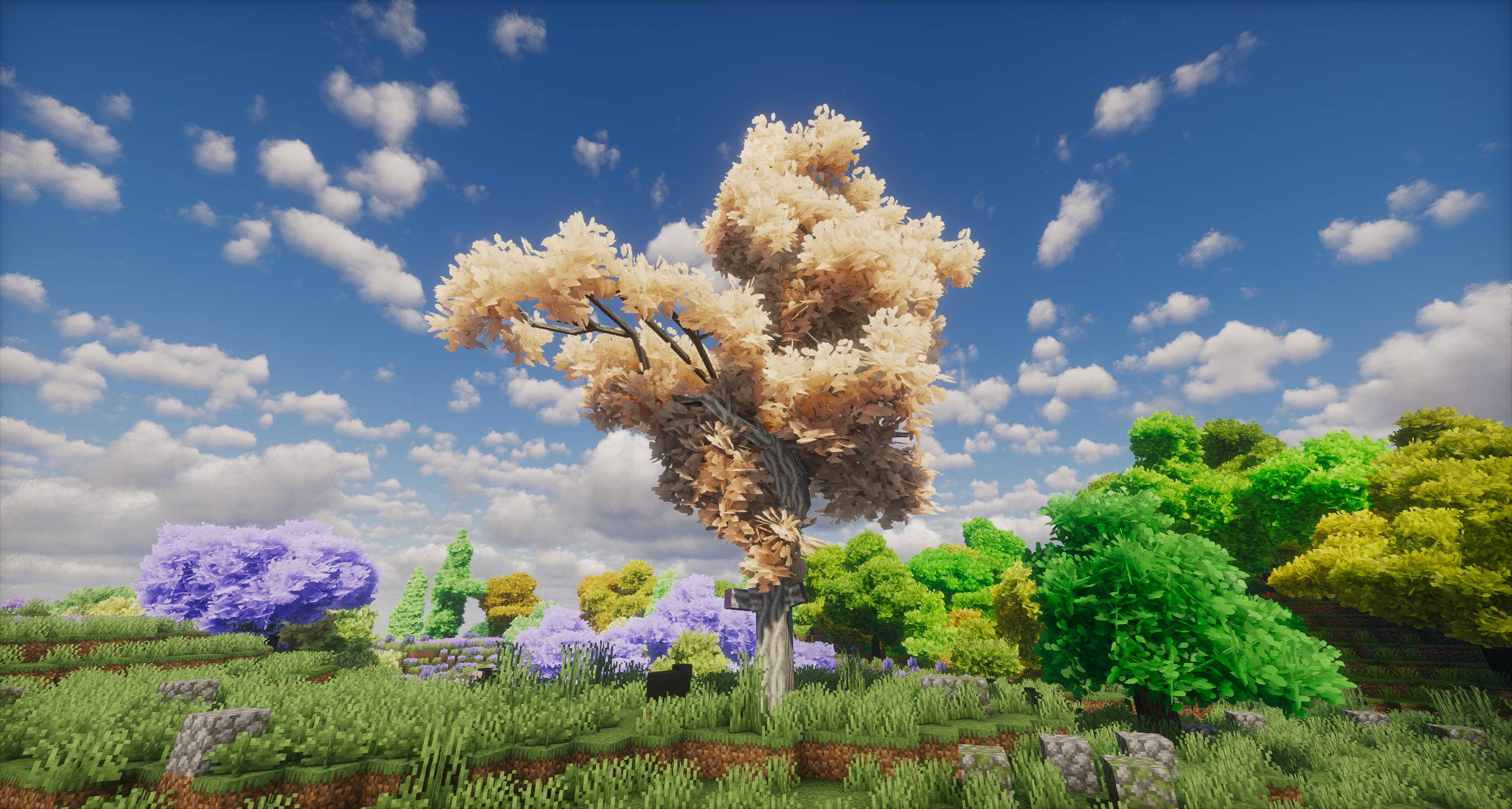
No two trees are alike. Shape, lean and colours are all derived from the tree itself, so a forest stops being a repeated pattern. The silhouettes answer each other, cross and overlap.
Every tree is handled, vanilla or modded. There is no species list to maintain: a tree the mod has never seen still gets a form that fits it.
Foliage with volume
Leaves are no longer a grid of flat cubes. They become tufts of planes, dressed in textures traced from the game's own leaves, with shadow and light built in to give them depth.
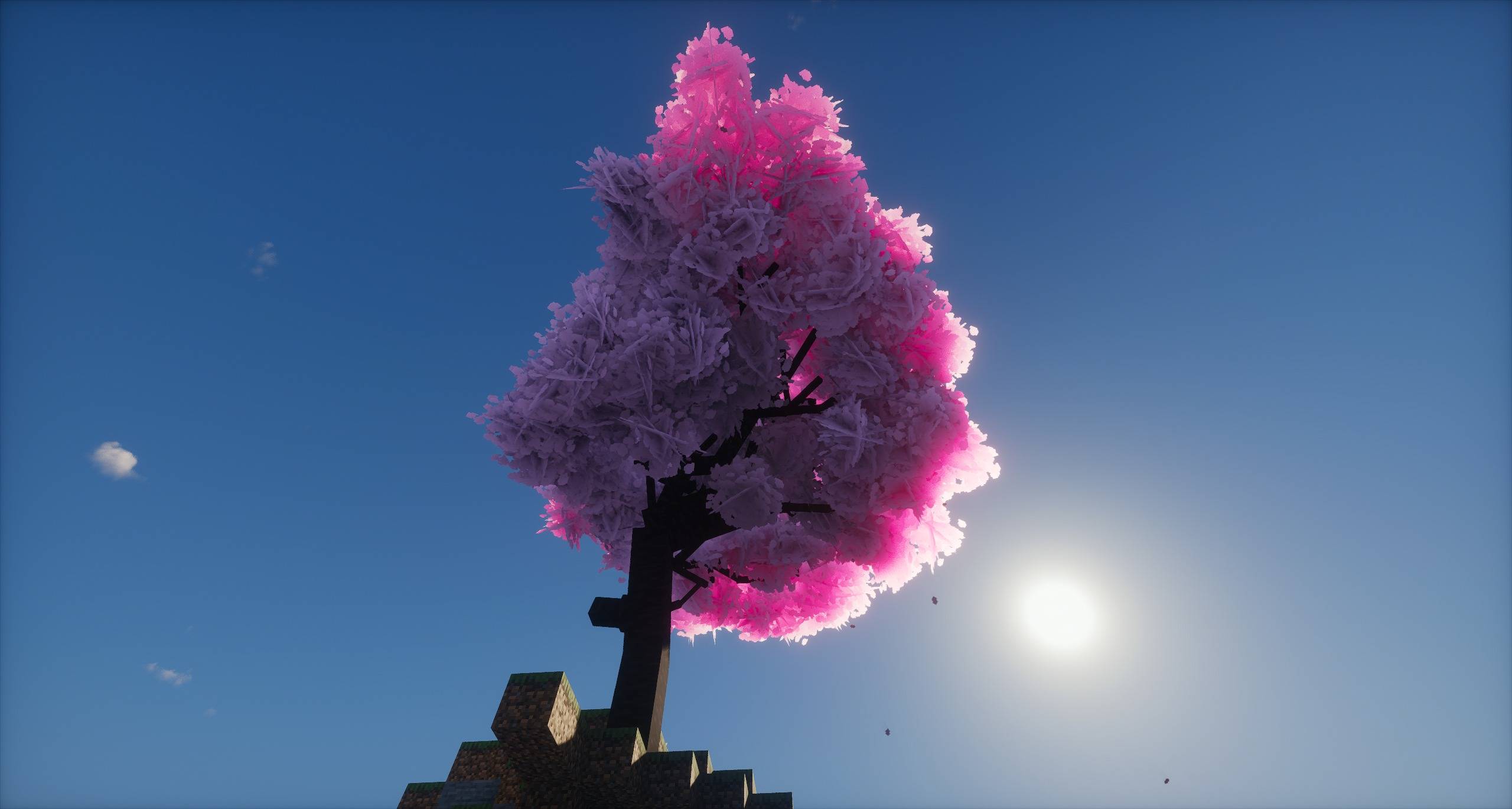
It applies to the whole game, vanilla leaves included, and it stays optional: the original textures are one click away.
Felling is a gesture
An axe is required to fell a trunk. Several blows send the crown toppling, and the tree keeps falling until it lands.
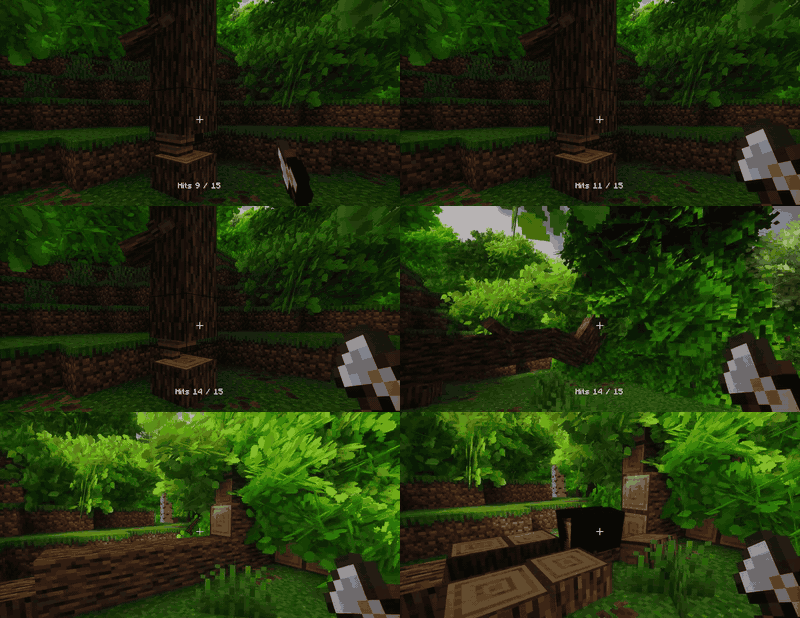
The fallen tree is then cut where it lies, log by log, and each one splits into two. Bare-handed, you can still tear the ends off branches, which is exactly enough to make your first axe.
The stump stays in the ground. Harvest it with an axe, or leave it: it will grow back on its own.
Sculpt your own species
Tactile:Wood ships with a full species workshop, for anyone who would rather decide the shape of their trees than let the mod guess it.
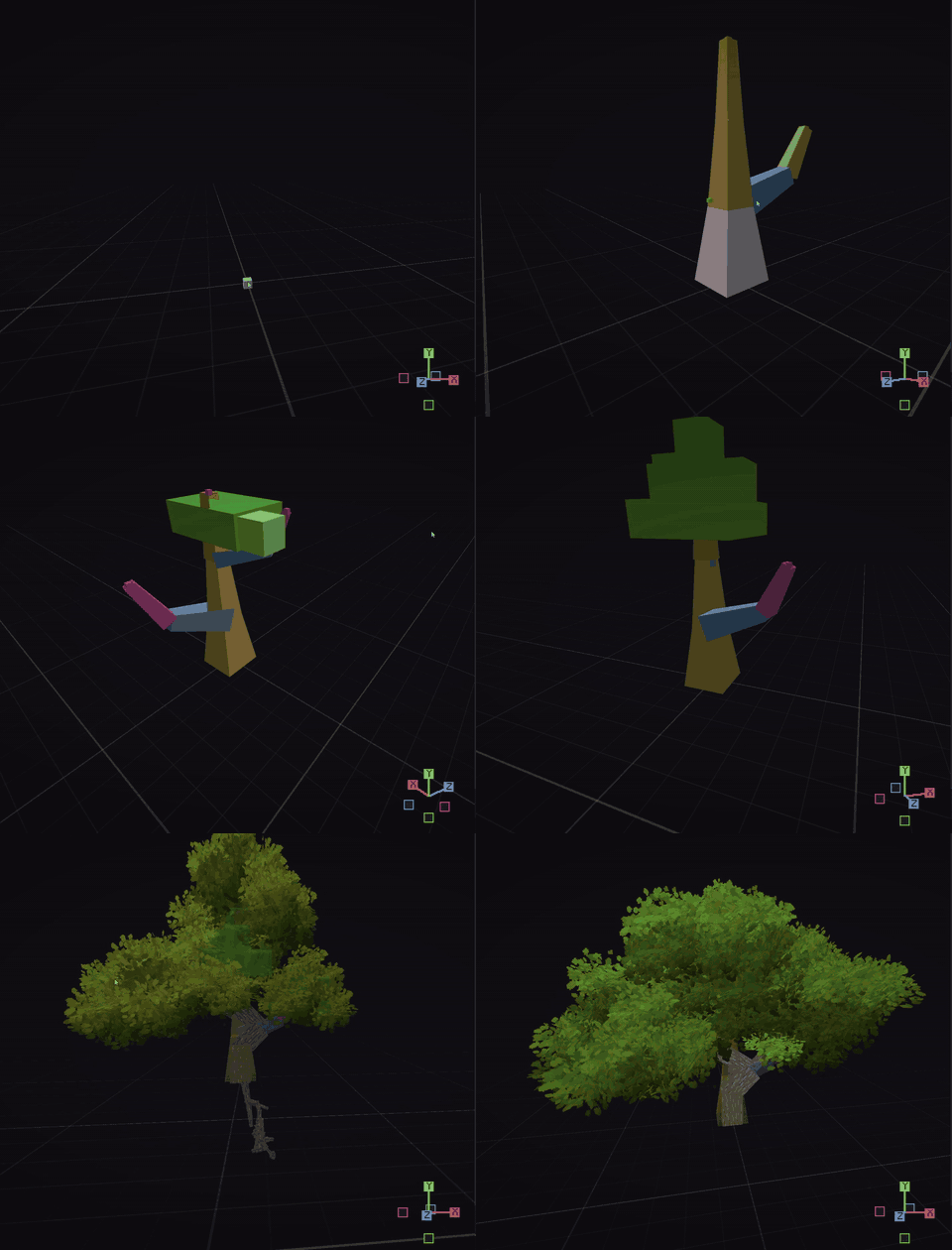
Everything happens in game. You sculpt a tree from the stump to its branches, tune its procedural parameters, and draw its leaves. Several authored models can coexist on the same species, and the game's own form always stays in the draw.
And what you make can be shared in one click. Publishing sends your pack to the showcase on the website, where any player can install it. Someone else's forest can become yours.
A tree made in the workshop stays a valid tree without the mod. It simply looks like the cubes everyone knows.
Compatibility
- Vanilla and modded trees, automatically.
- Tested in heavily modded environments.
- Works with Sodium.
Performance
Performance is a design constraint here, not a patch applied afterwards. The rendering is cached, thinned with distance, and prepared ahead of time so that crossing a forest does not stutter.
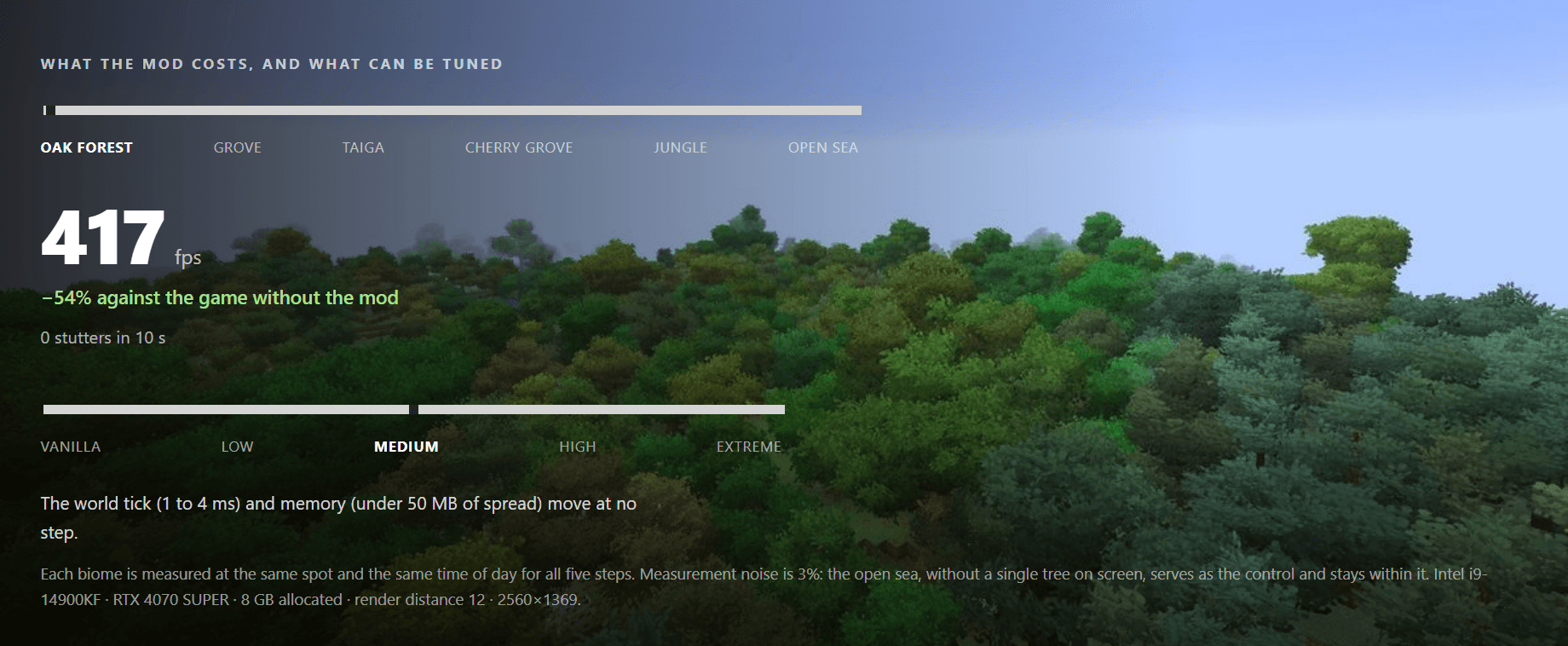
A foliage detail setting, in the mod options, is the one lever that really matters: it decides how many planes make up a tuft.
Save safety
The mod adds no blocks of its own. Your trees stay vanilla logs and leaves.
Shaping a tree does write to the world, but only vanilla blocks, and the original state is recorded before anything is written. A single command gives every tree its original form back, and your world comes out intact. Removing the mod leaves a world that reads perfectly well without it. A backup is still good practice.
Minecraft 26.1 · NeoForge · client and server
Compatible with iris-neoforge-1.11.3+mc26.1.2 & sodium-neoforge-0.9.2-alpha.4+mc26.1.2
Website : belerion63.github.io/Tactile Discord : discord.com/invite/WPdhCW4JdU
The mods are free and will stay free. If you want to support the work, you can do it on Ko-fi.
Part of the Tactile suite
Tactile reworks the world of Minecraft in depth, one layer at a time. Your world will never be the same.
Available now :
More is coming.
AI Disclosure
Developed with AI assistance (Claude by Anthropic) for code implementation. Concept, design, architecture and all decisions are entirely my own.
Project description from CurseForge.
Pick your setup
Tactile:Wood by Minecraft version and loader
Choose the version and loader you play, then open the matching release.
Check the dependencies, then try the file in a copied instance before changing a world you care about.
Recent files
Tactile:Wood versions and loaders
tactilewood-1.0.4.jar
7 Sept 2026
Client Source doesn’t say Server Source doesn’t say Dependencies No extras listed Listed on Release listing
Check the 26.1.2 · NeoForge setup NeoForge26.1.2 release
tactilewood-1.0.3.jar
24 Aug 2026
Client Source doesn’t say Server Source doesn’t say Dependencies No extras listed Listed on Release listing
Check the 26.1.2 · NeoForge setup NeoForge26.1.2 release
Looking for an older file? The official CurseForge project page is in Resources.
 mod
mod CurseForge + Modrinth · Minecraft
Integrated API
The library mod for the Integrated Structures series
 mod
mod CurseForge · Minecraft
Sky's Grass Slabs
Provides grassy slabs into world generation to smooth the overworld, plus grass block, slab and turf recipes.
 mod
mod CurseForge · Minecraft
TribalPower
Shamanic technomancy: rhythmic spirit power, automated workshops, wireless transport, elemental rituals, unique creatures, and the aurora-lit March.