Back to mods
Create: Chromeware project artwork

CurseForge · Minecraft mod

Create: Chromeware

Cyberpunk 2077 / Edgerunners in Minecraft!

Choose a version Pick your version below, then grab the matching file.

Quick answer

Which Create: Chromeware release should I use?

Updated today
Latest stable file chromeware-1.2.1.jar
Game version 1.21.1
Loader NeoForge

Create: Chromeware chromeware-1.2.1.jar targets 1.21.1 with NeoForge. The project page does not say whether this file belongs on the client, dedicated server, or both. All 1 required mods have matching files.

Where it goes

Is Create: Chromeware required on the client, server, or both?

The project page does not say whether this file belongs on the client, dedicated server, or both.

Client Source doesn’t say
Dedicated server Source doesn’t say
Loader for this release NeoForge
Required install it here Optional supported, not mandatory Not supported do not install here Source doesn’t say do not assume

The source does not explicitly classify this release as client-only or server-only.

What else does Create: Chromeware chromeware-1.2.1.jar need?

chromeware-1.2.1.jar. Change the file and its required mods may change too.

All 1 required mods have matching files

Install Create first. We found matching files for this game-version and loader setup. 12 come through another mod in the chain.

8 listed on this file 12 pulled in by those mods
Vic's Point Blank Optional for Create: Chromeware chromeware-1.2.1.jar
optional
Matching file found Matched file: Point Blank v2.2.0 mc1.21.1 Neoforge
Create Needed by Create: Chromeware chromeware-1.2.1.jar
required
Matching file found Matched file: Create 6.0.10 for mc1.21.1
Corpse Optional for Create: Chromeware chromeware-1.2.1.jar
optional
Matching file found Matched file: [NEOFORGE][1.21.1] Corpse 1.21.1-1.1.22
Sable: Ragdolls Optional for Create: Chromeware chromeware-1.2.1.jar
optional
Matching file found Matched file: sable_player_ragdoll-1.21.1-0.7.2.jar
Hemodynamics Optional for Create: Chromeware chromeware-1.2.1.jar
optional
Matching file found Matched file: hemodynamics-1.0.0-1.21.1-neoforge.jar
Sable Optional for Create: Chromeware chromeware-1.2.1.jar
optional
Matching file found Matched file: Sable NeoForge 2.0.6 for mc1.21.1
[SBW] Superb Warfare Optional for Create: Chromeware chromeware-1.2.1.jar
optional
Matching file found Matched file: superbwarfare-0.8.9.2-hotfix-mc1.21.1-e0c2b27f.jar
GeckoLib Needed by Vic's Point Blank
pulled in
Matching file found Matched file: NeoForge 1.21.1 4.9.3
Jade 🔍 Needed by Corpse
pulled in
Matching file found Matched file: [NeoForge 1.21.1] 15.10.6
OpenHUD Needed by Corpse
pulled in
Matching file found Matched file: [NEOFORGE][1.21.1] OpenHUD 1.3.1+1.21.1
Create: Chromeware Needed by Hemodynamics
pulled in
Matching file found Matched file: chromeware-1.2.1.jar
Epic Fight Needed by Hemodynamics
pulled in
Matching file found Matched file: 21.17.3.1-mc1.21.1-neoforge
Architectury API Needed by Hemodynamics
pulled in
Matching file found Matched file: [NeoForge 1.21] v13.0.11
ImGuiMC Needed by Sable
pulled in
Matching file found Matched file: ImGuiMC NeoForge 2.0.5 for mc1.21.1
Kotlin for Forge Needed by [SBW] Superb Warfare
pulled in
Matching file found Matched file: Kotlin for Forge 5.12.0
Just Enough Items (JEI) Needed by Jade 🔍
pulled in
Matching file found Matched file: 19.70.0.469 for NeoForge 1.21.1
MezzConfigGUI Needed by Just Enough Items (JEI)
pulled in
Matching file found Matched file: MezzConfig GUI mc1.21.1-0.5.5 for NeoForge
MezzConfig Needed by Just Enough Items (JEI)
pulled in
Matching file found Matched file: MezzConfig 0.6.11 for NeoForge 1.21.1

12 extra mods were pulled in by other dependencies. Indented rows show who needs each one. We only count dependency files that match this setup. A file for another loader does not fill the gap.

Before you install it

Add Create: Chromeware without breaking your instance.

Built for Create: Chromeware chromeware-1.2.1.jar. Pick another file and the loader, install side or required mods may change.

  1. 01

    Stick to this file

    Use chromeware-1.2.1.jar. It targets 1.21.1 with NeoForge; another release may have different loader, side or dependency requirements.

  2. 02

    Bring the mods it needs

    Install Create first. We found matching files for this game-version and loader setup. 12 come through another mod in the chain.

  3. 03

    Put it on the correct side

    The project page does not say whether this file belongs on the client, dedicated server, or both.

  4. 04

    Pick the file you checked

    Use the “Get this file” button beside chromeware-1.2.1.jar. It opens that exact file at the source.

About this project

What does Create: Chromeware add?

curseforgediscord-plural kofi-singular

LATEST MAJOR UPDATE - 1 Nov 2026

Version 1.2.0 - Blood Update!

This mod several implants from Cyberpunk 2077 to Minecraft, Create style. Fully working Sandevistan, Monowire, Mantis Blades and more.
Dependencies:

Features

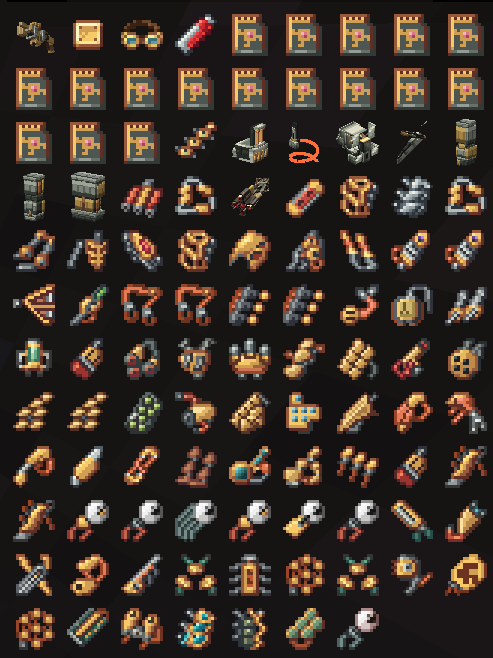
  • Over 70+ implants. Spread across different categories, similar to Cyberpunk 2077. the
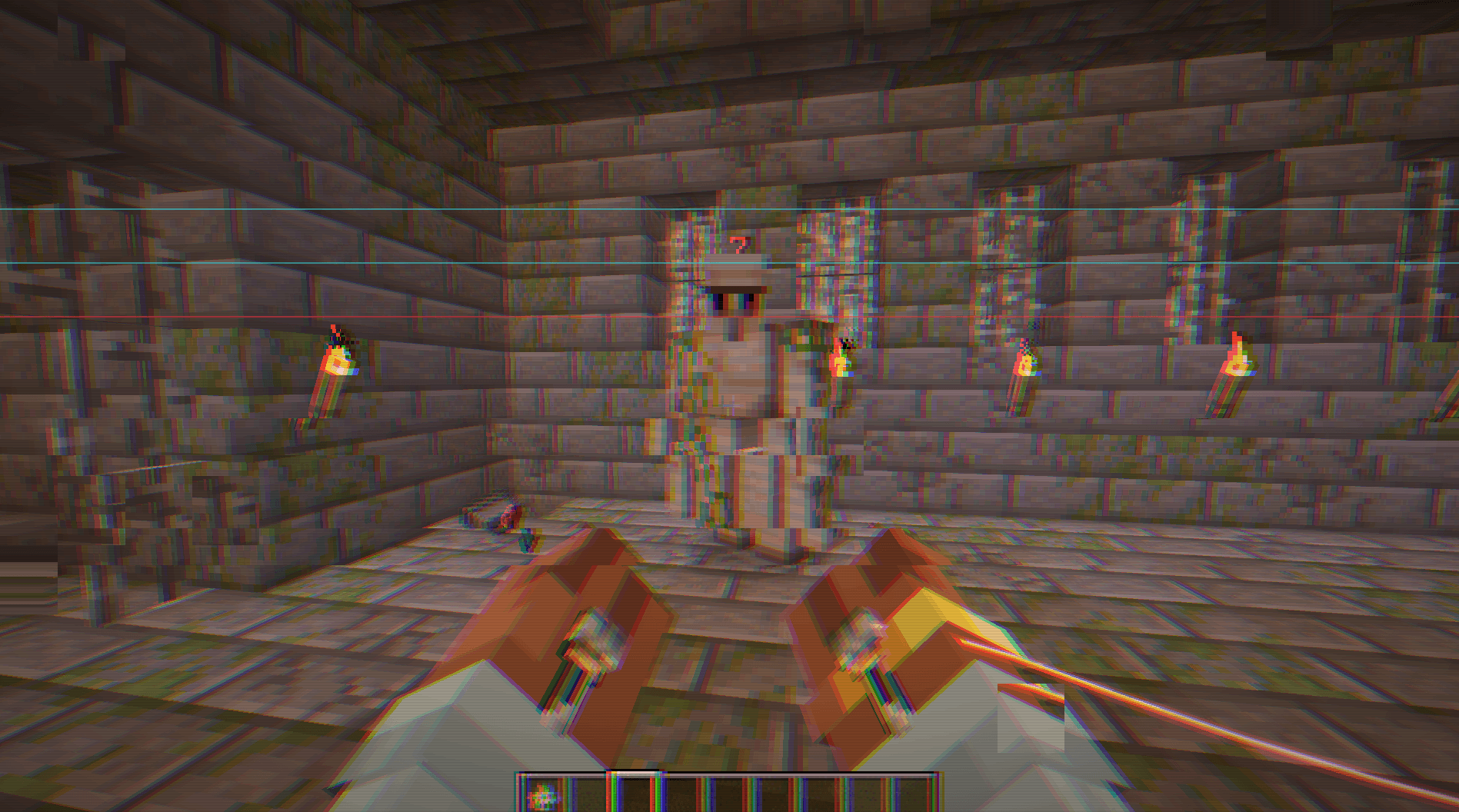
  • Fully working 3D Sandevistan, Mantis Blades, Monowire and Projectile Launch System. image

image

image

image

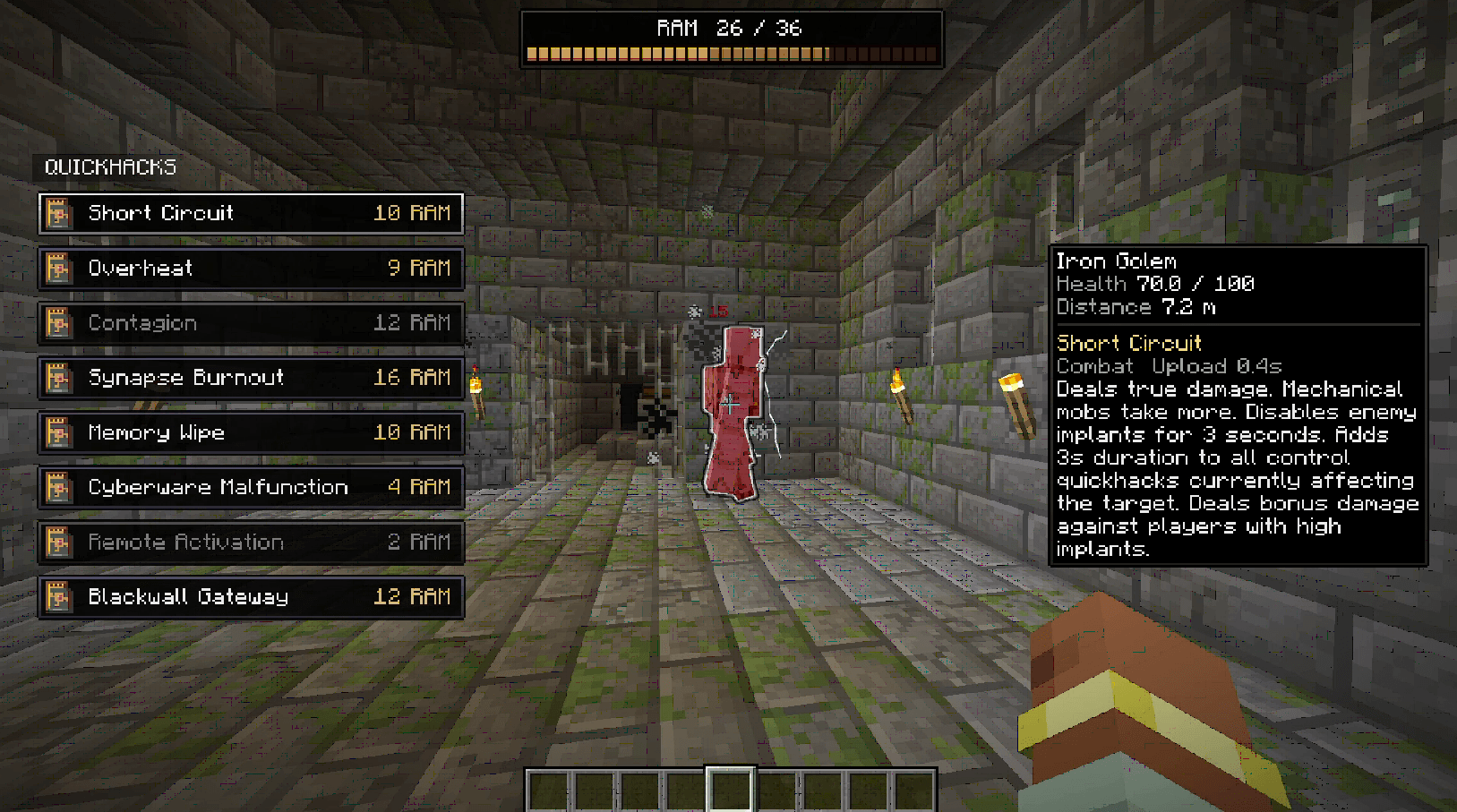
  • Quickhacks! Cyberdeck can be fitted with quite a few quickhacks. Absotutely unbalanced and OP be warned alt text
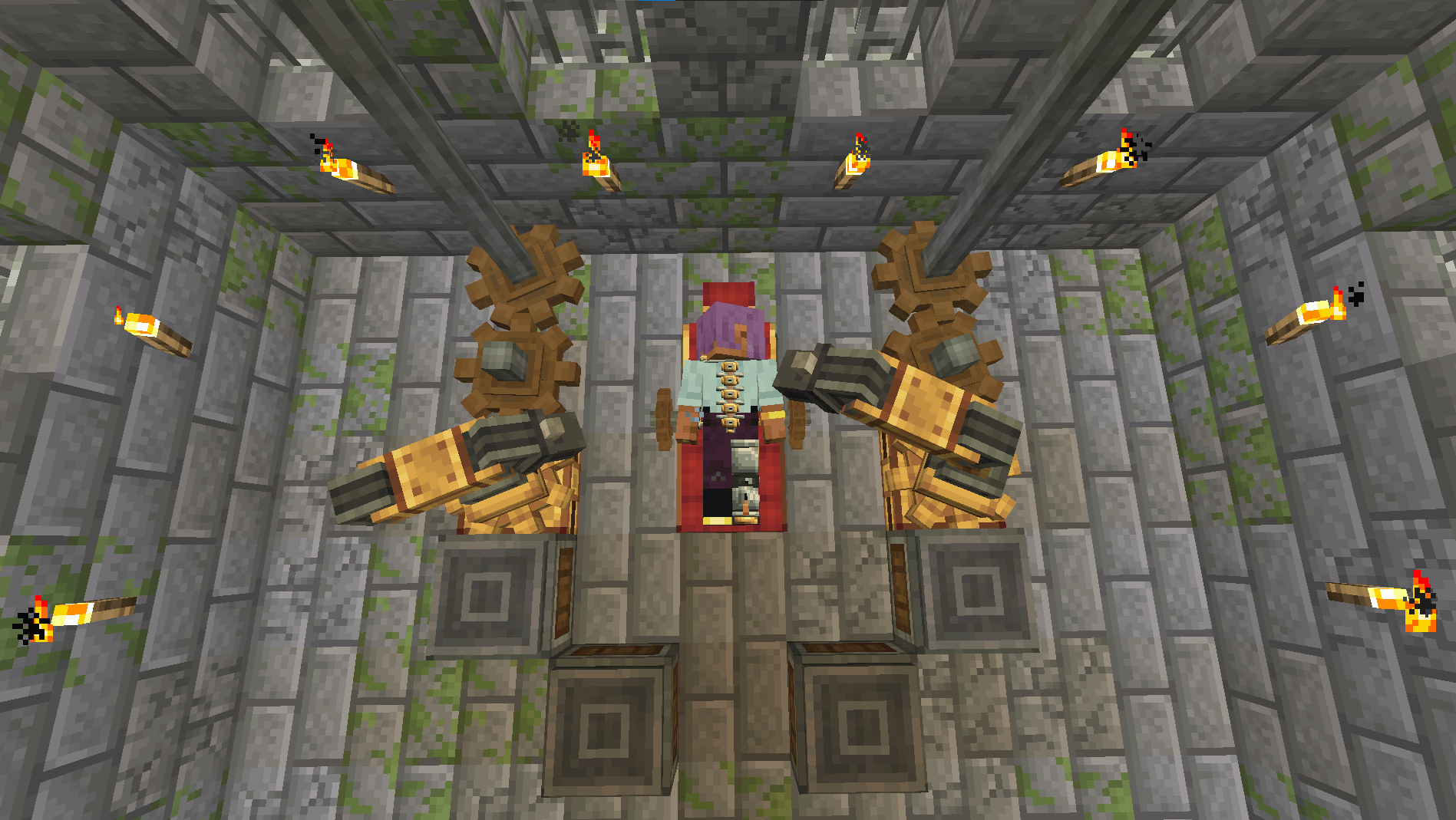
  • Sick ass ripperdoc-less surgery. Use a Mechanical Arm to augment yourself alt text
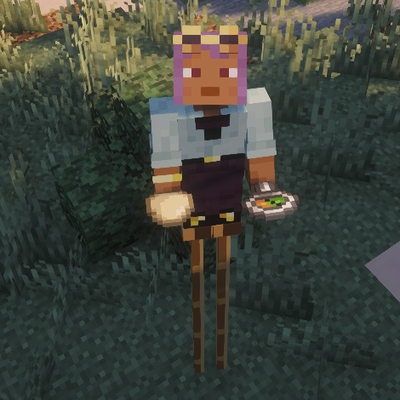
  • Limbs system and prosthetics
  • Cyberpsychosis. Use your implants too much and you will strain your mind. Strain too much and you may start hitting things out of control. alt text
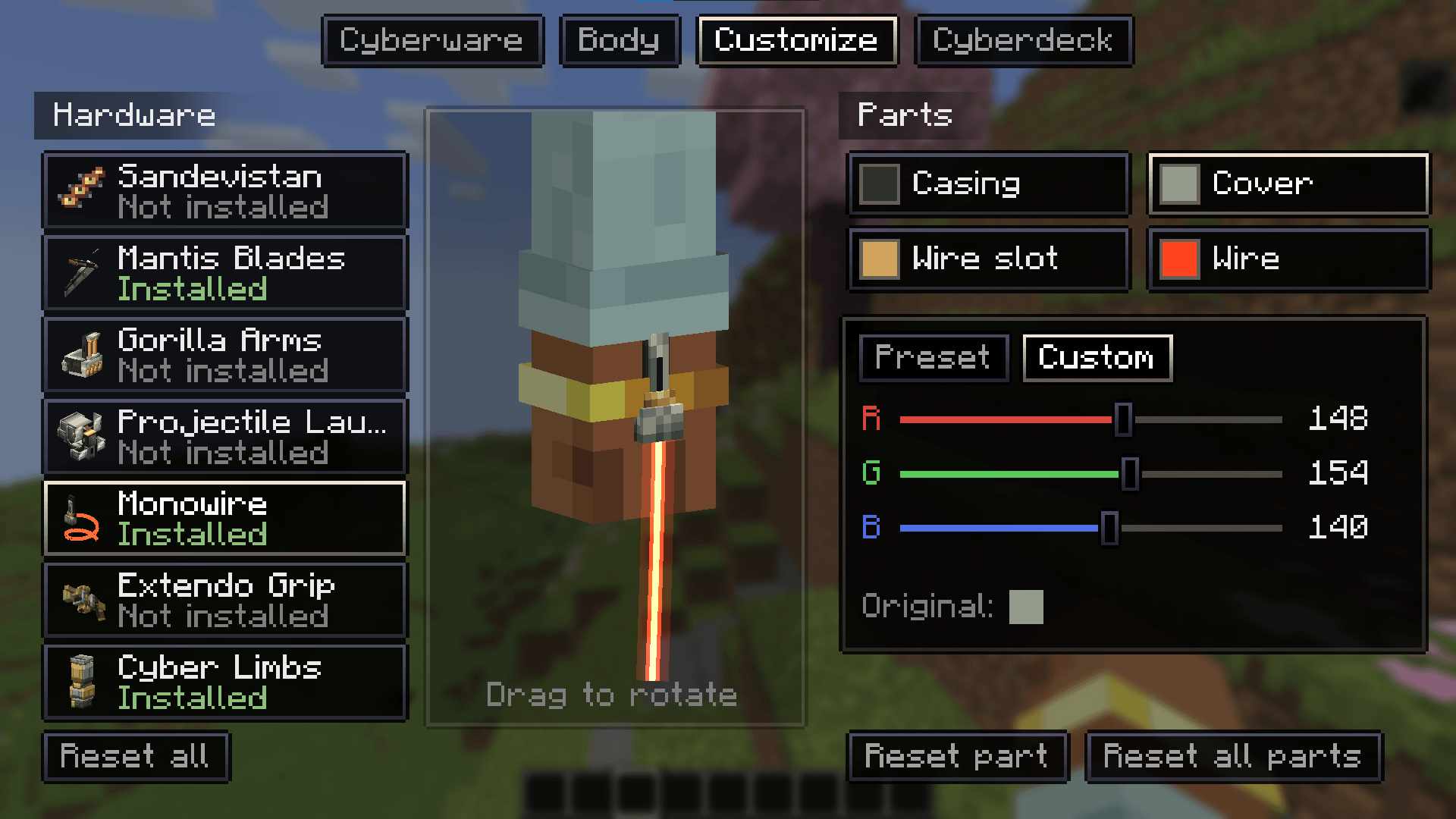
  • Customization. Implants and prosthetics can be recoloured if you do not vibe with the Create aesthetic. alt text

How to use

  • To install implants, use the Surgery Chair and a Mechanical Arm to augment yourself with the Cyberware Menu
  • To use arm implants, press the hotkey (default R) to switch to combat mode, where left/right click uses right/left arm respectively. Monowire and Mantis Blades can do a charged attack when both arms have them.
  • To use the Cyberdeck, press the operating system hotkey (default X) to open up the UI. Note that you need an optic implant for this.
  • To install quickhacks, go to the Cyberware Menu and install them in the Cyberdeck menu.
  • To regenerate lost limbs, use regeneration potions.
  • To use implant abilities, hold the hotkey (default V) to open up a quick wheel and select.
  • To get more Cyberware Capacity, get Create mod's achievements and install cyber limbs. You can always choose synthskin to get your skin's look back.
  • To reduce Humanity loss, use immunosuppressants, stay close to your pets and do not use your implants.

Important

This mod is a work in progress. Many features are missing and are not in this build yet. Balance and effects of implants are also placeholders. As are recipes. Expect many changes in the future. You might ask, why the FUCK are recipes so weird? Why are some textures inconsistent? Because I have been doing some parts sleep deprived. Incredible I know.

Work in progress:

  • Quickhack on monowire
  • Custom Cyberskeleton building with Sable/Aeronautics
  • Much better VFX
  • Missing implants / more custom ones
  • Ripperdoc villagers / players
  • Auto surgery
  • More fleshed-out cyberpsychosis
  • Actual HUD
  • 3D face implants and effects
  • Gore , if highly requested.

FAQ

1) forge 1.20.1???

  • FUH naw, actually maybe, later, dont care rn, dont get hopes up too much

2) CAPRI when???

  • not YET

3) cyberskeleton when??

  • not YET

4) AI!?!?!

  • yes, its joever, unsubscribe. it has been used mostly for the purpose of debugging and refactoring.

5) MODRINTH !??!

  • i dont decide when they approve a project

6) update WHEN

  • idk

7) {insert mod here} support?!?

  • if it makes sense, sure, maybe.

8) holy unbalance, fix NOW

  • dont care, balance be damned, cyberpunk wasnt designed with multiplayer in mind. I wont nerf things too much. go nuts

9) buff X, nerf Y, do Z

  • augh

Credits

  • Ping Wheel for adapting the ping system for quickhacks. MIT-licensed.
  • Better Whips for helping implement monowire physics. MIT-licensed.

Project description from CurseForge.

Pick your setup

Create: Chromeware by Minecraft version and loader

Choose the version and loader you play, then open the matching release.

1 available setups

Check the dependencies, then try the file in a copied instance before changing a world you care about.

Recent files

Create: Chromeware versions and loaders

5 of 5 releases match

Looking for an older file? The official CurseForge project page is in Resources.