Puzzles Lib Needed by Stoneworks [NEOFORGE] [26.2.x] v26.2.0
requiredMatching file found Matched file: [NEOFORGE] [26.2.x] v26.2.4

CurseForge · Minecraft mod
Vanilla stone types in plenty of variations for all your building needs.
Quick answer
Stoneworks [NEOFORGE] [26.2.x] v26.2.0 targets 26.2 with NeoForge. The project page does not say whether this file belongs on the client, dedicated server, or both. All 1 required mods have matching files.
Where it goes
The project page does not say whether this file belongs on the client, dedicated server, or both.
The source does not explicitly classify this release as client-only or server-only.
[NEOFORGE] [26.2.x] v26.2.0 on 26.2 NeoForge. Every mod below is checked against that same setup.
Install Puzzles Lib first. We found matching files for this game-version and loader setup.
We only count dependency files that match this setup. A file for another loader does not fill the gap.
Before you install it
Built for Stoneworks [NEOFORGE] [26.2.x] v26.2.0 on 26.2 NeoForge. Pick another file and the loader, install side or required mods may change.
Use [NEOFORGE] [26.2.x] v26.2.0. It targets 26.2 with NeoForge; another release may have different loader, side or dependency requirements.
Install Puzzles Lib first. We found matching files for this game-version and loader setup.
The project page does not say whether this file belongs on the client, dedicated server, or both.
Use the “Get this file” button beside [NEOFORGE] [26.2.x] v26.2.0. It opens that exact file at the source.
About this project








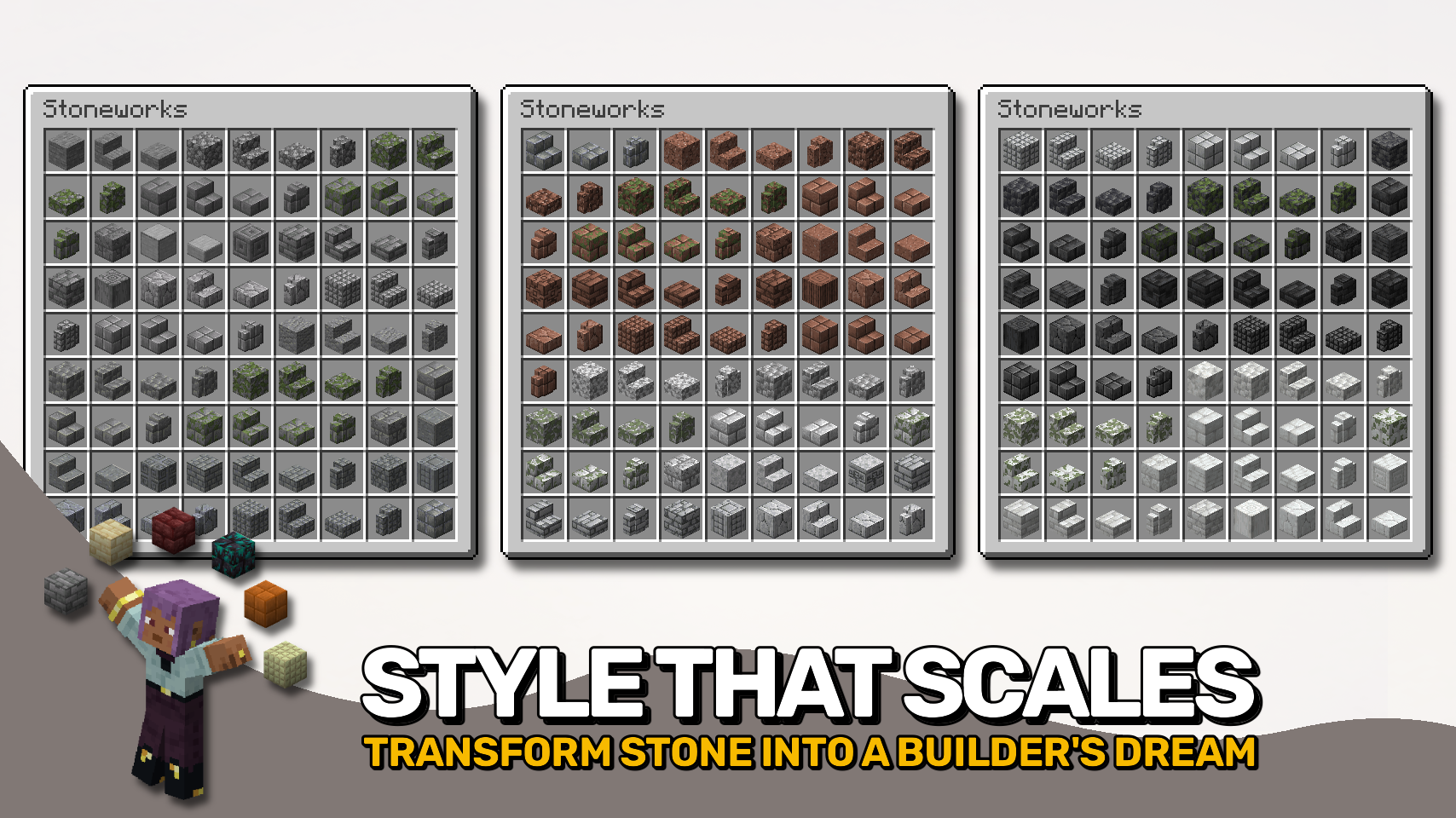
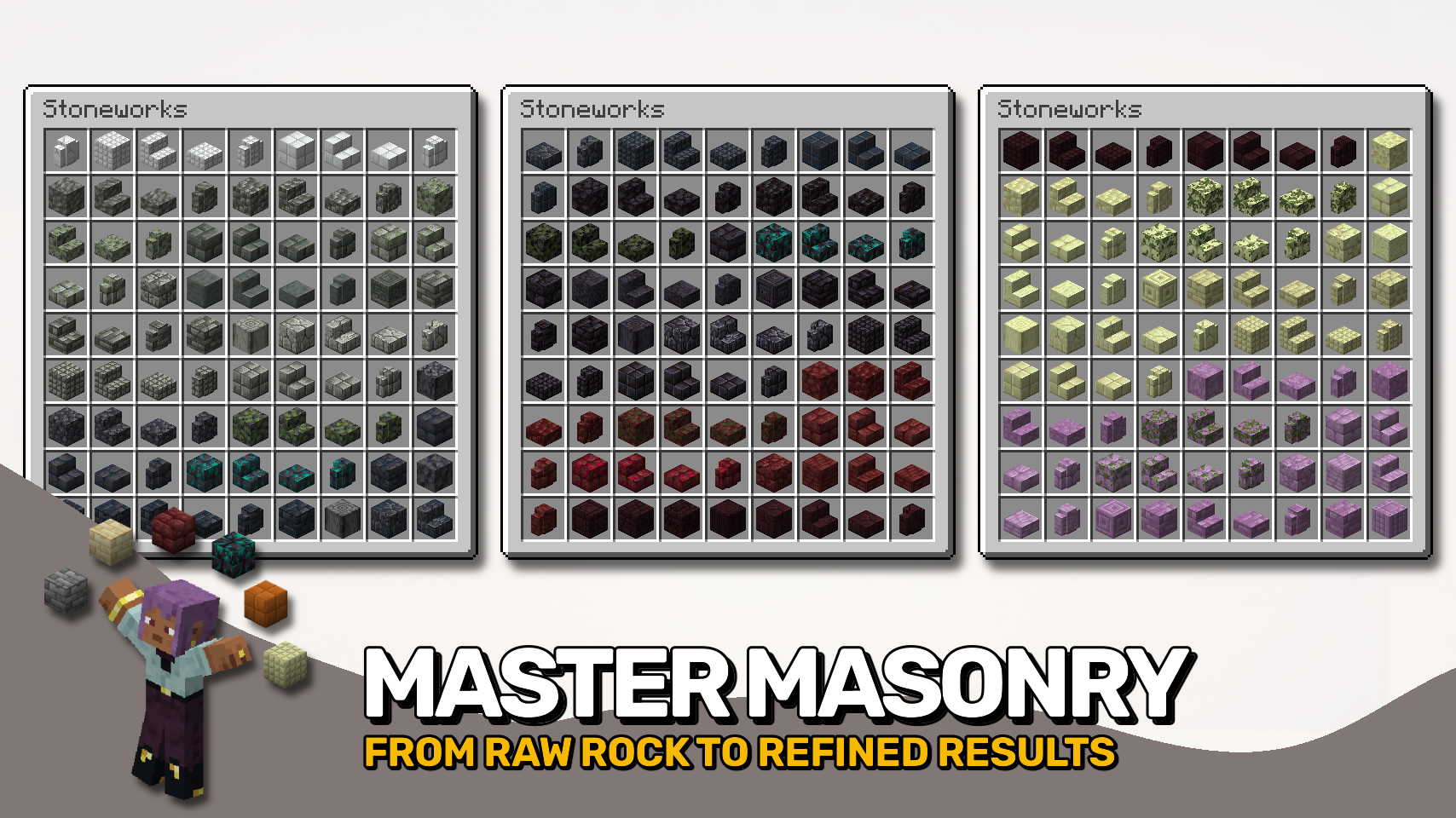
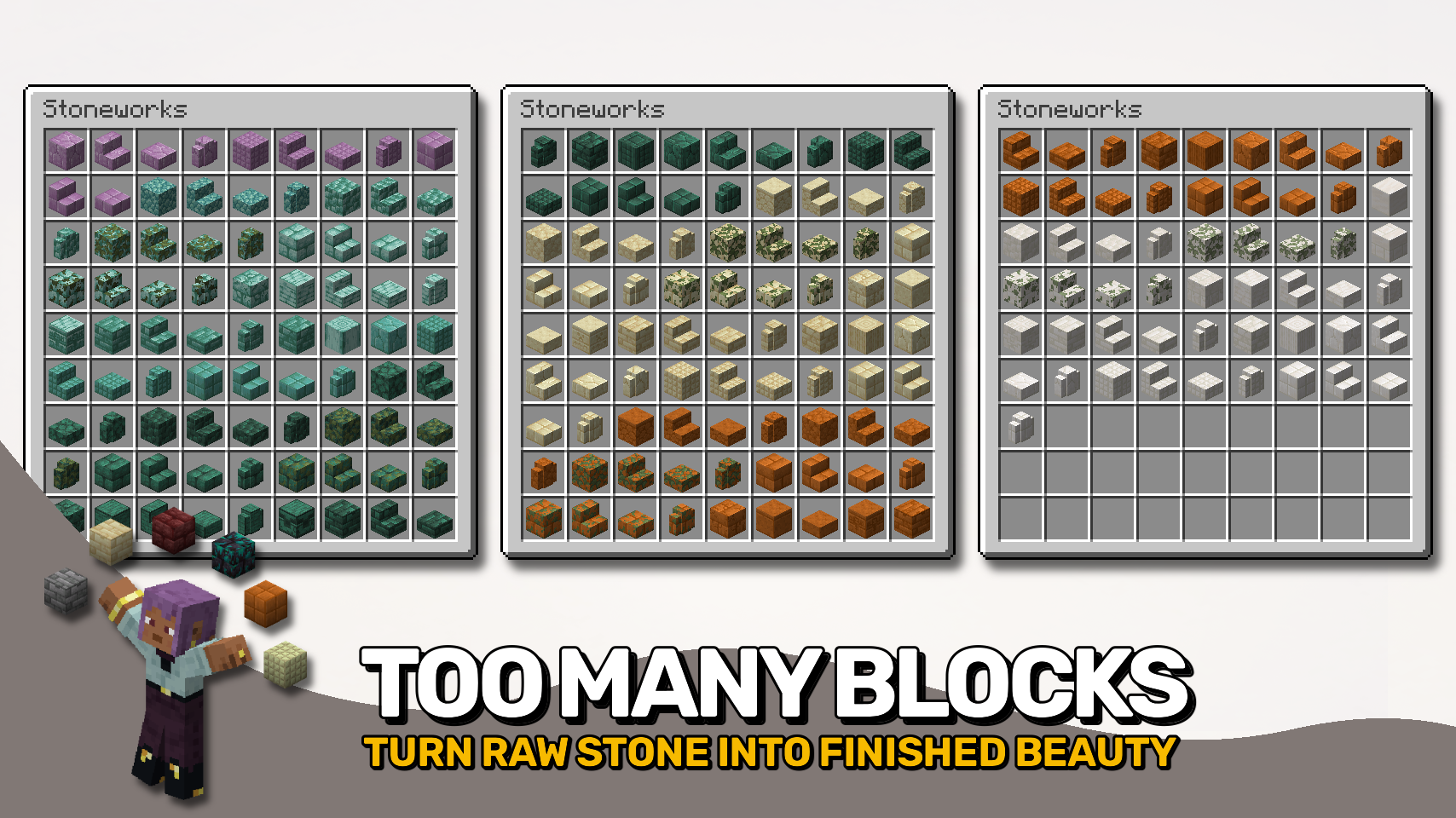
Stoneworks fills all the missing gaps when it comes to building with vanilla stone blocks. 🪨 Add depth and detail to your builds with cobbled variants, bricks, tiles, pillars, shingles, and more — all for every type of stone you know from the base game. ✨
And yes, most of those new blocks can also be turned into stairs, slabs, and walls for even more flexibility. 🧱 Everything is crafted right in the stonecutter — just drop in your stone and start slicing. It’s simple, fast, and perfectly survival-friendly. ⚒️
From cozy cottages to grand castles, Stoneworks helps your builds stand out without adding clutter or complexity. 💡 So what are you waiting for? Grab some stone and get building. 🏰


⏩ INSTALLATION REQUIRED ON CLIENT & REQUIRED ON SERVER
⏩ REQUIRES PUZZLES LIB TO BE INSTALLED (FABRIC & NEOFORGE)
⏩ REQUIRES FABRIC API TO BE INSTALLED (FABRIC)
⏩ REQUIRES FORGE CONFIG API PORT TO BE INSTALLED (FABRIC)

If available for a mod, configuration is possible directly from in-game using the mod menu (requires Mod Menu by Prospector to be installed on Fabric).
For manual configuration using an external text editor all files are found at .minecraft/config, named as MOD_ID-client.toml, MOD_ID-common.toml, or MOD_ID-server.toml, depending on the type of config. Not all types might exist for a mod, if any at all.

🌟 Thanks to Burack for making all those textures for me to use.
🌟 Thanks to ShadowClaimer and their Masonry mod for inspiring this project.
 |
 |
|
|---|---|---|
 |
 |
|
 |
 |
|
 |
 |
|
 |
 |
|

© 2026 @heyitsfuzs. All rights reserved. This page was last edited on 11 September 2026, at 06:44 (UTC).
Project description from CurseForge.
Pick your setup
Choose the version and loader you play, then open the matching release.
Showing the newest 12 of 22 game versions. Older files are in the list below.
Check the dependencies, then try the file in a copied instance before changing a world you care about.
Recent files
Stoneworks-v26.2.0-mc26.2.x-NeoForge.jar
19 Jun 2026
Looking for an older file? The official CurseForge project page is in Resources.
 mod
modEnsures important resource packs stay always active and helps clean up the pack selection screen.
 mod
modDeleted worlds are gone forever, right? Not anymore! Simply restore them from your recycle bin.
 mod
modA server-side mod for managing and restoring player skins.
