Puzzles Lib Needed by Mindful Darkness [FORGE] [1.20] MindfulDarkness-v7.0.0
requiredMatching file found Matched file: [FORGE] [1.20] PuzzlesLib-v7.0.9
CurseForge · Minecraft mod
Turning all the lights off! Automatic dark mode for guis; as configurable as possible.
Quick answer
Mindful Darkness [FORGE] [1.20] MindfulDarkness-v7.0.0 targets 1.20 with Forge. The project page does not say whether this file belongs on the client, dedicated server, or both. 1 required mod needs a matching file.
Where it goes
The project page does not say whether this file belongs on the client, dedicated server, or both.
The source does not explicitly classify this release as client-only or server-only.
[FORGE] [1.20] MindfulDarkness-v7.0.0 on 1.20 Forge. Every mod below is checked against that same setup.
Install Puzzles Lib, Puzzles Lib first, but 1 required mod has no matching file for this setup. Do not mix loader builds to force a match.
We only count dependency files that match this setup. A file for another loader does not fill the gap.
Before you install it
Built for Mindful Darkness [FORGE] [1.20] MindfulDarkness-v7.0.0 on 1.20 Forge. Pick another file and the loader, install side or required mods may change.
Use [FORGE] [1.20] MindfulDarkness-v7.0.0. It targets 1.20 with Forge; another release may have different loader, side or dependency requirements.
Install Puzzles Lib, Puzzles Lib first, but 1 required mod has no matching file for this setup. Do not mix loader builds to force a match.
The project page does not say whether this file belongs on the client, dedicated server, or both.
Use the “Get this file” button beside [FORGE] [1.20] MindfulDarkness-v7.0.0. It opens that exact file at the source.
About this project







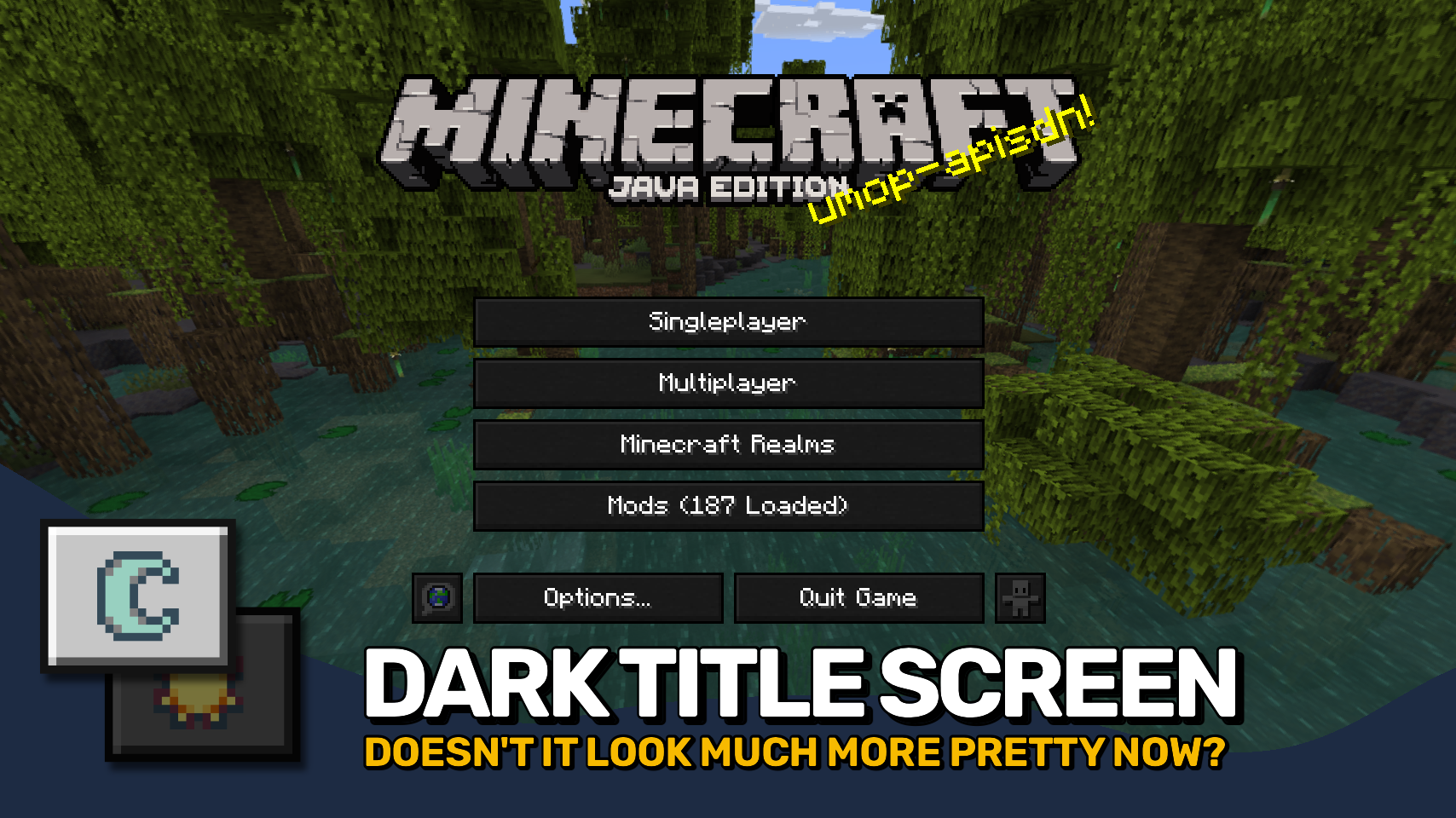
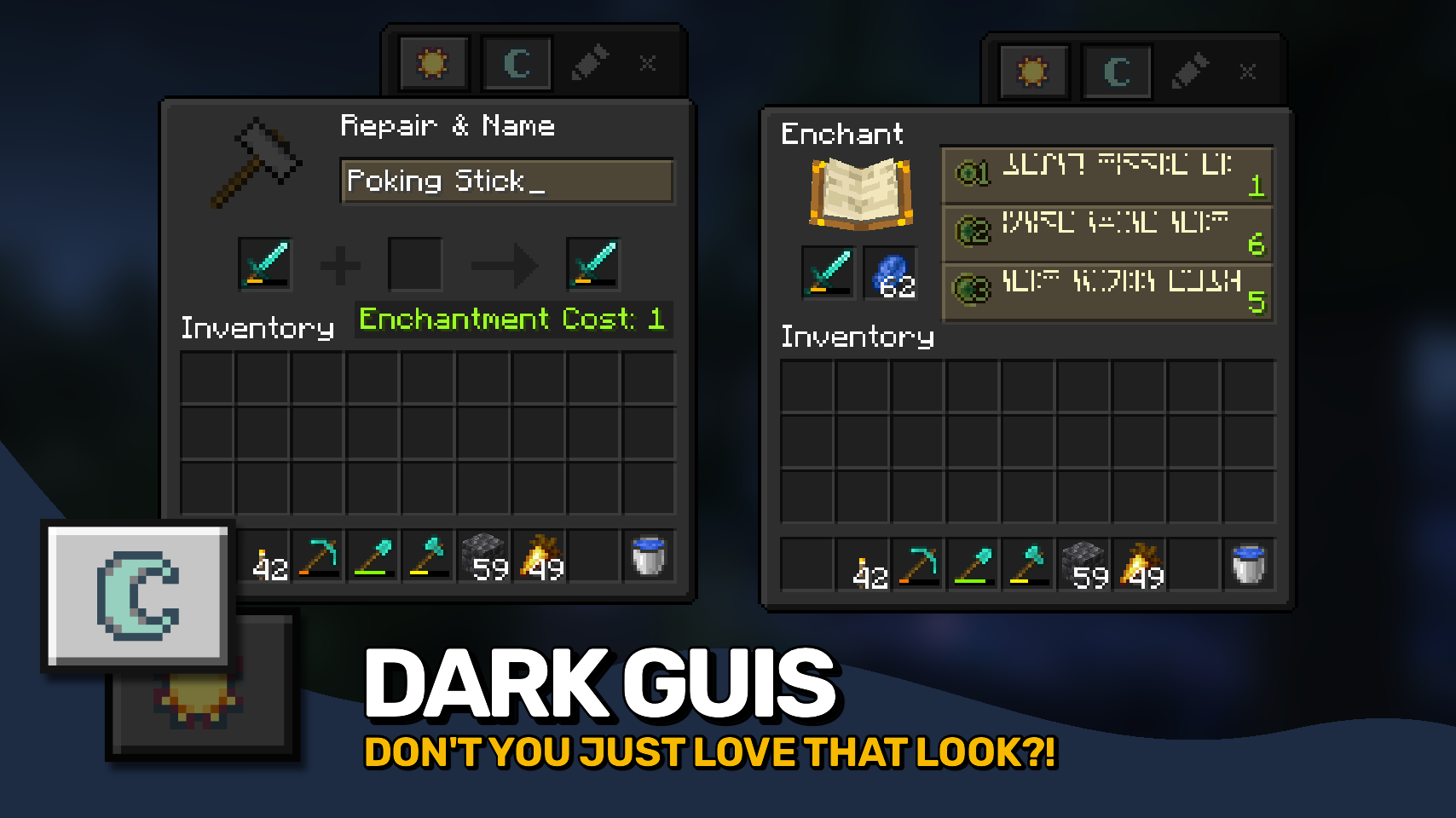
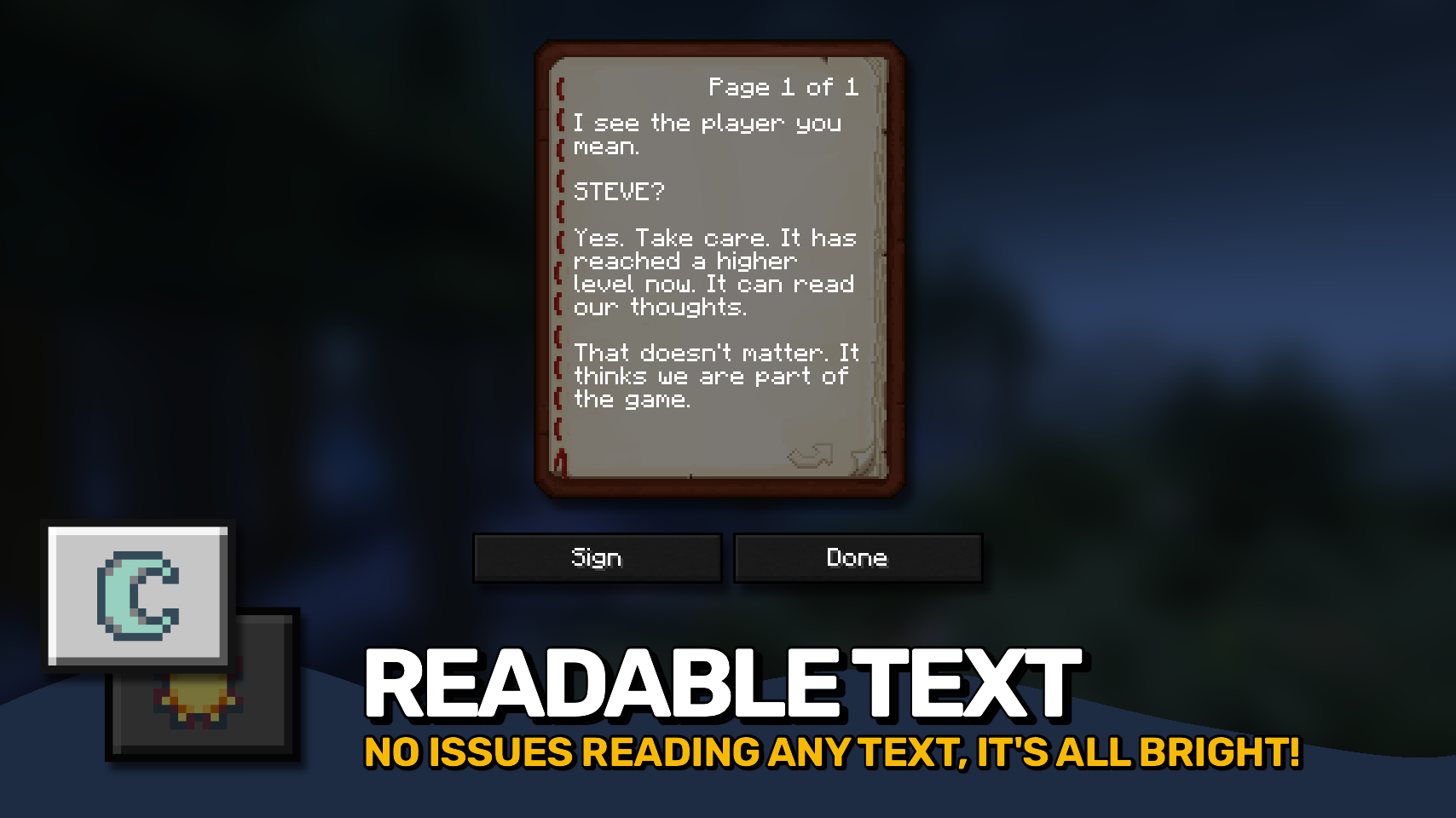
Mindful Darkness adds a fully automatic dark mode to your game. 🌙 Darken menus and interfaces instantly without requiring any texture changes or resource packs.
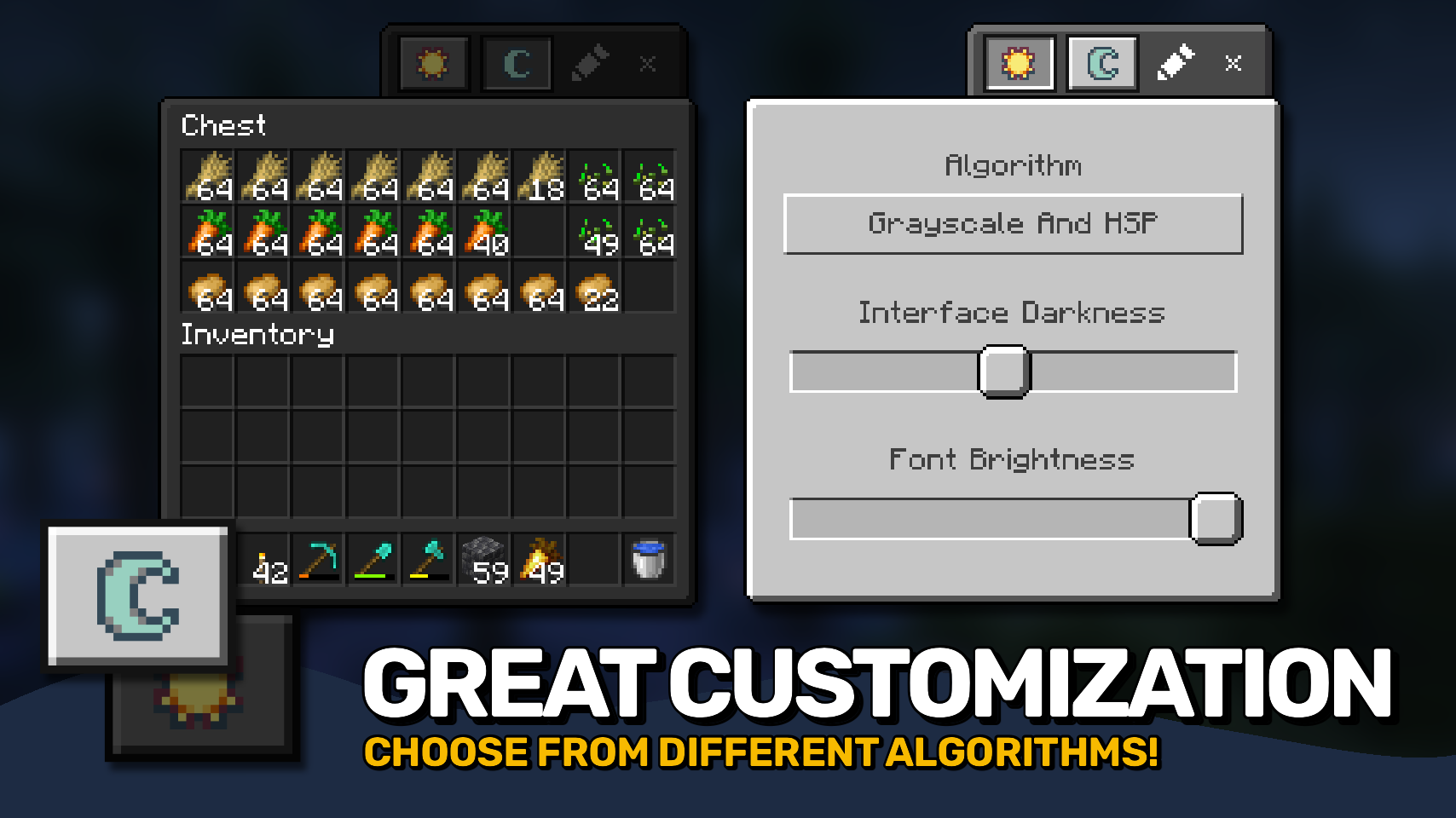
Toggle it on or off directly in game and customize the look to match your preferences. 🎨 Choose from different darkening algorithms, adjust the darkness intensity, and fine tune the effect with ease.
A simple texture control system is also included, letting you decide exactly which textures are affected. ⚙️ Comfortable, flexible, and easy on the eyes. ✨


⏩ INSTALLATION REQUIRED ON CLIENT
⏩ REQUIRES PUZZLES LIB TO BE INSTALLED (FABRIC & NEOFORGE)
⏩ REQUIRES FABRIC API TO BE INSTALLED (FABRIC)
⏩ REQUIRES FORGE CONFIG API PORT TO BE INSTALLED (FABRIC)

If available for a mod, configuration is possible directly from in-game using the mod menu (requires Mod Menu by Prospector to be installed on Fabric).
For manual configuration using an external text editor all files are found at .minecraft/config, named as MOD_ID-client.toml, MOD_ID-common.toml, or MOD_ID-server.toml, depending on the type of config. Not all types might exist for a mod, if any at all.
Mindful Darkness does not automatically darken every gui texture in the game, instead you have to manually specify in the config which textures are affected. Resources can be specified using '*' as wildcard char, can affect all or just a single namespace and you can use '!' to exclude resources.
By default, configuration looks like this: "textures/gui/*.png, !minecraft:textures/gui/icons.png". This will include all textures in the textures/gui directory from all namespaces (since this is where mods ususally put their gui textures). Specifically for the minecraft namespace icons.png is excluded though (indicated by adding '!' at the beginning). NOTE: The order of defining resources matters for exclusions! Excluded resources need to come after any entry that would otherwise include them.

🌟 Thanks to Buuz135 and their Dark Mode Everywhere mod, which I stole the idea for changing the font color from.
 |
 |
|
|---|---|---|
 |
 |
|
 |
 |
|
 |
 |
|
 |
 |
|

© 2026 @heyitsfuzs. All rights reserved. This page was last edited on 11 September 2026, at 06:44 (UTC).
Project description from CurseForge.
Pick your setup
Choose the version and loader you play, then open the matching release.
Showing the newest 12 of 17 game versions. Older files are in the list below.
Check the dependencies, then try the file in a copied instance before changing a world you care about.
Recent files
MindfulDarkness-v7.0.0-1.20-Forge.jar
10 Jun 2023
Looking for an older file? The official CurseForge project page is in Resources.
 mod
All-in-one mod that improves performance, reduces memory usage, and fixes many bugs. Compatible with all your favorite performance mods!
 mod
Adds a variety of decorative and colorful blocks to the game
 mod
Stop rerolling villagers. Press Pick trade and select any 2 trades its profession can offer (max-level enchanted books included). Fast trade and saves time.